This thread has been locked.

If you have a related question, please click the "Ask a related question" button in the top right corner. The newly created question will be automatically linked to this question.

PROCESSOR-SDK-AM64X: Linux Appimage Generator Tool

Part Number: PROCESSOR-SDK-AM64X


Tool/software:

Hello, 

I would like to start Linux and R5F app from SBL. I follow in AM64x MCU+ SDK  10.00.00 the section : Linux Appimage Generator Tool here : AM64x MCU+ SDK: Booting Tools

From windows 10, i try the command below in windows console (Admin) 

  • For Windows
    cd ${SDK_INSTALL_PATH}/tools/boot/linuxAppimageGen
    gmake -s all
    and this message appears : 
    "C:\ti\mcu_plus_sdk_am64x_10_00_00_20\tools\boot\linuxAppimageGen>gmake -s all
    C:/ti/gcc-arm-9.2-2019.12-mingw-w64-i686-aarch64-none-elf/bin/aarch64-none-elf-ld: cannot find c:/ti/board-support/prebuilt-images/bl31.bin: No such file or directory
    makefile:110: recipe for target 'bl31.elf' failed
    gmake: *** [bl31.elf] Error 1"
    I open the makefile here C:\ti\mcu_plus_sdk_am64x_10_00_00_20\tools\boot\linuxAppimageGen\
    and the variable PSDK_LINUX_IMAGE_PATH is =$(HOME)/board-support/prebuilt-images
    Is it possible do build from an windows environment  ? is the PSDK exist in windows environment ? where can i find this PSDK for windows environment  ?
    If yes, how  ?
    Best regards


  • Hi Sebastien,

    Thanks for reaching out to Texas Instruments E2E support forum.

    C:/ti/gcc-arm-9.2-2019.12-mingw-w64-i686-aarch64-none-elf/bin/aarch64-none-elf-ld: cannot find c:/ti/board-support/prebuilt-images/bl31.bin: No such file or directory

    You are getting the above error message because gmake is unable to locate the bl31.bin file.

    This file is present in the Processor SDK for AM64x device. 

    Is it possible do build from an windows environment  ? is the PSDK exist in windows environment ?

    The Processor SDK is not available for Windows host. It is only available for Linux host. 

    If yes, how  ?

    You can setup a Virtual machine on windows host and install the PSDK there. Then just copy the prebuilt-images folder on you windows host at location C:\ti\board-support\prebuilt-images.

    Please refer How-to-Build-a-Ubuntu-Linux-host-under-VirtualBox to know the steps for setting up virtual machine.

    Hope the above information helps.

    Regards,

    Tushar

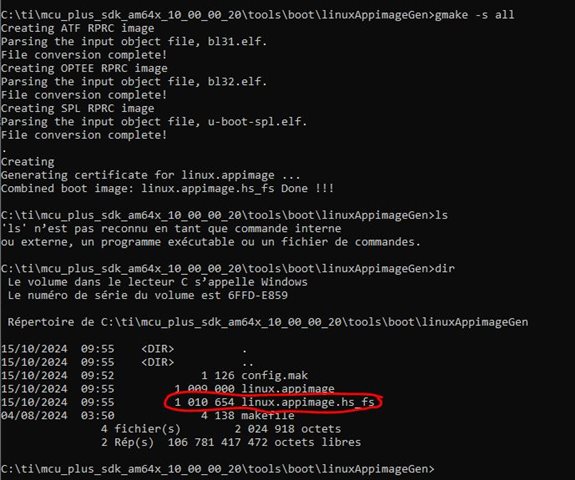
  • Hi Tushar,

    Now it's OK thank you very much. However, I need to modify the path + variable in config.mak to match with folder of Linux SDK. Is it possible in next version of MCU SDK to update this config.mak and documentation to match with Linux SDK


    Regards

    Sebastien