


I'm a complete newbie to CCS and the 6713DSK (This is the board I am using http://c6000.spectrumdigital.com/dsk6713/)
I am having a lot of trouble getting anything beyond a simple Hello World program that outputs to the console using printf working. I believe I may have some path issues. I'm working in a clean install of CCS V5.1.0.08012 in Windows 7. Install was to the default install path (C:\ti\)
I am having two main issues which I believe are most likely related. The first:
I create a new project and try to create a new DSP/BIOS v5.x Configuration File. Leaving all defaults and selecting ti.platforms.dsk6713, I get the following error message:
js: "C:/ti/xdctools_3_22_03_41/include/utils.tci", line 962: Error: Can't load platform definition 'ti.platforms.dsk6713': Error: Can't find configuration seed: ti/bios/config/cdb/c6x1x.cdb
Correct any script errors in D:/Documents/My Dropbox/Embedded System Design SHARED/Iain/.metadata/.plugins/org.eclipse.rtsc.xdctools.buildDefinitions.DSPBIOS/.gconf/workdamnit/workdamnit/workdamnit.tcf
using the Configuration Tool or a text editor, if necessary.
TConf initialization arguments:
-e environment['config.importPath']='D:/Documents/My Dropbox/Embedded System Design SHARED/Iain/workdamnit;C:/DSK6713;C:/ti/bios_5_41_11_38/packages;' -e environment['config.scriptName']='workdamnit.tcf'
I have tried, as a brute force solution, creating the file path ti/bios/config/cdb/ and adding c6x1x.cdb but this had no effect.
My second problem: there are various example code projects for the board on the Spectrum Digital website. Unfortunately, they were all made in CCS v3. When I import one, such as Hello2 (from the files on the Spectrum Digital website, a simple program (basically just LOG_printf(&trace, "hello world!");), and try to convert the included hello.cdb, I get the following error dialog:
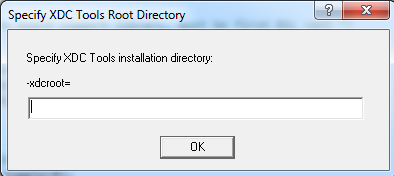
Leaving it blank or entering "C:\ti\xdctools_3_22_03_41", which I believe to be the directory it is asking for, produces the same result. Namely, hitting return brings up an error dialog "Unable to Create BIOS Config Server" followed by the error dialog "Error retrieving version in file c6x1x.cdb: Failed to open file". This is followed by:
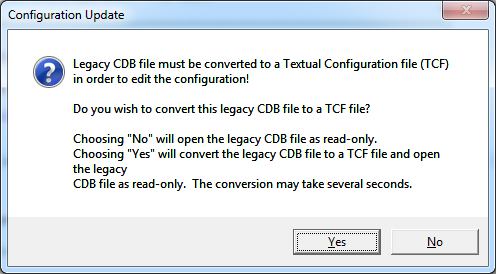
which upon clicking "yes" produces an error dialog that says "seed and app version don't match" and then that the update process failed. Then ANOTHER error:
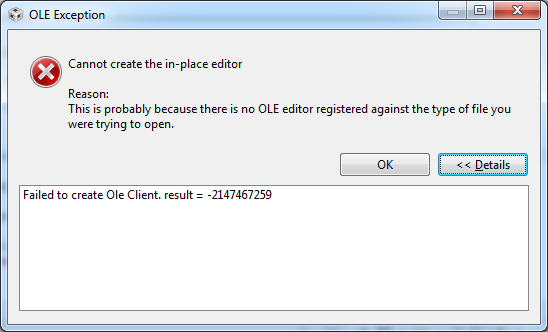
To me, this all seems to point back to some kind of path issue to do with c6x1x.cdb. I have tried copying that file into the project directory.
Any help with either of this issues is much appreciated. The teaching assistants for my class have no idea and tell me to install CCS3 (which is not compatible with Windows 7), and I would really rather not have to go for a duel boot!
Iain
