This thread has been locked.

If you have a related question, please click the "Ask a related question" button in the top right corner. The newly created question will be automatically linked to this question.

SK-AM62B-P1: compile error with AM62xx processor-sdk

Part Number: SK-AM62B-P1

Tool/software:

Hi,

I follow the https://software-dl.ti.com/processor-sdk-linux-rt/esd/AM62X/10_00_07_04/exports/docs/linux/Overview_Building_the_SDK.html to build yocto on Ubuntu 22.04.

The command ./oe-layertool-setup.sh -f configs/processor-sdk/processor-sdk-scarthgap-chromium-10.00.07.04-config.tx runs OK, but when I run MACHINE=am62xx-evm bitbake -k tisdk-default-image to build image, I meet the error two times as attachment.
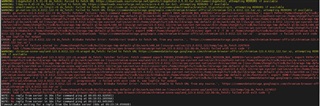
How to deal with the error?

Besides, I found that my ubuntu would crash easily when it's compiling. Is there anyway to configure less CPU kernal or other resources to compile so that it wouldn't crash so easily?

For example, use -j4 or -j8 when using make command to compile.

  • Hi Jacky,

    I am routing your query to our Yocto expert for comments.

  • Yocto fetch errors often point to an issue with the network or the associated configuration (proxy), and can be transient/temporary at times. Unfortunately certain WW regions seem to be more prone to such issues, and since Yocto can only build successfully if it can access all public sources/servers it needs, this leads to the builds failing.

    Things one an try...

    1. Re-try the build (potentially after a complete clean)
    2. Double check network/proxy settings (https://wiki.yoctoproject.org/wiki/Working_Behind_a_Network_Proxy)
    3. Try building from a different PC/location (company vs. home network, for example)
    4. Check the error messages for URLs that are being accessed, and see if you can access them manually (via web browser)

    Regards, Andreas

  • Hi Andreas,

    Thanks for your help.

    I also met a problem that the bitbake unable to connect to bitbake server after the compiling stopped by some reason.

    Although I have tried to do  a complete clean. How could I reciver the compiling?

    Best regards,

    Jacky

  • I also met a problem that the bitbake unable to connect to bitbake server after the compiling stopped by some reason.

    This can happen if the bitbake server process dies because of memory issues, and unfortunately it doesn't seem to exit cleanly in this case. You could check for all traces of bitbake processes in the system (for example by doing `ps aux | grep bitbake`) and hard-kill them one by one (`kill -9 <pid>`). Or re-start your system.

    Regards, Andreas