This thread has been locked.

If you have a related question, please click the "Ask a related question" button in the top right corner. The newly created question will be automatically linked to this question.

TDA4VH-Q1: Memory corruption when running inference

Part Number: TDA4VH-Q1
Other Parts Discussed in Thread: TDA4VH

Tool/software:

Hi,

We are encountering data corruption when running inference on the TDA4VH.

The observations we encountered so far:

1. Affects openvx allocated memory.

2. Corruption can be observed on the same buffer locations.

3. One of the buffers that gets corrupted is an output buffer that is filled by a node that runs on the VPAC's LDC (tivxVpacLdcNode).

4. The buffer corruption happens only after an inference of some DNNs. 

For the inference and TIDL control we are using onnx_runtime library (libonnxruntime.so.1.14.0+10000005).

We are using SDK 9.2 along with the following updates:

1. mmalib_10_00_00_09

2. pdk_j784s4_09_02_00_30

Attached is an exported image affected by the memory corruption.

  • Hello, 

    Thanks for your question. We are assigning this to our expert.

    Regards,
    Sarabesh S.

  • Hi,

    Could you help me understand the flow of the graph and the nodes involved here?

    Have you dumped the output of individual nodes and checked which output is wrong?

    1. mmalib_10_00_00_09

    2. pdk_j784s4_09_02_00_30

    Why is there a mismatch in the mmalib version for SDK 9.2?  Has this already been discussed with the TIDL team?

    Regards,

    Nikhil

  • Hi Nikhil,

    Thank you for your quick response.

    There are several nodes in the pipe : 

    1. tivxVpacVissNode - used for demosaic (raw to NV12).

    2. tivxVpacLdcNode - used for undistortion (NV12).

    and on a different graph we use a custome kernel for converting from NV12 to BGR.

    We see the corruption mainly on the undistorted image output.

    Regarding, the mmalib version, Yes this was supplied by TI team in order to use the new capabilities of TIDL of version 10 using 9.2 SDK.

    FYI, I've just sent an email to John Smrstik with a standalone applications which can be used to reproduce the memory corruption.

    Barak

  • I am not able to get access to that link, Could you please help me with that?

    Also, to confirm, You have both tidl repo and mmalib repo of SDK 10.0 right? or is it just mmalib repo?

    Regards,

    Nikhil

  • Hi Nikhil, I'm on it.

    Regarding the repos: 

    We are using c7x-mma-tidl_j784s4_10_00_05_00 and mmalib_obj_C7120_10_00_00_09.

    We were instructed to do the following changes to the SDK before building the SDK:

    · ln -s pdk_j784s4_09_02_00_30/ pdk

    · ln -s mmalib_10_00_00_09/ mmalib_09_02_00_08

    We are also using onnx_runtime from  jacinto7/esd/tidl-tools/10_00_05_00/OSRT_TOOLS/ARM_LINUX/ARAGO/onnx_1.14.0_aragoj7.tar.gz

  • Hi Barak,

    I got the access. Thank you

    But I see that there is binaries for both applications.

    From the application perspective, is it only a LDC node on ImagePreProcess_tests and a single TIDL node on DNN_Profiling? 

    And they would be running in different graphs (as they are different process), but is there any data exchange between the 2 process or are they independent?

    Regards,

    Nikhil

  • Yes, it is a single node on the ImagePreProc binary and a TIDL session for the DNN_Profiling (not sure if a graph is involved under the hood).

    They are both completly independant, There is no data exchange between them.

  • Hi,

    I ran the application as per the documentation and SDK provided. 

    I used the script ./runTest.sh & ./runProf.sh && fg to run both the apps parallely

    I am not able to reproduce this issue (i.e. I get All tests passed always)

    Is there any average number of iterations required to reproduce this?

    Also, I see a seg fault during the end of both the apps, May I know why is this seen? Can we have a smooth exit to this?

    Regards,

    Nikhil

  • Hi Nikhil, try running without fg. It is important to run ./runProf.sh before ./runTest.sh.

    Not sure about the segFault, maybe it happens because you are not using the firmware we are using, but it should reproduce any how.

    We can schedule a hands on meeting, if you'll like.

  • Hi Barak,

    The allocation of an OpenVX application happens during the vxVerifyGraph() 

    1. Can you enable APP_MEM_DEBUG in  app_utils/utils/mem/src/app_mem_linux_dma_heap.c to enable more memory related logs and share the logs for both the applications? (This should provide you all the DDR_SHARED_MEM allocations called during the execution of both the graphs)

    2. Are you seeing the buffer corruption issue if you ensure the start of second application only after vxVerifyGraph() of first application?

    Regards,

    Nikhil

  • Hi Nikhil,

    Regarding 1 - Sure, I've saved the app's output to files and will upload to the shared drive dir (where the tar.gz was). I'll upload the prof app output and the test app output when it passes and when it fails.

    Regarding 2 - I'm not sure what you mean, but currently in order to reproduce this I manually run the prof and then the test apps so I can't really sync with the vxVerifyGraph() calling. Also, this can't be done in our application as the graphs and inference calls are being executed from different threads.

  • Thank you for sharing the logs, do you see the same memory logs on the runProf.sh side as well? Can you share the same for good and bad case same as 1.

    Regards,

    Nikhil

  • Hi Nkihil, the runProf.sh only runs inference in a loop. The Image Processing test (runTest.sh) is the one that failed when inference is running in the background. Have you managed to reproduce the test's failure?

  • Hi Barak,

    I tried analyzing the memory allocation pattern in your runTest application, where the allocation sequence is same for both fail and pass testcase, I see a lot of freeing of memory during the execution of application, causing the memory allocation in between the earlier gaps.

    May I know how is the application written? Can you share the source file for the application runTest.sh.

    the runProf.sh only runs inference in a loop

    The same mem logs should be seen in runProf.sh as well, as this too should have memories allocated in the DDR_SHARED_MEM.

    Have you managed to reproduce the test's failure?

    I still wasn't able to reproduce this. I tried connecting Ethernet to CPSW2G port to get two terminals opened for UART, but the CPSW2G network seems to be not working in the SDK package (i.e. unable to ping to the IP detected) 

    So I am running ./runProf.sh & ./runTest.sh & which would still run in parallel with runProf running first as you mentioned.

    Can I get the mem logs for runProf.sh as well? 

    As I see, only 9 memory allocations happening, one of which will be the output buffer from LDC, Can you check in each iteration, who is corrupting this memory by connecting CCS to the R5 core?

    Regards,

    Nikhil

  • Action Items
    ===========

    Leddartech
    =========

    - As discussed in the call, there are 4 intermediate outputs that is present in the runTest application. 

    1. vx_image Output of the file reading from bmp using tivx_utils_create_vximage_from_bmpfile() i.e. input RGB image to color convert node
    2. Output of color convert node
    3. Output of LDC node (with mesh params provided)
    4. Output of converted RGB output (i.e. png)

    - Can we try keeping only 1 at a time in runTesh and check when the issue is reproduced 

     For Eg. Usecase 1:  runTest.sh has only output 1 above

                  Usecase 2:  runTest.sh has both output 1 and output 2 

                  Usecase 3:  runTest.sh has output 1,2 and 3

                  Usecase 4:  runTest.sh has output 1,2,3 and 4 (which is the current usecase)

                  Usecase 5:  runTesh.sh with LDC node without any mesh parameters as shown below 

                                    node = tivxVpacLdcNode(graph,
                                                                              param_obj,
                                                                              NULL,
                                                                              NULL,
                                                                              NULL,
                                                                              NULL,
                                                                              NULL,
                                                                              input_image,
                                                                              output_image,
                                                                              NULL);

                   This usecase will check if there is an issue with the mesh params creation. This will output an uncorrected image, should be same as    input_image

    - Leddartech to check if they could provide the source code to TI for runTest and procedure the build and run this on the provided Filesystem

    TI

    - Check the ethernet setting provided by Leddartech to try ssh to the board

    - Try to reproduce the issue using this ssh

    Regards,

    Nikhil Dasan

  • Hello Nikhil,

    I've added image exports after each operation as you requested (after image load, after conversion to nv12, after the ldc node and after the conversion to rgb). The results can be seen in our shared drive (Look for a tarball named Image_Outputs_Breakdown.tar.gz).

    As expected the images after ldc graphs are corrupted when runProf.sh is running in background.

    Later I've ran the LDC test without the mesh parameters as you requested and could not reproduce the phenomenon.

    Regarding sending the source code, I will get back to you on this.

    BR,

    Barak

  • Hi Barak,

    Later I've ran the LDC test without the mesh parameters as you requested and could not reproduce the phenomenon.

    To confirm the current scenario.

    The runTest app with LDC node containing mesh parameters --> Issue

    The runTest app with LDC node without mesh parameters     ---> No issue.

    Am I correct?

    Regards,

    Nikhil

  • Hi Nikhil,

    Yes, you are correct. but it is worth mentioning that I've ran inference using runProf.sh in the background in both cases.

    I've also uploaded the test application source code to the shared drive (under Source folder) for your review.

    Btw, Have you managed to reproduce the issue?

    We can schedule another meeting if you have more questions.

    Barak

  • Hi Barak,

    Yes we have reproduced this issue. Is there any way that we can build this application from our side so that we can do debug.

    Meanwhile can you try loading the meshImg using the lut_header file using vxCopyImagePatch() by referring app_single_cam.

    Regards,
    Gokul

  • can you share the application log for the fail case with APP_MEM_DEBUG enabled and with time stamp printed for each lines by running below commands,

    ./runProf.sh | ts '%M:%.S'

    ./runTest.sh | ts '%M:%.S'

    Regards,
    Gokul

  • Hi Gokul,

    I've generated the logs you've asked for, can be found in our shared drive under dir named "Fail_logs_with_mem_and_ts_18_2_25".

    Regrading your MeshImg test you mentioned, currently we are building the mesh grid by ourselves (I've added the missing initMeshImage() function to the following file in the shared drive : Source/ImagePreProc_Test_src.cpp) so currently we don't use the dcc tool for configuring the mesh.

    Regarding the application you requested, I'll update soon.

    Barak

  • Hi Barak,

    we will look into those files.

    Regarding the application you requested, I'll update soon.

    sure.

    Regards,
    Gokul

  • Hi Gokul,

    I've uploaded the source files and build files for the testApp to the shared drive.

    Look for testApp.tar.gz.

    Due to the urgency of the matter, please schedule a meeting so we could go over the files and sync about this matter.

    Barak

  • Hi Barak,

    I have got the source code and got it build successfully.

    meshImg is getting corrupted when calling processGraph(), we are testing this issue from our side.

    I will update with the inference once I am done with my debug.

    Regards,
    Gokul

  • Hi Barak,

    I kept breakpoint in runProf.sh ( when c7x starts to read data at address 0xC02e0000 ), the application is stopped at some point (see the log printed below),

    root@j784s4-ecu:/opt/buffOverrunDemo# ./runProf.sh 
    APP: Init ... !!!
    MEM: Init ... !!!
    MEM: Initialized DMA HEAP (fd=5) !!!
    MEM: Init ... Done !!!
    IPC: Init ... !!!
    IPC: Init ... Done !!!
    REMOTE_SERVICE: Init ... !!!
    REMOTE_SERVICE: Init ... Done !!!
     23593.619766 s: GTC Frequency = 200 MHz
    APP: Init ... Done !!!
     23593.619883 s:  VX_ZONE_INIT:Enabled
     23593.619902 s:  VX_ZONE_ERROR:Enabled
     23593.619918 s:  VX_ZONE_WARNING:Enabled
     23593.620454 s:  VX_ZONE_INIT:[tivxPlatformCreateTargetId:116] Added target MPU-0 
     23593.620617 s:  VX_ZONE_INIT:[tivxPlatformCreateTargetId:116] Added target MPU-1 
     23593.620748 s:  VX_ZONE_INIT:[tivxPlatformCreateTargetId:116] Added target MPU-2 
     23593.620878 s:  VX_ZONE_INIT:[tivxPlatformCreateTargetId:116] Added target MPU-3 
     23593.620898 s:  VX_ZONE_INIT:[tivxInitLocal:136] Initialization Done !!!
     23593.621168 s:  VX_ZONE_INIT:[tivxHostInitLocal:101] Initialization Done for HOST !!!
    VayaUtils : INFO1 : /opt/vayadrive/Utils/VisionAppsHandler.cpp(61)::checkFirmwareCompatibility() Checking firmware version compatibility.
    /opt/vayadrive/build/TDA4VH/VAYA_CONSOLE_TDA4_AARCH64/Release/_deps/vayadrive-tda4-fw-src/services/remote_ctrl/client/RemoteCtrlClient.cpp(79): appRemoteServiceRun() failed with -1
    VayaUtils : ERROR : /opt/vayadrive/Utils/VisionAppsHandler.cpp(70)::checkFirmwareCompatibility() Unable to fetch firmware version for core C7X_1
    /opt/vayadrive/build/TDA4VH/VAYA_CONSOLE_TDA4_AARCH64/Release/_deps/vayadrive-tda4-fw-src/services/remote_ctrl/client/RemoteCtrlClient.cpp(79): appRemoteServiceRun() failed with -1
    VayaUtils : ERROR : /opt/vayadrive/Utils/VisionAppsHandler.cpp(70)::checkFirmwareCompatibility() Unable to fetch firmware version for core C7X_2
    /opt/vayadrive/build/TDA4VH/VAYA_CONSOLE_TDA4_AARCH64/Release/_deps/vayadrive-tda4-fw-src/services/remote_ctrl/client/RemoteCtrlClient.cpp(79): appRemoteServiceRun() failed with -1
    VayaUtils : ERROR : /opt/vayadrive/Utils/VisionAppsHandler.cpp(70)::checkFirmwareCompatibility() Unable to fetch firmware version for core R5F_1
    /opt/vayadrive/build/TDA4VH/VAYA_CONSOLE_TDA4_AARCH64/Release/_deps/vayadrive-tda4-fw-src/services/remote_ctrl/client/RemoteCtrlClient.cpp(79): appRemoteServiceRun() failed with -1
    VayaUtils : ERROR : /opt/vayadrive/Utils/VisionAppsHandler.cpp(70)::checkFirmwareCompatibility() Unable to fetch firmware version for core R5F_2
    DNNBase : INFO1 : /opt/vayadrive/StandaloneAlgos/DNN/Base/tidlbase.cpp(212)::initialize() Creating new session for /opt/buffOverrunDemo/data/TransformersModelBack/TransformersModelBack_1728808740.onnx
    libtidl_onnxrt_EP loaded 0x2d99ee70 
    Final number of subgraphs created are : 1, - Offloaded Nodes - 16, Total Nodes - 16 

    After stopping runProf.sh here I ran runTest.sh and there is no issue (all testcases passed).

    My assumption is after this point(from log print above) the memory at 0xC02e0000 (physical address) is freed for runProf process, where that freed memory is allocated for runTest. But the c7x is still using that memory and that is conflicting with the memory allocated for meshImg in the runTest process.

    Can you send the binary for runProf with APP_MEM_DEBUG enabled or if possible share the source where this memory allocation and freeing happening inside runProf application.

    When I tried to run both applications at the same time i could see the memory allocated for meshImg is overwritten by c7x.

    Regards,
    Gokul

  • Hi Gokul,

    I've placed the runProf app with the APP_MEM_DEBUG enabled in the shared drive under prof_App_With_debug_prints folder.

    Barak

  • Hi Barak,

    runProf is not printing the memory debug information, can you please check the binary once from your side.

    Regards,
    Gokul

  • Hi Gokul,

    It works on my side. If I'm not mistaken, the update is inside the tivision_apps.so that is inside the tarball.

    Please try to extract all content of profDbg tarball to /opt/ in your TDA4VH platform and use the script from within the directory (/opt/profDbg/runProf.sh).

    Barak

  • Hi Barak,

    As discussed in the call, we need to know for which openvx_object, testProf application is freeing the memory.

    Here are my inference of running testProf with APP_MEM_DEBUG_ENABLED.

    Step 1: At first some memory is allocated at physical address 0x900060000 and according to the size it allocates, then end address of this allocation is 0x9002fa354.

    0x900060000 - 0x9002fa354

    step 2: After some time it is getting freed.

    step 3: soon after getting freed that memory region is allocated to 2 different regions,

    0x900060000 - 0x9001a0000

    and

    step 4: 0x9001a0000 - 0x9002e0000

    In the runTest.sh application meshImg object is allocated at 0x9002e0000 because linux point of view it is free. This all seems fine.

    But still something is writing into the memory at address 0x9002e0000 when we running the runProf application.

    My suspicion is at step 1 the memory range is conflicting with the meshImg memory range.

    We ran another test where we stopped the runProf application after step 1 before step 2, so the memory at 0x900060000 is not freed.

    then running runTest application the meshImg is allocated in address 0x902050000, and the application runs fine and testcase passed.

    (we put breakpoint when mesImg is allocated at 0x902050000 and we continued from breakpoint in both application runProf and runTest ).

    Regards,
    Gokul

  • Hi Gokul,

    I'm preparing the source code and build scripts for profApplication.

    I've also removed completely our memory sync infra (cpu-openvx) and I still see the issue.

    I will update when it's ready.

    Barak

  • The profApp source code and build scripts are located in our shared drive as profApp.tar.gz.

    You can build it in the same way as the former one.

    Let me know if you have any issues.

    Barak

  • Hi Barak,

    I got the files and built it successfully.

    I am debugging it and will let you know if I got any result.

    Regards,
    Gokul

  • Hi Barak,

    This seems like issue with some dangling pointers created by TIDL code
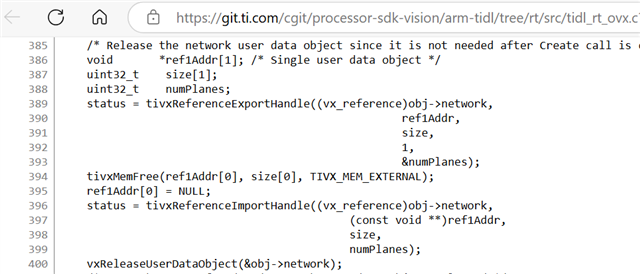
    Can you please try removing below lines from
    c7x_mma_tidl_*/arm_tidl/ folder


    Regards
    Rahul T R

  • Hi Rahul,

    Can you please be more specific? which files are you referring to?

    After the change should I build the SDK again? should I burn the sdCard again?

    I remind you that we are using c7x-mma-tidl_j784s4_10_00_05_00 and mmalib_obj_C7120_10_00_00_09 with the 9.2 SDK.

    Barak

  • Hi Barak,

    I am referring to below file
    c7x-mma-tidl-*/arm-tidl/browse/rt/src/tidl_rt_ovx.c
    In 10.05 remove line number 423 to 443


    After the change, you need to do below
    1. make sdk -j
    2. make linux_fs_install_sd

    Regards
    Rahul T R

  • Hi Rahul, 

    I have updated /opt/ti-processor-sdk-rtos-j784s4-evm-09_02_00_05/c7x-mma-tidl/arm-tidl/rt/src/tidl_rt_ovx.c and followed your instructions. 

    But it didn't solve the problem, I see the same issue.

    Barak

  • Hi Gokul,

    Following our conversation today, you can find in the shared drive a new dir named "SDK9.2_Leddartech" with the following:

    1. ti-processor-sdk-rtos-j784s4-evm-09_02_00_05.tar.gz - an archive with our updated SDK as we use it when building our application.

    2. libtivision_apps_debug - in this folder you will find the vision_apps lib compiled for debug as you requested.

    Let me know if you need anything else.

    Barak

  • Hi Barak,

    Based on Gokul's observation, seems like TIDL output is overflowing
    To confirm this, we can allocate more memory to output tensor

    You can do this by changing dim[0] = 2 instead of dim[0] = 1 in your
    application code when creating output tensor (just before vxCreateTensor).
    This will alocatte 2 times the memory required

    Can you please try this?

    Regards
    Rahu T R

  • Hi Rahul,

    I'm not sure that this is an easy test, In order to change the output tensor size i need to change the DNN file as well.

    I also not sure I understand to which output I should expect. btw, you have the entire code and build capabilities, so I'm not sure how I can help.

    Barak

  • Rahul, Gokul, Let's have an additional meeting tomorrow and discuss about this.

  • Hi Barak,

    Gokul already tested what I suggested above, and this seems to solve the issue.
    We are reviewing internally with TIDL experts to root cause, why output is overflowing

    Regards
    Rahul T R

  • Hi Gokul, Thank you for the update.

    Due to the urgency of the matter, we would like to test the solution on our side ASAP.

    Do you think that you will be able to send us the instructions by Friday?

    Thank you,

    Barak

    D

  • Hi Barak,

    While we investigate the TIDL issue, you can try below workaround
    it's a simple application change

    changing dim[0] = 2 instead of dim[0] = 1 in your
    cpp application code when creating output tensor (just before vxCreateTensor).


    Regards
    Rahul T R

  • Team,

    want to clarify that there is no issue in TIDL behavior. Application is not respecting the Input and Output memory requested by TIDL. Please refer below documentation

    https://github.com/TexasInstruments/edgeai-tidl-tools/blob/master/docs/tidl_fsg_io_tensors_format.md

    It seems application is not honoring the size requested as part of IOBufDesc. For some specific situations TIDL needs some extra space and in may not match with exact shape. So as an application writer, one should allocate the memory by respecting the IOBufdesc on both input and output side

    Thanks,
    with Regards

    Pramod

  • There was a follow-up question from our apps team if this applies when ONNX RT is used. Answer is as below:

    When you are directly feeding input to TIDL-RT via shared memory it does apply.

    True ONNX RT interface is supply buffers in Linux user space and let the ONNX RT delegate to TIDL-RT by copying buffers in shared memory of ARM to DSP. IN this case TIDL-RT manages the buffer allocation of input and output in shared memory space so in user space you can provide the size considering actual shapes of buffers

    But as you know that the above mentioned method involve one buffer copy and in order to minimize the buffer copy we have provision of providing the input and output directly in shared memory by application. In this approach though you are using ONNX RT but still bypassing the ONNXRT from input and output buffer properties view point. So in this case application need to respect the buffer requirement mentioned by TIDL-RT for its input and output

    Thanks,

    With Regards,

    Pramod

  • Hi Barak,

    Please confirm whether above mentioned solution solved your issue.

    Regards,
    Gokul

  • Hello Gokul and Pramod,

    So at this point I can update that changing the dims[0] to 2 has canceled the memory corruption when applying this to the code I've shared with you. The next phase would be to integrate this in our application and check the data validity which outputs from the inference.

    Also, we have just had a meeting with your Team (Varun and Chris participated) and I have shared that this fix is not clear to me, as I don't understand the link to the memory size demands Pramod was discussing above. They have shared that those memory size demands are actually include memory alignment and padding that we should take into consideration when allocating the buffers, and those details can be extracted from the artifacts files that are used along with the ONNX. We've requested instructions for extracting those memory details from the artifacts I've shared with you (can be seen in the buffOverrunDemo.tar.gz under data/TransformersModelBack folder).

    Please supply the instructions for extracting the data and calculating the memory start + end address for the output tensors. 

    Btw- should we allocate the input tensors in the same manner?

    Thank you,

    Barak

  • Continue to the latter, 2 more questions from my side:

    1. Can we control / override the padding and alignment of the actual data during the artifacts compilation?

    2. When we supply the pointer with the tensor to Ort::Value::CreateTensor, should we supply to pointer to the padding start (blue arrow in the image below) or to the data start (red arrow in the image below).

  • Hi Barak,

    To answer your questions

    "I have shared that this fix is not clear to me, as I don't understand the link to the memory size demands Pramod was discussing above. They have shared that those memory size demands are actually include memory alignment and padding that we should take into consideration when allocating the buffers"

    - Yes the actual memory requirement that is allocated in shared memory for both inputs and outputs might be higher than the model dimensions. Also, an extra plane might be required in some cases for both input and output and this is by design. If you allocate memory through ONNX i.e on arm, the shared memory allocation is taken care internally and appropriate size will be allocated. As far as i understand, you are allocating shared memory directly hence these sizes might not be same as the onnx tensor sizes. The actual size can be found by reading the *io_1.bin generated in the artifacts. This is the binary of sTIDL_IOBufDesc (https://software-dl.ti.com/jacinto7/esd/processor-sdk-rtos-jacinto7/10_00_00_05/exports/docs/c7x-mma-tidl/ti_dl/docs/user_guide_html/structsTIDL__IOBufDesc__t.html) which has all the information about the actual buffer size required by TIDL

    " We've requested instructions for extracting those memory details from the artifacts I've shared with you"

    - Right now this structure is not exposed if application is OSRT based. Only TIDL-RT based application have the access to the structure. This needs to be improved and we will work on fixing this and exposing the structure and updating our examples as well.

    "should we allocate the input tensors in the same manner"

    - Yes technically the input tensor sizes should also come from the same structure mentioned above.

    For now you can allocate the extra plane and it should be correct.

  • Hello Abhey, 

    So one of my colleagues has managed to find a code that parses the io.bin file.

    The parsing shows that most of the output tensors request padding of 1 channel as you instructed, but there is another one that requires padding of 5 channels.

    There are several assumptions I currently take into consideration:

    1. We are parsing the data correctly (again, instructions for parsing the binary files are needed).

    2. Increasing the channel padding in the OpenVX API will extended the channels at the end of the data (planar).

    3. We can increase the openvx memory without changing the cv::Mat (who uses the same memory) to the original size (without the padding).

    4. Any padding other than the channel padding is not supported (I'm not sure how padding near the data itself can be treated from our side).

    5. The pointer that we hand over to the tensorCreate API is the start of the allocated (VX) data.

    Moreover, we still would like to know if we can control the padding in the Artifact compilation phase (so we could remove the padding demand).

    We will test our application with this fix in the coming days.

    Barak