Part Number: CCSTUDIO
Tool/software:
Good morning!
This question is not much related about the processor but the CCS in general.
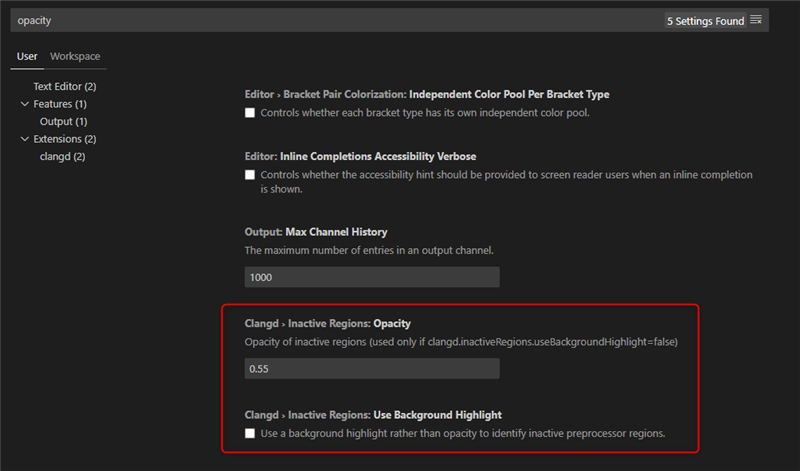
How can I change the setting in order to get the same color format for both the section with the inactive blocks and the active ones?

If you can see, the parts in #ifdef statements are darker than others. I would like to have all the code visualized more enlighted, like all the blocks are active (even if some of them are not).
In classic Visual Studio Code, you'd go to settings.json file and change the configuration by adding:
"C_Cpp.dimInactiveRegions": false
I changed the settings.json file in C:\Users\User\AppData\Local\Texas Instruments\CCS\ccs2020\0\theia (I have only one workspace).
Now the file is presented as this:
{
	"C_Cpp.dimInactiveRegions": false,
    "window.titleBarStyle": "custom",
    "CCS.debug.targetConfigurations.directory": "/c:/Users/lpredier/ti/CCSTargetConfigurations"
}
Still, the file doesn't change the view and I'm still stuck with the different color scheme.
Can you help me?
Best regards,
Luca Predieri