This thread has been locked.

If you have a related question, please click the "Ask a related question" button in the top right corner. The newly created question will be automatically linked to this question.

J721S2XSOMXEVM: Issue Accessing MCU Timer Register Space - 2

Part Number: J721S2XSOMXEVM
Other Parts Discussed in Thread: TDA4VL

Hello Karthikeyan S,


Last ticket got locked, (https://e2e.ti.com/support/processors-group/processors/f/processors-forum/1593403/j721s2xsomxevm-issue-accessing-mcu-timer-register-space)
as it's been long since there was an update. In continuation to the last ticket, Please check the update and response below.

I have tried below three methods to check the accessibility of MCU timer.

Details of setup used- 
Board: J721S2 (TDA4VL)
SDK Version: ti-processor-sdk-rtos-j721s2-evm-10_01_00_04
CCS Version: 12.4.0.00007
Device is configured in No Boot mode


Method 1: Created Emtpy main project in CCS and verified the TIMER_TCLR register (0x40400038) register in Memory browser.
I am not able to modify it and have no access. Please refer the attached screenshot (EmptyMain.png)
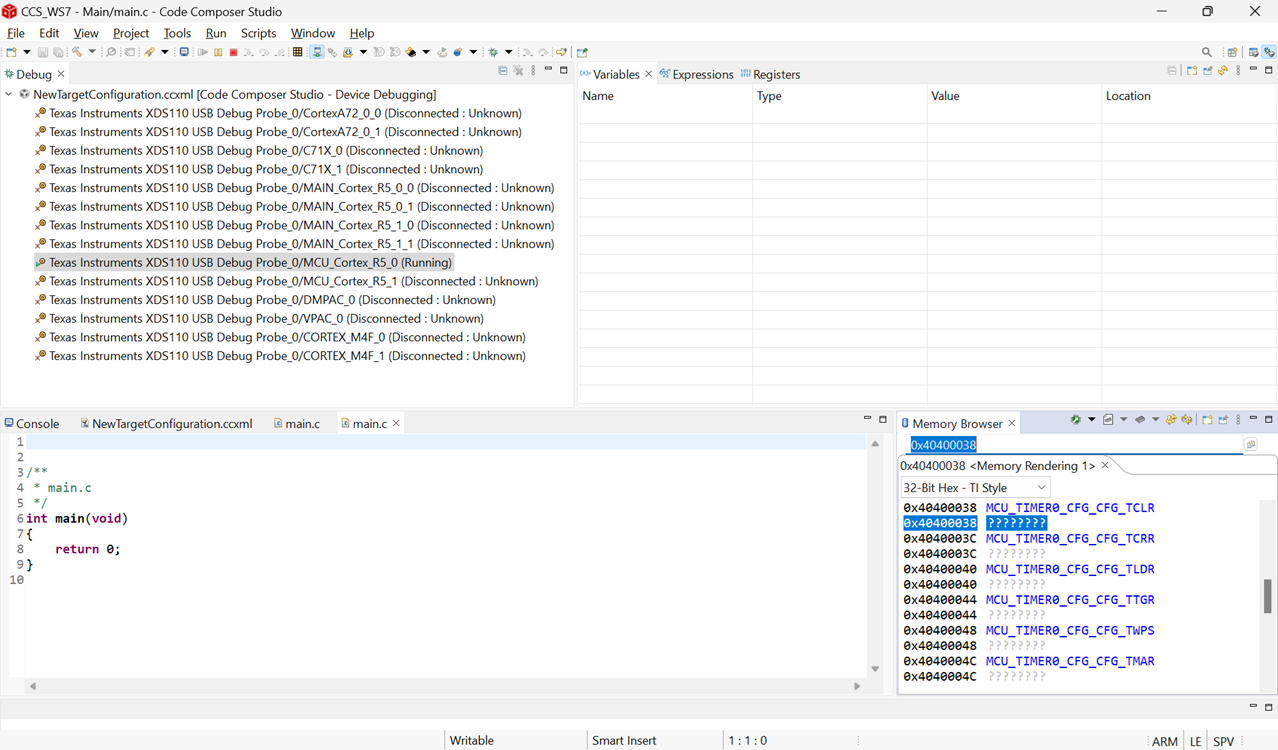
 

EmptyMain.png


Method 2:
With reference to the screenshot you shared in earlier comments of the old ticket as mentioned in first line (Screenshot from 2025-12-02 11-19-15.png), I understand that you built the led_blink binary and executed it directly in CCS. I attempted to recreate the same scenario in my workspace.

I am using TI SDK 'ti-processor-sdk-rtos-j721s2-evm-10_01_00_04' and built the led_blink example, which generated the .xer5f binary. 
I then attempted to execute the binary (GPIO_Baremetal_LedBlink_TestApp_mcu1_0_release.xer5f) directly through CCS. However, I am encountering the issue in load itself as it is not able to access memory regions.

Please refer attached screenshot (Led_Blink_load_error.png). I have also attached screenshot of the the target configuration settings made in CCS (.png)
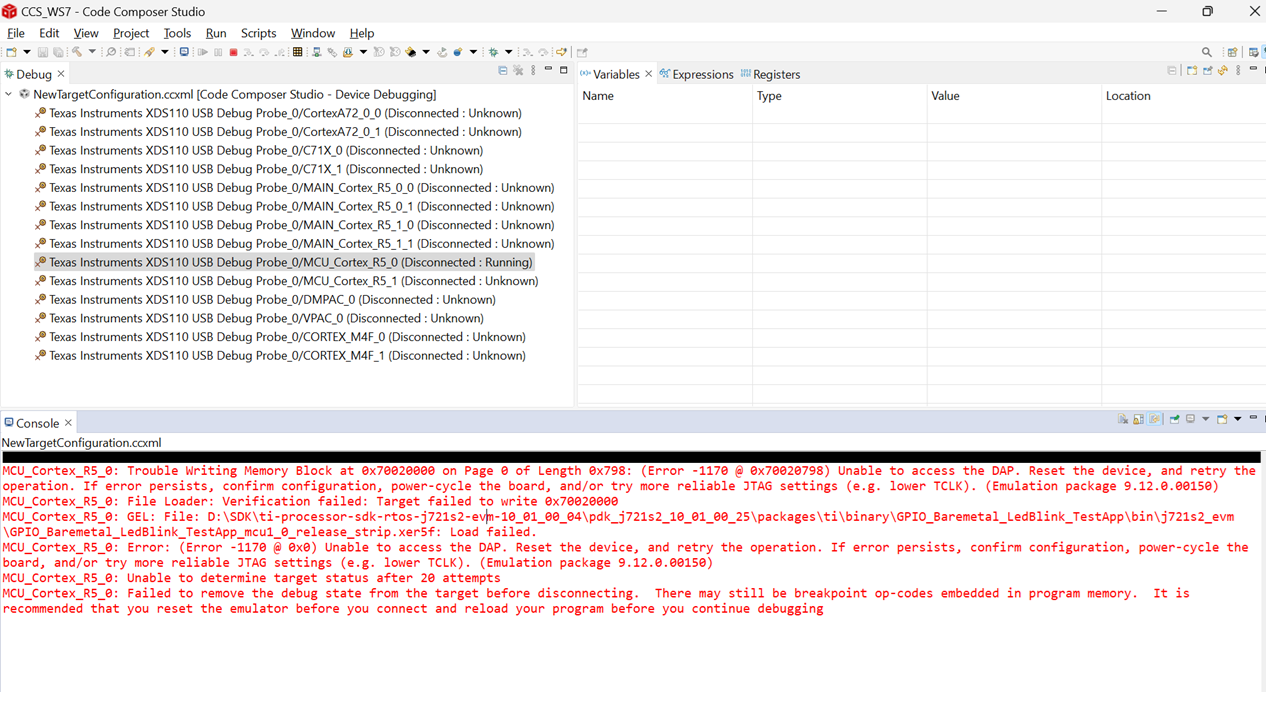
 

Led_Blink_load_error.png

Please guide how to use this existing led_blink example to check the accessibility of MCU Timer registers memory.
Are there any changes required in existing SDK ?


Method 3: I have tried to build another example of GPT Timer with the command 'gmake gpt_app BOARD=j721s2_evm'

But there are compilation error in the SDK package. Please refer GPTcompilerLog.txt file

GPTcompilerLog.txt 


Please guide how to use this existing GPT example to check the accessibility of MCU Timer registers memory.
Are there any changes required in existing SDK ?


Looking forward for your earlier response.


With Regards,

Madhusudan Gupta

  • Hi Madhusudan Gupta,

    Please guide how to use this existing led_blink example to check the accessibility of MCU Timer registers memory.
    Are there any changes required in existing SDK ?

    Based on Method 1 and Method 2, it appears that your CCS setup is not fully completed. Please make sure the following configurations are properly set in your CCS setup:

    Refer to the attached document for the detailed CCS setup steps.

    Target Configuration
    Initialization script
    GEL initialization

    Are there any changes required in existing SDK ? 

    There are no changes required. It builds successfully with the existing SDK. Please double-check on your side whether any changes were made to the SDK

    Regards,
    Karthik
  • Sure  

    Thanks for the support !

    As you suggested, I will try to setup the CCS again as described in the shared link.

    May you please help me with any recommended CCS IDE version for the same.

    FYI, I used CCS v12.4.0.00007 last time.

    With Regards,

    Madhusudan Gupta
  • Hi Madhusudan Gupta,

    You can use the same CCS v12.4.0.00007 version; it works correctly. Please let me know if you face any issues while configuring the CCS setup.

    Regards,

    Karthik

  • Hi Karthikeyan,


    Thank you for your input. As you suggested, I tried to set up the CCS again as per shared link.

    Specifically, I referred to Section 7.2 of this document and did the CCS setup (v12.4.0.00007).

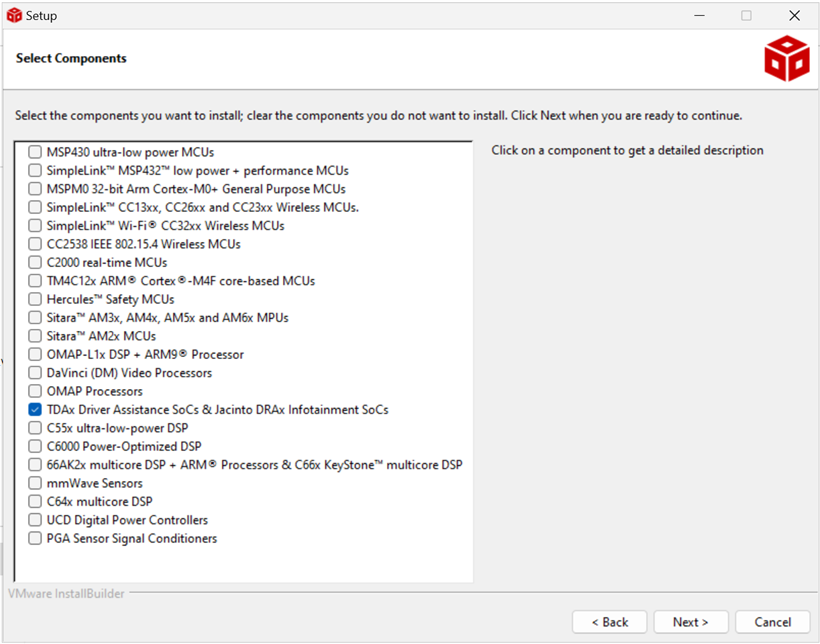
    PFA screenshots for the same.

    I verified the installed software also.

    After CCS setup, I created the target configuration (.ccxml).

    1) PFA advanced target configuration settings screenshot selected by default for CS_DAP_0


    2) PFA advanced target configuration settings screenshot selected for MCU_Cortex_R52_0

     I observed that there is no initialisation script is present by default as it was present in last screenshot (CS_DAP_0), 

     Could you please confirm if any specific initialisation script/gel file needs to be selected for MCU_Cortex_R52_0?  If so, kindly provide the exact path.

    After this CCS setup, I followed the same steps as described in the description of the same ticket (Method 1 & Method 2)


    Method 1 – Creation of empty main project in CCS.


    Method 2 – By loading the GPIO_Baremetal_LedBlink_TestApp_mcu1_0_release.xer5f from SDK.


                       (Note that I didn't change anything in the SDK except environment settings in CCS)

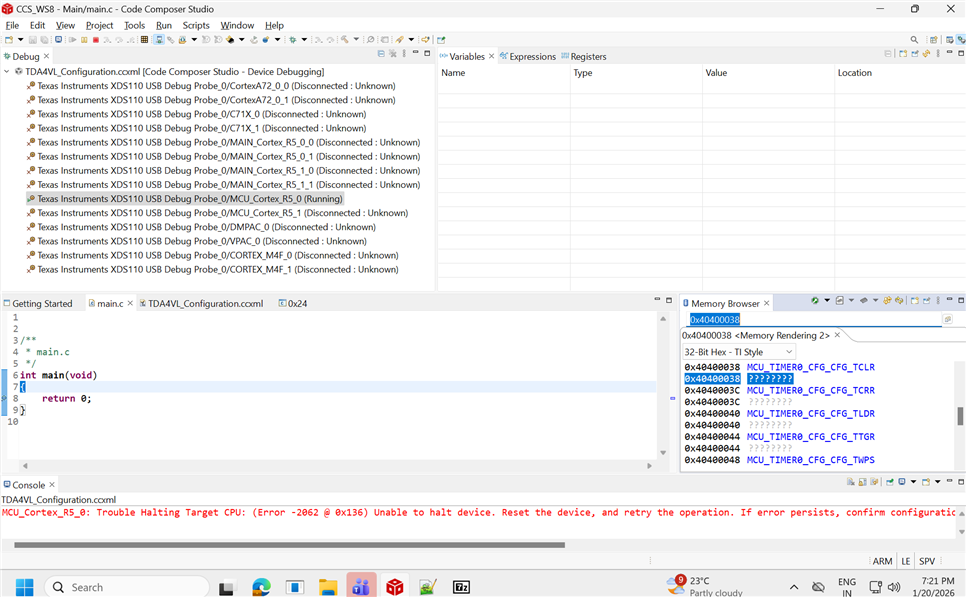
    In both the cases, the same issue persists, as shown in the following screenshot.


    Additionally, please advise if there are any specific steps in project or target configuration that you are following in CCS which enable you to access MCU timers.

    With Regards,

    Madhusudan Gupta

  • Hi Madhusudan Gupta,

    Can we have a short call to discuss this issue? If possible, please schedule a call today anytime between 4 PM and 7 PM IST.

    Regards,
    Karthik

  • Let me schedule it right away, Requesting you to please provide the mail ID

    With Regards,

    Madhusudan Gupta

  • Hi,

    Kindly use the following email ID for scheduling the call: x1122931@ti.com

    Regards,

    Karthik

  • Hi Karthik,

    Will you be able to join, I scheduled the call actually and waiting.

    With Regards,

    Madhusudan Gupta

  • Hi,

    I haven’t received the meeting invite yet. Could you please share the meeting link?

    Regards,

    Karthik

  • forwarded again on the mentioned mail ID (x1122931@ti.com)

    With Regards,

    Madhusudan Gupta

  • Hi,
    Call Summary:
    TI verified the CCS setup and identified an issue with GEL initialization. After applying the configuration changes suggested by TI during the call, the timer registers were successfully accessed through CCS.

    Regards,

    Karthik