This thread has been locked.

If you have a related question, please click the "Ask a related question" button in the top right corner. The newly created question will be automatically linked to this question.

TVP5158 driver

Other Parts Discussed in Thread: TVP5158

Hi,

I'm using the TVP5158 driver (DM365_DVR_DVSDK3_00.02.00.00.zip) found here: http://e2e.ti.com/support/dsp/davinci_digital_media_processors/f/100/t/118704.aspx  

I have it integrated with a 2.6.32 kernel, and it's mostly working.  However, the video is very choppy, and not just on the display.  Captured frames can look "torn" and encoded video is really choppy as well.

Looking through the release notes, it mentions in several places that the csl.ko driver is used on DM365 and the v4l2 system is used for the DM6467 platform.  However, there is no code in that zip relating to CSL at all, except for a shell script line which is commented out.

Is this really the latest available TVP5158 driver for DM36x?

Mark

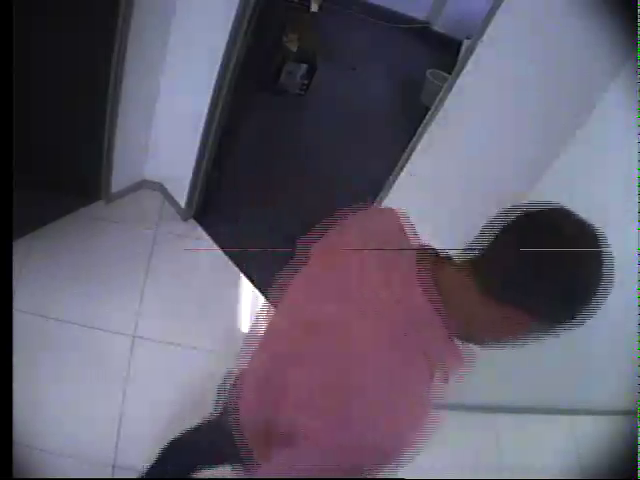
  • The following is frame 1:

    ... and this is frame 5...

    I didn't remember to save them, but frames 2, 3 and 4 did not have my hand  on the left hand side of the image.  It's as if the buffers are out of order or I'm receiving interlaced data from previous frames.

    I'm capturing D1 frames, 2 channels, NTSC.  Right now I'm only processing channel 0, and the output behaves the same way if I have one or two cameras attached.

    I'm using the UDWORKS DVR example with linux 2.6.32 kernel and the MCVIP TVP5158 driver.

    I'm at a loss right now.

  • A few more updates:

    I updated the v4l side of things in the mcvip userland driver to print the buffer # and memory addresses (phys and virt) of each buffer.  It was correct; the v4l driver marched through the buffers in order and the addresses were exactly what I expected.  I guess I have to dive into the DMA transfer code next.

  • Shalom Craimer is experiencing the same problem with a different board.

    http://e2e.ti.com/support/dsp/davinci_digital_media_processors/f/100/t/160657.aspx

    Anshuman, come back from vacation please.  :)

  • I figured it out.  In mcvip_tvp5158_i2c.c, super frame register (address 0xB7) is set to 0x14 (625 line mode).  Change this to 0x04 (525 line mode) and the telecine effect is gone. 

  • Hi,

    I know this is an old thread, but maybe some of you smart guys are still around!  I am experiencing the same issue with this interlaced "combing" or "ghosting" effect, and became very hopeful when I saw that there was a solution in this thread (and in http://e2e.ti.com/support/dsp/davinci_digital_media_processors/f/100/t/160657.aspx) but here is my problem... we are actually using PAL cameras, so register 0xB7 is correctly 0x14 - I can't use 525 line mode for PAL video unless I'm quite mistaken.  Hence, I cannot use the solution that worked for all of you :(


    I will continue to investigate and play with register settings, but hopefully someone can shed some light on this for me.

  • Ian,

    If you are still having this issue, I assume that you've verified 0xB7 by reading it from the TVP5158.

    How are you seeing the torn frames, and does it look bad with full-motion video?  What configuration does the TVP5158 have (4x D1, etc)?

    My only other thought would be that the frames are not being demuxed properly, and perhaps you are getting the top field of one frame mixed with the bottom field of the next frame.

    -M

  • Hi Mark,

    Yup, verified the value of 0xB7, and sanity checked a bunch of other registers too.  I am using 4xD1, with mostly just default configuration.  I'm not trying to use audio currently, and I have enabled blue screen output on loss of signal lock, but I can't recall having touched much else. 

    I definitely had some problems with the demuxing - I rewrote the demux code from the MCVIP thinking I was being clever, but made it much worse.  I reverted to a version of the demux algorithm which is extremely similar to the one from the DM368 DVR RDK and the really bad ghosting (I believe a result of often missing the demux of an entire field, so an old version of the field is still in the buffer and there are two very different images in one frame) seems to be gone.  I still have the same problem I've always had when there's movement in the video (still picture looks great), which you can see in this snapshot:

    There's also something funny going on there with that one line - I think that's definitely a vestigial line in the buffer which was missing in a subsequent super-frame.

    My current thinking is that I'm actually wrong to de-interlace the frames.  When I have the full frame from the MCVIP I feed it through the resizer to get the YUV 420SP format, then feed that into the H264 encoder as a progressive frame.  Perhaps what I should do instead is resize each field independently (as if they were 2 half-D1frames), then encode with inputContentType = IVIDEO_INTERLACED and a separate process() call for each field, and perhaps it will look better on the other end.

    On the other hand, maybe I'm just a spoiled child of the digital age, and this is how interlaced-scan video is supposed to look?

    Ian

    P.S. Just in case someone has the epic patience to read through these one day and spot something wrong, or derive some benefit from them, here are all the non-Reserved and non-Read-Only registers dumped from my TVP5158 (first decoder only):

    TVP5158 said:
    [08]    51
    [09]    58

    [0D]    00
    [0E]    03
    [0F]    03
    [10]    80
    [11]    80
    [12]    00
    [13]    80
    [14]    00

    [16]    10

    [18]    40
    [19]    00
    [1A]    00
    [1B]    00
    [1C]    0C

    [24]    00
    [25]    F5
    [26]    00
    [27]    00

    [29]    06
    [2A]    1E
    [2B]    04
    [2C]    00
    [2D]    F2
    [2E]    08

    [34]    6A
    [35]    08

    [48]    84
    [49]    00
    [4A]    D0
    [4B]    02

    [5C]    1E
    [5D]    09
    [5E]    34
    [5F]    03
    [60]    00
    [61]    09

    [7C]    02
    [7D]    08
    [7E]    03
    [7F]    03
    [80]    0A
    [81]    00

    [84]    00
    [85]    03

    [87]    00
    [88]    03
    [89]    16

    [8C]    F0

    [8F]    04
    [90]    29
    [91]    F0
    [92]    19
    [93]    80

    [96]    60
    [97]    50

    [9E]    03
    [9F]    BC
    [A0]    BC

    [A8]    44
    [A9]    44

    [AD]    00
    [AE]    01
    [AF]    00
    [B0]    A0
    [B1]    50
    [B2]    25
    [B3]    E4
    [B4]    E4
    [B5]    00
    [B6]    1B
    [B7]    14
    [B8]    40
    [B9]    E0
    [BA]    00

    [C0]    00
    [C1]    88
    [C2]    88
    [C3]    70
    [C4]    04
    [C5]    00
    [C6]    00
    [C7]    00
  • Ian,

    If you can, consider doing the following:

    Throw away one of the fields, just discard it.  Your resulting image will be either 704x240 or 720x240, depending on your settings.  Then use the resizer to transform this to 704x480.

    The obvious drawback is that you've lost half of your lines.  There are a number of benefits, though:

    1. If you rewrite the demuxer, you don't need to utilize the DDR bandwidth demuxing half of the fields.

    2. You avoid the jagged edges you are seeing, and the picture actually looks better IMO.

    3. Since there is less noise with the telecine effect removed, the video encoder has an easier job since there is significantly less motion.

    -M

  • Hi Mark,


    I was worried that dropping half the lines would have an adverse effect on the picture quality, but as you say it does not :)  I implemented dropping the odd field in the demux logic and the video looks much better without the jagged edges!  I'm not sure if it made a significant difference to the encoder, but my next hurdle is to make the whole pipeline efficient enough to get 4x25fps through without dropping too many..  Multi-threading ahoy!

    For the interest of anyone else who comes across this thread, there is quite a good treatment of interlacing and methods of de-interlacing here: http://www.100fps.com

    Kind regards

    Ian