This thread has been locked.

If you have a related question, please click the "Ask a related question" button in the top right corner. The newly created question will be automatically linked to this question.

AM625: Flash NAND memory QSPI from USB-DFU

Part Number: AM625

I created the rootfs.ubi image like this:

host : sudo mkfs.ubifs -r rootfs -o rootfs.ubifs -m 4096 -e 253952 -c 2048

host : sudo ubinize -o rootfs.ubi -m 4096 -p 262144 -s 4096 -O 4096 ubinize.cfg


file ubinize.cfg:


[ubifs]

mode=ubi

image=rootfs.ubifs

vol_id=0

vol_type=dynamic

vol_name=rootfs

vol_flags=autoresize


[kernel]

mode=ubi

image=Image

vol_id=1

vol_name=kernel

vol_type=static


[dtb]

mode=ubi

image=k3-am625-cmi.dtb

vol_id=2

vol_name=dtb

vol_type=static

The tiboot3, tispl, and uboot and rootfs.ubi files were loaded without any problems from usb-dfu. The rootfs.ubi file was loaded as-is using OS-myboard.rootfs.tar.xz and extracted to rootfs/


( It was tested without linking it to Image or DTB, but it wouldn't start. The following output was displayed:


=>setenv bootargs console=ttyS2,115200 root=ubi0:rootfs rootfstype=ubifs rw    

=> boot

Card did not respond to voltage select! : -110

Card did not respond to voltage select! : -110

Card did not respond to voltage select! : -110

** Bad device specification mmc 0 **

## Error: "main_cpsw0_qsgmii_phyinit" not defined

Card did not respond to voltage select! : -110

** Bad device specification mmc 0 **

Couldn't find partition mmc 0:2

Can't set block device

Card did not respond to voltage select! : -110

** Bad device specification mmc 0 **

Couldn't find partition mmc 0:2

Can't set block device

libfdt fdt_check_header(): FDT_ERR_BADMAGIC

No FDT memory address configured. Please configure

the FDT address via "fdt addr <address>" command.

Aborting!

Bad Linux ARM64 Image magic!

Card did not respond to voltage select! : -110

sdhci_send_command: Timeout for status update!

starting USB...

No working controllers found

USB is stopped. Please issue 'usb start' first.

starting USB...

No working controllers found

am65_cpsw_nuss_port ethernet@8000000ethernet@8000000port@1: Invalid PHY mode, port 1

am65_cpsw_nuss_port ethernet@8000000ethernet@8000000ethernet@8000000port@1: Invalid PHY mode, port 1

am65_cpsw_nuss_port ethernet@8000000ethernet@8000000ethernet@8000000ethernet@8000000port@1: Invalid PHY mode, port 1

am65_cpsw_nuss_port ethernet@8000000ethernet@8000000ethernet@8000000ethernet@8000000ethernet@8000000port@1: Invalid PHY mode, port 1

am65_cpsw_nuss_port ethernet@8000000ethernet@8000000ethernet@8000000ethernet@8000000ethernet@8000000ethernet@8000000port@1: Invalid PHY mode, port 1

am65_cpsw_nuss_port ethernet@8000000ethernet@8000000ethernet@8000000ethernet@8000000ethernet@8000000ethernet@8000000ethernet@8000000port@1: Invalid PHY mode, port 1

"Synchronous Abort" handler, esr 0x86000004

elr: 3030303014c2f840 lr : 3030303014c2f840 (reloc)

elr: 3030303030303840 lr : 3030303030303840

x0 : 00000000ffffffea x1 : 0000000000000000

x2 : 00000000000000f1 x3 : 0000000099ee4dc0

x4 : 000000009bfc54a0 x5 : 0000000099ee4e60

x6 : 000000009bfc54b0 x7 : 000000009a226d80

x8 : 0000000000000000 x9 : 0000000000000008

x10: 00000000ffffffe0 x11: 0000000000000006

x12: 000000000001869f x13: 0000000099ea4ca8

x14: 0000000099ea6b20 x15: 0000000000000000

x16: 000000009bf45368 x17: 0000000000000000

x18: 0000000099eb4d80 x19: 0000314074726f70

x20: 000000009bfed000 x21: 000000009bfef000

x22: 0000000000000004 x23: 000000009bfed000

x24: 0000000000000000 x25: 000000009bfef000

x26: 000000009bfed000 x27: 0000000000000000

x28: 0000000099fe99d0 x29: 74656e7265687465


Code: "Synchronous Abort" handler, esr 0x96000004

elr: 0000000080802bbc lr : 0000000080802b9c (reloc)

elr: 000000009bed6bbc lr : 000000009bed6b9c

x0 : 000000009bfa4921 x1 : 0000000000000000

x2 : 0000000000000020 x3 : 0000000002800000

x4 : 0000000002800000 x5 : 0000000099ea4cc3

x6 : 0000000000000035 x7 : 0000000099ea5150

x8 : 0000000000000001 x9 : 0000000000000008

x10: 00000000ffffffe8 x11: 0000000000000010

x12: 000000000001869f x13: 0000000099ea4ca8

x14: 0000000099ea6b20 x15: 0000000000000021

x16: 000000009bf45368 x17: 0000000000000000

x18: 0000000099eb4d80 x19: 3030303030303830

x20: 000000009bfaea7b x21: 00000000fffffffc

x22: 000000009bfb093d x23: 000000009bfa4921

x24: 0000000000000000 x25: 000000009bfef000

x26: 000000009bfed000 x27: 0000000000000000

x28: 0000000099fe99d0 x29: 0000000099ea5150


Code: d1004273 9124f6d6 aa0003f7 12800075 (b9400261)

Resetting CPU ...


resetting ...


)


main_uart0 terminal from custom board:


U-Boot 2023.04-g8c0d1e3c89 (Mar 23 2026 - 18:38:26 +0000)


SoC: AM62X SR1.0 HS-FS

Model: Teceng AM625 CMI

EEPROM not available at 80, trying to read at 81

Reading on-board EEPROM at 0x51 failed -121

DRAM: no bloblist found!512 MiB

Core: 59 devices, 29 uclasses, devicetree: separate

MMC: mmc@fa10000: 0, mmc@fa00000: 1

Loading Environment from nowhere... OK

In: serial

Out: serial

Err: serial

Timed out in wait_for_event: status=0000

Check if pads/pull-ups of bus are properly configured

EEPROM not available at 80, trying to read at 81

Timed out in wait_for_event: status=0000

Check if pads/pull-ups of bus are properly configured

Reading on-board EEPROM at 0x51 failed -121

Net: am65_cpsw_nuss_port ethernet@8000000port@1: Invalid PHY mode, port 1

am65_cpsw_nuss_port ethernet@8000000port@2: Invalid PHY mode, port 2

No ethernet found.


Hit any key to stop autoboot: 0


=> mtd list

List of MTD devices:

* spi-nand0

- device: flash@0

- parent: spi@fc40000

- driver: spi_nand

- path: /bus@f0000/bus@fc00000/spi@fc40000/flash@0

- type: NAND flash

- block size: 0x40000 bytes

- min I/O: 0x1000 bytes

- OOB size: 128 bytes

- OOB available: 126 bytes

- 0x000000000000-0x000020000000 : "spi-nand0"

- 0x000000000000-0x000000080000 : "qspi.tiboot3"

- 0x000000080000-0x000000280000 : "qspi.tispl"

- 0x000000280000-0x000000680000 : "qspi.u-boot"

- 0x000000680000-0x0000006c0000 : "qspi.env"

- 0x0000006c0000-0x000000700000 : "qspi.env.backup"

- 0x000000700000-0x00001c700000 : "qspi.rootfs"

- 0x00001c700000-0x00001c740000 : "qspi.phypattern"

=> setenv dfu_alt_info "tiboot3-qspi.bin raw 0x0 0x80000;tispl-qspi.bin raw 0x80000 0x200000;u-boot-qspi.bin raw 0x280000 0x400000;rootfs-qspi.bin raw 0x700000 0x1C000000"

=> dfu 0 mtd spi-nand0

generic_phy_get_bulk : no phys property


=> ubi part qspi.rootfs

ubi0: attaching mtd6

ubi0: scanning is finished

ubi0: volume 0 ("rootfs") re-sized from 252 to 1670 LEBs

ubi0: attached mtd6 (name "qspi.rootfs", size 448 MiB)

ubi0: PEB size: 262144 bytes (256 KiB), LEB size: 253952 bytes

ubi0: min./max. I/O unit sizes: 4096/4096, sub-page size 4096

ubi0: VID header offset: 4096 (aligned 4096), data offset: 8192

ubi0: good PEBs: 1790, bad PEBs: 2, corrupted PEBs: 0

ubi0: user volume: 3, internal volumes: 1, max. volumes count: 128

ubi0: max/mean erase counter: 1/0, WL threshold: 4096, image sequence number: 1126172684

ubi0: available PEBs: 0, total reserved PEBs: 1790, PEBs reserved for bad PEB handling: 38


=> ubi info

UBI: MTD device name: "qspi.rootfs"

UBI: MTD device size: 448 MiB

UBI: physical eraseblock size: 262144 bytes (256 KiB)

UBI: logical eraseblock size: 253952 bytes

UBI: number of good PEBs: 1790

UBI: number of bad PEBs: 2

UBI: smallest flash I/O unit: 4096

UBI: VID header offset: 4096 (aligned 4096)

UBI: data offset: 8192

UBI: max. allowed volumes: 128

UBI: wear-leveling threshold: 4096

UBI: number of internal volumes: 1

UBI: number of user volumes: 3

UBI: available PEBs: 0

UBI: total number of reserved PEBs: 1790

UBI: number of PEBs reserved for bad PEB handling: 38

UBI: max/mean erase counter: 1/0


=> setenv bootargs console=ttyS2,115200 root=ubi0:rootfs rootfstype=ubifs rw    

=> ubifsmount ubi0:rootfs

=>setenv bootcmd 'ubi part qspi.rootfs; ubi read 0x80000000 rootfs; bootm 0x80000000'

=> boot

UBI partition 'qspi.rootfs' already selected

No size specified -> Using max size (424099840)

Read 424099840 bytes from volume rootfs to 0000000080000000


The set boot mode is QSPI = 0100011 (B3-B8) 


The kernel isn't starting now. What can I do?


I want my custom board to boot from the QSPI NAND flash. I have the boot mode set to QSPI directly. Why is flashing the QSPI NAND flash from USB-DFU failing, preventing it from booting when I try to restart from the u-boot prompt?


  • Hi Rodolfo,

    Can you try the following commands from u-boot?

    ubi part qspi.rootfs
    setenv bootargs console=ttyS2,115200 root=ubi0:rootfs rootfstype=ubifs rw
    setenv loadaddr 0x82000000
    setenv fdtaddr 0x88000000
    setenv bootcmd 'ubi part qspi.rootfs; ubi read ${loadaddr} kernel; ubi read ${fdtaddr} dtb; booti ${loadaddr} - ${fdtaddr}'
    boot

    Regards,
    Vinu

  • When or where to load Image and myboard-dts.dtb? Do I have to combine everything with the rootfs? Is it generated correctly?

    => md.b 0x82000000 0x20

    82000000: 4d 5a 40 fa b6 a0 3d 14 00 00 00 00 00 00 00 00 MZ@...=.........

    82000010: 00 00 30 01 00 00 00 00 0a 00 00 00 00 00 00 00 ..0.............

    => md.b 0x88000000 0x20

    88000000: d0 0d fe ed 00 00 bf 80 00 00 00 38 00 00 ad e8 ...........8....

    88000010: 00 00 00 28 00 00 00 11 00 00 00 10 00 00 00 00 ...(............

    So, is there a procedure that can be followed?

  • Hi Rodolfo,

    Card did not respond to voltage select! : -110

    Card did not respond to voltage select! : -110

    Card did not respond to voltage select! : -110

    ** Bad device specification mmc 0 **

    ## Error: "main_cpsw0_qsgmii_phyinit" not defined

    When you run boot the initially, U-boot's boot sequence blindly searches SD card, USB, Network and failed.

    This is because you've set only bootargs, which are arguments to be passed on to (only) Linux kernel, but not bootcmd- which is needed by U-boot to find the kernel image, load to RAM and start.

    Second time, when you've given bootcmd

    =>setenv bootcmd 'ubi part qspi.rootfs; ubi read 0x80000000 rootfs; bootm 0x80000000'

    It had mutiple errors.

    1. ubi read 0x80000000 rootfs: U-boot is asked to extract the entire filesystem to RAM and asked to execute it, instead of an executable kernel.
      To boot kernel, only the dedicated kernel volume should be extracted.
    2. Memory location 0x80000000: U-boot is instructed to load the filesystem onto the absolute base address of the RAM, overwriting the ATF, OP-TEE etc.
      It should be passed to after an offset instead of the base address.
    3. bootm command: This is used for parsing legacy uImage or FIT files. booti should be used here.
    4. Missing device tree: The bootm command only passed a single address. ARM based kernels cannot start without a DTB to map the hw.
      The DTB from the ubi should be loaded to a separate memory address and pass to the kernel via bootcmd.

    When or where to load Image and myboard-dts.dtb? Do I have to combine everything with the rootfs? Is it generated correctly?

    setenv bootcmd 'ubi part qspi.rootfs; ubi read ${loadaddr} kernel; ubi read ${fdtaddr} dtb; booti ${loadaddr} - ${fdtaddr}'

    In the command that I've shared in my previous reply, the kernel volume will be read to 0x82000000.
    DTB to 0x88000000.

    You don't have to load them separately. 

    The kernel is started using booti with kernel and fdt address.

    Please try this out and see if the kernel is booting. If still facing issues, share the logs.

    Regards,
    Vinu

  • Hi Vinu,

    I have a problem, which is as follows:

    Context: From USB-DFU mode, I load tiboot3.bin, tispl.bin, and u-boot.img into RAM. I reach the u-boot prompt.

    U-Boot SPL 2023.04-gcbaa43190a (Mar 30 2026 - 18:26:28 +0000)
    SYSFW ABI: 3.1 (firmware rev 0x0009 '9.1.8--v09.01.08 (Kool Koala)')
    k3_ddrss_probe(dev=43c345d0)
    k3_ddrss_ofdata_to_priv(dev=43c345d0)
    k3_ddrss memorycontroller@f300000: ddr freq0 not populated, using bypass frequency.
    k3_ddrss_power_on(ddrss=43c39ec0)
    k3_ddrss memorycontroller@f300000: vtt-supply not found.
    k3_lpddr4_probe: PASS
    k3_lpddr4_init: PASS
    --->>> LPDDR4 Initialization is in progress ... <<<---
    k3_lpddr4_start: Post start PASS
    SPL initial stack usage: 13408 bytes
    Trying to boot from DFU
    ##########################################################DOWNLOAD ... OK
    Ctrl+C to exit ...
    #########################################################DOWNLOAD ... OK
    Ctrl+C to exit ...
    Authentication passed
    Authentication passed
    Authentication passed
    Loading Environment from nowhere... OK
    init_env from device 10 not supported!
    Authentication passed
    Authentication passed
    Starting ATF on ARM64 core...

    NOTICE:  BL31: v2.9(release):v2.9.0-614-gd7a7135d3-dirty
    NOTICE:  BL31: Built : 09:34:15, Aug 24 2023

    U-Boot SPL 2023.04-gcbaa43190a (Mar 30 2026 - 18:26:28 +0000)
    SYSFW ABI: 3.1 (firmware rev 0x0009 '9.1.8--v09.01.08 (Kool Koala)')
    SPL initial stack usage: 1856 bytes
    sdhci_send_command: Timeout for status update!
    ** Bad device specification mmc 1 **
    Couldn't find partition mmc 1:1
    Error: could not access storage.
    Trying to boot from DFU
    Authentication passed
    Authentication passed


    U-Boot 2023.04-gcbaa43190a (Mar 30 2026 - 18:26:28 +0000)

    SoC:   AM62X SR1.0 HS-FS
    Model: Teceng AM625 CMI
    EEPROM not available at 80, trying to read at 81
    Reading on-board EEPROM at 0x51 failed -121
    DRAM:  no bloblist found!512 MiB
    Core:  59 devices, 29 uclasses, devicetree: separate
    MMC:   mmc@fa10000: 0, mmc@fa00000: 1
    Loading Environment from nowhere... OK
    In:    serial
    Out:   serial
    Err:   serial
    Timed out in wait_for_event: status=0000
    Check if pads/pull-ups of bus are properly configured
    EEPROM not available at 80, trying to read at 81
    Timed out in wait_for_event: status=0000
    Check if pads/pull-ups of bus are properly configured
    Reading on-board EEPROM at 0x51 failed -121
    Net:   am65_cpsw_nuss_port ethernet@8000000port@1: Invalid PHY mode, port 1
    am65_cpsw_nuss_port ethernet@8000000port@2: Invalid PHY mode, port 2
    No ethernet found.

    Hit any key to stop autoboot:  0  
    => mtd list
    List of MTD devices:
    * spi-nand0
    - device: flash@0
    - parent: spi@fc40000
    - driver: spi_nand
    - path: /bus@f0000/bus@fc00000/spi@fc40000/flash@0
    - type: NAND flash
    - block size: 0x40000 bytes
    - min I/O: 0x1000 bytes
    - OOB size: 128 bytes
    - OOB available: 126 bytes
    - 0x000000000000-0x000020000000 : "spi-nand0"
    - 0x000000000000-0x000000080000 : "qspi.tiboot3"
    - 0x000000080000-0x000000280000 : "qspi.tispl"
    - 0x000000280000-0x000000680000 : "qspi.u-boot"
    - 0x000000680000-0x0000006c0000 : "qspi.env"
    - 0x0000006c0000-0x000000700000 : "qspi.env.backup"
    - 0x000000700000-0x000009300000 : "qspi.rootfs"
    - 0x000009300000-0x000009340000 : "qspi.phypattern"


    Now I want to flash the NAND memory I have to get to the same place (the u-boot prompt). I don't want to see the kernel yet. Therefore:

    1) I'll flash the NAND using usb-dfu:

    customBoard u-boot command line:

    =>setenv dfu_alt_info "tiboot3-qspi.bin raw 0x0 0x80000;tispl-qspi.bin raw 0x80000 0x200000;u-boot-qspi.bin raw 0x280000 0x400000"

    =>dfu 0 mtd spi-nand0


    host:

    host$ sudo dfu-util -l
    dfu-util 0.11

    Copyright 2005-2009 Weston Schmidt, Harald Welte and OpenMoko Inc.
    Copyright 2010-2021 Tormod Volden and Stefan Schmidt
    This program is Free Software and has ABSOLUTELY NO WARRANTY
    Please report bugs to sourceforge.net/.../

    Found DFU: [0451:6165] ver=0223, devnum=37, cfg=1, intf=0, path="1-1", alt=2, name="u-boot-qspi.bin", serial="0000000000000000"
    Found DFU: [0451:6165] ver=0223, devnum=37, cfg=1, intf=0, path="1-1", alt=1, name="tispl-qspi.bin", serial="0000000000000000"
    Found DFU: [0451:6165] ver=0223, devnum=37, cfg=1, intf=0, path="1-1", alt=0, name="tiboot3-qspi.bin", serial="0000000000000000"
    Found Runtime: [3277:0036] ver=0201, devnum=4, cfg=1, intf=2, path="1-8", alt=0, name="Camera DFU Device", serial="0x0001"

    host$ sudo dfu-util --device 0451:6165 -a tiboot3-qspi.bin -D tiboot3.bin
    dfu-util 0.11

    Copyright 2005-2009 Weston Schmidt, Harald Welte and OpenMoko Inc.
    Copyright 2010-2021 Tormod Volden and Stefan Schmidt
    This program is Free Software and has ABSOLUTELY NO WARRANTY
    Please report bugs to sourceforge.net/.../

    dfu-util: Warning: Invalid DFU suffix signature
    dfu-util: A valid DFU suffix will be required in a future dfu-util release
    Opening DFU capable USB device...
    Device ID 0451:6165
    Device DFU version 0110
    Claiming USB DFU Interface...
    Setting Alternate Interface #0 ...
    Determining device status...
    DFU state(2) = dfuIDLE, status(0) = No error condition is present
    DFU mode device DFU version 0110
    Device returned transfer size 4096
    Copying data from PC to DFU device
    Download        [=========================] 100%       295086 bytes
    Download done.
    DFU state(7) = dfuMANIFEST, status(0) = No error condition is present
    DFU state(2) = dfuIDLE, status(0) = No error condition is present
    Done!
    hosti$ sudo dfu-util --device 0451:6165 -a tispl-qspi.bin -D tispl.bin
    dfu-util 0.11

    Copyright 2005-2009 Weston Schmidt, Harald Welte and OpenMoko Inc.
    Copyright 2010-2021 Tormod Volden and Stefan Schmidt
    This program is Free Software and has ABSOLUTELY NO WARRANTY
    Please report bugs to sourceforge.net/.../

    dfu-util: Warning: Invalid DFU suffix signature
    dfu-util: A valid DFU suffix will be required in a future dfu-util release
    Opening DFU capable USB device...
    Device ID 0451:6165
    Device DFU version 0110
    Claiming USB DFU Interface...
    Setting Alternate Interface #1 ...
    Determining device status...
    DFU state(2) = dfuIDLE, status(0) = No error condition is present
    DFU mode device DFU version 0110
    Device returned transfer size 4096
    Copying data from PC to DFU device
    Download        [=========================] 100%      1171083 bytes
    Download done.
    DFU state(7) = dfuMANIFEST, status(0) = No error condition is present
    DFU state(2) = dfuIDLE, status(0) = No error condition is present
    Done!
    host$ sudo dfu-util --device 0451:6165 -a u-boot-qspi.bin -D u-boot.img
    dfu-util 0.11

    Copyright 2005-2009 Weston Schmidt, Harald Welte and OpenMoko Inc.
    Copyright 2010-2021 Tormod Volden and Stefan Schmidt
    This program is Free Software and has ABSOLUTELY NO WARRANTY
    Please report bugs to sourceforge.net/.../

    dfu-util: Warning: Invalid DFU suffix signature
    dfu-util: A valid DFU suffix will be required in a future dfu-util release
    Opening DFU capable USB device...
    Device ID 0451:6165
    Device DFU version 0110
    Claiming USB DFU Interface...
    Setting Alternate Interface #2 ...
    Determining device status...
    DFU state(2) = dfuIDLE, status(0) = No error condition is present
    DFU mode device DFU version 0110
    Device returned transfer size 4096
    Copying data from PC to DFU device
    Download        [=========================] 100%      1165307 bytes
    Download done.
    DFU state(7) = dfuMANIFEST, status(0) = No error condition is present
    DFU state(2) = dfuIDLE, status(0) = No error condition is present
    Done!


    The files from DFU seem to be loading correctly, so I set the boot mode to boot from serial NAND, but the UART isn't displaying anything

    where B7 = 1 and B8 = 0.

    it is the memory MX35LF4GE4AD-Z4I-T


    What could be going on?


  • Hi Rodolfo,

    Have you tried the steps that I've given earlier? Did the above issue happen while trying it out?

    Regards,
    Vinu

  • No, I couldn't test that. Because the problem is earlier. I turn on the custom board, with the boot mode set to "serial nand", and the screen stays black.

  • Hi Rodolfo,

    Since you've already booted till U-boot through DFU, you could try if those steps without changing the physical boot pins.

    Please try it out to ensure that the kernel, device tree and rootfs has been packed correctly.

    Regards,
    Vinu

  • The issue is that I flashed the NAND flash memory with a DFU, and that's it. Now I want to boot from the flash memory, at least up to the uboot prompt, but tiboot3 doesn't even appear.

    So why does it start from the end if the most basic thing isn't there?

  • Hi Rodolfo.

    Are you saying that your U-boot came up, without the SPL(tiboot3)?

    Regards,
    Vinu

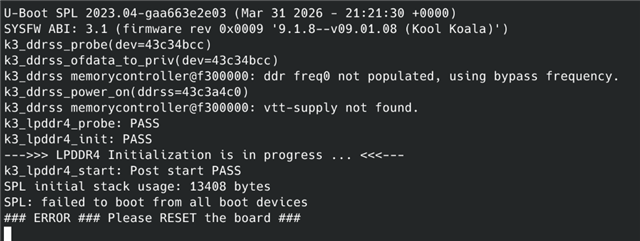
  • What do I need to enable in the R5 and A53 settings to enable support for booting from serial NAND? 

    because I have this outing now:

    U-Boot SPL 2023.04-gaa663e2e03 (Mar 31 2026 - 21:21:30 +0000)
    SYSFW ABI: 3.1 (firmware rev 0x0009 '9.1.8--v09.01.08 (Kool Koala)')
    k3_ddrss_probe(dev=43c34bcc)
    k3_ddrss_ofdata_to_priv(dev=43c34bcc)
    k3_ddrss memorycontroller@f300000: ddr freq0 not populated, using bypass frequency.
    k3_ddrss_power_on(ddrss=43c3a4c0)
    k3_ddrss memorycontroller@f300000: vtt-supply not found.
    k3_lpddr4_probe: PASS
    k3_lpddr4_init: PASS
    --->>> LPDDR4 Initialization is in progress ... <<<---
    k3_lpddr4_start: Post start PASS
    SPL initial stack usage: 13408 bytes
    SPL: failed to boot from all boot devices
    ### ERROR ### Please RESET the board ###


  • Hi Rodolfo,

    It will be very difficult for me to help you without getting any response for my queries.

    1. Can you try booting from DFU U-boot, to Linux, since you already have the rootfs in NAND.
    2. Why did you say "tiboot3 doesn't even appear"?
    3. Is your tiboot3 loading now from NAND? Which boot mode is selected above?

    Regards,
    Vinu

  • Can you try booting from DFU U-boot, to Linux, since you already have the rootfs in NAND.

    I mean, I can't spend time right now trying to get the kernel to boot when even the custom board can't boot from the tiboot3, tispl, and u-boot files on the NAND flash. It's a matter of priorities; plus, I need to shrink the kernel image because the rootfs doesn't fit in memory at its current size. If it would just boot and reach the u-boot prompt, I could handle this step.

    Why did you say "tiboot3 doesn't even appear"?

    Yesterday, using usb-dfu, I erased the entire NAND flash memory and re-flashed tiboot3, tispl, and u-boot. I rebooted the device, and the following message appeared in the console:

    U-Boot SPL 2023.04-gaa663e2e03 (Mar 31 2026 - 21:21:30 +0000)
    SYSFW ABI: 3.1 (firmware rev 0x0009 '9.1.8--v09.01.08 (Kool Koala)')
    k3_ddrss_probe(dev=43c34bcc)
    k3_ddrss_ofdata_to_priv(dev=43c34bcc)
    k3_ddrss memorycontroller@f300000: ddr freq0 not populated, using bypass frequency.
    k3_ddrss_power_on(ddrss=43c3a4c0)
    k3_ddrss memorycontroller@f300000: vtt-supply not found.
    k3_lpddr4_probe: PASS
    k3_lpddr4_init: PASS
    --->>> LPDDR4 Initialization is in progress ... <<<---
    k3_lpddr4_start: Post start PASS
    SPL initial stack usage: 13408 bytes
    SPL: failed to boot from all boot devices
    ### ERROR ### Please RESET the board ###

    Is your tiboot3 loading now from NAND? Which boot mode is selected above?

    It now appears that tiboot3 is loading but crashes at the SPL, which is why I was asking if I need to add some kind of support to the r5 and a53 configs or to the am62x.env file.

    The boot mode I have selected is “serial nand”


    I hope this information clarifies the situation and helps us find a solution.

    Let's move forward and then assess the pending kernel issue.

  • Hi Rodolfo,

    The primary intention of this forum is to be to share knowledge to community members.

    This thread has already changed direction four times till now.

    The issue started from

    1. kernel not starting/ validation of ubi
    2. load image, dtb, creation of rootfs
    3. No bootloader (tiboot3) working
    4. SPL crashing

    With the suggestions not being tried out and acknowledged.

    Such a thread with multiple queries will not be useful to any other community members later.

    Please make sure to keep one issue open at a time, and create new threads for new issues and please do follow up.

    U-Boot SPL 2023.04-gaa663e2e03 (Mar 31 2026 - 21:21:30 +0000)
    SYSFW ABI: 3.1 (firmware rev 0x0009 '9.1.8--v09.01.08 (Kool Koala)')
    k3_ddrss_probe(dev=43c34bcc)
    k3_ddrss_ofdata_to_priv(dev=43c34bcc)
    k3_ddrss memorycontroller@f300000: ddr freq0 not populated, using bypass frequency.
    k3_ddrss_power_on(ddrss=43c3a4c0)
    k3_ddrss memorycontroller@f300000: vtt-supply not found.
    k3_lpddr4_probe: PASS
    k3_lpddr4_init: PASS
    --->>> LPDDR4 Initialization is in progress ... <<<---
    k3_lpddr4_start: Post start PASS
    SPL initial stack usage: 13408 bytes
    SPL: failed to boot from all boot devices
    ### ERROR ### Please RESET the board ###

    Regarding the latest issue, it seems that the R5 SPL (tiboot3) is running.
    Which implies that the RBL has read from NAND successfully and loaded tiboo3.bin.

    The failure is when the R5 SPL trying to load tispl.bin from NAND.

    The following are some of the required r5 configs to enable NAND on R5 SPL.

    CONFIG_MTD=y
    CONFIG_DM_MTD=y
    CONFIG_MTD_SPI_NAND=y
    CONFIG_SPL_MTD=y
    CONFIG_SPL_MTD_LOAD=y
    CONFIG_SPL_NAND_SPI_SUPPORT=y

    These are the unwanted configs (required for NOR). Please disable if unnecessary.

    CONFIG_SPL_SPI_FLASH_SUPPORT
    CONFIG_SPL_SPI_FLASH_SFDP_SUPPORT
    CONFIG_SPI_FLASH_SFDP_SUPPORT
    CONFIG_SPI_FLASH_SPANSION
    CONFIG_SPI_FLASH_S28HX_T
    CONFIG_SPL_SPI_LOAD

    Please make sure that these are enabled, and share the current configs, which are being used.

    Also, can you confirm if you are using the DFU enabled bootloaders from NAND? Or are you using DFU enabled bootloaders just to transfer the default bootloader files (without DFU enabled)?

    Regards,
    Vinu