This thread has been locked.

If you have a related question, please click the "Ask a related question" button in the top right corner. The newly created question will be automatically linked to this question.

AM625: About Am625 rpmsg

Part Number: AM625

Hi

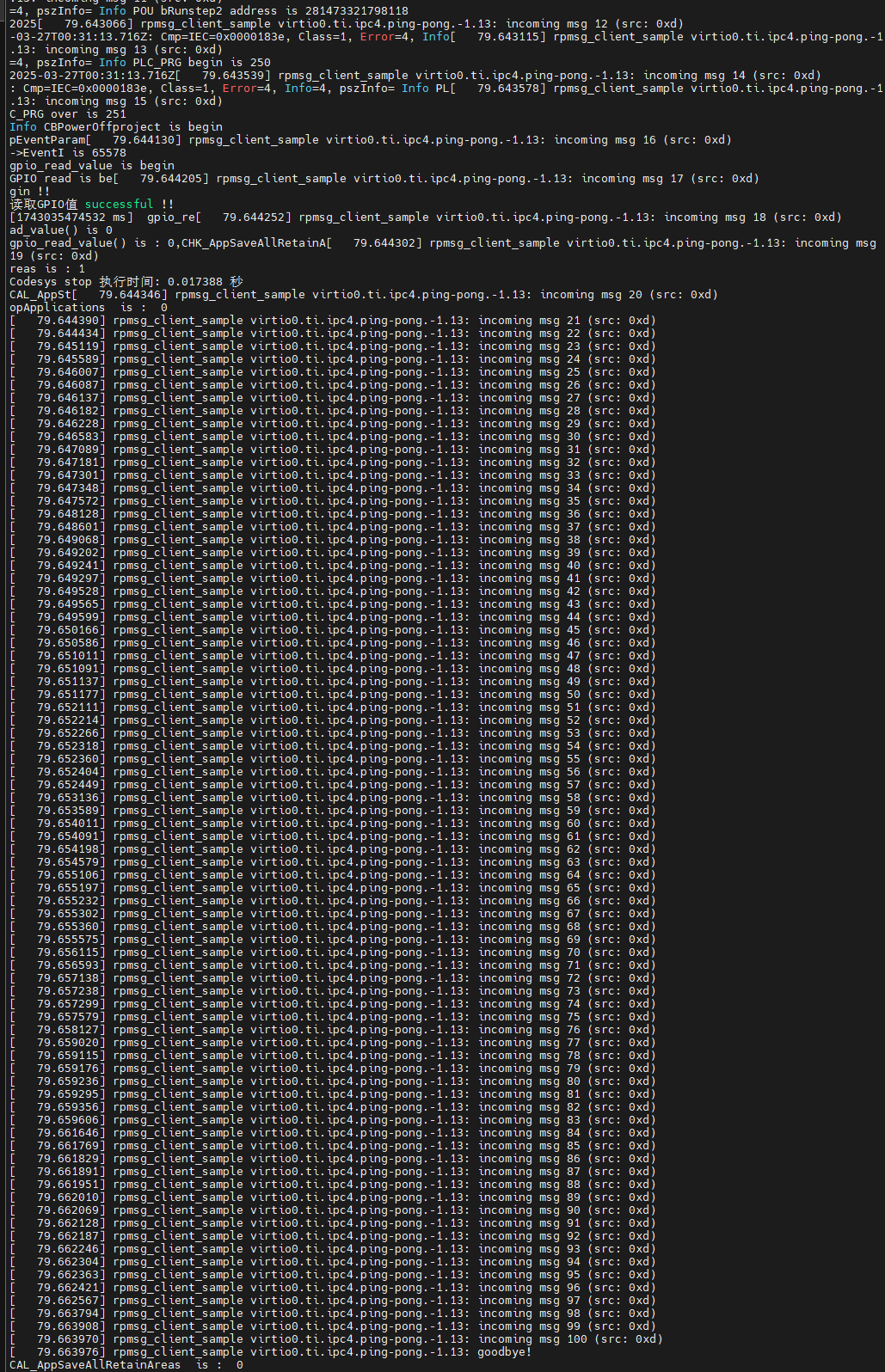
 Hello, my AM62, after receiving a low-level signal from MCU_gpio0_12, retained the power supply of the core's som board to perform the operation of recording data before shutting down. However, there are occasional delays and interruptions in the execution of my application program caused by other triggers, as shown in the log in the picture. What is the operation of rpmsc_client? I don't have the MCU program, I disable this part of the content or lower the priority.
 

rpmsg_client.png


  • Hi,

    Thanks for sharing the logs.

    Looking at the timestamps, your Codesys shutdown sequence is triggering correctly when MCU_gpio0_12 goes low and CAL_AppSaveAllRetainAreas is being called as expected. The problem is what's happening at the same time — between timestamps 79.643 and 79.663, the kernel is being hit with 100 rapid-fire messages from rpmsg_client_sample, all crammed into about 20ms and interleaved right in the middle of your save operation.

    So what is rpmsg_client_sample actually doing? Your AM625 has two cores running simultaneously — the A53 running your Linux/Codesys application, and an M4F core in the background running TI's default SDK demo firmware. This firmware automatically sends 100 ping-pong messages to the Linux side on every boot just to verify inter-processor communication is working, and rpmsg_client_sample is the Linux kernel driver that responds to them. Each message fires a hardware interrupt on the A53, causing Linux to stop, handle the message, write a log line, and resume a hundred times in a row.

    To fix this, since you don't have the MCU firmware, the cleanest approach is to remove rpmsg_client_sample on the Linux side:

    • Remove rpmsg_client_sample -
      rmmod rpmsg_client_sample
      .
    • If the M4F core is not used in your Codesys application, stop it entirely:
      echo stop > /sys/class/remoteproc/remoteproc0/state

    For more information on graceful shutdown, please refer to the Multicore academy page - Graceful Shutdown on AM62x

    Regards,
    Harshith

  • Hi Harshith

    I am grateful for your reply, but I still have some questions:

    1、I have disabled these two drivers(rpmsg_client_sample,virtio_rpmsg_bus). I do not have the M-core program and have not conducted remote core testing. Why did this driver testing occur? Is it because the system immediately shut down?

    2、In the following, I will use the M core, rpmsgchar_init,rpmsg_char_open, read and write to communicate with the M core. Will directly using the two drivers in rmmod have any impact?

    Regards

    Hao

  • Hi Hao,

    Thanks for the follow-up questions.

    1、I have disabled these two drivers(rpmsg_client_sample,virtio_rpmsg_bus). I do not have the M-core program and have not conducted remote core testing. Why did this driver testing occur? Is it because the system immediately shut down?

    Even without your own M4F code, the TI SDK includes a pre-built default IPC demo firmware  (am62-mcu-m4f0_0-fw) that is automatically loaded at boot by the remoteproc systemd service that's what triggers the 100 ping-pong messages. To stop this completely:

    systemctl disable remoteproc

    2、In the following, I will use the M core, rpmsgchar_init,rpmsg_char_open, read and write to communicate with the M core. Will directly using the two drivers in rmmod have any impact?

    Since you plan to use rpmsg_char to talk to the M4F, keep in mind that virtio_rpmsg_bus is the underlying transport that rpmsg_char also relies on — so if you've removed it, you'll need to reload it before using rpmsg_char. Only rpmsg_client_sample is safe to leave out.

    Regards,
    Harshith