This thread has been locked.

If you have a related question, please click the "Ask a related question" button in the top right corner. The newly created question will be automatically linked to this question.

AM62A7: tiovxmultiscaler plugin causing unwanted artifacts in the image

Part Number: AM62A7

Hi, 

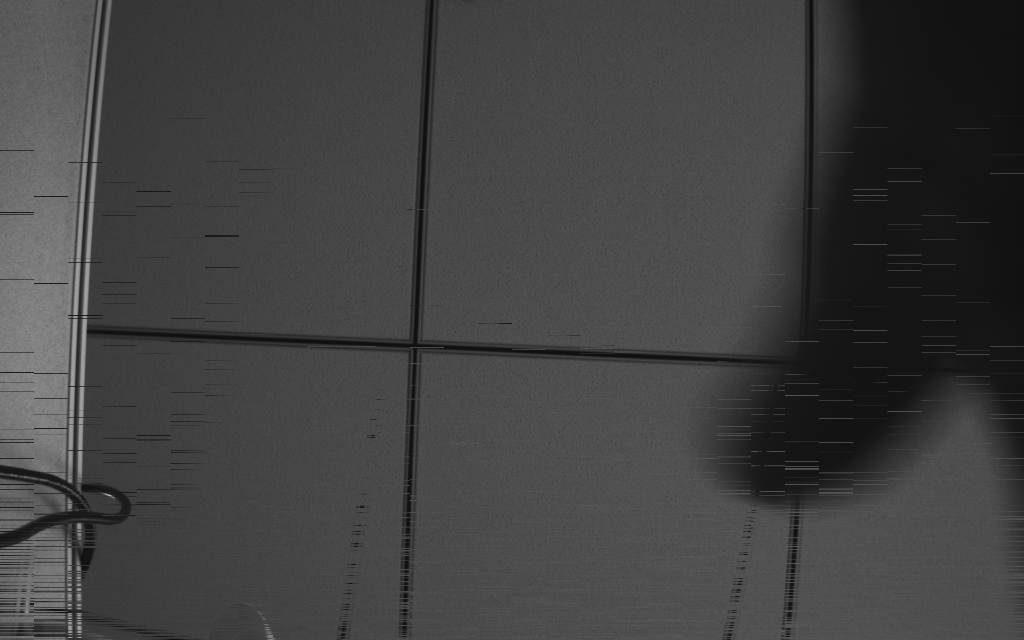
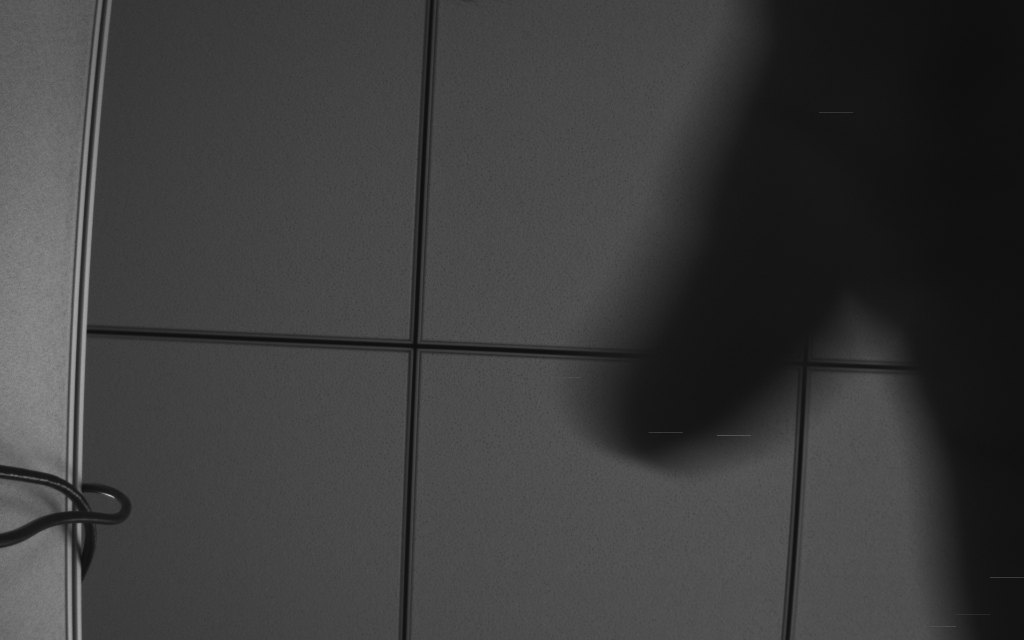
We are observing unwanted artefacts when running gstreamer pipelines with the tiovxmultiscaler element on AM62A34 based our custom hardware which uses monochrome image sensor. When there is motion in the scene, we are observing artefacts on the moving parts as per attached images. With a static scene, image is clear and no artefacts are visible.

We are using below command to capture 2 seconds of video stream:
 

gst-launch-1.0 v4l2src device=/dev/video-rpi-cam0 io-mode=dmabuf num-buffers=200 ! video/x-raw,format=GRAY8,width=1920,height=1200,framerate=30/1 ! tiovxmultiscaler ! video/x-raw,format=GRAY8,width=1024,height=640,framerate=30/1 ! queue max-size-buffers=500 ! filesink location=frames.raw

Once video captured, we are converting them in to images using below command:

ffmpeg -f rawvideo -pixel_format gray -video_size 1024x640 -framerate 30 -i frames.raw frame_%04d.png

We are observing this issue only when we are using hardware scaler (tiovxmultiscaler) and issue is not observed using below software based scaling(videoscale) pipeline.

gst-launch-1.0 v4l2src device=/dev/video-rpi-cam0 io-mode=dmabuf num-buffers=200 ! video/x-raw,format=GRAY8,width=1920,height=1200,framerate=30/1 ! queue max-size-buffers=500 ! videoscale ! video/x-raw,format=GRAY8,width=1024,height=640,framerate=30/1 ! queue max-size-buffers=500 ! filesink location=frames.raw

We are using SDK11 for our custom hardware. Please let us know if further information required.

frame_0004.pngframe_0001.pngframe_0002.pngframe_0003.png


Regards,

Jay


  • Hi Jay,

    I am seeing this issue with videotestsrc as well. I am investigating why this is happening. Please expect a response by end of this week.

    Regards,
    Jay

  • Hi Jay, 

    Is there any update on this thread?

    Regards,

    Jay

  • Hi Jay,

    Apologies for this lack of response. There were a few other debugs that took longer than expected.

    On revisiting the issue, I see that I made a mistake when I tried reproducing this issue earlier. With videotestsrc, it is working as expected. Can you please share the following information:

    1. Any changes made on top of the default SDK.
    2. If the same artifacts are observed with videotestsrc on your setup.

    Regards,
    Jay

  • Hi Jay,

    We are using our custom yocto layers with our device where we have integrated meta-edgeai layer as it is from SDK11.

    I have tried to test with videotestsrc and not observed any artifacts on captured images. It is observed that "io-mode=dmabuf" argument is not accepted by this plugin so we removed this for test using videotestsrc.

    As described, this issue is only reproducible when there is motion in scene. Image is proper with no motion. So it is expected that videotestsrc can not help to reproduce this issue. I have also tried moving patterns with videotetsrc like ball and smpte but issue is not reproducible with this as well.

    Thanks,
    Jay

  • Hi Jay,

    Is there any update on this thread?

    Regards,

    Jay

  • Hi Jay,

    Is there any update on this thread?

    Regards,

    Jay

  • Hi Jay,

    Sorry for my lack of response. I have been trying to reproduce this issue with an IMX219 sensor. The pipeline that I have been trying is:

    IMX219 -> ISP -> Videoconvert to GRAY8 -> Multiscaler -> Output

    I have been unsuccessful in doing so. Can you let me know if you have modified any GStreamer source? Or are you pulling everything directly?

    Have you been able to reproduce this on the TI EVM?

    I am also actively debugging this in the background. I'll keep you posted about my latest progress.

    Regards,
    Jay

  • HI,

    We are able to reproduce this issue on EVM with SDK11 release. 

    Execute below command to capture raw file:

    gst-launch-1.0 v4l2src device=/dev/video-imx219-cam0 io-mode=dmabuf num-buffers=200 ! video/x-bayer,format=rggb,width=1920,height=1080,framerate=30/1 ! tiovxisp sensor-name=SENSOR_SONY_IMX219_RPI dcc-isp-file=/opt/imaging/imx219/linear/dcc_viss_1920x1080.bin sink_0::dcc-2a-file=/opt/imaging/imx219/linear/dcc_2a_1920x1080.bin sink_0::device=/dev/v4l-imx219-subdev0 ! video/x-raw,format=NV12,width=1920,height=1080,framerate=30/1  ! tiovxmultiscaler ! video/x-raw,format=NV12,width=960,height=540,framerate=30/1 ! queue max-size-buffers=500 ! filesink location=frames.raw

    convert in to image using below command:

    ffmpeg -f rawvideo -pixel_format nv12 -video_size 960x540 -framerate 30 -i frames.raw frame_%04d.png

    We are getting similar artefacts with IMX219 sensor on EVM as below: 

  • Hi Jay,

    Sorry for the delayed response.

    I have a few inputs for your issue. This seems to be present irrespective of tiovxmultiscaler, videoscale or no element to resolution change is present. The issue seems to be because of the dmabuf mode that is set in the pipeline. Try setting it to dmabuf-import. This allows the VPAC node(tiovxisp or tiovxmultiscaler) to allocate the buffer.

    The basic issue is buffer starvation. The upstream pipeline is getting starved of buffers which is causing issues at the CSI level. Due to the same reason, the issue might also be file I/O. Try displaying it to a screen using kmssink. Adding a H264 or H265 encode would also reduce this latency due to the file I/O being smaller.

    Currently, I am not sure what impact allowing the isp/multiscaler nodes to allocate the buffer has. I'll try to respond with more detail on this on Monday/Tuesday.

    Regards,
    Jay

  • Hi Jay,

    More information on this issue. The problem is almost certainly the dmabuf setting. I checked with the team internally. They have clarified that unless a VPAC node is exporting the buffer, they will fallback to CPU copy. By setting v4l2src to dmabuf-import and allowing the tiovxisp/tiovxmultiscaler to allocate the buffer, these nodes will leverage the DMA, thereby making the pipeline faster.

    For clarification, the VPAC nodes are:
    1. tiovxisp
    2. tiovxldc
    3. tiovxmultiscaler

    Regards,
    Jay