This thread has been locked.

If you have a related question, please click the "Ask a related question" button in the top right corner. The newly created question will be automatically linked to this question.

TDA4VEN-Q1: MCSPI1 IOSET

Part Number: TDA4VEN-Q1
Other Parts Discussed in Thread: SYSCONFIG, TDA4VH

Hi Ti experts,

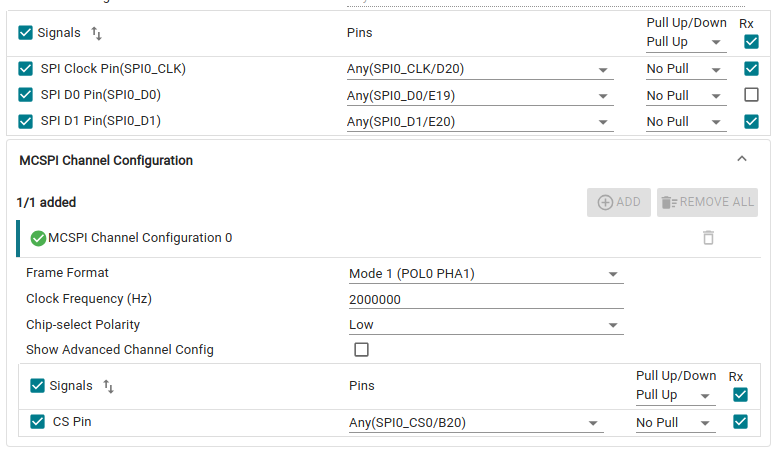
Currently, I'm using a custom-built hardware to test SPI, with spi0 and spi1 provided for testing.

Spi0 works fine, but spi1 fails to communicate.

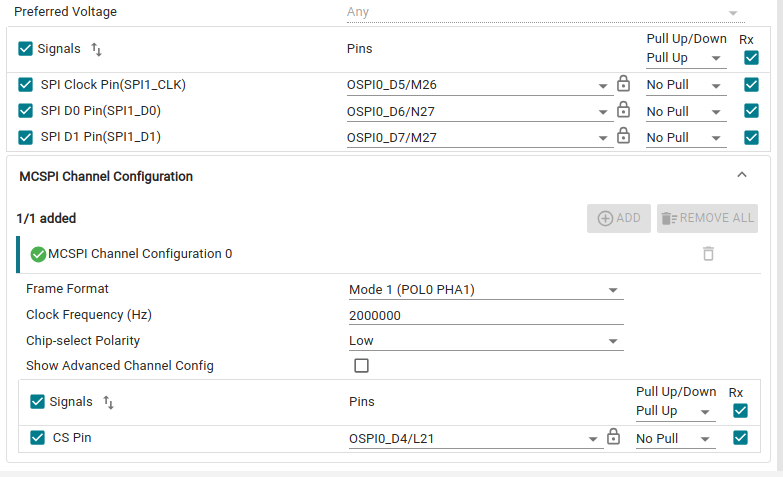
I've tried configuring the spi1 pins according to the instructions in SysConfig, but it still doesn't work.

Do I need to consider IOSET when configuring the MCSPI pins on the TDA4VEN?

If so, how do I know which combinations are acceptable?

Is there any reference files?

Is the following configuration acceptable?

image.png

image.png

image.png

Thanks a lot!!

Alice

  • Hi Alice,

    The IO sets for the device will normally be visible on the SysConfig tool in the bottom right, but I see it is not properly displaying. I will investigate this issue. 

    Here are the IO set groups for SPI1. Your selection for SPI1 pins conforms to IO Set 1.

    Signal Name IO Set 1 IO Set 2
    SPI1_CS3 B24
    SPI1_CS2 H20
    SPI1_CS1 K22 A24
    SPI1_CS0 L21 H24
    SPI1_CLK M26 H22
    SPI1_D0 N27 H25
    SPI1_D1 M27 J23

    Which software environment are you using? Can you please confirm the device tree is properly populating the pinmux and configuring McSPI if using Linux?

    Regards,
    Mark

  • Hi Mark,

    I am using RTOS within the vision_apps (mcu2_0) environment.

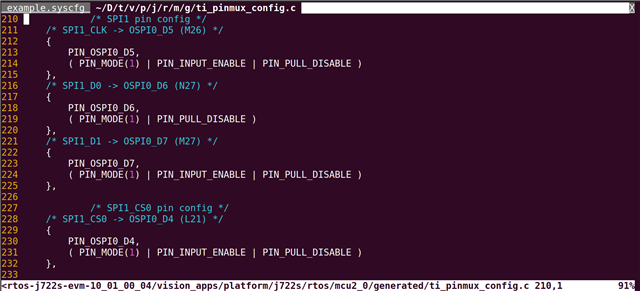
    I have only modified the example.syscfg file, and the ti_pinmux_config.c is being generated automatically, which appears to be configured correctly.

    However, as you noted, my SysConfig interface does not display the IO Sets information (as shown in the screenshot).

    If it were to be displayed, what would it look like?

    Thanks a lot!!

    Alice

  • Hi Alice,

    It would be in its own configuration pane in the bottom right. From our TDA4VH device:

    Regards,
    Mark

  • Hi Mark,

    Thanks for your reply. I'll check out the other settings then.

    Thanks!!

    Alice