This thread has been locked.

If you have a related question, please click the "Ask a related question" button in the top right corner. The newly created question will be automatically linked to this question.

[FAQ] DRA821U-Q1: USXGMII +PCIE SUPPORT ON MAIN CPSW5G: J7200 EVM

Part Number: DRA821U-Q1

How to enable USXGMII + PCIE on MAIN CPSW5G in J7200 EVM ?

  • Hi Gokul,

    The below configuration enables PCIE+USXGMII on J7200 EVM.

    Note: 10G is supported only from MAC Port-1 on Silicon Revision 2 SoC.

    NOTE: This was tested on  J7200 EVM 11.02 LINUX SDK:

    • Ensure that you have 2 J7200  boards.
      • Connect the ENET EXPANSION CONNECTOR of both the boards using a MAC to MAC bridge.
    • Ensure that you apply the below patches to both the boards:
      • UBOOT :
        • Disable SERDES being configured from UBOOT so that Linux can configure it.
        • diff --git a/dts/upstream/src/arm64/ti/k3-j7200-main.dtsi b/dts/upstream/src/arm64/ti/k3-j7200-main.dtsi
          index 71f4eba4..2fccd3c7 100644
          --- a/dts/upstream/src/arm64/ti/k3-j7200-main.dtsi
          +++ b/dts/upstream/src/arm64/ti/k3-j7200-main.dtsi
          @@ -715,7 +715,7 @@
           
                          assigned-clocks = <&k3_clks 292 85>;
                          assigned-clock-parents = <&k3_clks 292 89>;
          -
          +               status = "disabled";
                          wiz0_pll0_refclk: pll0-refclk {
                                  clocks = <&k3_clks 292 85>, <&serdes_refclk>;
                                  clock-output-names = "wiz0_pll0_refclk";
          @@ -755,6 +755,7 @@
                                  clock-names = "refclk";
                                  #address-cells = <1>;
                                  #size-cells = <0>;
          +                       status="disabled";
                          };
                  };
           
      • Linux:
        • https://e2e.ti.com/cfs-file/__key/communityserver-discussions-components-files/791/1207.0001_2D00_Enable_2D00_PCIE_2D00_USXGMII_2D00_multilink_2D00_configuration_2D00_on_2D00_J7200.patch
      • uEnv.txt 
        • Copy this file to the boot partition(FAT32) of your sd card. 
        • # This uEnv.txt file can contain additional environment settings that you
          # want to set in U-Boot at boot time.  This can be simple variables such
          # as the serverip or custom variables.  The format of this file is:
          #    variable=value
          # NOTE: This file will be evaluated after the bootcmd is run and the
          #       bootcmd must be set to load this file if it exists (this is the
          #       default on all newer U-Boot images.  This also means that some
          #       variables such as bootdelay cannot be changed by this file since
          #       it is not evaluated until the bootcmd is run.
          
          name_overlays=ti/k3-j7200-evm-usxgmii-exp1.dtbo
          
          
    • Once the above changes are done, follow the below steps:
      • Rebuild uboot , linux , k3-j7200-common-proc-board.dtb, k3-j7200-evm-usxgmii-exp1.dtbo.
      • Copy these files to their appropriate locations in boot media.
      • Go to the <boot media root partition>/lib/firmware directory and enter the below commands 
        • sudo ln -s -f ti-ipc/j7200/ipc_echo_test_mcu2_0_release_strip.xer5f j7200-main-r5f0_0-fw
          sync
        • This ensures that ethfw also does not configure SERDES , so that Linux can configure it.

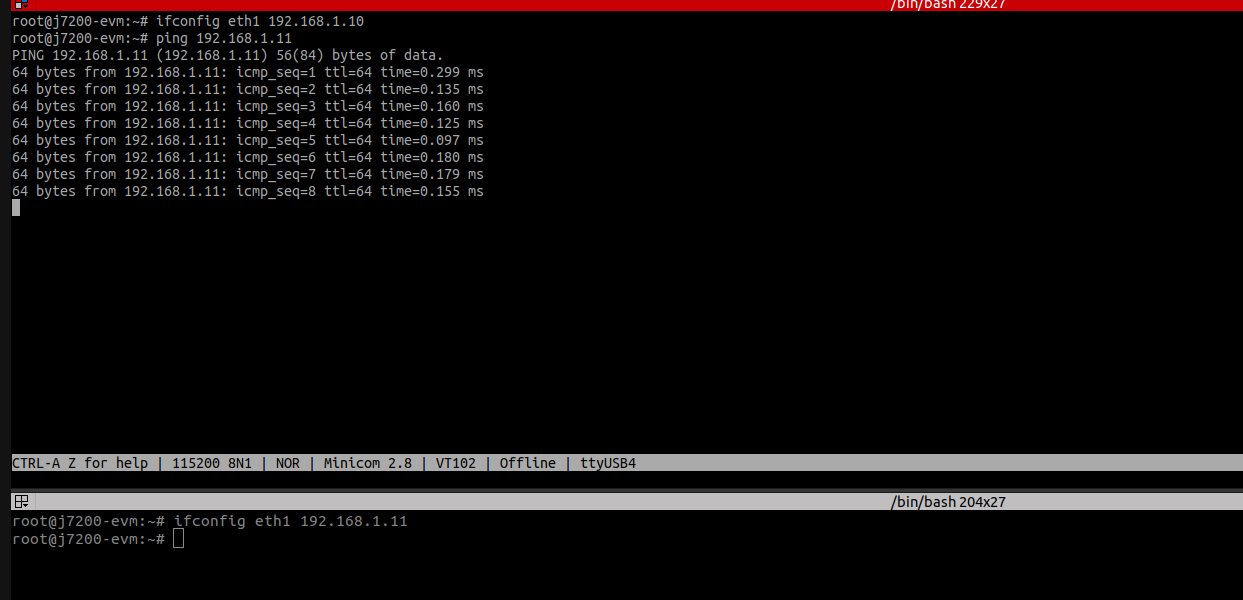
    Output logs:

    Best Regards

    Gokul Praveen