


Part Number: AM2434
Other Parts Discussed in Thread: SYSCONFIG, UNIFLASH
We are currently testing a DDR4 interface between an AM2434BSDFHIALVR and an ISSI IS46QR16256B-083RBLA2 memory at 800MHz, and after using the Sysconfig tool to generate a configuration header file and loading it to the processor, we could successfully initialize the memory; however, when we tried to write or read from it using the memory browser in the CCS debugger we only saw FFs or 00s depending on the configuration of the DBI Read. We initially tested the CL = 11 and CWL = 9,11 configurations and obtained the same results; the memory data only changed if we reduced the CL to 9, which is an incorrect value for 800MHz but at least we got some response. Here is the breakdown of our testing when using CL =9, CWL = 9, and read DBI disabled:
- Using the CCS v 12.8 and MCU+SDK version 11.02
- Updated board_ddrReginit.h(board_ddrReginit_800MHz_CL_9_CWL_9_NoDBI.h - generated using the SysConfig tool based on the timing parameters configured for our custom board and the DDR part) file and recompiled the “sbl_jtag_uniflash_am243x-evm_r5fss0-0_nortos_ti-arm-clang” project.
- Configured the strapping on custom board to DEV BOOT mode.
- After launching the target configuration via CCS 12.8, run the DMSC script.

- Then load the .out file generated after compiling “sbl_jtag_uniflash_am243x-evm_r5fss0-0_nortos_ti-arm-clang” with new DDR configuration.
- Hit “Run” to launch the program (it runs and outputs the menu to program binary in flash). Hit the “Suspend” and open the “Memory Browser”.
- In “Memory Browser” look at the memory at 0x8000_0000.

- Tried to modify the value at address 0x8000_0000 by writing 0x12345678 then it affected adjacent memory addresses.

- Tried to modify the value at address 0x8000_0108 with value 0x12345678 and it affected adjacent addresses.

These are the screenshots of our Sysconfig parameters (tried to attach the .syscfg file but was not successful):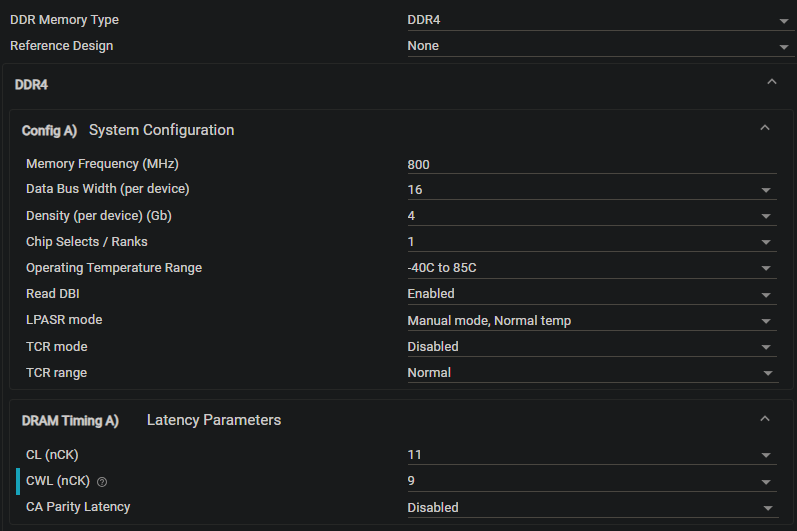
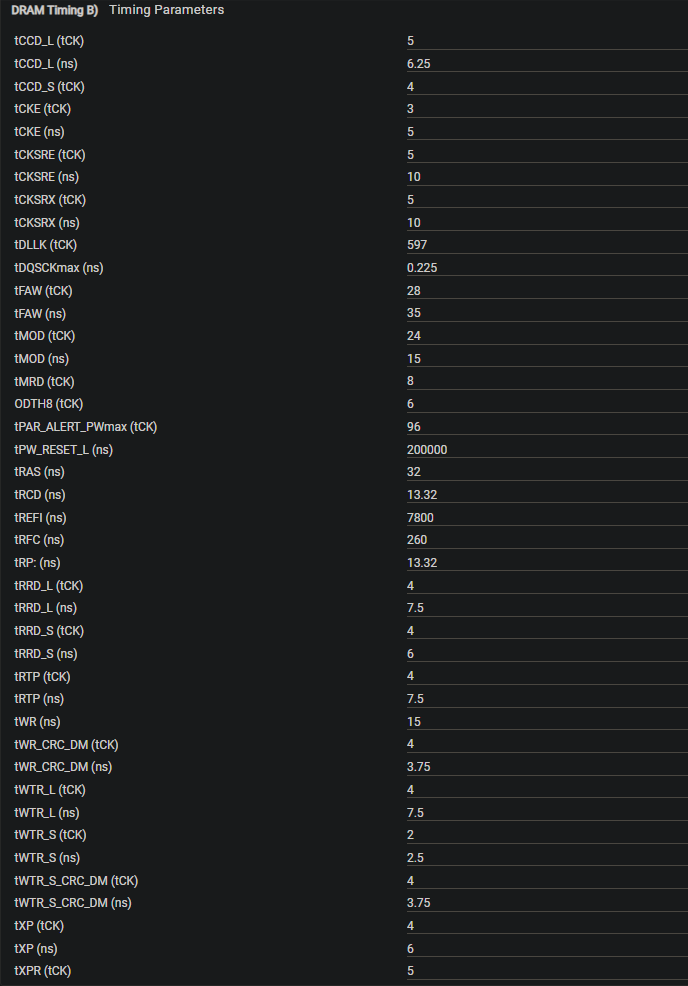
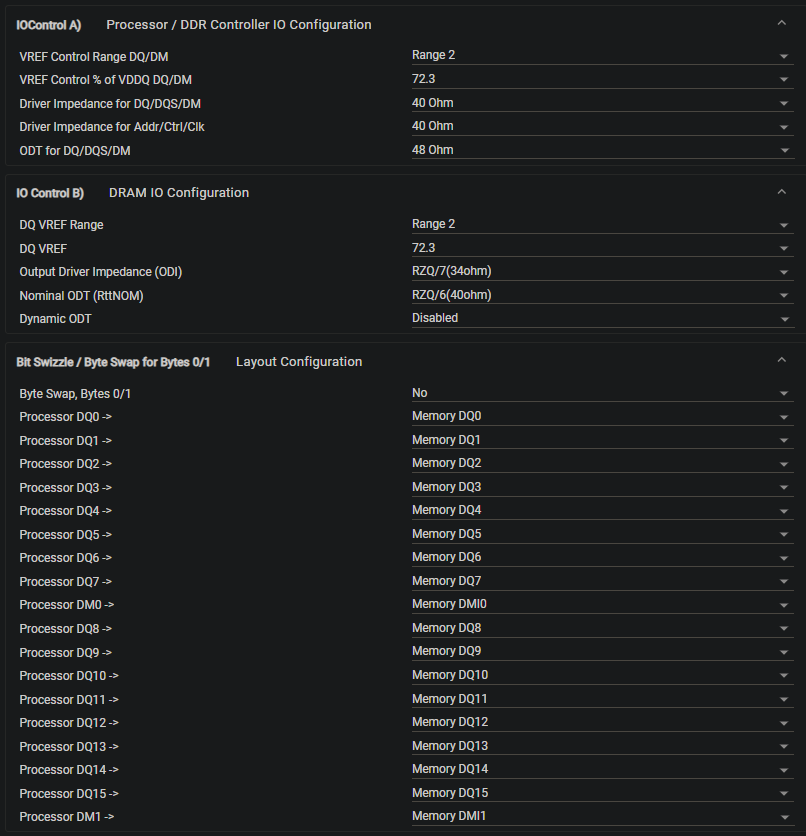
Any help with this issue is greatly appreciated.
Vincenzo
