CCSTUDIO: CCS Project: Git version control and handling linked files across multiple machines

Part Number: CCSTUDIO
Other Parts Discussed in Thread: C2000WARE

Hello TI experts,

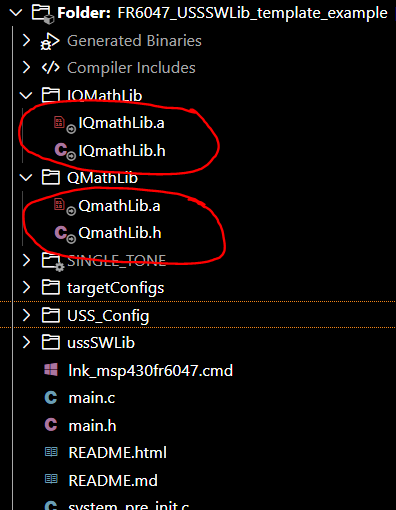
I have a question regarding CCS project sharing via GitHub. In my project on Machine A, some library files (such as IQmathLib, QmathLib, etc.) are added as linked files with absolute paths pointing to external directories, as shown in the attached image.

If I push this project to GitHub and pull it onto Machine B, will it build successfully? If not, what is the recommended best practice in Code Composer Studio to handle these linked files for Git version control across multiple machines?

Thank you for your support!

Best RG,

Phuong
 111.PNG


  • Hello Phuong,

    Linked files in CCS (.project/.cproject reference them as absolute paths, e.g. PARENT-3-PROJECT_LOC/../../IQmathLib/... or a raw absolute path) are one of the most common cross-machine breakage points in CCS project sharing via Git.

    Instead of linking with a hardcoded path, define a workspace-level or project-level path variable (e.g., C2000WARE_ROOT, IQMATH_ROOT) that points to the SDK install location, and link using ${C2000WARE_ROOT}/libs/math/IQmath/.... Each developer sets that variable once per machine to match their local install path. The .project file then stores the variable reference, not the resolved path, so it's portable across machines as long as everyone has the variable defined.

    Regards,
    Patrick

  • Hello Patrick,

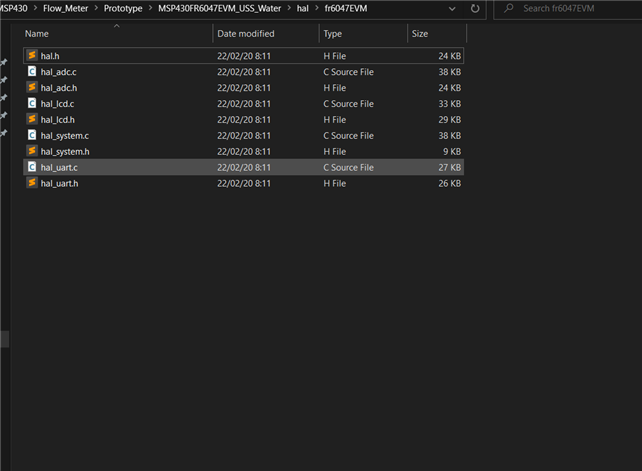
    In my case, I have physically copied all required source files into the project directory. Specifically, my hal.h file is located at: ${PROJECT_LOC}/hal/fr6047EVM/hal.h. (Picture 1)

    To configure this, I have:

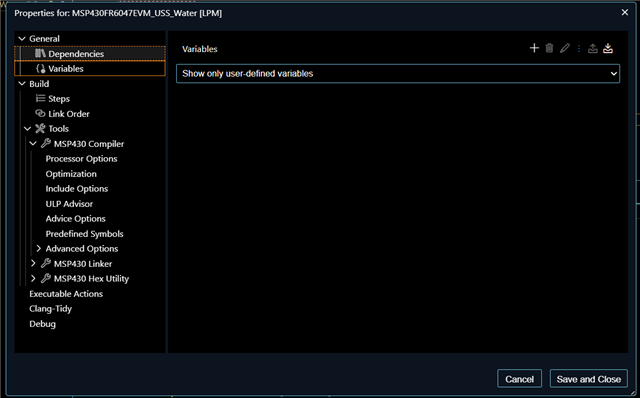
    - Cleared all obsolete absolute-path project variables (Picture 2).

    - Added the directory to the include search path: ${PROJECT_LOC}/hal/fr6047EVM (Picture 3)

    - Project Clean and Rebuild

    Then i still get Cannot open source file "hal.h". Could you please guide me to solve this problem? 

    Best RG, 

    Phuong Dang

  • Can you attach an example project to reproduce this issue?

  • MSP430FR6047EVM_USS_Water.rar

    Hello Patrick,

    Could you please guide me on how to properly set up the Variables and Include Options in Code Composer Studio for this project?

    For troubleshooting purposes, I have temporarily cleared all variables and include paths. Could you show me the correct way to configure them so that:

    - I can successfully build the project on my current machine right now.

    - The project remains fully portable and easy to build for anyone else when sharing via Git 

    Thank you very much for your help!

    Best RG,

    Phuong

  • Hello Phuong,

    At the project level, try changing the include path to the directory and not the file.
    You also have file level override, try to clean that up as well.
    Patrick