This thread has been locked.

If you have a related question, please click the "Ask a related question" button in the top right corner. The newly created question will be automatically linked to this question.

Program EVM Issue on C6678LE

Other Parts Discussed in Thread: CCSTUDIO

I am trying to use Program EVM according the MCSDK user guide and running into issues.  First, I am very confused about what the endian setting *should* be.  The Program EVM user guide very specifically states that SW3 Pin 1 MUST be kept Off, meaning it would be in Big Endian mode.  

However, if I run the command with the -be switch set, it errors saying it can't find the binaries, it is looking for C:\ti\mcsdk_2_01_02_05\tools\program_evm\binaries\evm6678l-be which does not exist.  

So, I tried copying the contents of C:\ti\mcsdk_2_01_02_05\tools\program_evm\binaries\evm6678l to C:\ti\mcsdk_2_01_02_05\tools\program_evm\binaries\evm6678l-be.  I put the EVM in big endian mode, and I get an error "Does not match target endianness".  If I try to put the EVM in little endian mode, I get the same error when using either the -be or -le switch.  

I have set the path for the CCXML according to the wiki for CCSv5.1.  At this point it doesn't seem like either setting works, which doesn't make any sense to me, as it must be running in one mode or the other?  Any advice?

-Scott

  • I'm not sure where it says that SW3 Pin 1 MUST be kept off, maybe you can provide the file name (and link if available.)  This may be the MCSDK documentation because the example code may only be supporting Little Endian. 

    That said, SW3 Pin 1 OFF is logic high (0x1b) -> Little Endian, not Big Endian (See Section 3.3.4 of the TMSDSEVM6678L Technical Reference Manual.)

    Best Regards,
    Chad

  • Thanks Chad, yes it says this in the program_evm_userguide.pdf and it seems that it only supports little endian mode.  Presumably this should be fine, but I am having the following error:

    C:\Program Files (x86)\Texas Instruments\mcsdk_2_00_06_18\tools\program_evm>%DSS
    _SCRIPT_DIR%\dss.bat program_evm.js tmdsevm6678le-le
    board: evm6678l
    endian: Little
    emulation: XDS560 mezzanine
    binaries: C:\Program Files (x86)\Texas Instruments\mcsdk_2_00_06_18\tools\progra
    m_evm/binaries/evm6678l/
    ccxml: C:\Users\Oppenheimer\ti\CCSTargetConfigurations\EVM6678.ccxml
    C66xx_0: GEL Output:
    Connecting Target...

    C66xx_0: GEL Output: DSP core #0

    C66xx_0: GEL Output: C6678L GEL file Ver is 2.002

    C66xx_0: GEL Output: Global Default Setup...

    C66xx_0: GEL Output: Setup Cache...

    C66xx_0: GEL Output: L1P = 32K

    C66xx_0: GEL Output: L1D = 32K

    C66xx_0: GEL Output: L2 = ALL SRAM

    C66xx_0: GEL Output: Setup Cache... Done.

    C66xx_0: GEL Output: Main PLL (PLL1) Setup ...

    C66xx_0: GEL Output: PLL1 Setup for DSP @ 1000.0 MHz.

    C66xx_0: GEL Output: SYSCLK2 = 333.3333 MHz, SYSCLK5 = 200.0 MHz.

    C66xx_0: GEL Output: SYSCLK8 = 15.625 MHz.

    C66xx_0: GEL Output: PLL1 Setup... Done.

    C66xx_0: GEL Output: Power on all PSC modules and DSP domains...

    C66xx_0: GEL Output: Security Accelerator disabled!

    C66xx_0: GEL Output: Power on all PSC modules and DSP domains... Done.

    C66xx_0: GEL Output: PA PLL (PLL3) Setup ...

    C66xx_0: GEL Output: PA PLL Setup... Done.

    C66xx_0: GEL Output: DDR3 PLL (PLL2) Setup ...

    C66xx_0: GEL Output: DDR3 PLL Setup... Done.

    C66xx_0: GEL Output: DDR begin (1333 auto)

    C66xx_0: GEL Output: XMC Setup ... Done

    C66xx_0: GEL Output:
    DDR3 initialization is complete.

    C66xx_0: GEL Output: DDR done

    C66xx_0: GEL Output: DDR3 memory test... Started

    C66xx_0: GEL Output: DDR3 memory test... Passed

    C66xx_0: GEL Output: PLL and DDR Initialization completed(0) ...

    C66xx_0: GEL Output: configSGMIISerdes Setup... Begin

    C66xx_0: GEL Output:
    SGMII SERDES has been configured.

    C66xx_0: GEL Output: Enabling EDC ...

    C66xx_0: GEL Output: L1P error detection logic is enabled.

    C66xx_0: GEL Output: L2 error detection/correction logic is enabled.

    C66xx_0: GEL Output: MSMC error detection/correction logic is enabled.

    C66xx_0: GEL Output: Enabling EDC ...Done

    C66xx_0: GEL Output: Configuring CPSW ...

    C66xx_0: GEL Output: Configuring CPSW ...Done

    C66xx_0: GEL Output: Global Default Setup... Done.

    Start writing eeprom50
    Writer:C:\Program Files (x86)\Texas Instruments\mcsdk_2_00_06_18\tools\program_e
    vm/binaries/evm6678l/eepromwriter_evm6678l.out

    Image:C:\Program Files (x86)\Texas Instruments\mcsdk_2_00_06_18\tools\program_ev
    m/binaries/evm6678l/eeprom50.bin

    C66xx_0: GEL Output: Invalidate All Cache...

    C66xx_0: GEL Output: Invalidate All Cache... Done.

    C66xx_0: GEL Output: GEL Reset...

    C66xx_0: GEL Output: GEL Reset... Done.

    SEVERE: C66xx_0: GEL: File: C:\Program Files (x86)\Texas Instruments\mcsdk_2_00_
    06_18\tools\program_evm/binaries/evm6678l/eepromwriter_evm6678l.out Does not mat
    ch the target endianness, not loaded. Check project build options and target con
    figuration file (ccxml).

    SEVERE: File: C:\Program Files (x86)\Texas Instruments\mcsdk_2_00_06_18\tools\pr
    ogram_evm/binaries/evm6678l/eepromwriter_evm6678l.out
    Does not match the target endianness, not loaded.
    Check project build options and target configuration file (ccxml).
    SEVERE: Error loading "C:\Program Files (x86)\Texas Instruments\mcsdk_2_00_06_18
    \tools\program_evm/binaries/evm6678l/eepromwriter_evm6678l.out": File: C:\Progra
    m Files (x86)\Texas Instruments\mcsdk_2_00_06_18\tools\program_evm/binaries/evm6
    678l/eepromwriter_evm6678l.out
    Does not match the target endianness, not loaded.
    Check project build options and target configuration file (ccxml).
    org.mozilla.javascript.WrappedException: Wrapped com.ti.ccstudio.scripting.envir
    onment.ScriptingException: Error loading "C:\Program Files (x86)\Texas Instrumen
    ts\mcsdk_2_00_06_18\tools\program_evm/binaries/evm6678l/eepromwriter_evm6678l.ou
    t": File: C:\Program Files (x86)\Texas Instruments\mcsdk_2_00_06_18\tools\progra
    m_evm/binaries/evm6678l/eepromwriter_evm6678l.out
    Does not match the target endianness, not loaded.
    Check project build options and target configuration file (ccxml). (program_evm.
    js#290)
    at org.mozilla.javascript.Context.throwAsScriptRuntimeEx(Context.java:17
    05)
    at org.mozilla.javascript.MemberBox.invoke(MemberBox.java:157)
    at org.mozilla.javascript.NativeJavaMethod.call(NativeJavaMethod.java:20
    1)
    at org.mozilla.javascript.optimizer.OptRuntime.call1(OptRuntime.java:64)

    at org.mozilla.javascript.gen.c1._c0(program_evm.js:290)
    at org.mozilla.javascript.gen.c1.call(program_evm.js)
    at org.mozilla.javascript.ContextFactory.doTopCall(ContextFactory.java:3
    37)
    at org.mozilla.javascript.ScriptRuntime.doTopCall(ScriptRuntime.java:275
    5)
    at org.mozilla.javascript.gen.c1.call(program_evm.js)
    at org.mozilla.javascript.gen.c1.exec(program_evm.js)
    at org.mozilla.javascript.tools.shell.Main.evaluateScript(Main.java:500)

    at org.mozilla.javascript.tools.shell.Main.processFileSecure(Main.java:4
    22)
    at org.mozilla.javascript.tools.shell.Main.processFile(Main.java:388)
    at org.mozilla.javascript.tools.shell.Main.processSource(Main.java:379)
    at org.mozilla.javascript.tools.shell.Main.processFiles(Main.java:176)
    at org.mozilla.javascript.tools.shell.Main$IProxy.run(Main.java:97)
    at org.mozilla.javascript.Context.call(Context.java:540)
    at org.mozilla.javascript.ContextFactory.call(ContextFactory.java:447)
    at org.mozilla.javascript.tools.shell.Main.exec(Main.java:159)
    at org.mozilla.javascript.tools.shell.Main.main(Main.java:137)
    Caused by: com.ti.ccstudio.scripting.environment.ScriptingException: Error loadi
    ng "C:\Program Files (x86)\Texas Instruments\mcsdk_2_00_06_18\tools\program_evm/
    binaries/evm6678l/eepromwriter_evm6678l.out": File: C:\Program Files (x86)\Texas
    Instruments\mcsdk_2_00_06_18\tools\program_evm/binaries/evm6678l/eepromwriter_e
    vm6678l.out
    Does not match the target endianness, not loaded.
    Check project build options and target configuration file (ccxml).
    at com.ti.debug.engine.scripting.Memory.loadProgram(Memory.java:587)
    at sun.reflect.NativeMethodAccessorImpl.invoke0(Native Method)
    at sun.reflect.NativeMethodAccessorImpl.invoke(Unknown Source)
    at sun.reflect.DelegatingMethodAccessorImpl.invoke(Unknown Source)
    at java.lang.reflect.Method.invoke(Unknown Source)
    at org.mozilla.javascript.MemberBox.invoke(MemberBox.java:142)
    ... 18 more

    C:\Program Files (x86)\Texas Instruments\mcsdk_2_00_06_18\tools\program_evm>

    I am having trouble understanding why the error would be saying the endian ness doesn't match when the DIP switch is set to OFF (little endian).

  • One additional note - the console output I pasted is from the 2.0.6 version of the MCSDK, but I also have the 2.1.2 version and I get the same error.

  • I'm not sure why either.  If you look at the GEL Script dump, it does indicate the board is in Little Endian mode as well.  Have you tried updating to the latest MCSDK package 02_01_02_05?

    Best Regards,

    Chad

  • Looks like our replies were overlapping.  I'm not sure why this is, I'll have one of my team members look into it and reply back.

    Best Regards,

    Chad

  • Thanks Chad, the strange thing is that the issue also seems to happen if I try and debug any of my previously working projects... If I switch the EVM from little to big endian, it doesn't make a difference, CCS still gives me an error  "Does not match target endianness, not loaded."   It seems like it would have to be one or the other, but it doesn't appear that changing the DIP switch has any effect?  Have you ever seen the EVM get 'stuck' in an endian mode? 

  • No, I've never seen it stuck in an Endian mode.  Also, CCS reads the Endianess of the device to determine it's endianess, by the same way that GEL file does, but checking the CSR register.  So, if it's reporting Little Endian by the GEL file, then it is Little Endian.  If you wish you can also take a look at the Endianess bit of the CSR register.

    Best Regards,
    Chad

  • How would I read the register?  The way I have done it in the past is to hit Debug and then go to the registers view once the debugger fires up, but CCS will not get that far.  Is there a way to view the register without actually debugging?

  • You would need to use the Debugger.  Don't use the script but simply connect CCS.  You may need to make sure you have CCS debug configured correctly for the EVM.

    Best Regards,

    Chad

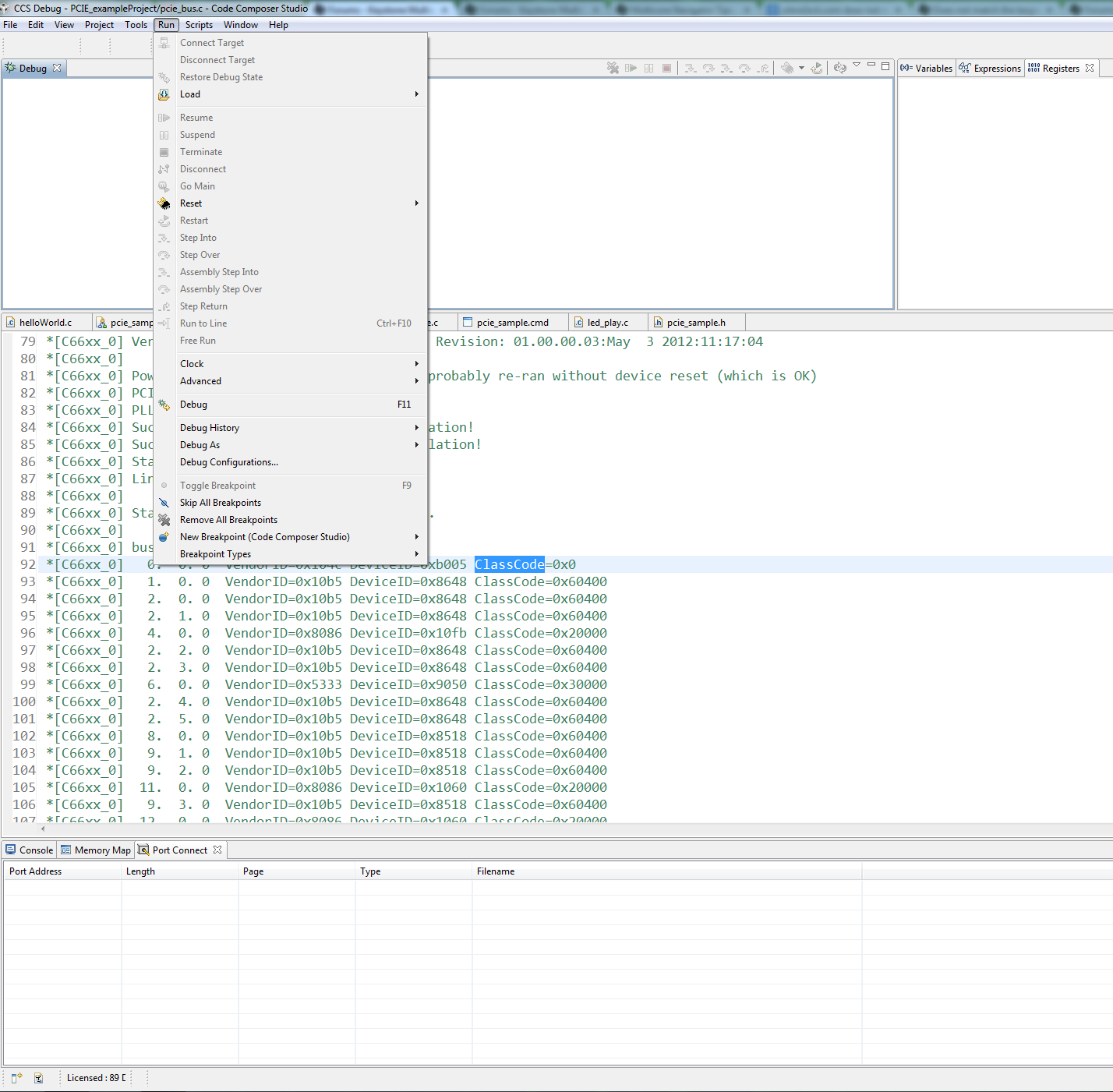
  • Hi Chad, thanks for the help.  If I switch to Debug perspective in CCS, this is how my Run menu looks.  There are no options to Connect Target or load any programs.  Am I doing something wrong in the configuration?  

  • Scott,

    I believe your board setting is still in BIG endian mode. You can simply verify this by connecting CCS to the DSP0, the endianess is shown at the bottom of the debug window of CCS.

    I haven't run the DSS on any EVM board yet, but I checked the .out file - .../program_evm/binaries/evm6678l/eepromwriter_evm6678l.out, it is built in Little endian mode. Here is the details of the .out file:

    OBJECT FILE:  eepromwriter_evm6678l.out

     Object File Information

        File Name:           eepromwriter_evm6678l.out
        Format:              ELF Version 1           
        File Type:           executable file         
        Machine:             TI C6x                  
        Machine Endian:      little endian           
        Entry Point:         0x0086ea20              
        Vendor:              Texas Instruments, Inc. 
        Producer:            Linker                  
        Linker Version:      7.4.0                   
        Number of Sections:  32                      
        File Length:         550283                  
        ELF Class:           32-bit objects          
        ELF e_flags:         0x00000000

     The run of your script file reports:

           board: evm6678l
           endian: Little

    But those information is abstracted from the command line input <tmdsevm6678le-le>, not read from the HW. That is why I believe the mismatch is because - your HW is in BIG endian, but the .out file is in Little endian. So, double check your settings.

    Regards!

    Wen

  • Hi Wen, thanks for your reply.  I must be missing something obvious, but I have no idea how to accomplish "Connecting CCS to the DSP0" without actually pushing the Debug button.  If I switch from CCS Edit to CCS Debug perspective, the "Connect Target" option is grayed out under the Run menu, that is the only thing I can find in CCS that remotely resembles being able to connect without actually initiating a debug session on a project.  I am still new to CCS and Eclipse in general, so please bear with me.

    -Scott

  • Scott,

    If you are new to CCS, you can start from http://processors.wiki.ti.com/index.php/Category:Code_Composer_Studio_v5 to learn some basic things.

    Back to your issue. To connect to a target from CCS, you need to:

             1. Start CCS.
             2. Create a target configuration file specific to the device. In your case, the device is C6678, and two target configuration files
                 already exist for C6678 in the MCSDK release in its PDK directory <two files corresponding to two different emulators on the EVM board>:
                           ...\pdk_C6678_1_1_2_5\packages\ti\platform\evmc6678l\CCSTargetConfigurations\evmc6678l_xds560_mezzanine.ccxml
                           ...\pdk_C6678_1_1_2_5\packages\ti\platform\evmc6678l\CCSTargetConfigurations\evmc6678l_xds100.ccxml
             3. Select the target configuration file as the device to debug. For the existing ones, you need to import them to your work space by doing following:
                           a. Click the View <on top of CCS window>, then select Target Configurations. The target configuration window will be open.
                           b. Right click on the User Defined, and select Import Target Configuration to import the two pre-created .ccxml files into your work space.
                           c. The two .ccxml files will be shown under the User Defined.
             4.  Launch debug with a specific Target Configuration.
                           a. Right click on one of the files <the xds560_mezzanine if you are using the xds560 mezzanine emulator one the EVM board> under User Defined.
                           b. Select "Launch Selected Configuration", which will launch a debug session specific to the device (C6678).
                           c. In the debug session window, you will see multiple target (DSPs) in the debug window.
             5. Connect to a target (those DSP cores).
                          a. Click on one of the DSPs, and select connection. A debug window for that target will be open.

    Hope those information will help you to start.


    Regards!

    Wen


  • Thanks Wen, this helped me connect to the core and read the register, it is definitely listed as Big Endian regardless of the DIP switch configuration... I am toggling SW3 bit 1 back and forth.  Is there anything I can try to get this to go into little endian mode?

  • To verify, I have every single DIP switch on the TMDSEVM6678LE set to "ON", with the exception of SW3 bit 1, which is OFF.

  • Did you reset the board after to changed positions. You may even need to power cycle the board.

    Best Regards,

    Chad

  • Yes I am unplugging power each time, and using the full reset switch as well.

  • I have access to second EVM, should I try that one?  Any ideas on what the possibilities are with my current one?  I feel like we still haven't completely eliminated the possibility that I am doing something wrong here, since my familiarity with CCS is lacking.

  • I took a look at my second EVM and all switches were set to ON except SW6, bit 1.  According to the datasheet of the EVM, this is one of the bits that control the PLL.  Setting this switch to OFF on my other EVM sets it to Little Endian mode.  Out of curiosity I tried toggling SW3 bit 1 (the switch that should control endianness) and it does not change the EN bit in the control register when I look at it in CCS.  So, it appears that toggling bit 1 of SW6 changes the endianness for this EVM?  I am thoroughly confused, but it is in little endian mode now and I will attempt to run program_evm