Hi,
I want to do some transactions between RC DSPC6678 and EP DSPDSPC6678, So what emulation interface should I use??
1- Use separate emulators directly connected to each respective EVM.
2- The emulation interface of the BoC [daisy-chained],
Thank’s
This thread has been locked.
If you have a related question, please click the "Ask a related question" button in the top right corner. The newly created question will be automatically linked to this question.
Hi,
I want to do some transactions between RC DSPC6678 and EP DSPDSPC6678, So what emulation interface should I use??
1- Use separate emulators directly connected to each respective EVM.
2- The emulation interface of the BoC [daisy-chained],
Thank’s
Sounds like you are testing PCIe communications between two EVM boards, and you want to control both boards via CCS at the same time. Assuming you are using the emulators on the TI's EVM boards (USB based), you can:
1. Simply connect both emulators of the two EVM boards to your PC at same time.
2. Config the CCS to run two emulators together.
In this way, you don't need to daisy-chain the two EVM boards, but use the CCS's feature of managing multiple emulators at the same time on single PC.
Regards!
Wen
Wenzhong,
How can I config the CCS to run two emulators together on the single PC?? Please where can I find some doc. Or tutorials...
Thank’s
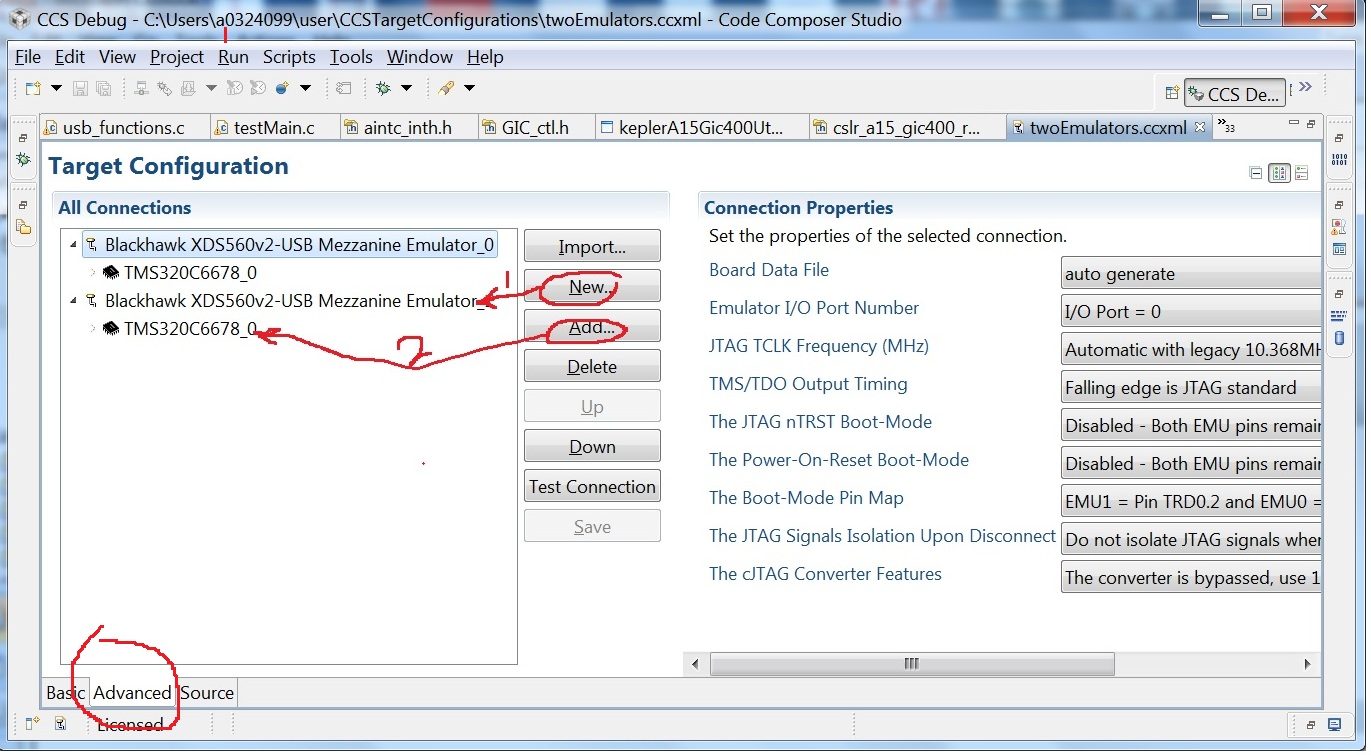
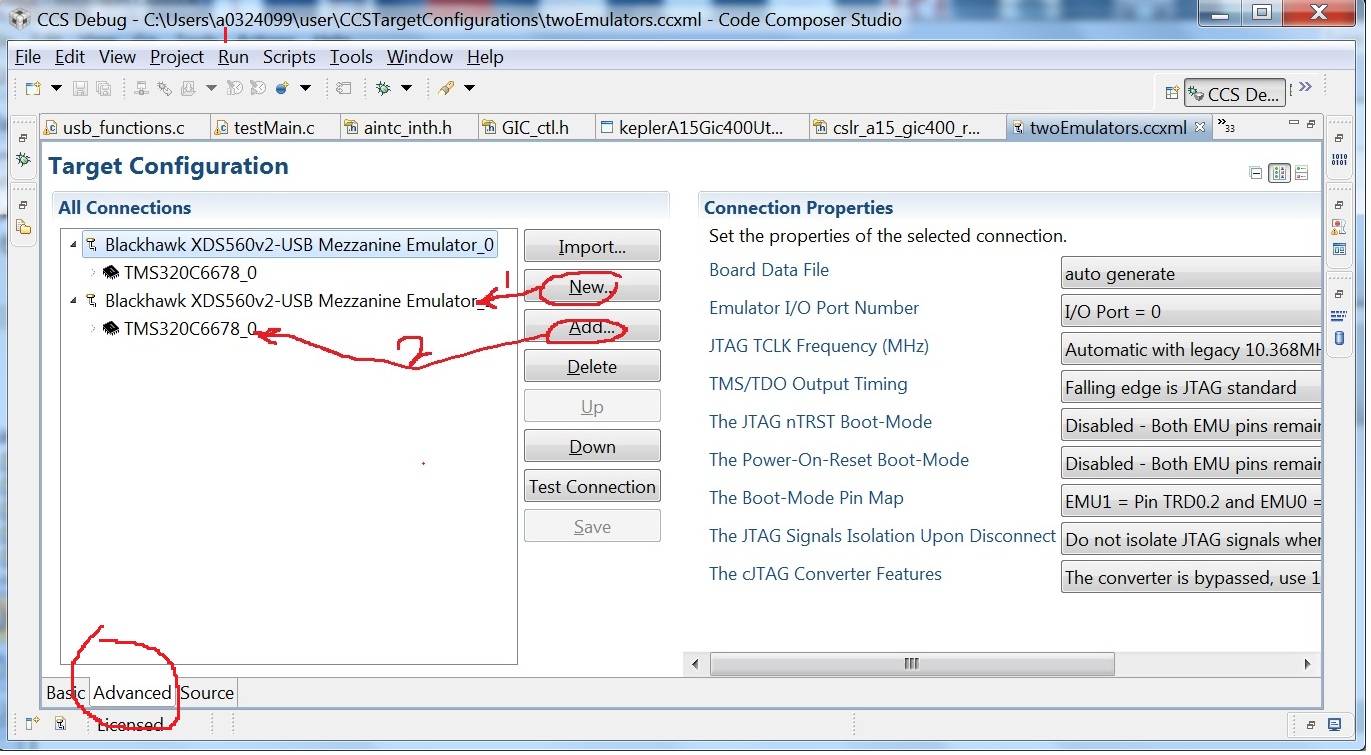
See the attached screenshot I did. What you need to do is:
Regards!
Wen
Wenzhong,
The steps 1-5 are done with success, but I can not identify whether CCS can talk to each of the targets!!!
When I debug my program, both DSP[Cores] return the same results!!!
Please I need more explanations about this. And how can I select whether Emulator(DSP) to use???
NB: The button “Test connection” is not available in some CCS (PCs), it needs a specific serial (licence) or no (free)?
Thank’s
Can you be more specific on what you have done and what you have seen is wrong? Regarding to why the "Test connection" is not available, can you tell me the version of the CCS you are using <the one I am using is v5.2.1.00018>?
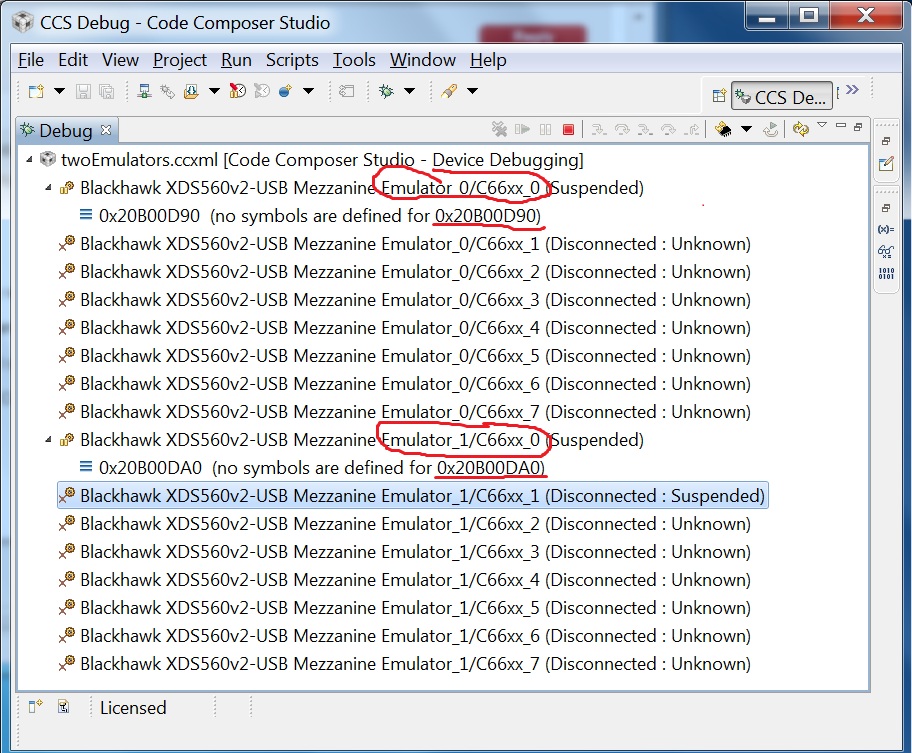
Attached is another screenshot I got. You can see that, CCS has connected to two C66xx_0 targets under different emulator (Emulator_0 and Emulator_1), and the two DSP targets stopped at the different PC locations - they are different. So, I need more details of the problem you have seen.
Regards!
Wen
Wenzhong,
I’m working with:
- The CCS is Version: 5.1.0.08020
- 2 TMDXEVM6678L EVM with XDS100v1 Emulators
It operates with all Emulators version (within XDS100v1)??
The CCS 5.1.0.08020 sounds too old, the latest CCS is CCS5.3.xxxx, you probably need to update your CCS first.
As I remember, the support for the feature <CCS supports multiple emulators> was added gradually - one kind of emulator got supported after another. So, please update CCS and try again. At least, the "Test Connection" will be available for you.
Regards!
Wen
Wenzhong,
I have just found this:
"Having two XDS100v1 emulators are not supported but you can have one XDS100v1 and one XDS100v2 or two XDS100v2 emulators"
http://processors.wiki.ti.com/index.php/Multi-Emulator_Debug_with_CCSv5
So If i update my CCS, and With CCS version CCS 3.xxxx that will be done???
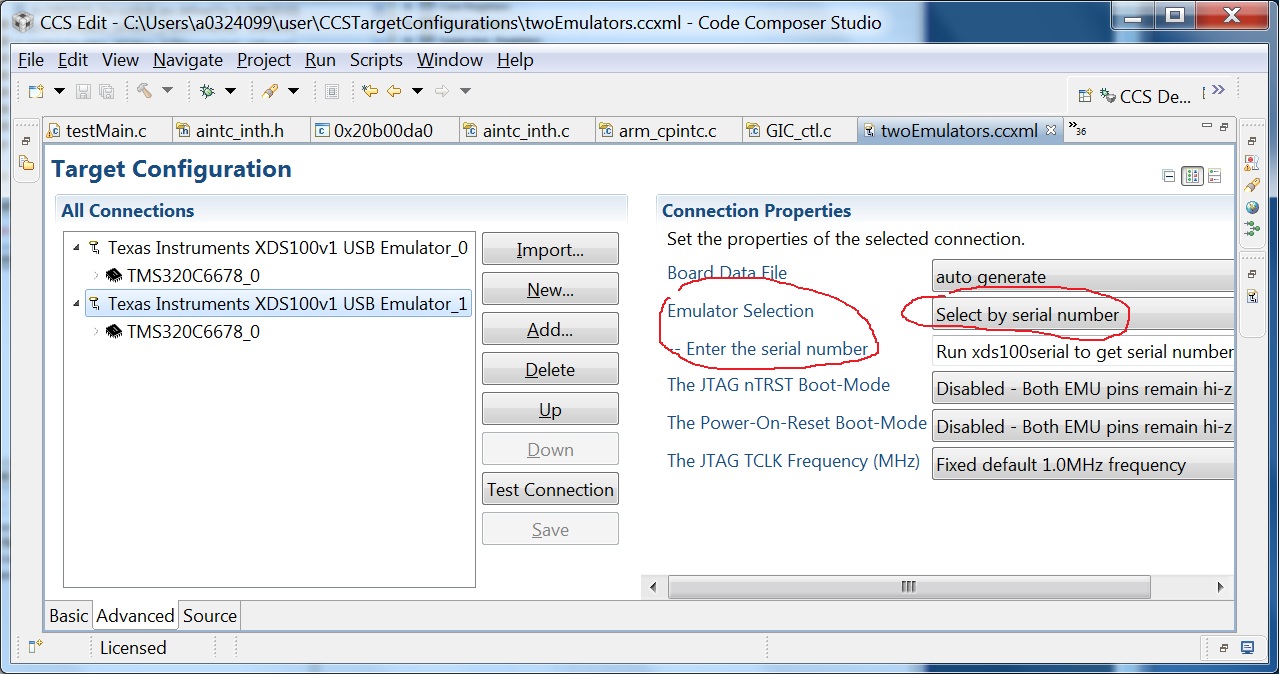
Yes, you can have multiple xds100s, including XDS100v1. But you do have to put the serial number of each in the config. Under Emulator Selection in the target configuration, you need to use “Select by Serial Number”. You do have to make that choice for all XDS100s connected to the PC when there are more than one.
See the attached screenshot I got:
Regards!
Wen
Thank's it seems working now,
but i have the problem of memories browser!! how can i browse each memory of each DSP?
because i tried to transfert data from DSP1 to DSP2, the data is sent, I can browse the memory of DSP1 but i can not do it on DSP2
and whenever i select the DSP2/Cores i have always the same data (Memory of DSP1) !!!