This thread has been locked.

If you have a related question, please click the "Ask a related question" button in the top right corner. The newly created question will be automatically linked to this question.

DM8148 DSP debug

Hi Sir :

I work on DM8148 platform and use DVRRDK_03.00.00.00 to develop our system.

And we want to use xds 100V2 and ccs 5.2.1.00018 to debug dsp in ubuntu platform.

Below is my debug steps.

1.Power on TI8148 EVM board and execute ./init.sh and ./load.sh to release dsp from reset.

2.Start CCS5 v2 and chose File->New->Target Configuration File

3.Select xds100 v2 emulator and EVMDM8148 and lunch *.ccxml

4.Connect C674x_0

5.Chose Run->Load->Load Symbols and chose dvr_rdk_fw_c6xdsp.xe674. 

After I load the symbols, it seems I can start debug because there is a break point appear on the screen.

The picture below can show the situation and break point is in red circle.(I am not sure if it is break point)
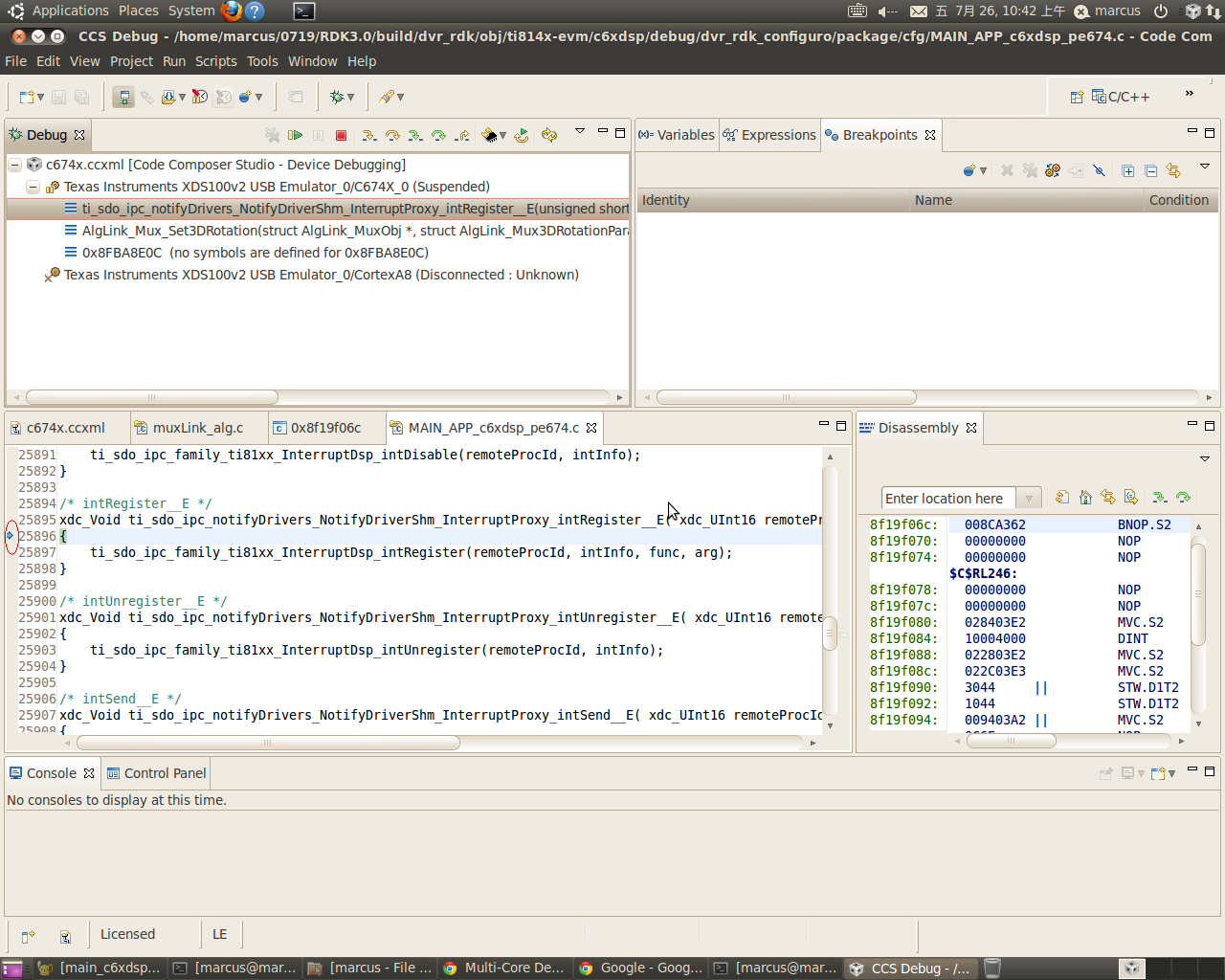
Since I only want to debug alg and as I know DM8148 is a multi-core platform.

Could you kindly tell me how to debug DSP alg in DM8148 platform?

Or, could you show me the whole steps to debug dsp?

Best regards,

Marcus

  • The procedure you mentioned is correct and what you are seeing is not a breakpoint. When you connect CCS to target , it will halt the target. If you run it will resume execution.

    YOu can add breakpoints in function of your interest and single step. Refer the CCS/eclipse online help to understand how to set breakpoints/single step etc.

    The call stack you have shown is odd though. Why is AlgLink_Mux_3DRotation which looks like your function calling NoitfyDriverShm ISR register.This is an IPC function that should not be called by your algorithm .


  • Hi Sir:

    I appreciate your reply!

    However, when I set break point there are error messages show like below.

    C674X_0: Breakpoint Manager: Retrying with a AET breakpoint
    C674X_0: Trouble Setting Breakpoint with the Action "Remain Halted" at 0x8f19962e: (Error -1199 @ 0x8F19962E) Unable to set requested breakpoint in memory. Verify that the breakpoint address is in writable memory. (Emulation package 5.0.747.0)

    I wonder if these error messages show because I use xds 100v2 emulator.

    And after I set break point, I think I should press F8(resum) to run DSP, am I right?

    Since DM8148 is a multi-core platform, what should I do on ARM size when I enable DSP debug?

    Please kindly give me some suggestion or something I can refer!

    Best regards,

    Marcus

  • Are you able to connect to other cores and single step. Yes you have to use Resume to start execution. Refer http://processors.wiki.ti.com/index.php/Category:Code_Composer_Studio_v5 for all relevant info about CCS. You don't have to do anything on ARM side. It will continue to run when you halt and debug the DSP.

  • Hi Sir :

    I appreciate your reply!

    Below are my debug steps.

    1.Power on TI8148 EVM board and execute ./init.sh and ./load.sh to release dsp from reset.

    2.Start CCS5 v2 and chose File->New->Target Configuration File

    3.Select xds100 v2 emulator and EVMDM8148 and lunch *.ccxml

    4.Connect C674x_0

    5.Chose Run->Load->Load Symbols and chose dvr_rdk_fw_c6xdsp.xe674. 

    6.Open file osdLink_alg.c.

    7.Set break point

    When I set break point the error messages show like picture below.

    I have no idea about these messages, I also google them but I get little information about them.

    I think if you have experience with DM8148 DSP debugging, could you kindly show me your debug process? 

    BTW, after I execute load.sh to release DSP from reset, should I need to execute dvr_rdk_demo_mcfw_api.out to do encode and decode on the ARM side?

    Best regards,

    Marcus

  • Not being able to set breakpoints indicate Emulator issue or board issue. Pls post in CCS forum where you will get help from experts

    http://e2e.ti.com/support/development_tools/code_composer_studio/default.aspx


    The debug process is same as you have mentioned. Connect to c674 DSP after ./load.sh is executed and do Load Symbols.

    Yes you should run dvr_rdk_demo_mcfw_api.out  which supports different demos to run the DVR RDK demo apps.