This thread has been locked.

If you have a related question, please click the "Ask a related question" button in the top right corner. The newly created question will be automatically linked to this question.

What settings are needed for OMAPL138 LCDK to run the example clock project?

Other Parts Discussed in Thread: OMAPL138, OMAP-L138

Hi,

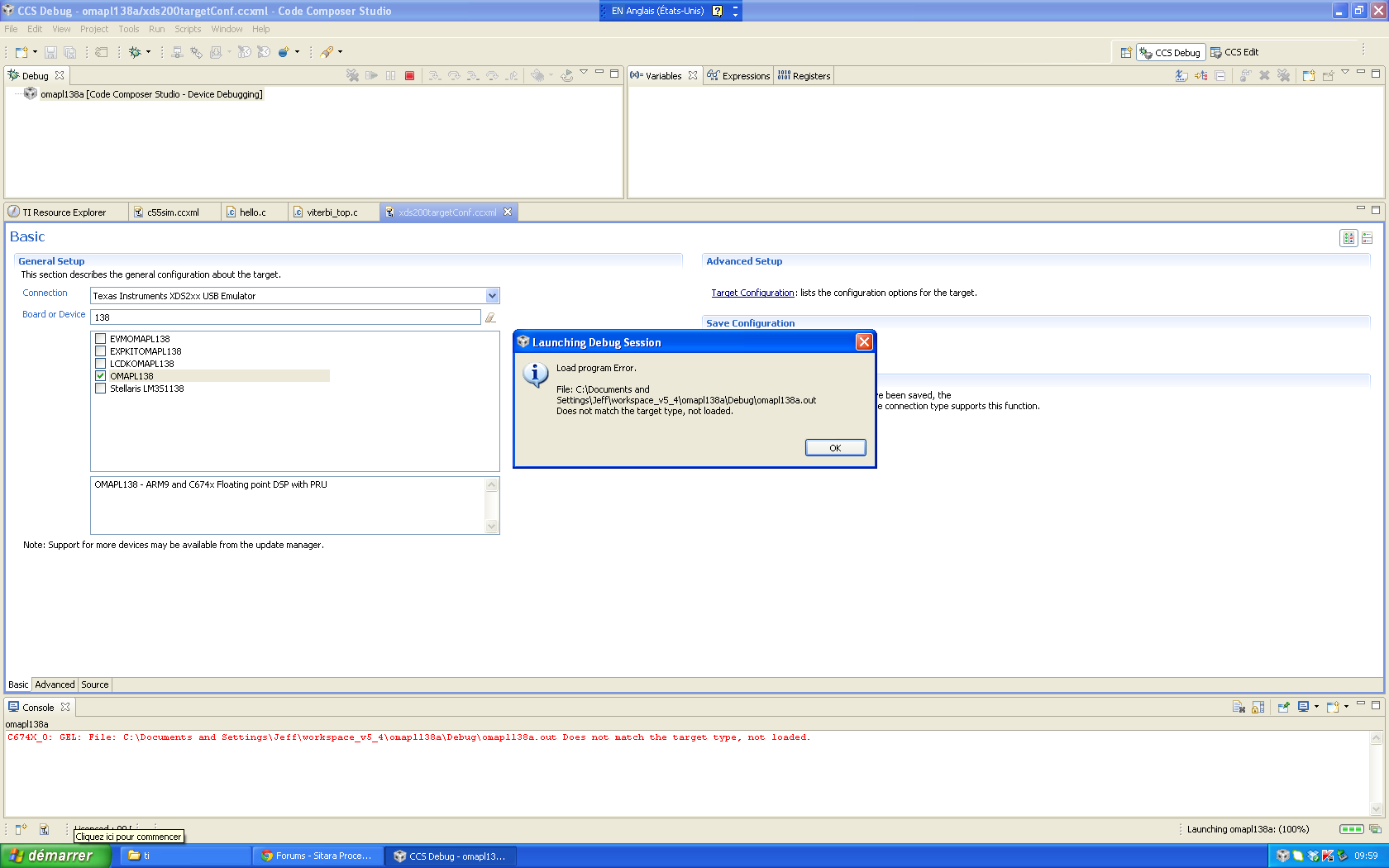
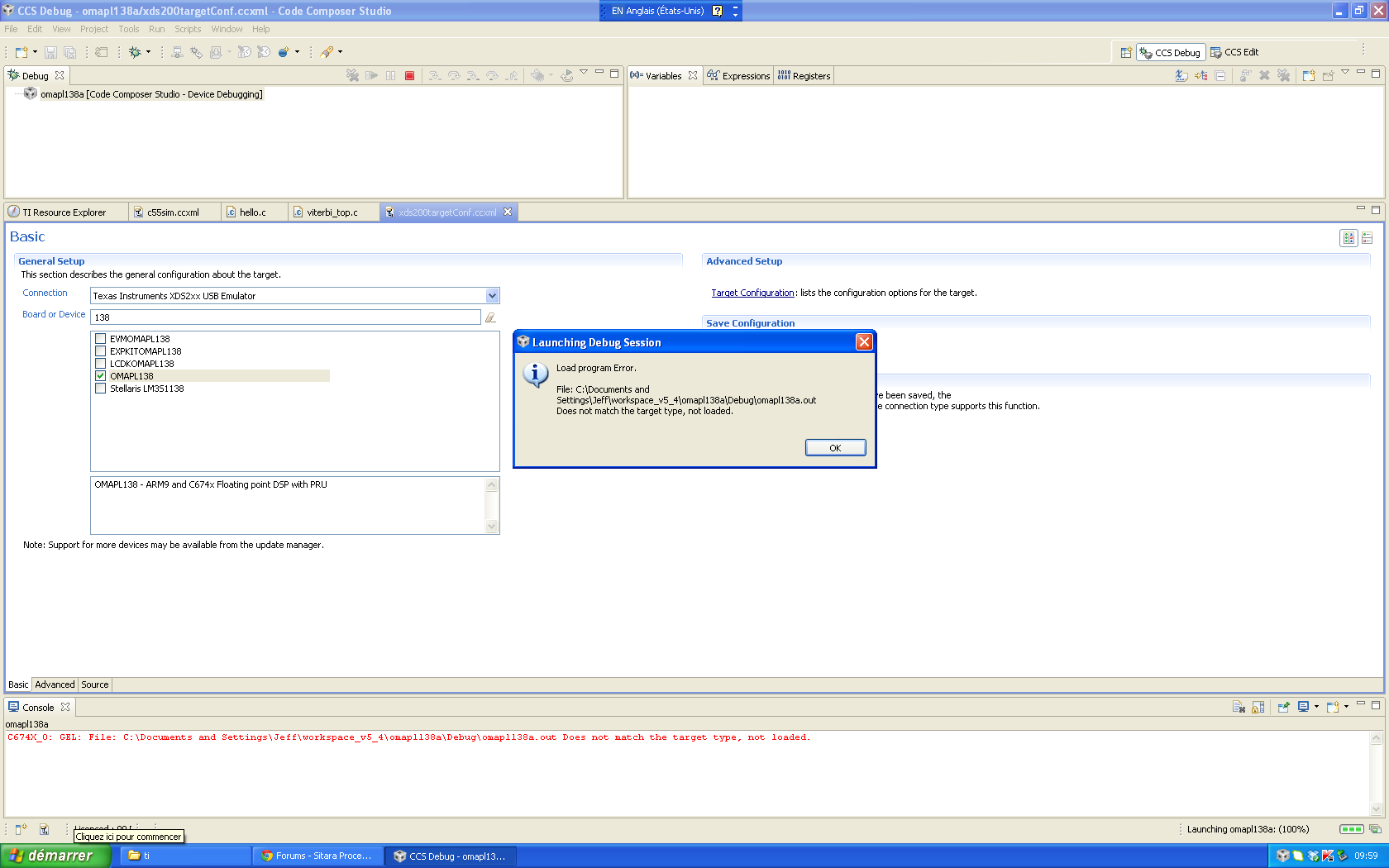
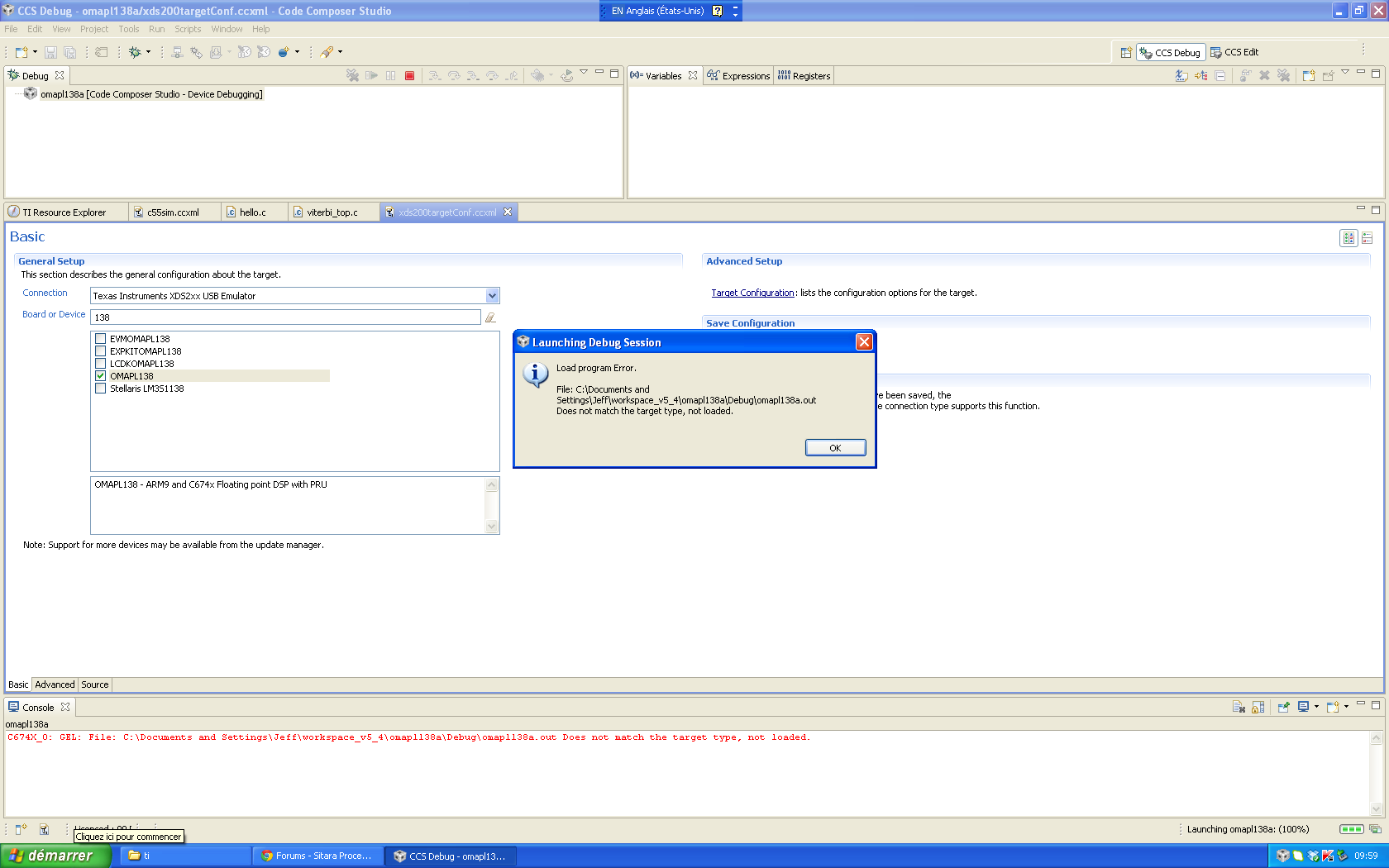
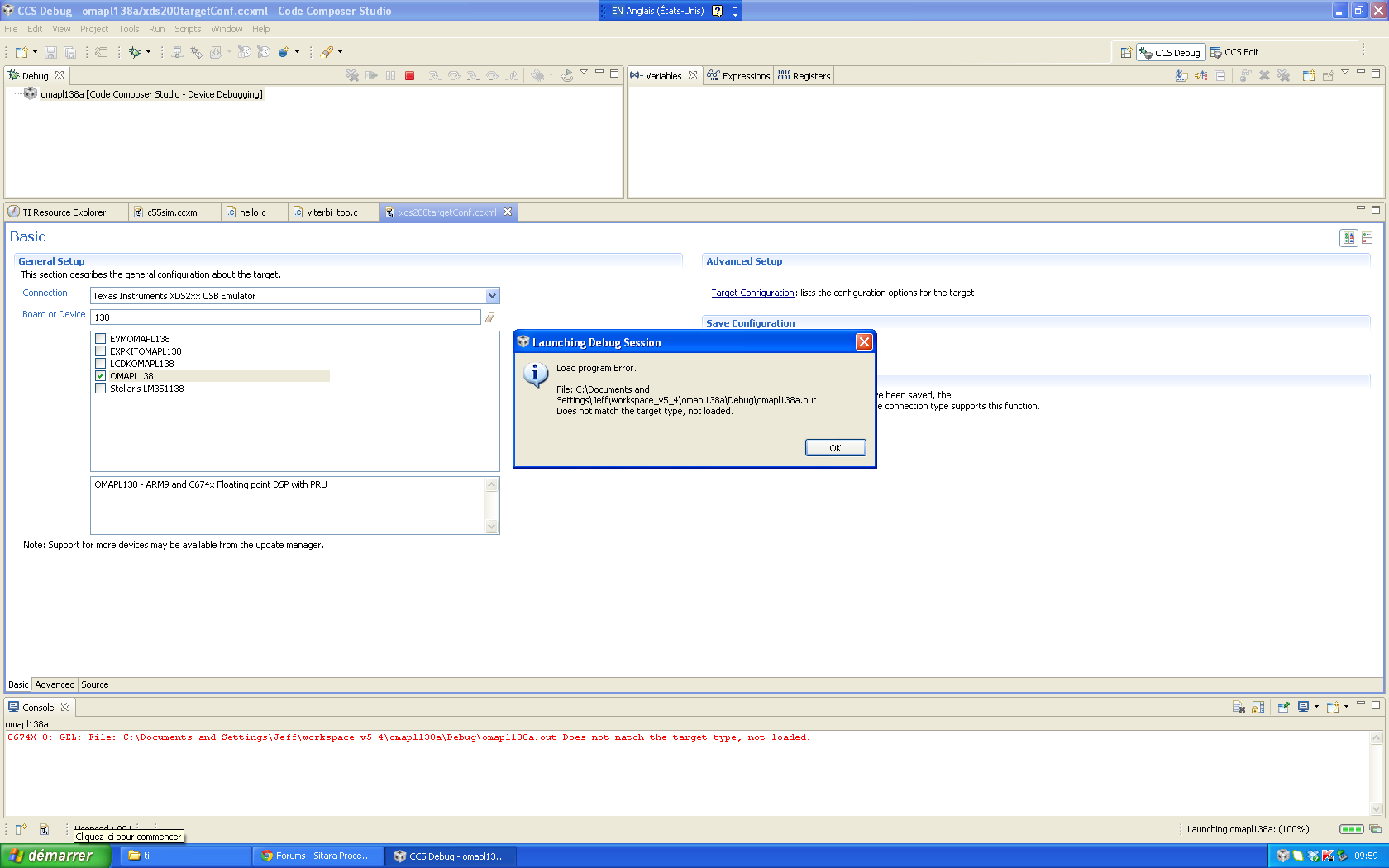
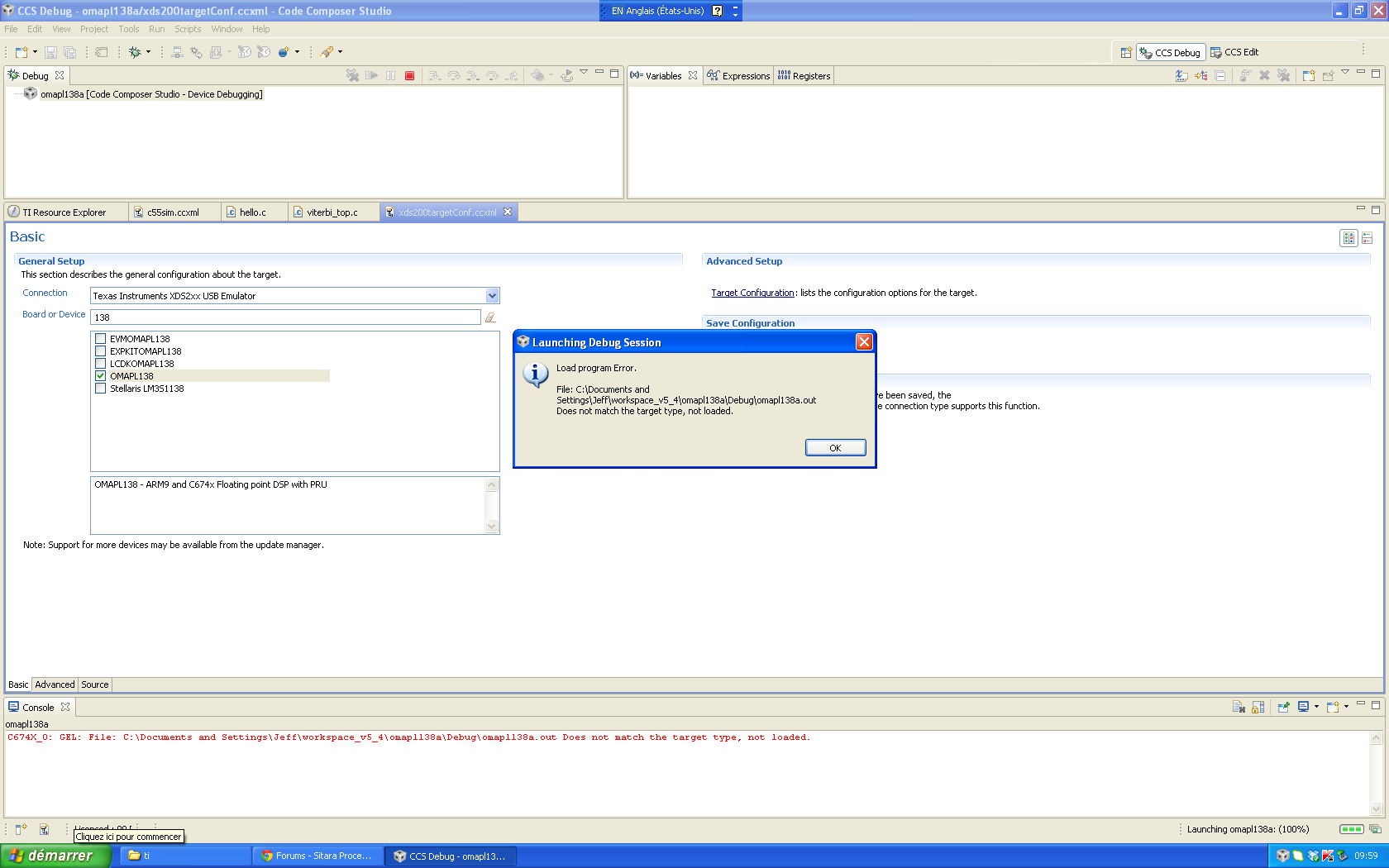
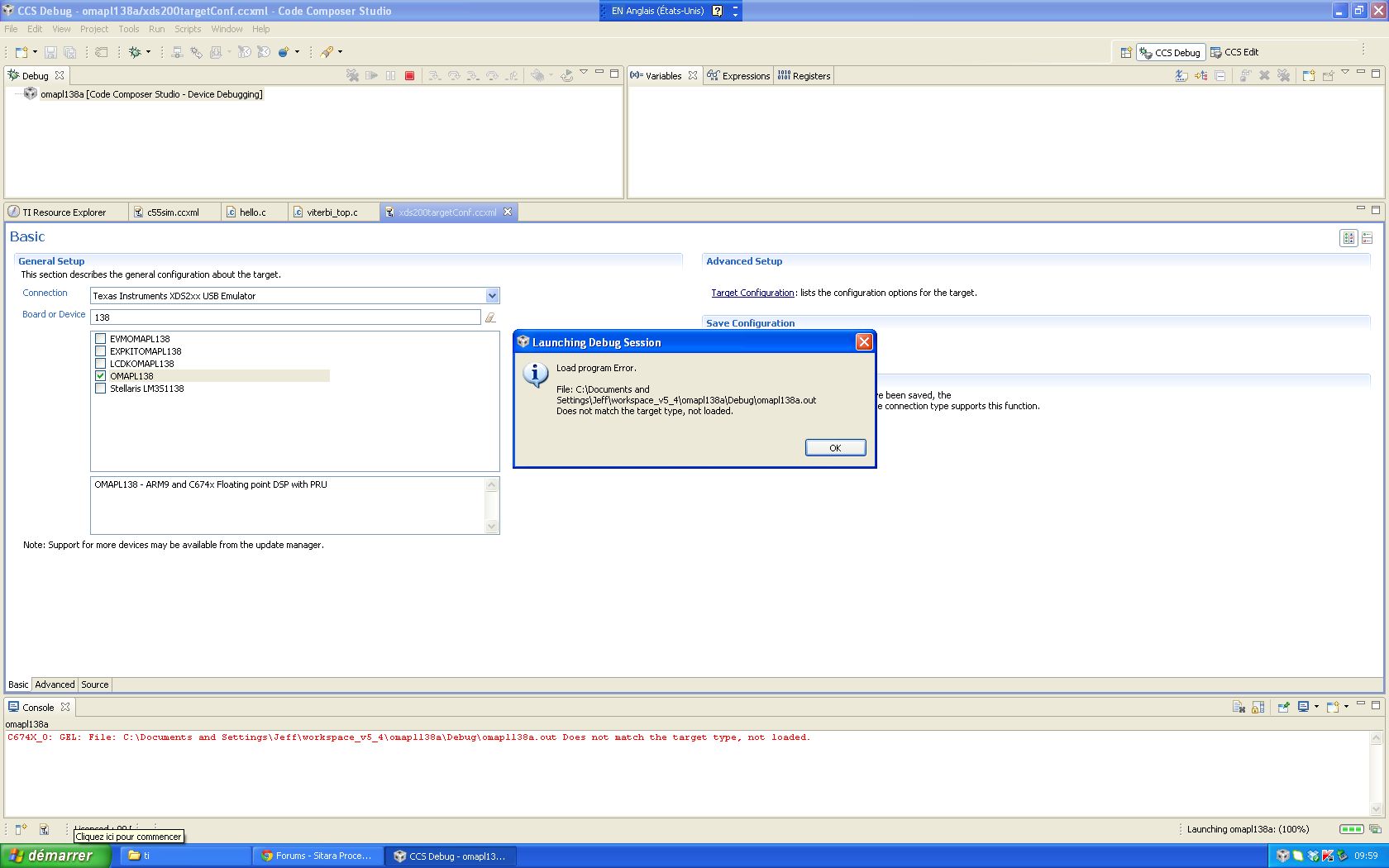
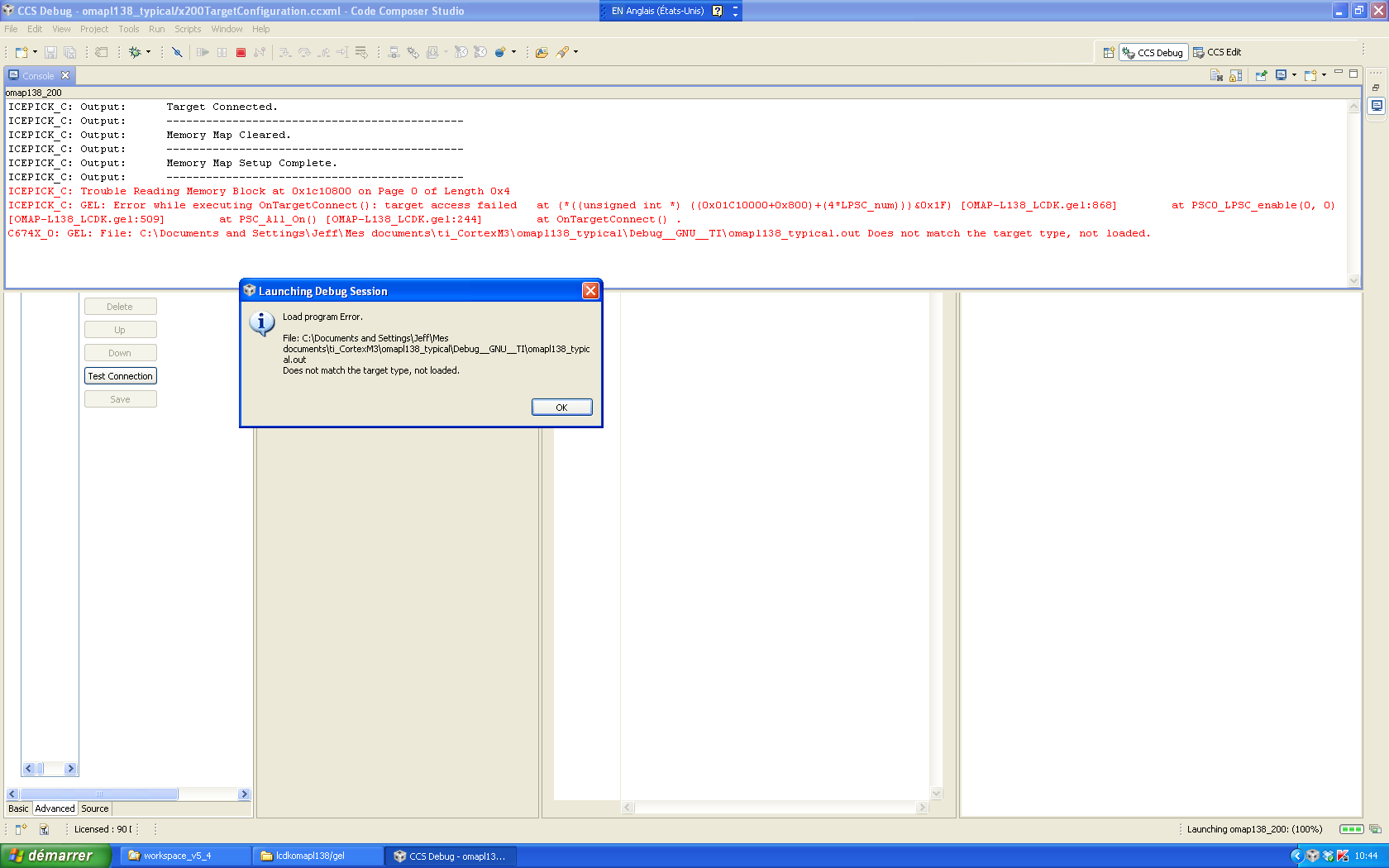
I connect OMAPL138 LCDK with XDS200 emulator to try the example "clock" project within CCS 5.4. When it is downloaded, it shows error:

C674X_0: GEL: File: C:\Documents and Settings\Jeff\workspace_v5_4\omapl138a\Debug\omapl138a.out Does not match the target type, not loaded.

I have check on line and do not find any specific link on what and where gel files needed, or SW1 settings for emulator usage for this small SYS/BIOS6 project. Or what else may be wrong?

Could you help me on this?

Thanks,

  • When I load the binary code, it shows this error:

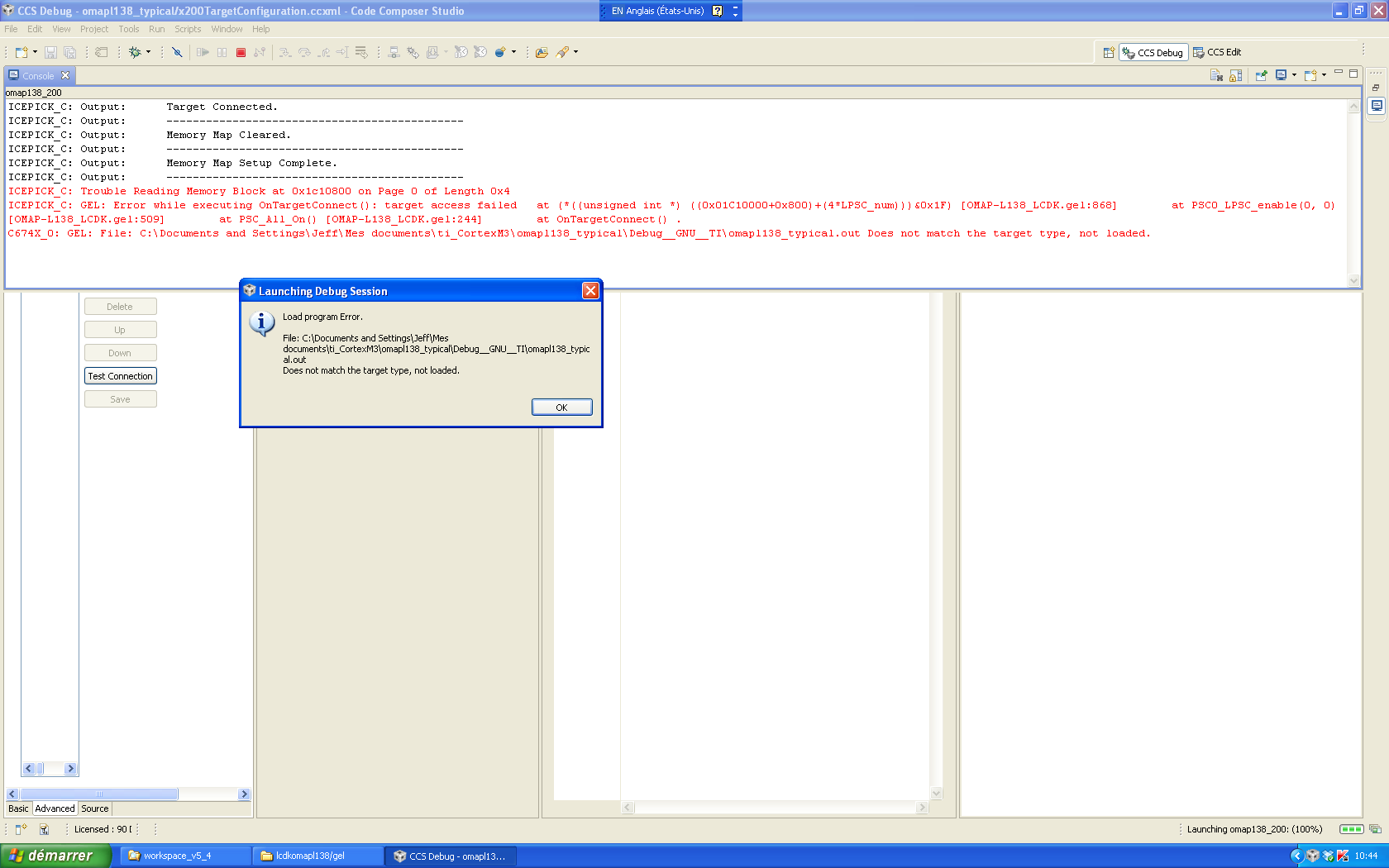
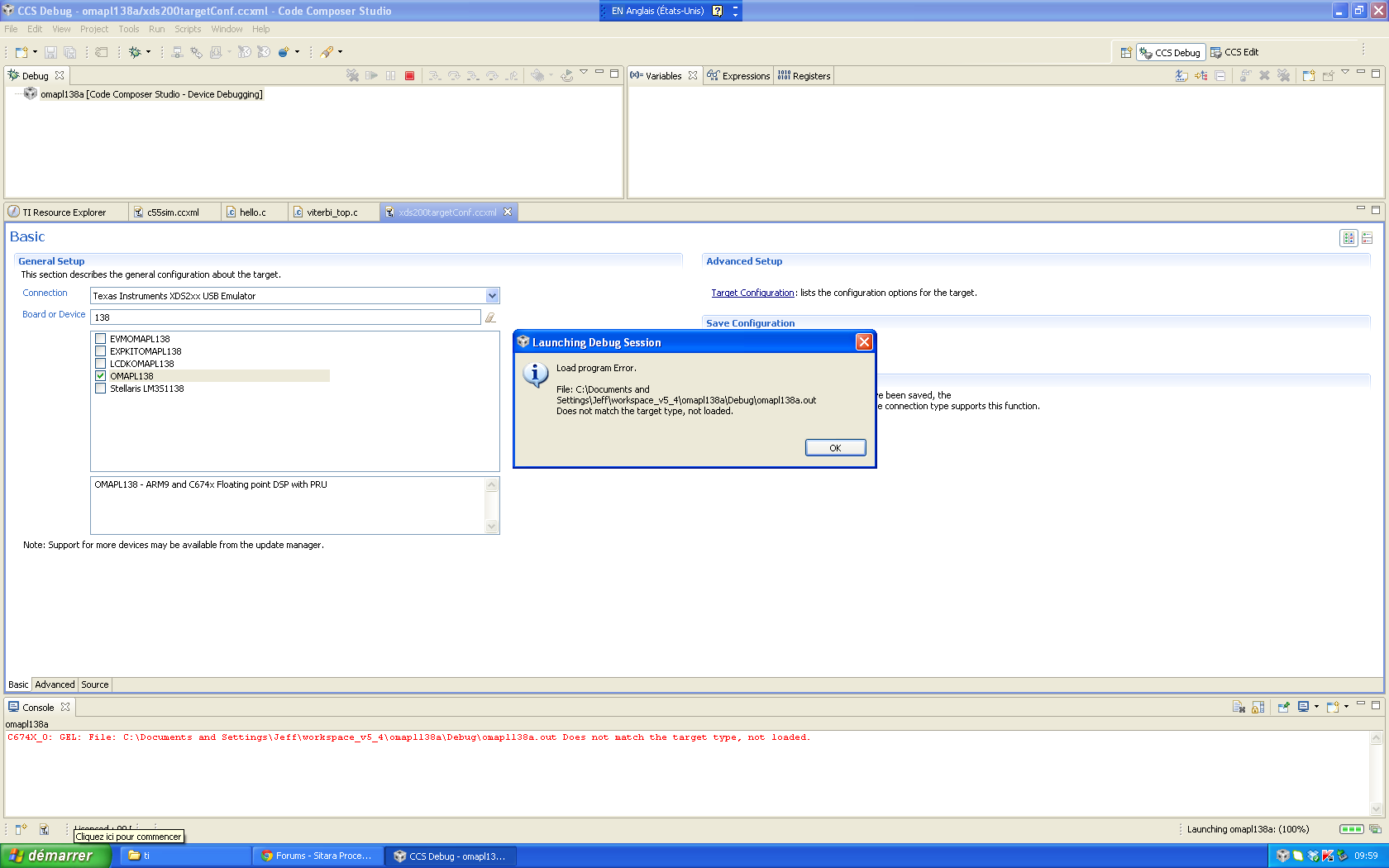
  • While I find a gel file for LCDK, it still has error:

    I do not know what is the reason for this. Please help me.

  • I did not include the provided OMAPL138.cmd linker command file. It did get built.

    When I include OMAPL138.cmd linker command in the project, it complains 

    memory range L3_CBA_RAM
    >> Compilation failure
    "../OMAPL138.cmd", line 41: error #10264: DDR2 memory range overlaps existing
    memory range DDR
    "../OMAPL138.cmd", line 46: error #10264: ARMRAM memory range overlaps existing
    memory range IRAM
    error #10010: errors encountered during linking; "omapl138_typical.out" not built
    gmake: *** [omapl138_typical.out] Error 1
    gmake: Target `all' not remade because of errors.

    **** Build Finished ****

    linker command file:

                     SHDSPL2ROM o = 0x11700000 l = 0x00100000 /* 1MB L2 Shared Internal ROM */
                     SHDSPL2RAM o = 0x11800000 l = 0x00040000 /* 256kB L2 Shared Internal RAM */
                     SHDSPL1PRAM o = 0x11E00000 l = 0x00008000 /* 32kB L1 Shared Internal Program RAM */
                     SHDSPL1DRAM o = 0x11F00000 l = 0x00008000 /* 32kB L1 Shared Internal Data RAM */
                     EMIFACS0 o = 0x40000000 l = 0x20000000 /* 512MB SDRAM Data (CS0) */
                     EMIFACS2 o = 0x60000000 l = 0x02000000 /* 32MB Async Data (CS2) */
                     EMIFACS3 o = 0x62000000 l = 0x02000000 /* 32MB Async Data (CS3) */
                     EMIFACS4 o = 0x64000000 l = 0x02000000 /* 32MB Async Data (CS4) */
                     EMIFACS5 o = 0x66000000 l = 0x02000000 /* 32MB Async Data (CS5) */
    line 40:    SHRAM o = 0x80000000 l = 0x00020000 /* 128kB Shared RAM */
    line 41:    DDR2 o = 0xC0000000 l = 0x20000000 /* 512MB DDR2 Data */

    #ifndef DSP_CORE /* ARM exclusive memory regions */

                     ARMROM o = 0xFFFD0000 l = 0x00010000 /* 64kB ARM local ROM */
    line 46:    ARMRAM o = 0xFFFF0000 l = 0x00002000 /* 8kB ARM local RAM */

    #endif
    }

    I have no idea whether the linker command file should or not included in the project. I also do not see why it generates memory conflicts. 

    Thanks,

  • Hi,

    In order to make problem simpler, I set bypass to C674x_0, PRU_0, PRU_1 in target configuration. It goes longer in downloading.

    This is a simple hello.c application:

    #include <stdio.h>

    /*
    * hello.c
    */
    int main(void) {
    printf("Hello World!\n");

    return 0;
    }

    0361.3808.OMAP-L138_LCDK.gel

    The linker file is:

    MEMORY
    {
    #ifdef DSP_CORE /* DSP exclusive memory regions */

    DSPL2ROM o = 0x00700000 l = 0x00100000 /* 1MB L2 DSP local ROM */
    DSPL2RAM o = 0x00800000 l = 0x00040000 /* 256kB L2 DSP local RAM */
    DSPL1PRAM o = 0x00E00000 l = 0x00008000 /* 32kB L1 DSP local Program RAM */
    DSPL1DRAM o = 0x00F00000 l = 0x00008000 /* 32kB L1 DSP local Data RAM */

    #endif

    SHDSPL2ROM o = 0x11700000 l = 0x00100000 /* 1MB L2 Shared Internal ROM */
    SHDSPL2RAM o = 0x11800000 l = 0x00040000 /* 256kB L2 Shared Internal RAM */
    SHDSPL1PRAM o = 0x11E00000 l = 0x00008000 /* 32kB L1 Shared Internal Program RAM */
    SHDSPL1DRAM o = 0x11F00000 l = 0x00008000 /* 32kB L1 Shared Internal Data RAM */
    EMIFACS0 o = 0x40000000 l = 0x20000000 /* 512MB SDRAM Data (CS0) */
    EMIFACS2 o = 0x60000000 l = 0x02000000 /* 32MB Async Data (CS2) */
    EMIFACS3 o = 0x62000000 l = 0x02000000 /* 32MB Async Data (CS3) */
    EMIFACS4 o = 0x64000000 l = 0x02000000 /* 32MB Async Data (CS4) */
    EMIFACS5 o = 0x66000000 l = 0x02000000 /* 32MB Async Data (CS5) */
    SHRAM o = 0x80000000 l = 0x00020000 /* 128kB Shared RAM */
    DDR2 o = 0xC0000000 l = 0x20000000 /* 512MB DDR2 Data */

    #ifndef DSP_CORE /* ARM exclusive memory regions */

    ARMROM o = 0xFFFD0000 l = 0x00010000 /* 64kB ARM local ROM */
    ARMRAM o = 0xFFFF0000 l = 0x00002000 /* 8kB ARM local RAM */

    #endif
    }

    SECTIONS
    {
    .text > SHRAM
    .stack > SHRAM
    .bss > SHRAM
    .cio > SHRAM
    .const > SHRAM
    .data > SHRAM
    .switch > SHRAM
    .sysmem > SHRAM
    .far > SHRAM
    .args > SHRAM
    .ppinfo > SHRAM
    .ppdata > SHRAM

    /* TI-ABI or COFF sections */
    .pinit > SHRAM
    .cinit > SHRAM

    /* EABI sections */
    .binit > SHRAM
    .init_array > SHRAM
    .neardata > SHRAM
    .fardata > SHRAM
    .rodata > SHRAM
    .c6xabi.exidx > SHRAM
    .c6xabi.extab > SHRAM
    }


    The error message is like this:

    ARM9_0: Output: Target Connected.
    ARM9_0: Output: ---------------------------------------------
    ARM9_0: Output: Memory Map Cleared.
    ARM9_0: Output: ---------------------------------------------
    ARM9_0: Output: Memory Map Setup Complete.
    ARM9_0: Output: ---------------------------------------------
    ARM9_0: Output: PSC Enable Complete.
    ARM9_0: Output: ---------------------------------------------
    ARM9_0: GEL: Error while executing OnTargetConnect(): Driver did not attempt to read memory at 0x01C11100 at (*((unsigned int *) (0x01C11000+0x100))&=0xFFFFFEFF) [OMAP-L138_LCDK.gel:4] at device_PLL0(0, 24, 1, 0, 1, 11, 5) [OMAP-L138_LCDK.gel:403] at Set_Core_300MHz() [OMAP-L138_LCDK.gel:468] at Core_300MHz_mDDR_150MHz() [OMAP-L138_LCDK.gel:245] at OnTargetConnect() .
    ARM9_0: Trouble Writing Memory Block at 0x80000000 on Page 0 of Length 0x46b4: (Error -2030 @ 0x2ED401B0) Internal error: Access to unknown or invalid register was requested. Restart the application. If error persists, please report the error. (Emulation package 5.1.73.0)
    ARM9_0: Unable to terminate memory download: NULL buffer pointer at 0x320
    ARM9_0: GEL: File: C:\Documents and Settings\Jeff\Mes documents\ti_CortexM3\l138_hello0\Debug\l138_hello0.out: Load failed.
    ARM9_0: Error: (Error -1060 @ 0x2E18) Device is not responding to the request. Reset the device, and retry the operation. If error persists, confirm configuration, power-cycle the board, and/or try more reliable JTAG settings (e.g. lower TCLK). (Emulation package 5.1.73.0)
    ARM9_0: Error: (Error -1029 @ 0x2B5F) Invalid data read from ICECrusher register. Reset the device, and retry the operation. If error persists, confirm configuration, power-cycle the board, and/or try more reliable JTAG settings (e.g. lower TCLK). (Emulation package 5.1.73.0)
    ARM9_0: Unable to determine target status after 20 attempts
    ARM9_0: Failed to remove the debug state from the target before disconnecting. There may still be breakpoint op-codes embedded in program memory. It is recommended that you reset the emulator before you connect and reload your program before you continue debugging


    What is the problem for a simple hello.c to run? Thanks,

  • Robert,
     
    The OMAP-L138 is supported on another forum. Moving your post there.
  • Robert,

    I have a couple of questions:

    1. What target (ARM or DSP) is the .out file built for?
    2. Which target (the ARM or the DSP core) are you downloading the code to?
    3. You mentioned the example project "clock", can you point me to where it is so that I can take a look of the project.
    4. You mentioned a GEL file, can you attached it here so that I can take a look.
    5. The target configuration for OMAPL138. How do you generated it? Can you attached the .ccxml here too?

    A couple of information to you:

    1. From the error information, ex. "ARM9_0: Output: Target Connected",  you can see, which core your GEL file is working on. In this example, it is the ARM (ARM9_0).
    2. From your original error (the target type not match) information, I can see it is from the DSP core.

    So, if the .out file is built for the ARM target, and the loading process is from the DSP core, than,the type will be mis-matched -- the TI loader can detect this mismatch.

    Regards!
    Wen

  • Hi,

    I made many tests yesterday. It is still not clear although I get one small hello world project downloaded.

    It is an ARM project. What selections I should make in the target configuration file? I tried many options: disable C674x, PRU_0, PRU_1; Device selections in Debug Configurationss/Program: Texas Instruments XDS2xx USB Emulatory/C674x_0, or Texas Instruments XDS2xx USB Emulatory/Arm9_0 etc. I do not see a description on these yet.

    The passed case ironically has no Project and Program selections in Debug Configurations.

    I create another helloworld project, which cannot get downloaded, even with the same settings with the above one.

    It seems XDS200 working requires PC speed high enough. My new PC has expired evaluation license. The old PC speed is too slow even I set adapted speed to 1 MB in target file. This is a personal project, I would speak with you for other requirement.

    The JTAG test at the target configuration file always pass, which does not reflect the real work facts of XDS200.

    I have used OMAPL138 LCDK get file.

  • DSP/BIOS6 support several Cortex M3 microcontrollers. Does DSP/BIOS6 support ARM A-9 in OMAPL138? When I select OMAPL138 chip, the examples in CCS project have clock, etc. in CCS 5.4. I just realize that it is for C674x, not for ARM A9?

    But I have to lower the JTAG frequency to make XDS200 connect to the only small project downloaded. In this passed example, I have selected C674x, PRU_0, PRU_1 and ARM9_0. It does go to ARM and run. Is it right?

    Now I am interested in only ARM. How can I download with Emulator both ARM and DSP code to OMAPL138?

    Thanks,

    3173.OMAPL138_LCDK.gel5228.C6748_LCDK.gel

  • After some comparison projects, the reason for the difference shows here.

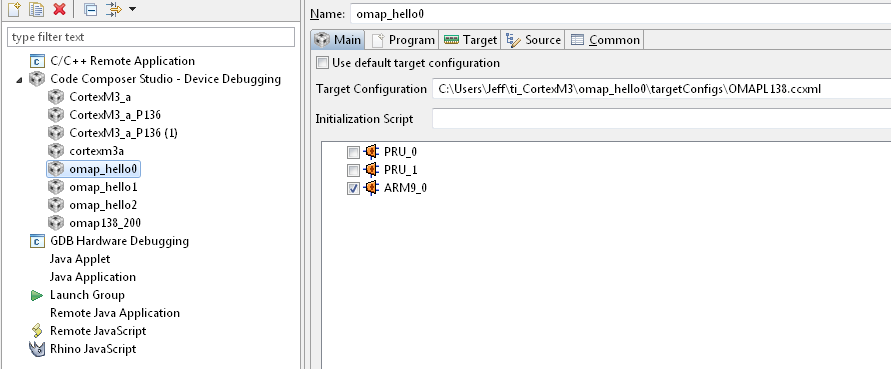
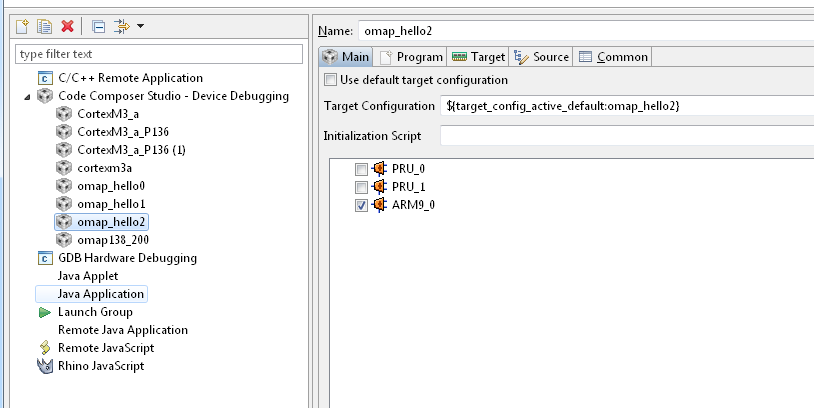
    I use a simple hello world project. If the Debug Configuration of hello0 project is:

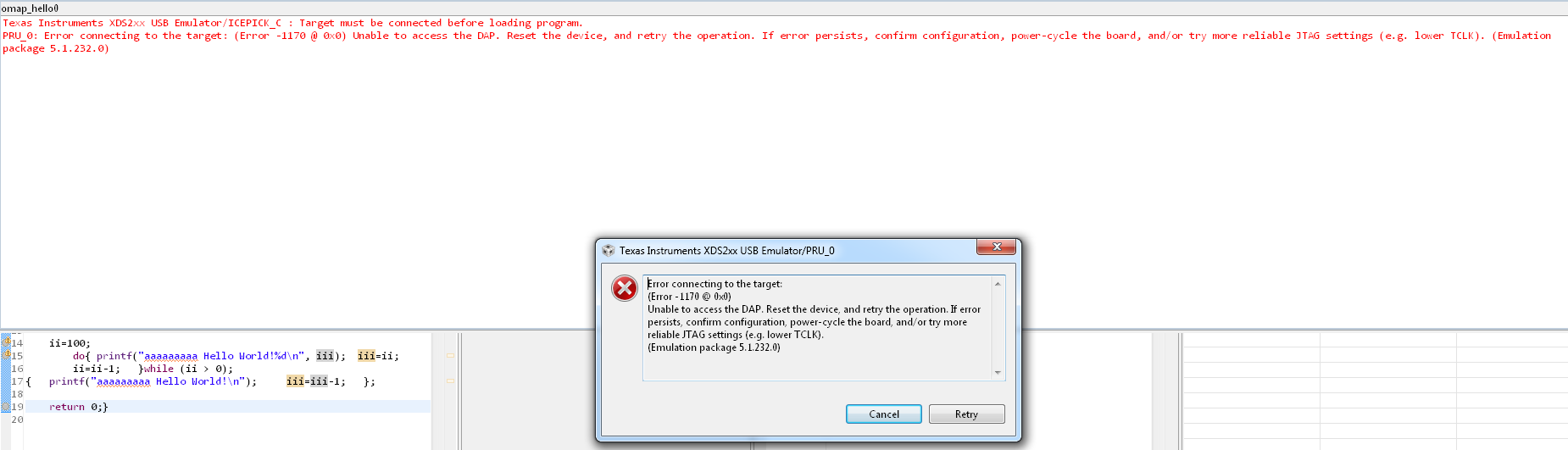
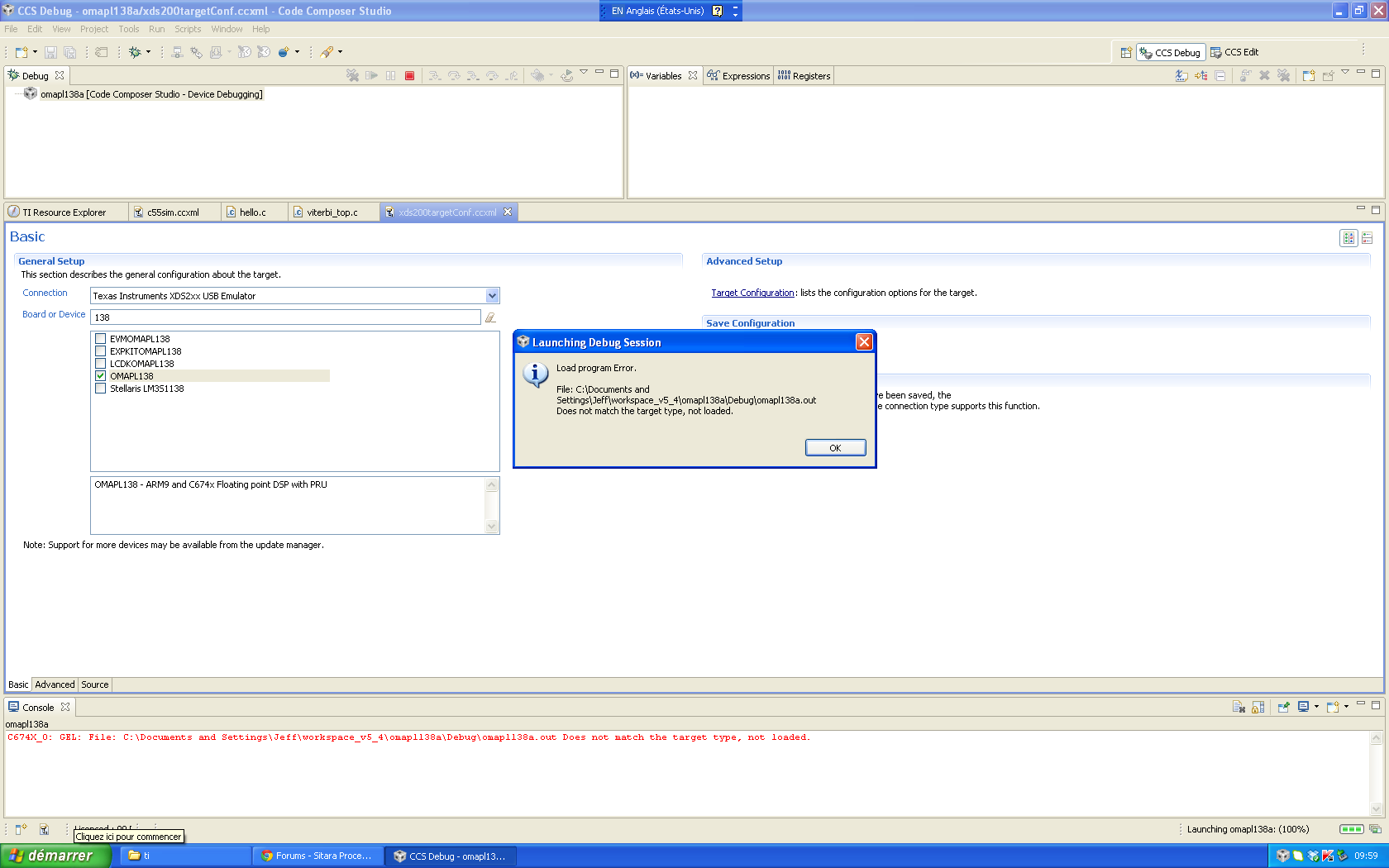
    There will be an error when debug:

    After I press Cancel, it will go through to the debugging:

    On the contrary, if the project Debug Configuration is:

    it will go successfully to debug without error message. But I do not know how to get the Debug Configuration as the right last one.

    Here is the two projects. Note: The JTAG frequency has set to adaptive, 5 MHz. It seems OK with my PC: Windows 7, 64 bit. What is the problem with my settings? Thanks,

    5417.omap_hello02.zip

  • Hi,

    I find that it is very weird the download may be well or not beyond control. Here are two projects (hello1 and hello2). I don't know why hello1 fails. Please check the problem. Thanks,

    They use the same GEL file.

    8726.omap_hello12.zip