This thread has been locked.

If you have a related question, please click the "Ask a related question" button in the top right corner. The newly created question will be automatically linked to this question.

question about the resolution tiler supported

Hi,

I have a question about the resolution tiler supported.

I call Utils_tilerGetOriAddr function and input params width and height is 1920, 1080, the function can execute corrected, however the input params width and height is 2592, 1936, the function execute failed, and the informaiton as follow:

[m3vpss ] CAPTURE_DEBUG: the width is 2592, the height is 1936
[m3vpss ] TILER_DEBUG: vStride is 8192, vOffset is 4, height is 1936
[m3vpss ] TILER_DEBUG: vStride is 4096, vOffset is 3453, height is 968
[m3vpss ] 5686: Assertion @ Line: 300 in utils/src/utils_tiler.c: (vStride > (vOffset + height)) : failed !!!

How should I do, I want to used tiler and my image resolution is 2592*1936.

  • The issue is not due to the resolution. It looks like you are passing wrong address since vOffset value is wrong. Make sure you are passing address in natural view .Print the addresses after tiler alloc and compare it with value passed to GetOriAddr,

  • Hi, Badri

    As your suggestion, I print the address after tiler alloc. It is same with I passed to the Utils_tilerGetOriAddr, as follow:

    [m3vpss ] [TILER] Tiler Addr = 0x00010000, mode = 0, x,y = 0,4
    [m3vpss ] [TILER] Tiler Addr = 0x0d500000, mode = 1, x,y = 0,0
    [m3vpss ] [TILER] Tiler Addr = 0x00010a20, mode = 0, x,y = 2592,4
    [m3vpss ] [TILER] Tiler Addr = 0x0d500a20, mode = 1, x,y = 2592,0
    [m3vpss ] [TILER] Tiler Addr = 0x00011440, mode = 0, x,y = 5184,4
    [m3vpss ] [TILER] Tiler Addr = 0x0d501440, mode = 1, x,y = 5184,0
    [m3vpss ] [TILER] Tiler Addr = 0x00011e60, mode = 0, x,y = 7776,4
    [m3vpss ] [TILER] Tiler Addr = 0x0d501e60, mode = 1, x,y = 7776,0
    [m3vpss ] [TILER] Tiler Addr = 0x00012880, mode = 0, x,y = 10368,4
    [m3vpss ] [TILER] Tiler Addr = 0x0d502880, mode = 1, x,y = 10368,0
    [m3vpss ] [TILER] Tiler Addr = 0x000132a0, mode = 0, x,y = 12960,4
    [m3vpss ] [TILER] Tiler Addr = 0x0d5032a0, mode = 1, x,y = 12960,0

    I have a question about the tiler_alloc, what's the mean the macro define as below:

    #define TILER_ALLOC_BUCKET_WIDTH_DEFAULT (TILER_ALLOC_RESOLUTION_CLASS_1080P_WIDTH)
    #define TILER_ALLOC_BUCKET_HEIGHT_DEFAULT (TILER_ALLOC_RESOLUTION_CLASS_720P_HEIGHT * 2)

    If I need modify the macro?

  • What is the tiler addr that is failing for GetOriAddr.Dont change the macros. They are not applicable when using single bucket geometry which is the default configuration.

  • Hi, Badri

    The failing address it the 0x0d500000, and the cntMode is 1, the startX is 0, startY is 0.

    I guess the startOffset_16BIT is errored.

    And when the process running I found the assert fail as follow(tile_alg_pinback.c   line72):

    UTILS_assert((TilerAlloc_ResolutionClassInfo[i].width > prevResWidth)
    &&(TilerAlloc_ResolutionClassInfo[i].height > prevResHeight));

    To resolve the question, I modify the tiler_alg_binpack.h on line 24 as follow:

    #define TILER_ALLOC_RESOLUTION_CLASS_5MP_WIDTH      UTILS_ENCDEC_GET_PADDED_WIDTH(2560u)
    #define TILER_ALLOC_RESOLUTION_CLASS_5MP_HEIGHT      UTILS_ENCDEC_GET_PADDED_HEIGHT(1920u)

    #define TILER_ALLOC_RESOLUTION_CLASS_4MP_WIDTH      UTILS_ENCDEC_GET_PADDED_WIDTH(2u*1024u)
    #define TILER_ALLOC_RESOLUTION_CLASS_4MP_HEIGHT      UTILS_ENCDEC_GET_PADDED_HEIGHT(2u*1024u)

    ==>

    #define TILER_ALLOC_RESOLUTION_CLASS_5MP_WIDTH      UTILS_ENCDEC_GET_PADDED_WIDTH(2592u)
    #define TILER_ALLOC_RESOLUTION_CLASS_5MP_HEIGHT      UTILS_ENCDEC_GET_PADDED_HEIGHT(1936u)

    #define TILER_ALLOC_RESOLUTION_CLASS_4MP_WIDTH      UTILS_ENCDEC_GET_PADDED_WIDTH(2u*1024u)
    #define TILER_ALLOC_RESOLUTION_CLASS_4MP_HEIGHT      UTILS_ENCDEC_GET_PADDED_HEIGHT(1920u)

  • Hi, Badri

    I found the startOffset_8BIT is 0, and the startOffset_16BIT is 0x5500000(85MB), is it corrected?

  • For address 0xD500_0000 vOffset is not 3453. Have you modified the default RDK memory map ? Tiler should be allocated 256 MB and StartOffset of 16 bit should be 0.Check this at your end.

  • HI, Badri,

    Thank you for your reply,

    Sorry, it is  a bug on my process.

    Thanks again.

    Tianxing.

  • Hi, Badri

    I have a question about the encode and its input memory is tilered.

    Now, I operate the link as follow:

    capture --> framesout --> framesin -->enc 

    After capture, I transfer the data frome non-tiler to tilered by edma, and translate the natural addr of tiler into 90-degree tiler-address by Utils_tilerGetOriAddr, I want to know if I should modify the pitch to 16384 and 32768 before input encode.

  • Encoder uses HDVICP and HDVICP cannot understand rotated tiler address. Only natural view is comprehended.Which means you cannot rotate by 90 and give to encoder.You can try setting DMM_TILER_OR for HDVICP but I have not tried it and don't know if it will work.


  • Hi, Badri

    Could you tell me how set the DMM_TILER_OR for HDVICP? write the tiler register, and the register address is 0x4E000224?

    And how modify the pitch of tilered-memory on encode link? modify the pitch of input chInfo to 16384 and 32768?

    Thank you.

  • Hi, Badri

    I want to realize the rotation by tiler, and the image resolution is 2592*1936.

    Could you give me some suggestions?

    I try some program as follow:

    1. capture --> dei, and enable tiler at captureLink, however the it will be errored, the fifo will overflow and reset the VP

    2. capture -->dei -->dei, enable tiler at deiLink, however the dei support the max resolution is 1920*1080

    3. after capture, copy the non-tiler memory to tiler memory by edma, however no link can support the resolution and its input could be tilered

    4. capture --> framesout --> framesIn --> enc -- > dec, copy the non-tiler to tiler by edma after capture and before enc, however the enc could not recieve the rotation tiler address

    Now, I have no ideas to realize the rotation by tiler, and image resolution more than 1920*1080.

    I have some question about the mpsclr.

    1, could its input be tilered?

    2, could its output resolution be not 1920*1080, for example 1280*720 or 2592*1936?

    Regards,

    Tianxing

  • Hi,


    None of the HDVPSS path can support more than 1920 line width for Tiler input or output.


    Regads,

    brijesh

  • Hi,

    Thanks for your reply.

    Could the input of the encode link be rotation tiler address?

    Could you give me some suggestions? I want to realize the rotation of image, and resolution is 2592*1936. I try edma to realize it, however the performance is poor.

    Regards,

    Tianxing

  • Do you want to retain original 2592*1936 or is it okay to scale ?

    What do you want to do with the rotated frame. Do you have to encode it ?

    If you can scale recommendation from Brijesh is to use Capture -> MpSclr (1920x1080) -> Sclr (Rescale to restore aspect ratio and rotate 90) -> Encode

    If you cant scale the only option I see  is Capture -> 422I --> NSF (420SP) --> Encode

    You have to modify NSF link to operate in slices .

    The output buffer of NSF should be 90 degree rotated address.

    Before giving to encoder restore buffer to natural address


  • Hi, Badri

    I want to original 2592*1936 to rotation.

    You said it can be realize as follow:

    Capture-->422I --> Nsf(420SP) --> Encode, and modify NSF link to operate in slices. How should I do to modify the NSF to operate in slices?

    And , you said the NSF link only support 1920*1080 resolution.

    Furthermore, the Nsf output is tilered, and I must translate the natural tiler-address to 90-degree rotated address,  and the rotated address as the encode input. May be it have no difference between capture-->edma copy non-tiler to tiler --> translate 0-view tiler-address to rotated address --> encode, is it?

    I only succeed rotated the image as follow:

    capture(2592*1936) --> mpsclr(1920*1080, YUV422I, non-tilered) --> sclr(960*1088, YUV422I, non-tilered) --> nsf(960*1088, YUV420SP, tilered)--> tiler address translate (1088*960, YUV420SP, rotated tilered address)-->sclr( 1088*1920, YUV422I, non-tiler) --> encode

  • As I said you have to modify nsfLink to operate in slices to support greater than 1920x1080.

    capture->edma copy is not same as capture ->nsf. NSF is a HDVPSS module  can view 33bit rotated tiler address.

  • How modify nsfLink to operate in slices, I can't find related code on rdk4.1 about the params slices and subFrameMode, could you give me some suggestions about modify the related code.

    And, you means capture (2592*1936, YUV422I, non-tiler)--> nsf (2592*1936, YUV420SP, tiler) --> tranlate 0-view tiler address to 90-degree rotated address by Utils_tilerGetOriAddr(the function have modified and you give me a patch file about the utils_tiler.c) --> encode(input: 2592*1936, YUV420SP, rotated tiler address)

  • Hi, Badri

    Could I modify the deiLink to operate in slices to support greater than 1920*1080.

    The deiLink could support tiler-input and tiler-output on bypass mode, and I can operate as follow:

    capture(YUV420SP, 2592*1936, non-tiler) -->

    dei(input: YUV420SP, 2592*1936, non-tiler, output : YUV420SP, 2592*1936, tiler), translate output to rotated-tiler address  -->

    dei(input: YUV420SP, 2592*1936, rotate-tiler address, output: YUV420SPm 1936*2592, non-tiler)

    If the dei can support 2592*1936, the rotation would be realize, is it?

    Regards, 

    Tianxing

  • Hi, Badri

    I have found the code "nsfProcCfg->subFrameModeEnable = FALSE;" on file nsfLink_drv.c, set the params TRUE, is OK?

    Could you give me some information about the subFrameMode and slice operation. Is there some file or datasheet coulde be reference?

    Regards,

    Tianxing

  • Implementing slicing in DEI is equivalent to implementing MpSclr and is very complex.There is no example code to implement slicing in NSF. You can refer MpSclrLink to understand how to implement slicing

    I can think of below option:

    1 Dup the capture output of 2592*1936 into 4 ouput queues.

    2. Modify dupLink to slice the image into multiple portions (1920x1056 ,672x1056  ,1920x880, 672x880 ) by correctly updating the FVID2 frame buffer pointer and setting correct SystemFrameInfo values.

    3. Have MergeLink after dup and feed output of merge to SwMs link

    4. Set SwMs scaler to bypass and create a layout of 2x2 such that input window resolution = output window resolution

    5. Set SwMs output format to 420SP

    6. Set SwMs output buffer type to tiled

    7. Rotate by 90 degress orientation and pass output buffer to swms before FVID2_process

    8. Restore output buffer to original view address and forward to encode for encoding.

    9. SwMs iniOutRes and maxOutRes shoud be set to 2592*1936. This will require some changes in swms link.

  • Hi, Badri

    Thanks for your reply, it is so helpful for us.

    Now, my link as follow:

    capture --> dup(output:4) --> merge(in:4) --> dei --> dei --> framesout ...

    1,  And, at dupLink, I slice the image into multiple portions(1312*992, 1280*992, 1312*928, 1280*928) and the frame buffer pointer and set correct FrameInfo values as your advice.

    2,  At first deiLink, I enable the tiler, and its output will be tilered.

    3,  At second deiLink input buffer address, I transfer the original view address of tiler to 90-degree rotation tiler address.

    4,  At second deiLink output, I copy the 4 portions of 90-degree rotated image buffer to 1 buffer by edma.

    Now, I want to know if I need modify the input width, height and pitch at second deiLink.

    The output of second deiLink would be 992*1312, 992*1280, 928*1312, 928*1280, could the deiLink support the output resolution?

    Thank you,

    Tianxing


  • tianxing hou said:
    Now, I want to know if I need modify the input width, height and pitch at second deiLink

    - Yes.If you rotate input image 90 degrees then you have to modify width/height /pitch as shown in the patch.

    tianxing hou said:
    The output of second deiLink would be 992*1312, 992*1280, 928*1312, 928*1280, could the deiLink support the output resolution?

    - I believe height less than 2048 should work although I have not tried it .


    WHy don't you use swms as I mentioned instead of using 2 DEI and EDMA

  • Hi, Badri

    Thank you for your reply, I will try.

    As I know, the swms link only input could be as tilered. I could not find a link its output is tilered and support the resolution more than 1080p.

    Regards,

    Tianxing 

  • Yes SwMs doesn't support tile output. I think it requires only minor change in SwMsLink_drvCreateOutInfo function to enable support for tiler. SWMS already supports 420SP output format.

  • Hi, Badri

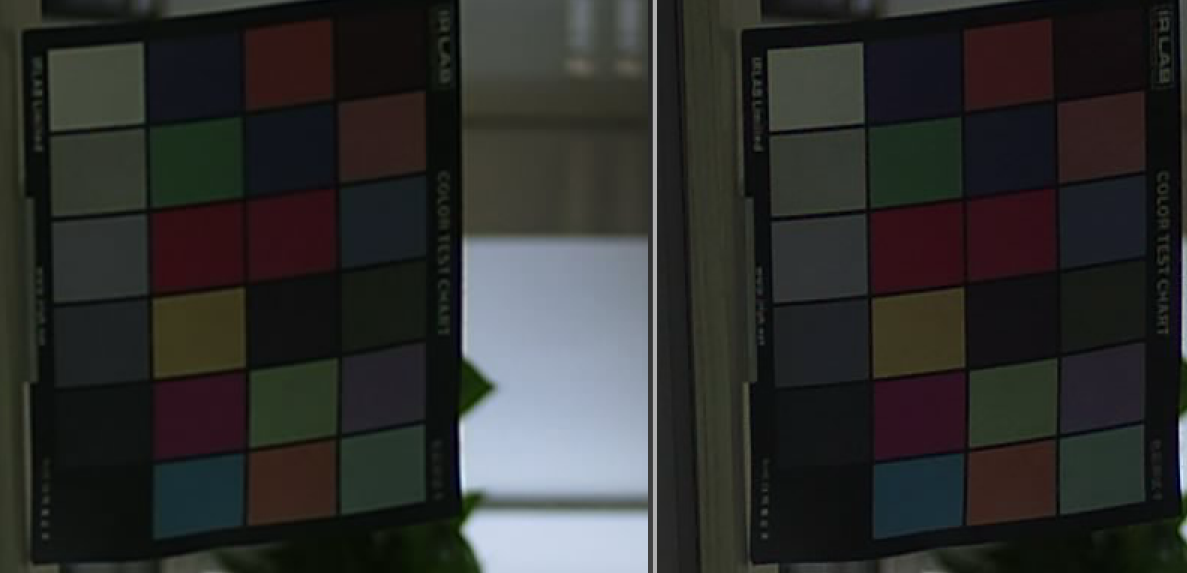
    Now, I have realized the image rotation(image resolution1080P or more than 1080P), however there is a flaw on the image left.

    My link as follow:

    capture --> dup(output:4) --> merge(in:4) --> dei --> dei --> framesout ...

    the original image as follow:

    the rotated image as follow:

  • Is the OSD on the original video (Date/Time/IPAddr) applied by SWOSD or part of original video from camera.It looks like applied by SWOSD since it is not present in rotated image. Try disabling SWOSD and check.

    If you are doing EDMA copy ensure pitch doesn't exceed 32767 anywhere and ensure you always use Natural view for all EDMA transfers.

  • Hi, Badri

    Thank you for your reply.

    I have realized the rotation bydeiLink.

    Now, I have a question about the sclrLink. When the camera resolution is 1920*1080, the rotation iamge resolution would be 1080*1920, and I want to resize the iamge to 720p(1280*720) or D1(720*576).

    However, the sclr or the swms couldn't resize the resolution(1080*1920), I found the code as follow:

    if(pInChInfo->width > SCLR_LINK_MAX_WIDTH_SUPPORTED)
    {
        pInChInfo->width = SCLR_LINK_MAX_WIDTH_SUPPORTED;
    }

    if(pInChInfo->height > SCLR_LINK_MAX_HEIGHT_SUPPORTED)
    {
        pInChInfo->height = SCLR_LINK_MAX_HEIGHT_SUPPORTED;
    }

     At the file sclrLink_drv.c Line 435, and the file swMsLink_drv.c Line 2582, the macro define as follow:

    #define SW_MS_MAX_WIDTH_SUPPORTED (1920)

    #define SW_MS_MAX_HEIGHT_SUPPORTED (1080)

    If the sclrLink and swMsLink could not process the resolution more than 1080P of width is 1080, height is 1920.

  • You can try changing MAX_HEIGHT_SUPPORTED define to 2048 although it is not tested and I don't know if it will work.

  • Hi,

    I have a question about the rotated image.

    When I rotated the image, I found the UV-component is don't match with the Y-component .

    The image as follow:

    And I correction the UV-component, however, the iamge is vague, as follow:

    Could you give me some advices?

    My link as follow:

    Capture->Dei(non-tiler to tiler)->Dei(rotation and tiler to non-tiler) ->...

    And the image width is different width the pitch, the width is 1600, and the pitch is 1664, when rotated, the image width is 1184 and the pitch is 1280.

  • Hello, you can leave a mail?I also met the same problem, can you help me.