This thread has been locked.

If you have a related question, please click the "Ask a related question" button in the top right corner. The newly created question will be automatically linked to this question.

Methods to Load Kernel and File System file in AM1808

Other Parts Discussed in Thread: AM1808

How many different way are there to load the Kernel and File System file in AM1808 ?

  1. Using Ethernet Cable
  2. Using UART
  3. ... ?
  • Hi,

    I've read the Boot loader procedure using the UART boot Master, but i can't find the way to load Kernel in this document ? I can understand now how to create a AIS image, but i am not sure if is it correct or not !! Because every time i Load the AIS image file using UART HOST v1.3, the I/o Read error occurs.

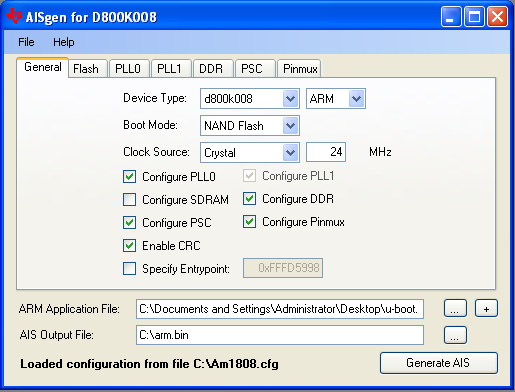
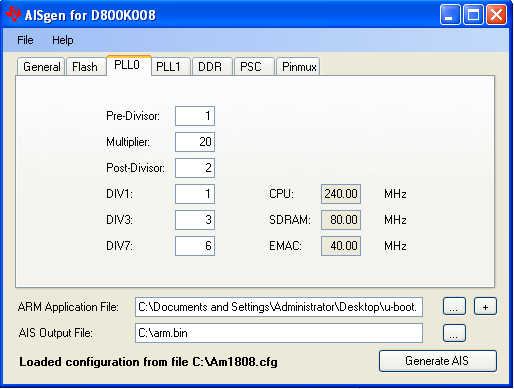
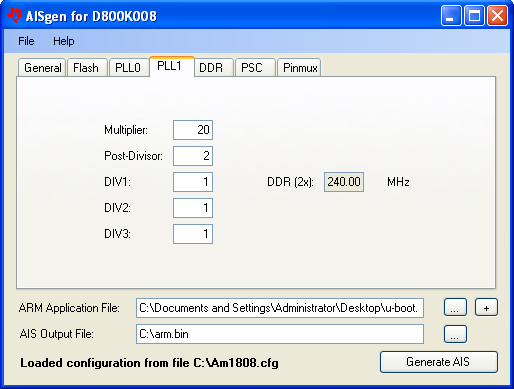
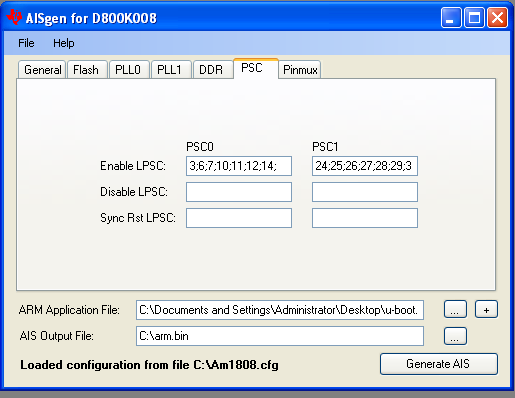
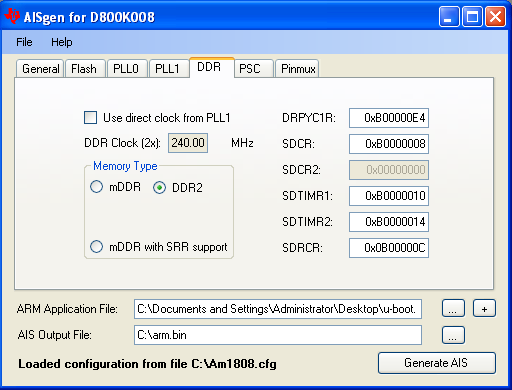
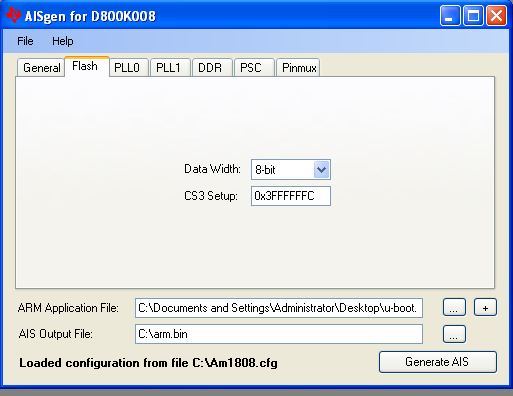
    What things should i keep in mind while creating the AIS image ? Below are the settings i've set to generate AIS image

    I've set the

    1. Pin Mux Settings using Pin Setup Utility    
    2. PPL 0, PPL 1 Settings
      1. PPL 0:                                                                                               
        ARM9_0: GEL Output: |              PLL0 Information             |
        ARM9_0: GEL Output: ---------------------------------------------
        ARM9_0: GEL Output:
        ARM9_0: GEL Output: PLL0_SYSCLK1 = 24 MHz
        ARM9_0: GEL Output: PLL0_SYSCLK2 = 12 MHz
        ARM9_0: GEL Output: PLL0_SYSCLK3 = 8 MHz
        ARM9_0: GEL Output: PLL0_SYSCLK4 = 6 MHz
        ARM9_0: GEL Output: PLL0_SYSCLK5 = 8 MHz
        ARM9_0: GEL Output: PLL0_SYSCLK6 = 24 MHz
        ARM9_0: GEL Output: PLL0_SYSCLK7 = 4 MHz
        ARM9_0: GEL Output:
      2. PPL 1                                                                              
        ARM9_0: GEL Output: ---------------------------------------------
        ARM9_0: GEL Output: |              PLL1 Information             |
        ARM9_0: GEL Output: ---------------------------------------------
        ARM9_0: GEL Output:
        ARM9_0: GEL Output: PLL1_SYSCLK1 = 24 MHz
        ARM9_0: GEL Output: PLL1_SYSCLK2 = 24 MHz
        ARM9_0: GEL Output: PLL1_SYSCLK3 = 24 MHz
    3. PSC Settings                          

    I am not sure about the following settings

    1. How to set DDR2 Setting                                               
    2. Flash Setting                                             

    I suppose that i've to change the settings specific to my board setting ? but where can i find this information ?

  • Hi,

    For u-boot,

    You need to convert the u-boot.bin to u-boot.ais (input file(ARM application file) as u-boot.bin)

    You need to mention DDR2 timing parameters and booting type and that parameters if NAND/SPI While you are creating AIS.

    After that write the u-boot.ais file into NAND/SPI/NOR which you configured as booting type while you are converting to AIS.