This thread has been locked.

If you have a related question, please click the "Ask a related question" button in the top right corner. The newly created question will be automatically linked to this question.

TMS320C5515 on Code Composer Studio v4.1

Other Parts Discussed in Thread: TMS320C5515

Hello ! I am a newbie. My teacher asked me programming TMS320C5515 eZdsp using CCS v4.1 and I found a problem. When I started CCS v4.1 and I made "new CCS Project", I choosed Project Type : C5500. There's no a series of my DSP board (TMS320C5515) on Device Variant (there's TMS320VC5515). Can anyone help me ? What must I do so that CCS v4.1 can detect TMS320C5515 on Device Variant ? Can anyone tell me the steps ? Thank you very much. I really need your help :(

  • Hi,

    CCS4.1 is older version, I Suggest you to move to CCS5.5 or later.

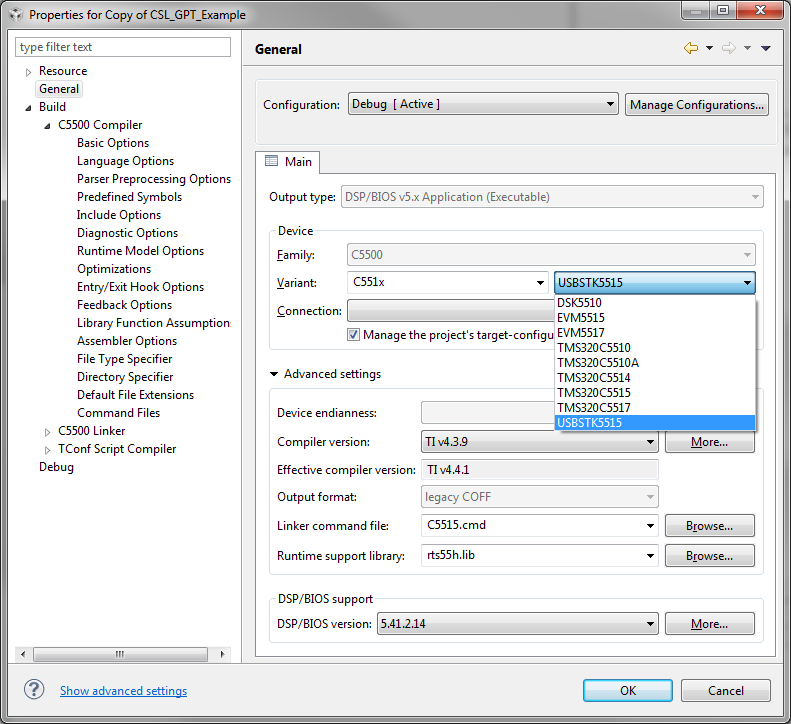
    Below is the snapshot of the device variant settings for choosing C5515 eZDSP. The snapshot shown is with respect to CCS version 5.5.

    Also, ensure you have the right gel file. Hope you are using onboard emulator.

     Hope this helps.

    Regards

     Vasanth

  • Recommend using newer CCS - at least v5.5

    FYI...

    CCS4.1 mistakenly added a 'V' to the C5515 part name. Any projects created with this 'V' will not import correctly to newer versions of CCS. You will get the below error:

    “This project was created for a device-variant that is not currently recognized: TMS320C55XX.TMS320VC5515. Please install the device-variant descriptor, or migrate the project to one of the supported device-variants..."

    To fix a project with the extra 'V'...

    1) Close project, delete project from CCS (does not delete contents from file system)

    2) Edit .cdtbuild and .ccsproject

    3) Find and replace “TMS320VC5515” with “TMS320C5515”

    -  2 occurrences in .cdtbuild

    -  1 occurrence in .ccsproject

    4) Import the project again

    ---

    If your project has a target configuration file with the 'V', then you will see the below error, you should also delete the target configuration with the extra 'V':

    Error: "More than one cpu is named C55xx"        

    1) Delete faulty c5515.ccxml from C/C++ Projects

    2) Rebuild