


Other Parts Discussed in Thread: AM4377, SYSBIOS
Hi,
We are doing a custom board based on TI AM4377 processor.
We also have TI AM437x GP EVM as well as TI AM437x IDK.
We are trying to boot the MLO (ti-uboot) and MLO (TI SYS BIOS) from our custom board, but we are not able to boot from SD(MMCSD0) in our custom board (SYSBOOT settings are done for dedicated MMCSD0 ).
But same MLO files we are able to boot from SD(MMCSD0) in TI AM437x GP EVM as well as TI AM437x IDK .
Custom board major hardware changes:-
(1) We use the same RAM which is used in the TI AM437x IDK, but the size is 512MB (so we did not change the ram configuration).
(2) We did not use any EEPROM through I2C (which is used in TI AM437x GPEVM and TI AM437x IDK).
(3) Same lines for MMCSD0 and UART0.
(4) QSPI pinmux option1 insted of pinmux option0.
Debugging our custom board using Code Composer Studio:-
(1) We selected IDK_AM437x in configuration file.
(2) Initialized the AM437x IDK GEL file.
(3) Loaded MLO (TI SYS BIOS) to the External RAM(DDR3) location (0x8000_0000).
(4) Executed from the RAM.
Result:-
We are able to see initial prints which was expected in our custom board.
Please find the attached snapshot of MLO executed from RAM.

Observations:-
(1) We checked the SYSBOOT settings from CTL_STS (processor status registers), it reflects the MMCSD0 boot settings.
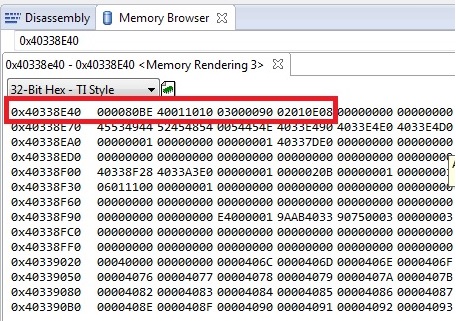
(2) We checked the Trace vectors of processor in our custom board it looks to be positive for us.
Please find the attached snapshot of trace vectors
Querys:-
(1) What we use the processor in our custom board is (AM4377BZDND100) and TI GPEVM and TI IDK is (XAM437XAZDN)
Is there any ROM code changes are present in two different processor ?
(2) We are using XDS100v2 JATG for debugging.
How can be debug in CCS based the initial booting based on SYSBIOS settings.
(3) Is there any tool provided to flash the QSPI directly from PC ? If not what is the alternative procedure need to be followed to flash the QSPI ?
Please reply as soon as possible
Best Regards,
Guruprasad K
