This thread has been locked.

If you have a related question, please click the "Ask a related question" button in the top right corner. The newly created question will be automatically linked to this question.

OMAPL137 Image File

Other Parts Discussed in Thread: OMAP-L137

Hello Everyone,

                                  Am using OMAPL137 and it is a dual core TI controller. It has ARM and DSP core. Am using CCS V6 as my IDE. I have created to separate projects in my CCS. One project is to wake up DSP core and other project is to wake ARM core. Anyways, i will not say it as DSP boot code. Since DSP itself is a bootable device. I have done couple of things to generate the .bin flie. Below are the things done to generate the .bin file.

Step 1: Created support projects for DSP core wake up and ARM core wakeup.

Step 2: I build both the projects separately and got two output files in the debug directory of the project folder. I.e, DSP BOOT.OUT and ARM BOOT.OUT

Step 3 : By making use of the AIS gen tool i generated two binary files with selecting the configuration for EVM in the file menu .  DSP BOOT.bin and                   ARM BOOT.bin

So,now i have two binary files.and i have to load these binary files to the target. I cannot load two binary files to the target. I think we have to merge it with the help of some tool. So, my queries are below. Kindly have a look at and give me your valuable inputs.

Do i have to convert my binary file to image file with the help of any tool?? or Do i need to load my binary file directly to the target using emulator.??

How do i merge my DSP BOOT.bin and  ARM BOOT.bin files??

Also, in the example project i have seen this HexAIS_OMAP-L137 file. How do i generate this single file??? Is this the file which i need to flash it to my flash memory??

Also, i have attached the file and made a circle on that file.
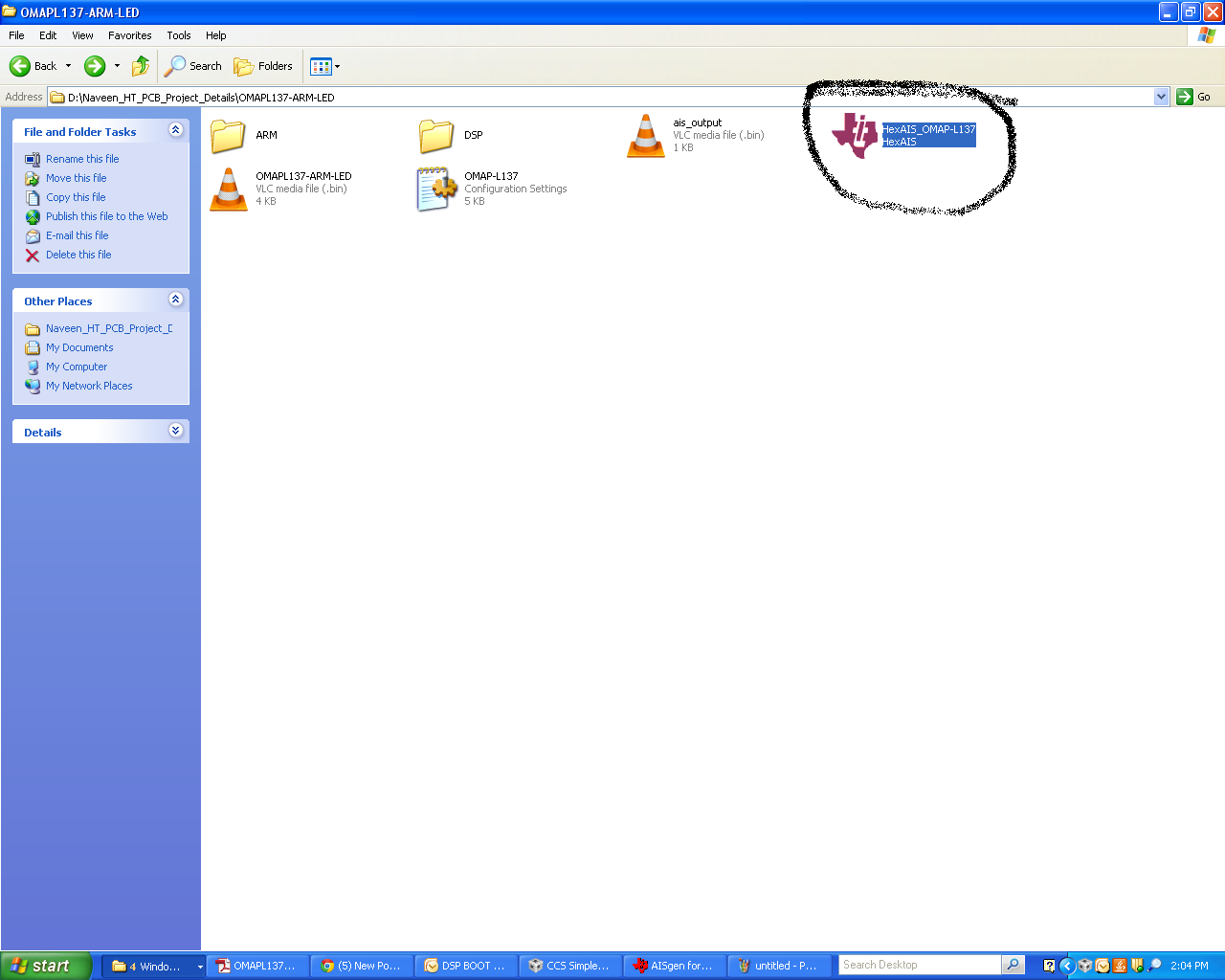
Waiting for your reply at the earliest!!

Thanks & Regards

Naveen Chandra

  • Hi Naveen,
    What do you want to do ?
    Want to boot DSP application alone or ARM application too ?

    If you want to boot ARM application then you may need to wakeup the ARM core through DSP code.
    If you want to boot DSP application then you no need to wakeup ARM and just write DSP application alone, convet .out to .ais image.

    processors.wiki.ti.com/.../Boot_Images_for_OMAP-L137

    With the help of above wiki, able to boot ARM app and DSP app separately ?
  • Hi Titus,
    I want to Wakeup the ARM core through my DSP code. I already wake that sample code with me. But, i was able to generate the .out after i build the project in ccs v6 IDE. Then, with the help of AIS gen tool i was able to generate .bin .

    My question is that whether . bin is same as the .ais image ??

    If both are not same then, how do i generate .ais image from .bin ?? Does it have any tool to generate it??

    I have already gone through the link. After reading going through the link.It says you require uarthost tool. So, my understanding is that uarthost tool takes .bin as an input file and gives .ais image as an output file!!!!!

    Please let me know whether my understanding is correct or not!!??

    Waiting for your reply at the earliest.


    Thanks & Regards
    Naveen Chandra
  • Hi Naveen,


    My question is that whether . bin is same as the .ais image ??

    Why you are Aisgen tool to generate .bin ? We have out2proc tool to generate .bin.
    If you are Aisgen tool to generate both .ais and .bin, then both of them will be same.
    Aisgen tool converts .out into .ais format. You can give whatever extension you want to give , it will not effect anything .
  • Hi Arvind,
    As per the datasheet of OMAPL137 boot loader. It says we need to use AIS gen tool to generate the .bin . Also, what is that out2proc tool?? I have not heard about it!! Please let me know what will be the final file extension name to flash it to the flash memory??

    This is the link where i have seen about the AISgen tool and it's properties.

    www-s.ti.com/.../sprab04.zip.

    ccs v6 ---> .out ---> AISgen tool ---> .bin --> flash memory!! This is what is my understanding. Please do correct me if am wrong.!!

    Thanks & Regards
    Naveen Chandra
  • Hi Naveen,

    "out2rprc.exe" converts the *.out into the *.bin which can be flashed directly into the memories like NAND/SPI.

    The same program will combine two *.out files into one single binary.

    This tool can be downloaded from the package, "OMAP-L137_FlashAndBootUtils_2_40"


    ----
  • Hi Shankari,
    Thanks for your input. I will download that and tool and check it.

    Thanks & Regards
    Naveen Chandra