


Hi TI experts,
In my situation, EVMK2H, PC and router are connected together. After EVMK2H is powered on under ARM SPI Boot mode, EVMK2H's IP is 192.168.1.100 and the PC's IP is 192.168.1.113.
The TFTP server's configuration is showing in the following figures.
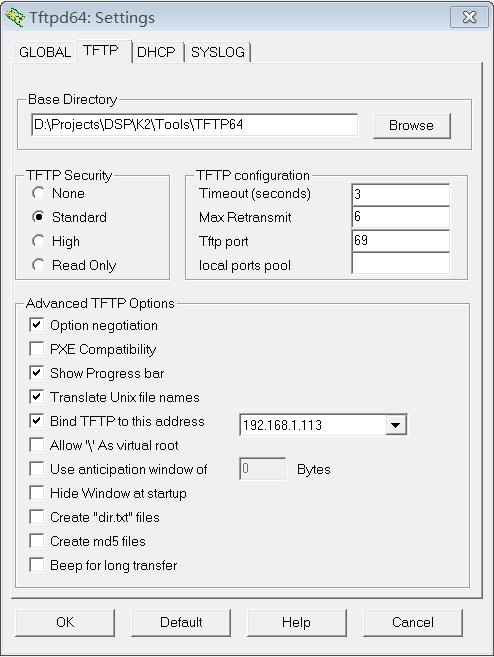
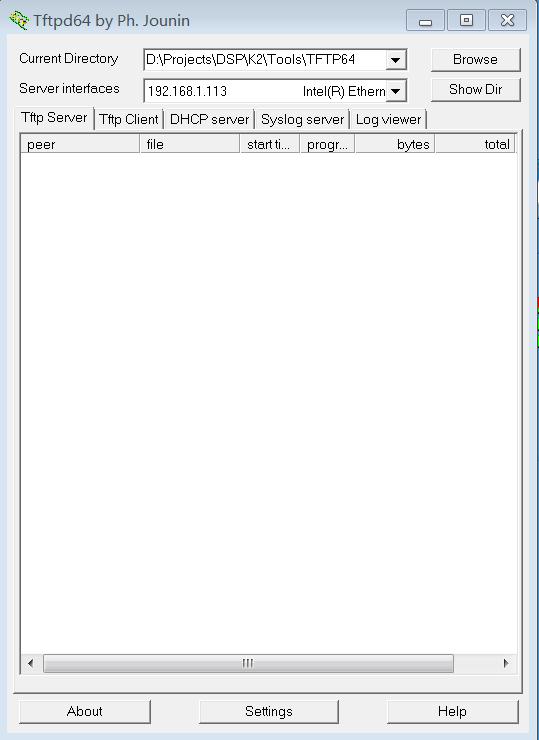
Following the steps in MCSDK 3.X User Guide page 40, I want to boot file from PC through TFTP.
In UBoot console, I type in commands as below
setenv serverip 192.168.1.113
saveenv
Actually there is a file '1.gph' in Base Directory 'D:\Projects\DSP\K2\Tools\TFTP64'. Then I type in commmand
dhcp 0xc300000 1.gph
And the TFTP File Not Found Error is
TCI6638 EVM # dhcp 0xc300000 1.gph
BOOTP broadcast 1
*** Unhandled DHCP Option in OFFER/ACK: 52
*** Unhandled DHCP Option in OFFER/ACK: 52
DHCP client bound to address 192.168.1.100
Using TCI6638_EMAC device
TFTP from server 192.168.1.113; our IP address is 192.168.1.100
Filename '.
Load address: 0xc300000
Loading: *
TFTP error: 'File not found' (1)
Not retrying...
TCI6638 EVM #
The TFTP packets captured using Wireshark on PC is

*************************************************************************************************************************************
Why does the TFTP packet show 'File:\377' after I type the command 'dhcp 0xc300000 1.gph' with correct file name '1.gph'?
Need help!
*************************************************************************************************************************************
Feng



