This thread has been locked.

If you have a related question, please click the "Ask a related question" button in the top right corner. The newly created question will be automatically linked to this question.

AM335x Linux Framebuffer

Other Parts Discussed in Thread: DA8XX

I am working on creating a custom linux distribution for the beaglebone black which will combine busybox and QT 4.8.  My sources can be found here https://github.com/Trekkie33/alm100 .  I have so far managed to get busybox working and QT starts but cannot find /dev/fb0.

When I start my application with the command './alm_app -qws'  I get the following:

QScreenLinuxFb::connect: No such file or directory
Error opening framebuffer device /dev/fb0

I am currently trying to get a framebuffer working with the beaglebone hdmi.  I am following the guide here http://processors.wiki.ti.com/index.php/Linux_Core_LCD_Controller_User_Guide .

Do I need to install the DRM resources in order to use the HDMI or can I do something simple to get fb0 working?  If so is there somewhere I can get the pre-compiled binaries, I am having a bit of trouble building mesa from source.

I am in a bit of a time crunch at the moment and minimal functionality would be acceptable.

  • Which Linux version are you using?
  • TI Linux Kernel (from git://git.ti.com/ti-linux-kernel/ti-linux-kernel.git) v4.3. I am using the omap2plus_defconfig configuration.

    I wrote my scripts to automatically update my kernel with each new stable release. I am thus no longer on v4.1.6 (the supported sdk version). I can downgrade but I doubt this will affect the solution.

    I am building all binaries using gcc-linaro-4.9-2015.05-x86_64_arm-linux-gnueabihf
  • This forum supports only the officially released Linux SDK.
  • Alright.

    In the official release of the SDK, there is a file called /opt/ti-processor-sdk-linux-am335x-evm-02.00.00.00/board-support/extra-drivers/omapdrm-pvr-1.9.2253347/

    It builds the following files:
    cortexa8hf-vfp-neon-linux-gnueabi/usr/include/drm/*
    cortexa8hf-vfp-neon-linux-gnueabi/var/lib/opkg/info/libdrm*

    Is this all I need to get the framebuffer working?
  • In your first post you refer to this wiki: http://processors.wiki.ti.com/index.php/Linux_Core_LCD_Controller_User_Guide Please read it carefully. There are two types of display support - DRM and fbdev. For framebuffer support you need to configure the driver as described in the fbdev section.

  • Thank you, that helps clear things up a bit.  Unfortunately the frame buffer is still not showing up in the dev folder.

    I downgraded to 4.1.6 so I should now be running the supported kernel.

    I have added the following to my config file (omap2plus_defconfig) : 

    CONFIG_FB_DA8XX=y
    CONFIG_FB_DA8XX_TDA998X=y

    My dts file is as follows:

    /*
     * Copyright (C) 2012 Texas Instruments Incorporated - http://www.ti.com/
     *
     * This program is free software; you can redistribute it and/or modify
     * it under the terms of the GNU General Public License version 2 as
     * published by the Free Software Foundation.
     */
    /dts-v1/;
    
    #include "am33xx.dtsi"
    #include "am335x-bone-common.dtsi"
    
    / {
    	model = "TI AM335x BeagleBone Black";
    	compatible = "ti,am335x-bone-black", "ti,am335x-bone", "ti,am33xx";
    };
    
    &ldo3_reg {
    	regulator-min-microvolt = <1800000>;
    	regulator-max-microvolt = <1800000>;
    	regulator-always-on;
    };
    
    &mmc1 {
    	vmmc-supply = <&vmmcsd_fixed>;
    };
    
    &mmc2 {
    	vmmc-supply = <&vmmcsd_fixed>;
    	pinctrl-names = "default";
    	pinctrl-0 = <&emmc_pins>;
    	bus-width = <8>;
    	status = "okay";
    };
    
    &am33xx_pinmux {
    	nxp_hdmi_bonelt_pins: nxp_hdmi_bonelt_pins {
    		pinctrl-single,pins = <
    			0x1b0 0x03      /* xdma_event_intr0, OMAP_MUX_MODE3 | AM33XX_PIN_OUTPUT */
    			0xa0 0x08       /* lcd_data0.lcd_data0, OMAP_MUX_MODE0 | AM33XX_PIN_OUTPUT | AM33XX_PULL_DISA */
    			0xa4 0x08       /* lcd_data1.lcd_data1, OMAP_MUX_MODE0 | AM33XX_PIN_OUTPUT | AM33XX_PULL_DISA */
    			0xa8 0x08       /* lcd_data2.lcd_data2, OMAP_MUX_MODE0 | AM33XX_PIN_OUTPUT | AM33XX_PULL_DISA */
    			0xac 0x08       /* lcd_data3.lcd_data3, OMAP_MUX_MODE0 | AM33XX_PIN_OUTPUT | AM33XX_PULL_DISA */
    			0xb0 0x08       /* lcd_data4.lcd_data4, OMAP_MUX_MODE0 | AM33XX_PIN_OUTPUT | AM33XX_PULL_DISA */
    			0xb4 0x08       /* lcd_data5.lcd_data5, OMAP_MUX_MODE0 | AM33XX_PIN_OUTPUT | AM33XX_PULL_DISA */
    			0xb8 0x08       /* lcd_data6.lcd_data6, OMAP_MUX_MODE0 | AM33XX_PIN_OUTPUT | AM33XX_PULL_DISA */
    			0xbc 0x08       /* lcd_data7.lcd_data7, OMAP_MUX_MODE0 | AM33XX_PIN_OUTPUT | AM33XX_PULL_DISA */
    			0xc0 0x08       /* lcd_data8.lcd_data8, OMAP_MUX_MODE0 | AM33XX_PIN_OUTPUT | AM33XX_PULL_DISA */
    			0xc4 0x08       /* lcd_data9.lcd_data9, OMAP_MUX_MODE0 | AM33XX_PIN_OUTPUT | AM33XX_PULL_DISA */
    			0xc8 0x08       /* lcd_data10.lcd_data10, OMAP_MUX_MODE0 | AM33XX_PIN_OUTPUT | AM33XX_PULL_DISA */
    			0xcc 0x08       /* lcd_data11.lcd_data11, OMAP_MUX_MODE0 | AM33XX_PIN_OUTPUT | AM33XX_PULL_DISA */
    			0xd0 0x08       /* lcd_data12.lcd_data12, OMAP_MUX_MODE0 | AM33XX_PIN_OUTPUT | AM33XX_PULL_DISA */
    			0xd4 0x08       /* lcd_data13.lcd_data13, OMAP_MUX_MODE0 | AM33XX_PIN_OUTPUT | AM33XX_PULL_DISA */
    			0xd8 0x08       /* lcd_data14.lcd_data14, OMAP_MUX_MODE0 | AM33XX_PIN_OUTPUT | AM33XX_PULL_DISA */
    			0xdc 0x08       /* lcd_data15.lcd_data15, OMAP_MUX_MODE0 | AM33XX_PIN_OUTPUT | AM33XX_PULL_DISA */
    			0xe0 0x00       /* lcd_vsync.lcd_vsync, OMAP_MUX_MODE0 | AM33XX_PIN_OUTPUT */
    			0xe4 0x00       /* lcd_hsync.lcd_hsync, OMAP_MUX_MODE0 | AM33XX_PIN_OUTPUT */
    			0xe8 0x00       /* lcd_pclk.lcd_pclk, OMAP_MUX_MODE0 | AM33XX_PIN_OUTPUT */
    			0xec 0x00       /* lcd_ac_bias_en.lcd_ac_bias_en, OMAP_MUX_MODE0 | AM33XX_PIN_OUTPUT */
    		>;
    	};
    	nxp_hdmi_bonelt_off_pins: nxp_hdmi_bonelt_off_pins {
    		pinctrl-single,pins = <
    			0x1b0 0x03      /* xdma_event_intr0, OMAP_MUX_MODE3 | AM33XX_PIN_OUTPUT */
    		>;
    	};
    };
    
    &i2c0 {
    	hdmi1: hdmi@70 {
    		compatible = "nxp,tda998x";
    		reg = <0x70>;
    	};
    };
    
    &lcdc {
    	hdmi = <&hdmi1>;
    	display-timings {
    		clock-frequency = <65000000>;
    		hactive = <1024>;
    		vactive = <768>;
    		hback-porch = <220>;
    		hfront-porch = <40>;
    		vback-porch = <21>;
    		vfront-porch = <7>;
    		hsync-len = <60>;
    		vsync-len = <10>;
    		de-active = <1>;
    		pixelclk-active = <1>;
    	};
    };
    

  • Hi,

    Please build your kernel with tisdk_am335x-evm_defconfig. The omap2plus_defconfig file is suitable for multicore devices like OMAP4/5, etc...

    Also do not add the CONFIG_FB_DA8XX=y & CONFIG_FB_DA8XX_TDA998X=y options. They will mess with the existing drm driver. Use the default (unmodified) configuration, and you should be able to work with dev/fb0.

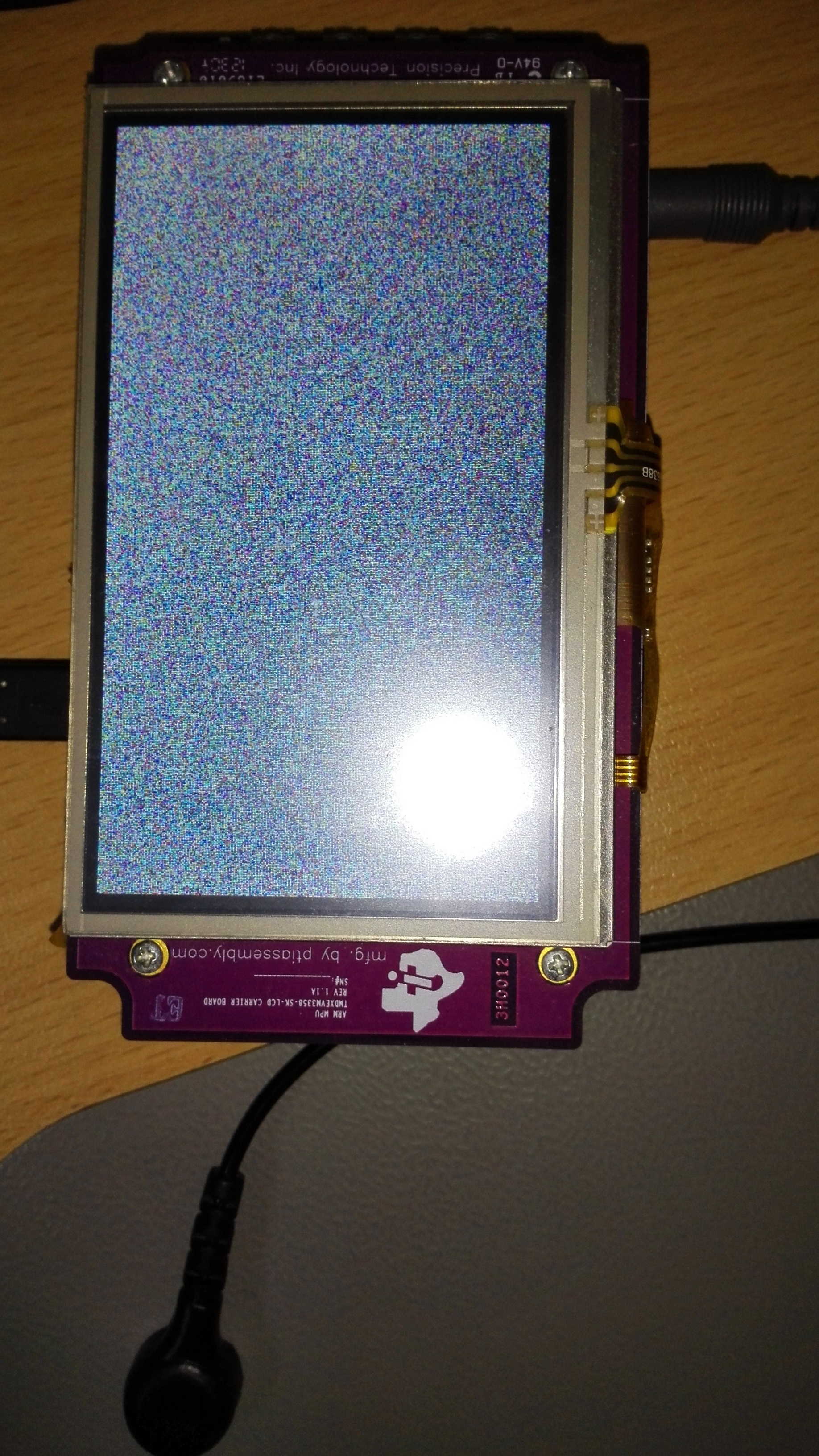
    Here is the output from my Starter Kit, running kernel 4.1.6 with DRM driver:

    root@am335x-evm:/dev# cat /dev/urandom > /dev/fb0                                                              

    cat: write error: No space left on device    

    And the screen of the starter kit gets the random pixels displayed, see attached image:

    I am also able to work with all the entries in root@am335x-evm:/sys/class/graphics/fb0

    Best Regards,

    Yordan

  • I am currently using the beaglebone black for development. I think our starter kit is a bit dead at the moment but I could order a new one if needed.

    There is no existing drm driver (unless their is one built into the kernel) as I am making a custom Linux install and thus have to add everything in the user space myself. I have not managed to get the drm driver to cross compile yet but could probably borrow the binaries from the sdk and test them.

    I have been working to get fbdev working rather than drm as I think (though am not at all sure) that this does not require any user space drivers to run.

    I am using the omap2plus_defconfig as per the instructions at processors.wiki.ti.com/.../Linux_Kernel_Users_Guide and it seems to be working well.