This thread has been locked.

If you have a related question, please click the "Ask a related question" button in the top right corner. The newly created question will be automatically linked to this question.

Sitara AM335x PRU CCS Problems

Hi,

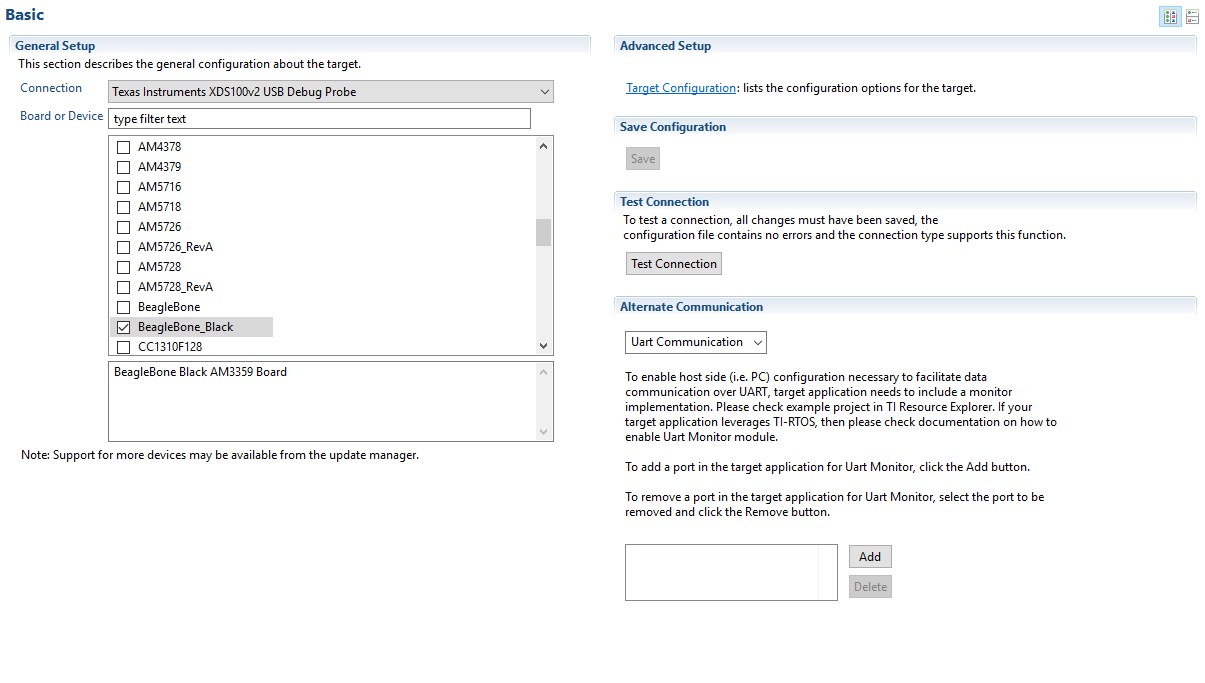
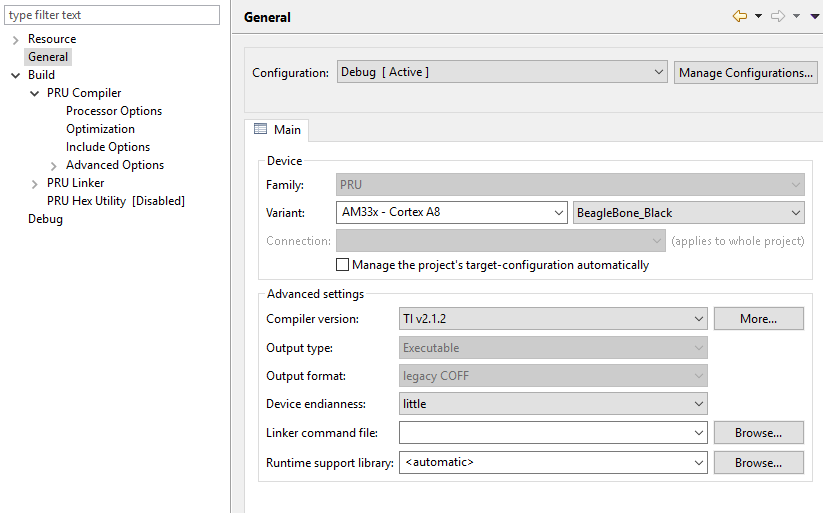
i have the Beaglebone Black connected to the JTAG XDS100V2 Black Hawk and i am trying to connect it and run a simple project with CCS6

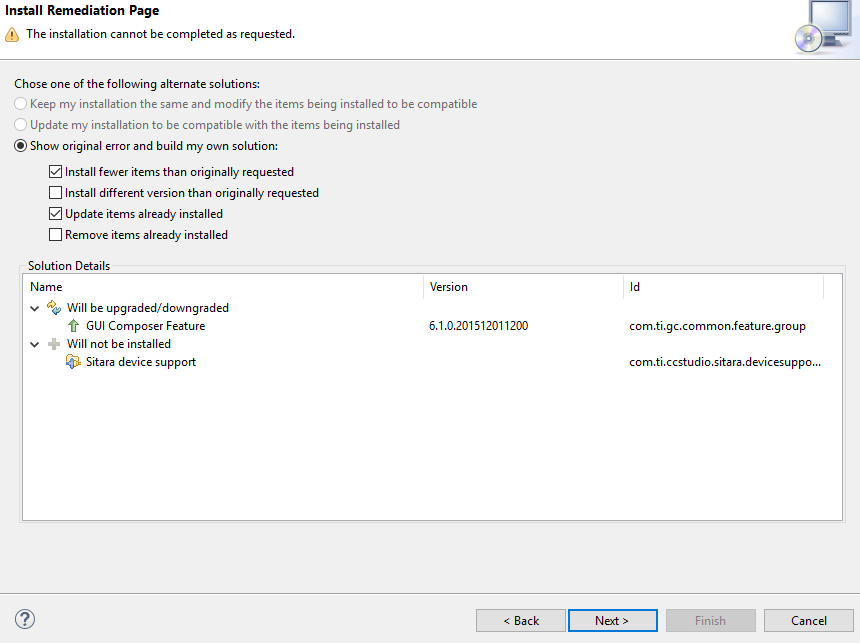
I am using CCS with Windows 10 64Bit and i cannot install the Sitara device Support for it:
When i try a simple project like lab1 i get this connection failure message:

My CCS version is 6.1.2 and i have this packages installed:
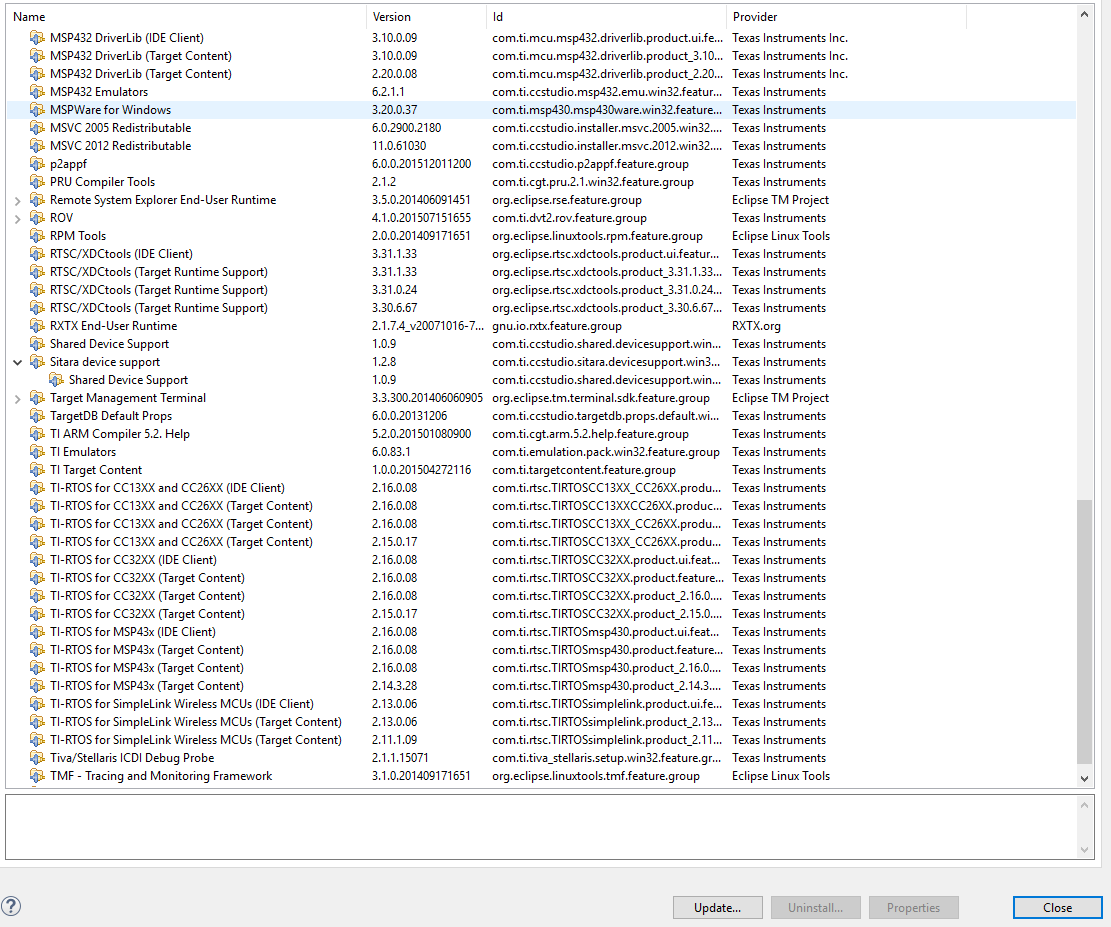
How can i go around this problem?

I am using this tutorial as help but i cannot connect to my target.

blog.parr.us/.../

  • Hi,

    What target do you select?
  • Hi Biser,

    my target is the Beaglebone black an my Target Configuration is beaglebone black with Texas Instruments XDS100V2 USB Debug Probe.
    Here is my test connection:

    -----[Perform the Integrity scan-test on the JTAG DR]------------------------

    This test will use blocks of 64 32-bit words.
    This test will be applied just once.

    Do a test using 0xFFFFFFFF.
    Scan tests: 1, skipped: 0, failed: 0
    Do a test using 0x00000000.
    Scan tests: 2, skipped: 0, failed: 0
    Do a test using 0xFE03E0E2.
    Scan tests: 3, skipped: 0, failed: 0
    Do a test using 0x01FC1F1D.
    Scan tests: 4, skipped: 0, failed: 0
    Do a test using 0x5533CCAA.
    Scan tests: 5, skipped: 0, failed: 0
    Do a test using 0xAACC3355.
    Scan tests: 6, skipped: 0, failed: 0
    All of the values were scanned correctly.

    The JTAG DR Integrity scan-test has succeeded.

    [End: Texas Instruments XDS100v2 USB Debug Probe]

    The Target configurations file is in my simple project.