Hi all
I have one question about falcon mode in uboot for fast ubooting
I used am335x-evm and I used ti-processor-sdk-linux-am335x-evm-02.00.02.11.
I read below that uboot doc
- /doc/README.falcon
- /board/ti/am335x/README
I tried FAT NAND Falcon mode
==========================================================
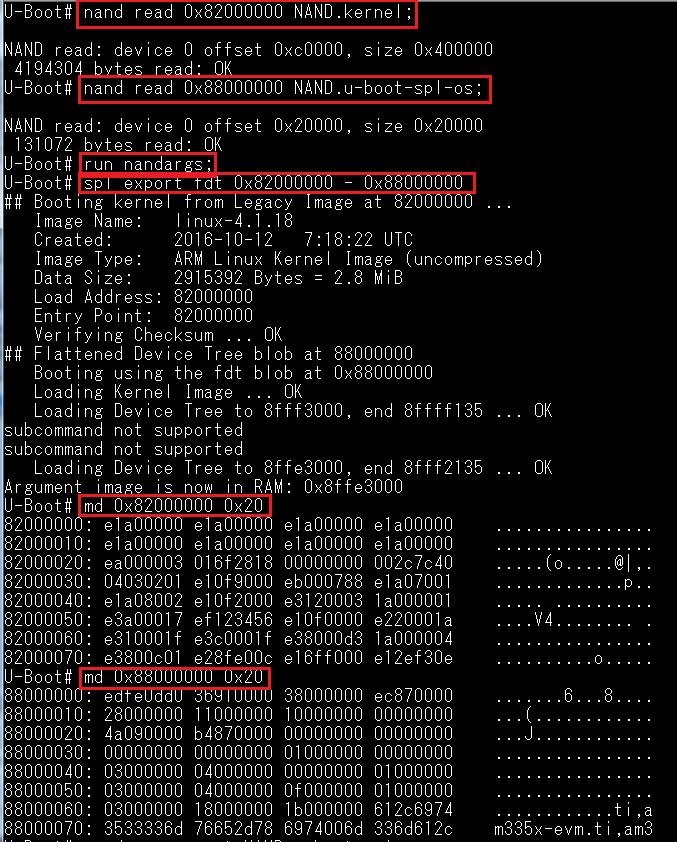
U-Boot# nand read 0x82000000 NAND.kernel
NAND read: device 0 offset 0xc0000, size 0x400000
4194304 bytes read: OK
U-Boot# nand read 0x88000000 NAND.u-boot-spl-os
NAND read: device 0 offset 0x20000, size 0x20000
131072 bytes read: OK
U-Boot# run nandargs
U-boot# spl export fdt 0x82000000 - 0x88000000
## Booting kernel from Legacy Image at 82000000 ...
Image Name: linux-4.1.18
Created: 2016-10-11 7:44:04 UTC
Image Type: ARM Linux Kernel Image (uncompressed)
Data Size: 2915272 Bytes = 2.8 MiB
Load Address: 82000000
Entry Point: 82000000
Verifying Checksum ... OK
## Flattened Device Tree blob at 88000000
Booting using the fdt blob at 0x88000000
Loading Kernel Image ... OK
Loading Device Tree to 8fff3000, end 8ffff135 ... OK
subcommand not supported
subcommand not supported
Loading Device Tree to 8ffe3000, end 8fff2135 ... OK
Argument image is now in RAM: 0x8ffe3000
==========================================================
but that is all...
what mean "subcommand not supported" ??
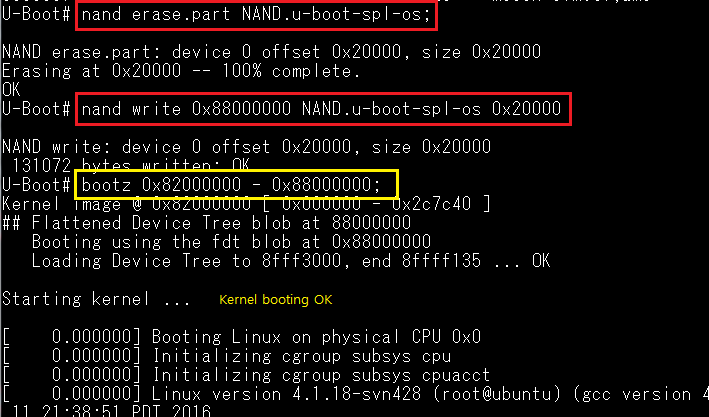
how to run the kernel in falcom nand mode?
Thank you your reply