This thread has been locked.

If you have a related question, please click the "Ask a related question" button in the top right corner. The newly created question will be automatically linked to this question.

TMS320C5515: C5000 Connected Audio Framework - Microphone does not work

Part Number: TMS320C5515
Other Parts Discussed in Thread: C55X-AUDIOFRAMEWORK

Hi there,

My equipment:

Windows:                                   7, 64bit

CSS                                           5.5.0.00077

Board:                                        TMS320C5515EVM

C55X-AUDIOFRAMEWORK:   v02.00.02.04

Headset:                                    Logitech with 3.5mm jacks for earphones and microphone.

I am trying to check Audio Framework project and currently facing the problem - microphone seems muted however recognized by Windows. Playback works fine.

First of all, I found it confusing to build and launch the project. There are two procedures: Wiki C5000 Connected Audio Framework and pdf which comes with the project itself. I followed Wiki first. I bought required Crystal oscillator and installed all suggested FW. I cleaned all on-board Flash memories with a cleaner.bin and renamed created .bin file to boot5505.bin. SD card was prepared using this guide: Creating a SD card boot image for C55x. As a result I was unable to launch the project from SDcard. DSP did not boot up from SDcard, Audio USB was not recognized by Windows and display stayed off.

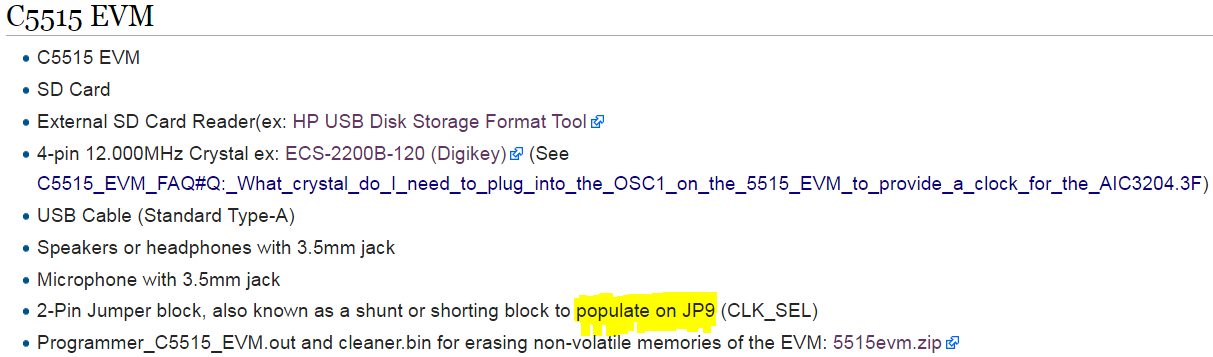
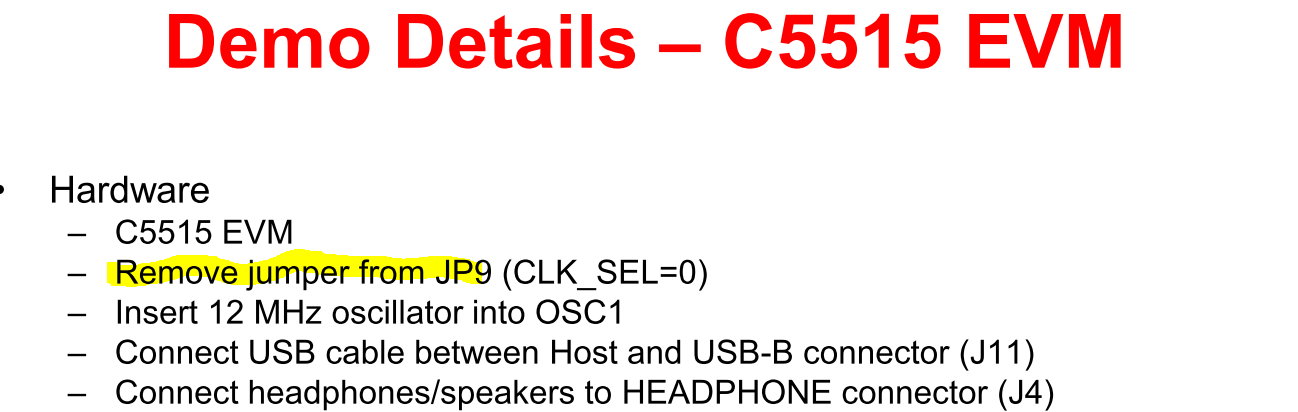
Then I switched to pdf instructions. It is more or less the same except for the JP9 jumper requirement, which directly contradicts with Wiki page:

From Wiki:
From PDF:
Neither of these instructions helped to launch the project from SDcard. It simply did not boot up.

Then I burned the created image in NAND flash and with removed JP9 the board started working. However, the display was still off. 

Now back to microphone. Windows recognized  Headset Earphone and Headset Microphone.

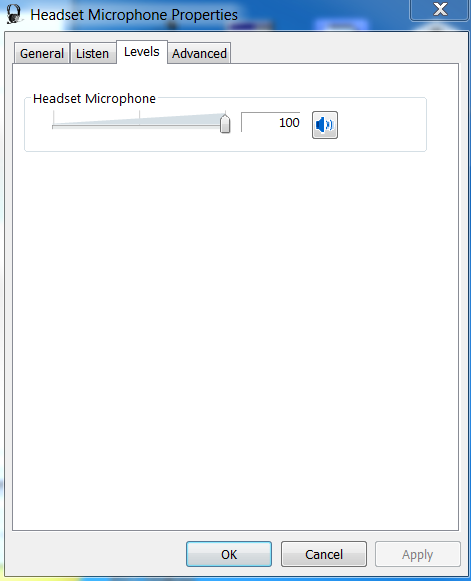
Here is a mic properties:
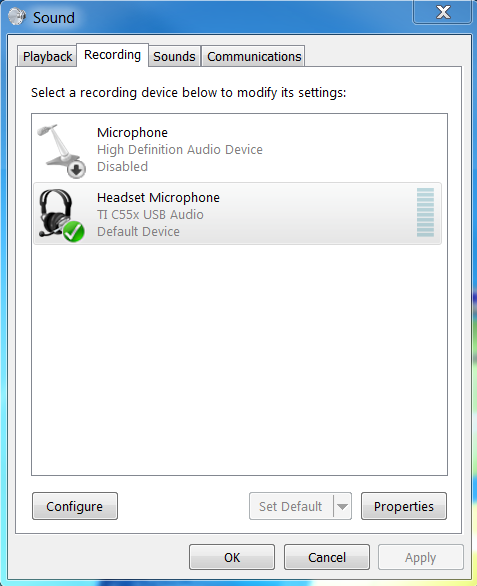
I have no problem with a playback - it works fine. But microphone seems inactive. I tried to record and listen to this device - no luck, only silence. 

Any suggestions how to fix that?

Thanks.

Stan

  • Hi Stan,

    I've forwarded this to the experts. Their feedback should be posted here.

    BR
    Tsvetolin Shulev
  • Hi Tsvetolin,

    Thank you, I appreciate it.
  • Hi Stan,

    When using electret microphones (PC mic, headset, etc) you need to provide a bias to the microphone. This allows the expansion and contraction of the mic's diaphragm relative to a metal plate to act like a charged capacitor, providing a small electrical signal when audible pressure waves move the diaphragm relative to the metal plate. Other microphones like dynamic mics do not require this bias.

    A nice feature of the AIC32x4 codec is that it provides a very clean MICBIAS.  But sadly, the C5515 EVM does not route the MICBIAS from the coodec to the stereo in jacks... There are two microphones on the board that you can use, or you have to blue-wire the connection from JP12 (pin 1, or 2 through a jumper) and C168 or C180 depending on the input. Study the C5535 eZdsp or C5517 EVM or C5545 BoosterPack schematics which have MICBIAS routed.

    You can enable this voltage by writing to the codec registers. In the Connected Audio Framework code check the file <install dir>\c55_caf\src\codec_aic3254.c

    By default we enable the microphone bias if C5535 eZdsp is defined. I would extract the below lines and call it even if C5515_EVM is defined... But I would not go so far as defining C5535_eZdsp when using the C5515 EVM.

    #ifdef C5535_EZDSP        

    // power up Mic Bias using LDO-IN

           result = AIC3254_Write(51,0x48,hi2c);

           if (result != PSP_SOK)

           {

               return result;

           }

    #endif

           result = AIC3254_Write(0x1,0x8,hi2c);// Disable crude AVDD generation from DVDD

           if (result != PSP_SOK)

           {

               return result;

           }

    ...

    On C5515 the MMC/SD boot requires an encrypted boot image. Refer to http://www.ti.com/lit/an/sprabd7c/sprabd7c.pdf

    You can request access to the encrypted boot creation tool (C55BootImage_Rev2.1) through our marketing department.

    If you need access, I can refer them to this thread.

    I suspect the issue with the NOR flash is the programmer used - use the latest in the CSL. It might also be the Intel P30 NOR flash batch. We can debug that in a separate thread.

    Hope this helps,
    Mark

  • Hi Mark,

    Thanks for clarifying that. I can confirm that the core of the problem is the lack of micbias on stereo in 1 (J9). Sorry I do not want to modify 5515EVM board since it is tested platform. I have just checked this project on 5535ezDSP and it works as described in both Wiki and pdf. So I can make a conclusion the demo has been written and tested on 5535ezDSP. I hope you guys will fix documentation for 5515EVM users or at least will add a link to this thread. 

    The only question I have is to how to rebuild a project just for C5535ezDSP? When I tried to define C5535_EZDSP and C5535_EZDSP_DEMO i got some errors like SEM_BufferInReady is not defined.

    Thanks.

    Regards,

    Stan