This thread has been locked.

If you have a related question, please click the "Ask a related question" button in the top right corner. The newly created question will be automatically linked to this question.

Linux/TDA2E: SD CARD BOOTABLE procedure

Part Number: TDA2E


Tool/software: Linux
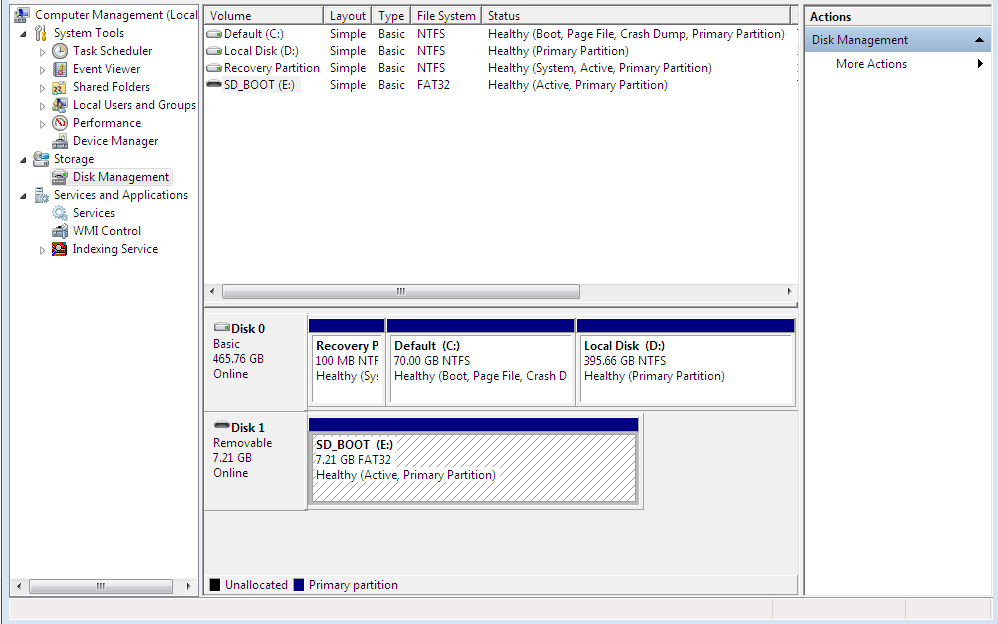
1)1st image is sd card partition

2)2nd sd card partition image file

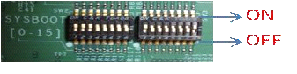
3)switch condition in our hardware.

we have done above procedure.but we cant get any indication on the display,its blank .so tell me the correct procedure and also give the instruction how to check sd card is in bootable? 

  • Hi Kalaiventhan,

    Can you please check if you get any logs on the UART console on boot up? Can you please share the same with us? Display does not come up till the usecase is launched from the UART console.

    Also, is the image you are using in the SD Card the pre-built MLO and Appimage? If no, can you please try with the pre-build images?

    Thanks and Regards,

    Piyali

  • how to find sd card is bootable or not?
  • Can you please check if you get any logs on the UART console on boot up? Can you please share the same with us? Display does not come up till the usecase is launched from the UART console.

    ANS: we are checked UART also working ,but we cant get the output.


    the image you are using in the SD Card the pre-built MLO and Appimage? If no, can you please try with the pre-build images?

    ANS: we inserted pre-built images in the sd card,its not working.
  • When you say UART is working.. do you see logs up to the Usecase Menu?? If yes.. you would need to start the usecase for the display to be up.

    To find if the SD card is bootable or not.. you can use open source linux tools like gparted to check if the boot and lba flags are set for the SD card FAT32 partition.

    Thanks and Regards,
    Piyali
  • you can use open source linux tools like gparted to check if the boot and lba flags are set for the SD card FAT32 partition...


    ANS:how can I check in windows 7?
  • Can you please refer to SBL User guide (ti_components/drivers/starterware/bootloader/sbl_userguide.pdf) section 5.4 MMCSD Boot Mode?
    It has steps to create bootable partition. There is 2 ways on windows to create partition, using Software tool or using DISKPART.

    From user guide -
    Make SD card partition as active using below tool:
    www.pcdisk.com/download.html
  • Additionally, Active bit can be checked and set in:

    Control Panel\All Control Panel Items\Administrative Tools\Storage\Disk Management

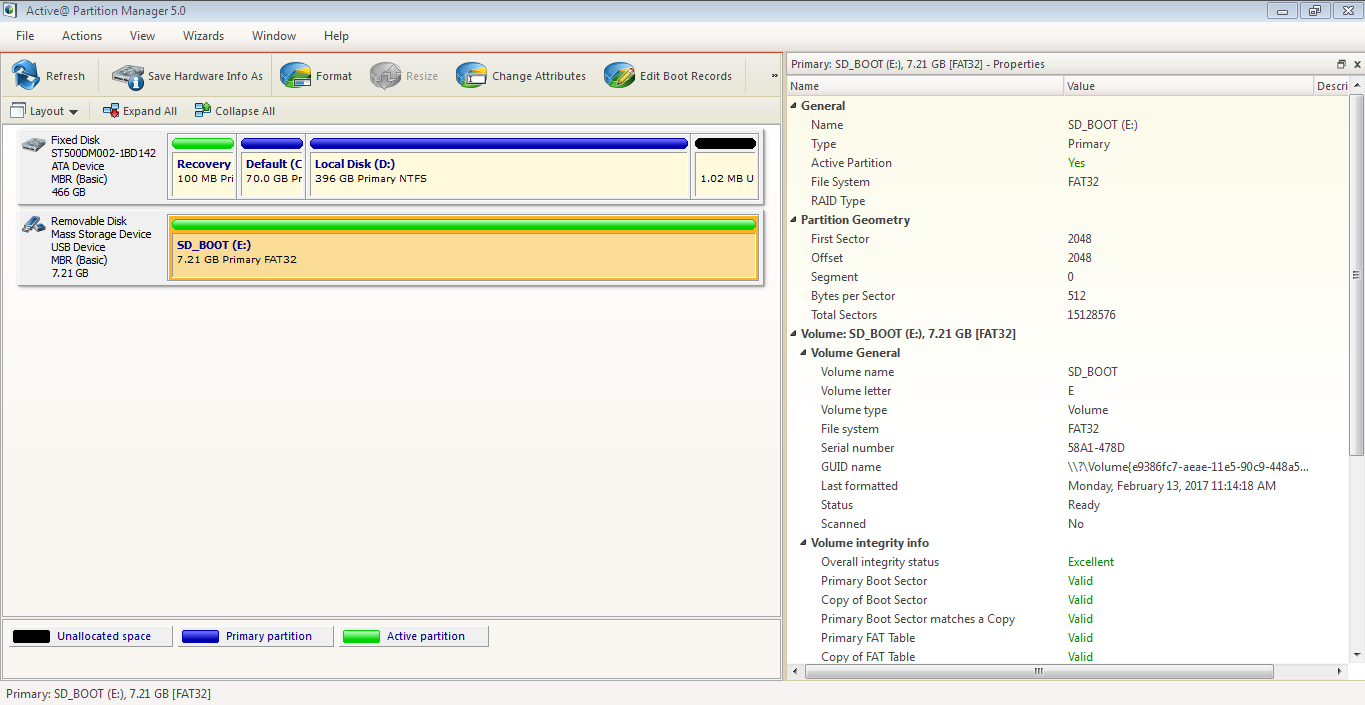
  •  ok..i am using windows 7  ..my memory card partition like this...but cant get any kind of data...what I do the next procedure..

  • kalaiventhan v ,
    If you follow the instructions from Prasad, you should end up with the partitioning similar to that in my previous post.
    You should be able to see MLO and u-boot files in the boot partition.
  • board not communicate with UART.what I do ?In windows which file we want generate, linux which file we want to generate suppose kit will be bootable what data we will get from the hardware.

  • already created MLO file and appimage file
  • Kalaiventhan,

    Please refer to Section 3.3 Uart settings of the VisionSDK_UserGuide_TDA2xx.pdf for how to get UART logs. On TDA2xx you would receive the logs on UART1. You would get logs like below on the UART terminal when the device is properly booted:

    TDA2xx SBL Boot

    DPLL Configuration Completed

    Clock Domain Configuration Completed

    Module Enable Configuration Completed

    TI EVM PAD Config Completed

    DDR Config Completed

    App Image Download Begins

    SD Boot - file open completed successfully

    MPU CPU0 Image Load Completed

    IPU1 CPU0 Image Load Completed

    IPU1 CPU1 Image Load Completed

    DSP1 Image Load Completed

    DSP2 Image Load Completed

    EVE1 Image Load Completed

    EVE2 Image Load Completed

    App Image Download Completed

    Putting MPU CPU1 in Off mode

    EVE MMU configuration completed

    EVE MMU configuration completed

    EVE MMU configuration completed

    EVE MMU configuration completed

    *****************************************************************

    PMCCNTR counts once every 64 clock cycles, multiple by 64 to get actual CPU cycles

    SBL Initial Config Cycles - 142688 (12.17 ms)
    SOC Init Cycles - 170202 (14.52 ms)
    DDR Config Clock Cycles - 43544 (3.71 ms)
    App Image Load Cycles - 60405806 (5154.62 ms)
    Slave Core Bootup Cycles - 207988 (17.74 ms)
    SBL Boot-up Cycles - 60971142 (5202.87 ms)
    *****************************************************************

    Jumping to MPU CPU0 App
    [IPU1-0] 5.569267 s: ***** IPU1_0 Firmware build time 20:47:03 Feb 2 2017
    [IPU1-0] 5.569450 s: *** SYSTEM: CPU Frequency <ORG = 212800000 Hz>, <NEW = 212800000 Hz>
    [IPU1-0] 5.665070 s: SYSTEM: Notify register to [IPU1-1] line 0, event 15...
    [IPU1-0] 5.665253 s: SYSTEM: Notify register to [DSP1] line 0, event 15...
    [IPU1-0] 5.665375 s: SYSTEM: Notify register to [DSP2] line 0, event 15...

    .....

    Thanks and Regards,

    Piyali