This thread has been locked.

If you have a related question, please click the "Ask a related question" button in the top right corner. The newly created question will be automatically linked to this question.

6636k2h_dhcpConfiguration


Hi,

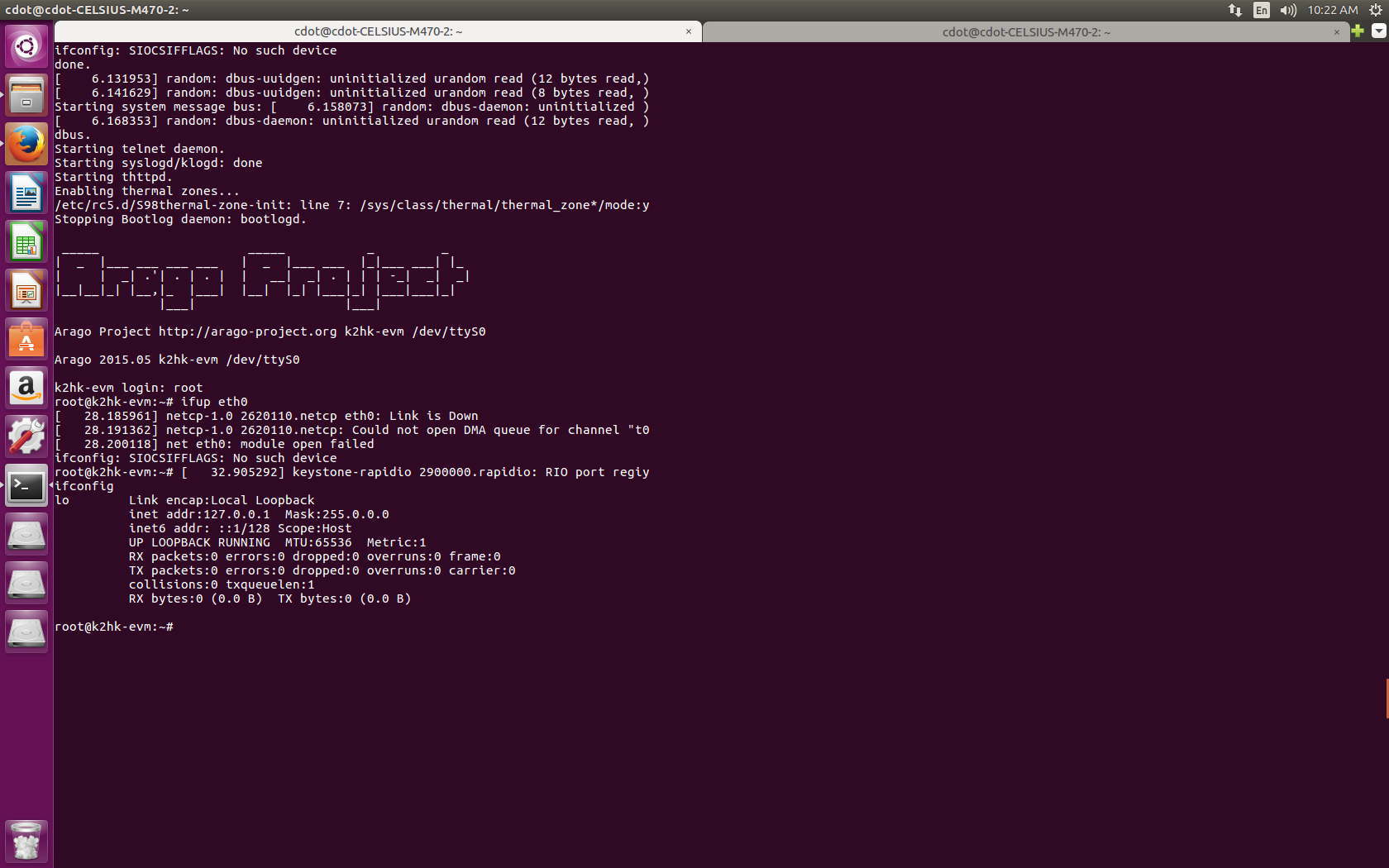
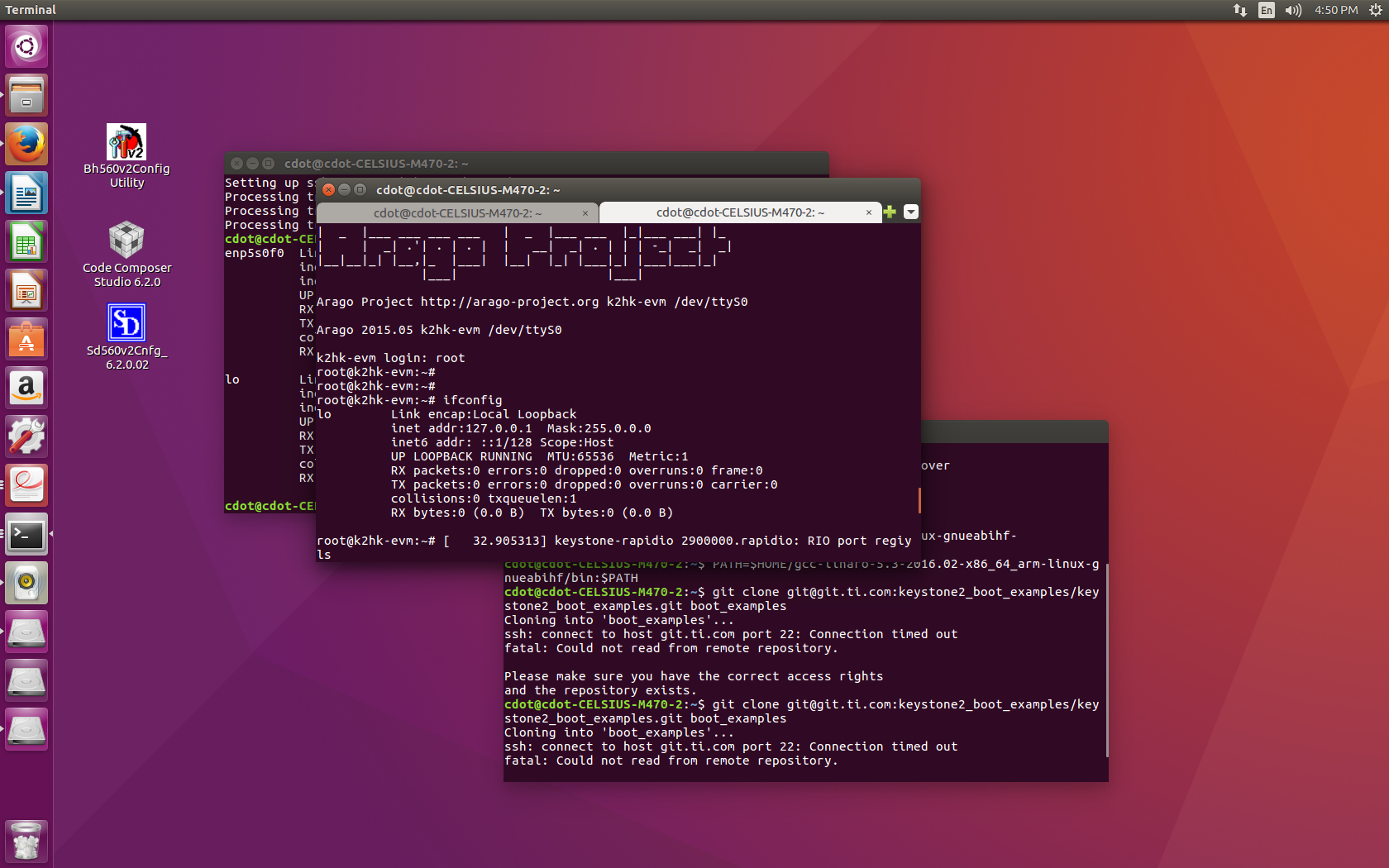
I have booted 6636 k2h evm and login as root, tried to find the ip of the evm but when i checked with ifconfig no ip is coming, i am attaching the screen shot of the same. can any one plz guide me.
Regards,

V Sagar

  • Hi,

    Your eth port is not started. Try using:
    ifup eth0
    ifconfig

    Best Regards,
    Yordan

  • Hi Yordan,

    Thanks for the reply. I tried ifup eth0, but the link is not up, I am attaching the screen shot for your reference.

    Thanks

    VSagar

  • Hi,

    Sorry for the delay. I'm looking into this.

    Best Regards,
    Yordan
  • Hi,

    Is this a custom board? Can you post your bootlog (dmesg)? I think there is something wrong with the driver.. I checked this on my side and the ethernet interface is getting enabled upon bootup:
    k2hk-evm login: root
    root@k2hk-evm:~# ifconfig
    eth0 Link encap:Ethernet HWaddr B4:99:4C:B7:43:3C
    UP BROADCAST MULTICAST MTU:1500 Metric:1
    RX packets:0 errors:0 dropped:0 overruns:0 frame:0
    TX packets:0 errors:0 dropped:0 overruns:0 carrier:0
    collisions:0 txqueuelen:1000
    RX bytes:0 (0.0 B) TX bytes:0 (0.0 B)

    eth1 Link encap:Ethernet HWaddr 02:18:31:7E:3E:6F
    UP BROADCAST MULTICAST MTU:1500 Metric:1
    RX packets:0 errors:0 dropped:0 overruns:0 frame:0
    TX packets:0 errors:0 dropped:0 overruns:0 carrier:0
    collisions:0 txqueuelen:1000
    RX bytes:0 (0.0 B) TX bytes:0 (0.0 B)

    lo Link encap:Local Loopback
    inet addr:127.0.0.1 Mask:255.0.0.0
    inet6 addr: ::1%132688/128 Scope:Host
    UP LOOPBACK RUNNING MTU:65536 Metric:1
    RX packets:160 errors:0 dropped:0 overruns:0 frame:0
    TX packets:160 errors:0 dropped:0 overruns:0 carrier:0
    collisions:0 txqueuelen:1
    RX bytes:12160 (11.8 KiB) TX bytes:12160 (11.8 KiB)

    root@k2hk-evm:~#

    Best Regards,
    Yordan
  • Hi Yordan,
    Thank You. Problem is solved I changed kernal image and everything is fine.

    Regards
    VSagar