This thread has been locked.

If you have a related question, please click the "Ask a related question" button in the top right corner. The newly created question will be automatically linked to this question.

CCS/STARTERWARE-SITARA: SBL debug

Part Number: STARTERWARE-SITARA


Tool/software: Code Composer Studio

I have designed my AM437x board, and have run some pdk example successed with ccs7.0, such as GPIO、 uart.

Now ,I want to boot my app from sd card, and i I want debug the SBL in  C:\ti\pdk_am437x_1_0_6\packages\ti\starterware\bootloader\src,because i need to modify some sourse file.

When i load the file bootloader_boot_mmcsd_a9host_debug.out   in C:\ti\pdk_am437x_1_0_6\packages\ti\starterware\binary\bootloader\bin\am43xx-evm\gcc,the erro occurs in the address 0x402f0074.
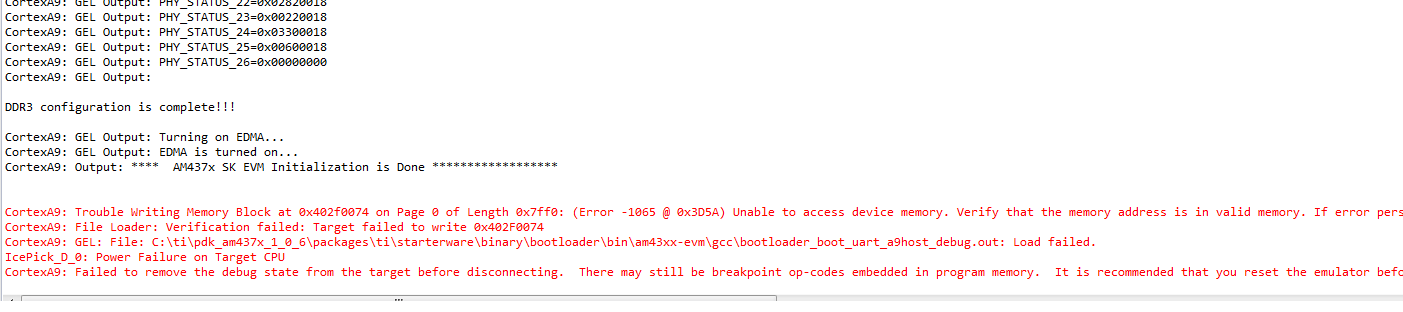
But the 0x402F0074 is reserved space  according the TRM,


I can load other .out file such as  gpio_app_led_blink_a9host_debug.out in C:\ti\pdk_am437x_1_0_6\packages\ti\starterware\binary\gpio_app_led_blink\bin\am43xx-evm\gcc.
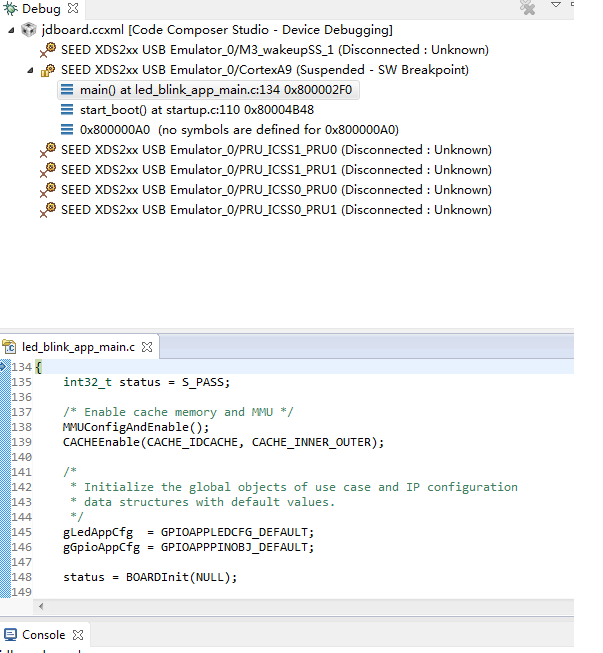
how shuld I debug my SBL and creat the corresponding MLO .

thanks a lot!

  • The RTOS team have been notified. They will respond here.
  • I have described some ways to debug the SBL are,

    Introduce a variable in the variable in SBL and set it to 0 and create a while loop pending on this variable at the start of SBL. this way the boot ROM will load then the ARM core will pend in the SBL on the while loop, you can then connect to the ARM and then chnage the variable using Varibles view in CCS or changing the memory location where the variable resides.

    Other option without modifying the SBL is allow the boot process to complete connect to the ARM without a GEL file and then from CCS do a CPU reset. This should put the ARM core at the base of ROM. Now set a hardware break point at the start of SBL main and then run the core. Load the SBL symbols using run->load symbols and browsing to the .out.

    SBL runs from onchip memory so when loading .out, you should avoid running the GEL file as the SBL does the PLL And DDR configuration and copies the image. Note sometime MMU and cache settings will prevent the .out from loading correctly so make sure you account for those. The ARM Advanced tools in CCS allows you to view the ARM MMU and cache settings.

    Hope this helps.

    Regards,
    Rahul
  • very nice method,I have success with the first way . I also try the second,but where do i find the address of the start of SBL main ?
    thank you!