This thread has been locked.

If you have a related question, please click the "Ask a related question" button in the top right corner. The newly created question will be automatically linked to this question.

EVMK2G: SOC RESET FAILURE

Part Number: EVMK2G

Hi, I'm trying to run the quickstart demo on the EVMK2G eval board. I get the message "SOC RESET FAILURE" instead of an IP address.The message and serial number of the board are shown in the attached pictures. Thanks!
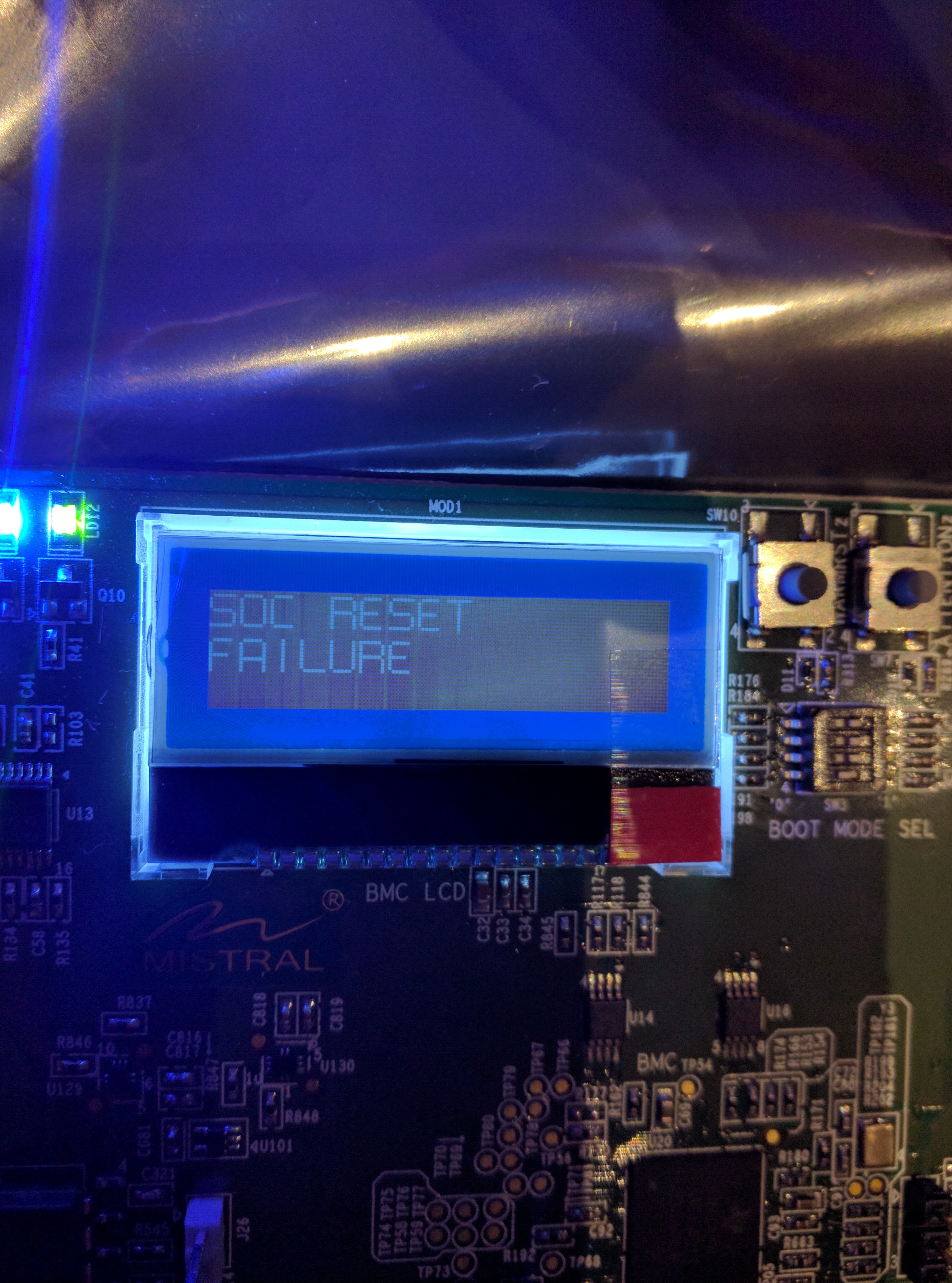
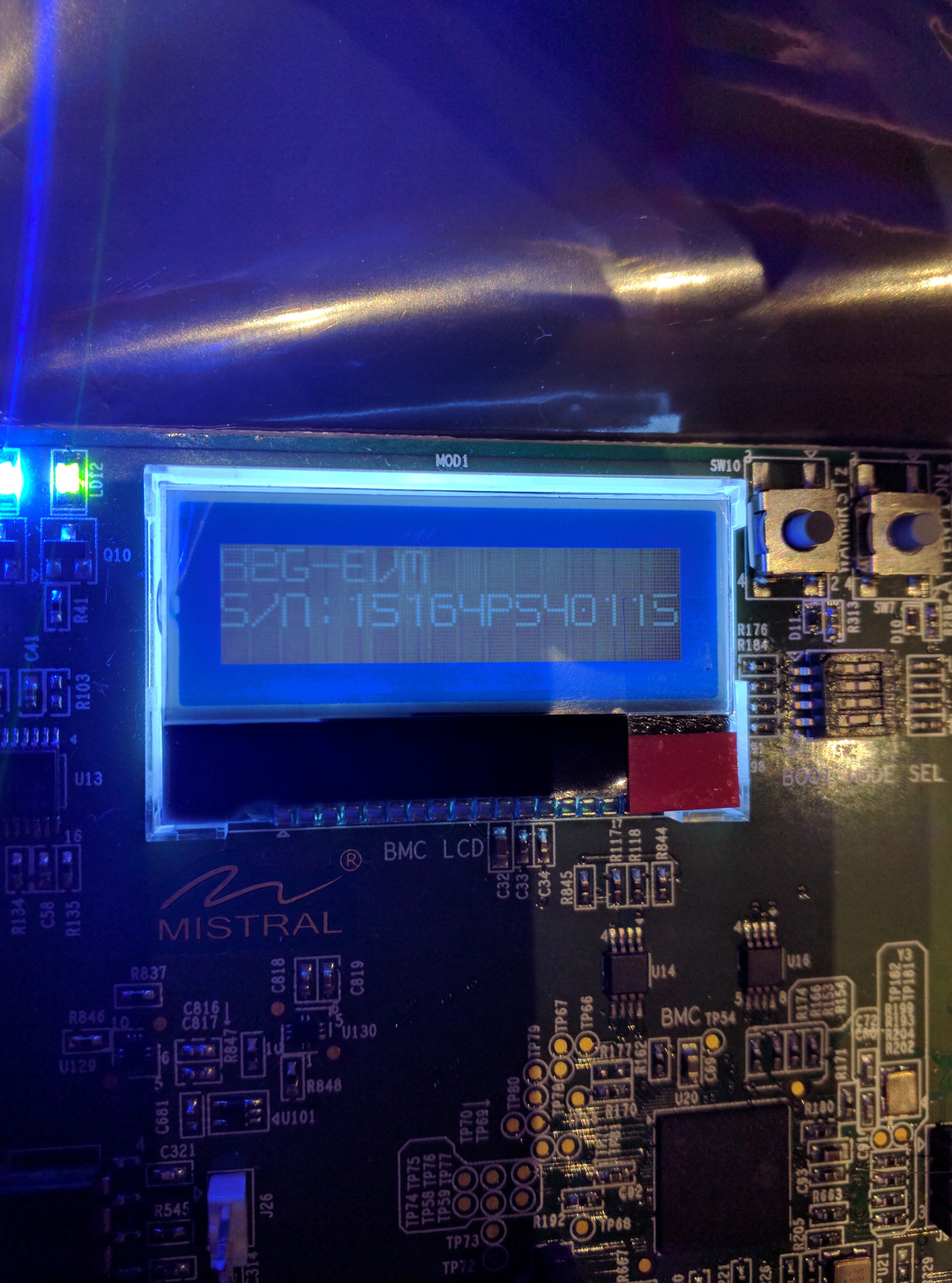
  • Hi Kevin,

    At which point do you see the SoC reset failure message? Is it right after you power on your board or do you first see boot completed message & then the SoC reset failure?

    Best Regards,
    Yordan
  • Right after power on. I don't see a boot complete message, but it might be moving by too fast. Here is a video of the sequence:

  • Ok, I see.  Can you share the BCM log, you should be able to get it from the usb serial port (next to the sdcard slot), it should be /dev/ttyUSB1. 


    Best Regards, 
    Yordan

  • We appreciate the efforts you have taken to provide us with the details. this does appear to power sequencing issue on your EVM. If you connect a UART miniUSB cable and switch the SW12 to OFF position, you should see 2 serial connections from the EVM to the PC. On which is the SOC UART and the other one will be a BMC UART. configure both serial connections to 115.2 kbps.

    The BMC UART has a command prompt like this,
    BMC>

    press enter if you are not seeing anything. Now reboot the board to provide the power sequence log as seen by the board monitor controller(BMC).

    You can reset the board by reconnecting the power cable or by typing the following command on the BMC command prompt.

    reboot por 

    I am also reporting this to the EVM team so that they can provide their inputs.

    Regards,
    Rahul

  • I plugged in the miniUSB cable and the board booted properly. Even after I unplugged the cable and rebooted, I was still able to run the demo. Thank you.
  • This issue is happening again. I've attached the log as requested:
    BMC>reboot por
    BMC> [00:02:21] BMC> Full Reset BMC> Begin
    BMC> [00:02:21] BMC> SOC RST In BMC> Complete
    BMC> [00:02:21] BMC> Full Reset BMC> Complete
    BMC> [00:02:21] BMC> POR BMC> Begin
    BMC> [00:02:21] BMC> SOC RST In BMC> Complete
    BMC> [00:02:21] BMC> POR BMC> Complete
    BMC> [00:02:21] BMC> SOC PWR Stop BMC> Begin
    BMC> [00:02:21] BMC> SOC PWR Stop BMC> Complete
    BMC> [00:02:21] BMC> SOC PWR Start BMC> Begin
    BMC> [00:02:21] BMC> PMIC Init BMC> Begin
    BMC> [00:02:21] BMC> PMIC Init BMC> Complete
    BMC> [00:02:21] BMC> SOC PWR Start BMC> Complete
    BMC> [00:02:21] BMC> Setup Clk Generation
    BMC> [00:02:21] BMC> Clock Source: INTERNAL
    BMC> [00:02:21] BMC> ClkGen Start BMC> Begin
    BMC> [00:02:21] BMC> ClkGen Start BMC> Complete
    BMC> [00:02:21] BMC> CDCM ClkGen Start BMC> Begin
    BMC> [00:02:21] BMC> Testing register 0 of clock 1... 0x0045, got 0x0045BMC> Passed.
    BMC> [00:02:21] BMC> Testing register 1 of clock 1... 0x0000, got 0x0000BMC> Passed.
    BMC> [00:02:21] BMC> Testing register 2 of clock 1... 0x0018, got 0x0018BMC> Passed.
    BMC> [00:02:21] BMC> Testing register 3 of clock 1... 0x00F9, got 0x00F9BMC> Passed.
    BMC> [00:02:21] BMC> Testing register 4 of clock 1... 0x30EF, got 0x30EFBMC> Passed.
    BMC> [00:02:21] BMC> Testing register 5 of clock 1... 0x0001, got 0x0001BMC> Passed.
    BMC> [00:02:21] BMC> Testing register 6 of clock 1... 0x0018, got 0x0018BMC> Passed.
    BMC> [00:02:21] BMC> Testing register 7 of clock 1... 0x0122, got 0x0122BMC> Passed.
    BMC> [00:02:21] BMC> Testing register 8 of clock 1... 0x0004, got 0x0004BMC> Passed.
    BMC> [00:02:21] BMC> Testing register 9 of clock 1... 0x4002, got 0x4002BMC> Passed.
    BMC> [00:02:21] BMC> Testing register 10 of clock 1... 0x0180, got 0x0180BMC> Passed.
    BMC> [00:02:21] BMC> Testing register 11 of clock 1... 0x0000, got 0x0000BMC> Passed.
    BMC> [00:02:21] BMC> Testing register 12 of clock 1... 0x40D2, got 0x40D2BMC> Passed.
    BMC> [00:02:21] BMC> Testing register 13 of clock 1... 0x0180, got 0x0180BMC> Passed.
    BMC> [00:02:21] BMC> Testing register 14 of clock 1... 0x0000, got 0x0000BMC> Passed.
    BMC> [00:02:21] BMC> Testing register 15 of clock 1... 0x0002, got 0x0002BMC> Passed.
    BMC> [00:02:21] BMC> Testing register 16 of clock 1... 0x0010, got 0x0010BMC> Passed.
    BMC> [00:02:21] BMC> Testing register 17 of clock 1... 0x0000, got 0x0000BMC> Passed.
    BMC> [00:02:21] BMC> Testing register 18 of clock 1... 0x001B, got 0x001BBMC> Passed.
    BMC> [00:02:21] BMC> Testing register 19 of clock 1... 0x0040, got 0x0040BMC> Passed.
    BMC> [00:02:21] BMC> Testing register 20 of clock 1... 0x0000, got 0x0000BMC> Passed.
    BMC> [00:02:21] BMC> Reading register 21 of clock 1... 0x0005
    BMC> [00:02:21] BMC> Reading register 21 of clock 1... 0x0001
    BMC> [00:02:21] BMC> Passed
    BMC> [00:02:21] BMC> CDCM ClkGen Start BMC> Complete
    BMC> [00:02:23] BMC> Full Reset BMC> Begin
    BMC> [00:02:23] BMC> SOC RST In BMC> Complete
    BMC> [00:02:23] BMC> Full Reset BMC> Complete
    BMC> [00:02:23] BMC> HWDBG is set to ON, evm setup will now halt.
    BMC> [00:02:23] BMC> To alter this behavior, please use the hwdbg command.
  • I also noticed some odd behavior of the reset state led. Note how it turns on dimly and then gradually increases in brightness.

  • Can you confirm that you are using the 12 V and 7 amp power supply and there is no power supply related issues. Do you have another 12 V power supply to try with the EVM ?

    I have looped in the EVM hardware team to comment and provide next steps.

    Regards,
    Rahul
  • I used a 12V 5A power supply as specified here: processors.wiki.ti.com/.../66AK2G02_GP_EVM_Hardware_Setup

    I also tried a bench supply with a 10A capacity. Same results with both.
  • Closing this post as we are following up offline with the RMA process.