This thread has been locked.

If you have a related question, please click the "Ask a related question" button in the top right corner. The newly created question will be automatically linked to this question.

Linux/AM5728: MAKE command output error when compile AM57x Linux SDK

Part Number: AM5728


Tool/software: Linux

Hi Expert,

I downloaded AM57XX Linux SDK (ti-processor-sdk-linux-am57xx-evm-04.00.00.04),  I wanted to compile Linux Kernel,  I followed up below command in TI Wiki page, firstly I used "export" to do environment variable setting, then use "make" command to clean, but it have error message as below:

TI wiki page: processors.wiki.ti.com/.../Linux_Kernel_Users_Guide

export PATH=/ti/ti-processor-sdk-linux-am57xx-evm-04.00.00.04/linux-devkit/sysroots/x86_64-arago-linux/usr/bin:$PATH

make ARCH=arm CROSS_COMPILE=arm-linux-gnueabihf- distclean

Command 'make' is available in '/usr/bin/make'
The command could not be located because '/usr/bin' is not included in the PATH environment variable.


I checked environment setting with "export" command, and get below info:

declare -x PATH="/ti/ti-processor-sdk-linux-am57xx-evm-04.00.00.04/linux-devkit/sysroots/x86_64-arago-linux/usr/bin:/ti/ti-processor-sdk-linux-am57xx-evm-04.00.00.04/linux-devkit/sysroots/x86_64-arago-linux/usr/bin"

OR,  declare -x PATH="/ti/ti-processor-sdk-linux-am57xx-evm-04.00.00.04/linux-devkit/sysroots/x86_64-arago-linux/usr/bin“ 

Both of above 2 results have been tried due to whether put  "$PATH" in previous command "export PATH = xx" or not.

Question1:

1 Why does the error message show that " '/usr/bin' is not included in the PATH environment variable." ? Actually, the "/usr/bin" has been included in PATH according to above "declare" result

Question 2:

I saw that in the folder "/usr/bin", there is "cmake" file, but no "make" file, why it show that "Command 'make' is available in '/usr/bin/make" ? Is there difference between "make" and "cmake"?  Is the result of calling "make" same as the result of calling "cmake"?

VM: Linux ubuntu-14.04.4-amd64

SDK version: ti-processor-sdk-linux-am57xx-evm-04.00.00.04

  • Hello,

    Could you try these steps for building linux kernel:


    cd /.../ti-processor-sdk-linux-am57xx-evm-04.00.00.04/board-support/linux-4.9.28+gitAUTOINC+eed43d1050-geed43d1050

    make ARCH=arm CROSS_COMPILE=/home/mms/ti-processor-sdk-linux-am57xx-evm-04.00.00.04/linux-devkit/sysroots/x86_64-arago-linux/usr/bin/arm-linux-gnueabihf- distclean

    make ARCH=arm CROSS_COMPILE=/home/mms/ti-processor-sdk-linux-am57xx-evm-04.00.00.04/linux-devkit/sysroots/x86_64-arago-linux/usr/bin/arm-linux-gnueabihf- tisdk_am57xx-evm_defconfig

    make ARCH=arm CROSS_COMPILE=/home/mms/ti-processor-sdk-linux-am57xx-evm-04.00.00.04/linux-devkit/sysroots/x86_64-arago-linux/usr/bin/arm-linux-gnueabihf- zImage

    BR
    Margarita
  • Hi Margarita,

    I don't see obvious difference between my command and your command except some path difference which should be caused by different PATH definition. I used "EXPORT" to define "PATH" in environment setting, and you used the direct path way
    I think my issue is related to why "MAKE" command can not be found? could you give some suggestion based on my way if possible?
    Thanks for your help!

    BR
    G,W
  • Hello,

    So if,
    cd ti-processor-sdk-linux-am57xx-evm-04.00.00.04/
    make all
    you are seeing the same error.

    How you install the PSDK on your PC?

    I would recommend you to check this file /etc/environment.
    I would recommend you to check the permissions also and try to export export PATH=$PATH:/usr/bin

    BR
    Margarita
  • Hi Gang,

    Yes, please confirm the pointers provided by Maragrita.

    Adding up few points here as per your question 2 :

    Q : I saw that in the folder "/usr/bin", there is "cmake" file, but no "make" file, why it show that "Command 'make' is available in '/usr/bin/make" ? Is there difference between "make" and "cmake"?  

    Ans : What do you see when you execute this command ?

               file /usr/bin/make.

              cmake file : cmake supports configuring, managing and building projects. It uses CMakeLists.txt file. Generally, when you do cmake, it generates a make file in your source directory which can be then used to "make" 

    Q : Is the result of calling "make" same as the result of calling "cmake"?

         No. as mentioned above, when you call cmake, it generates makefile which can be used to "make".


    Thanks,

    Prabhuraj

    BlackPepper Technologies


  • Hi Margarita,

    I used "file" command,but find it still can not be found.

    +++++++++++++++

    kkk@ubuntu:/ti/ti-processor-sdk-linux-am57xx-evm-04.00.00.04/linux-devkit/sysroots/x86_64-arago-linux$ file /usr/bin/make

    Command 'file' is available in '/usr/bin/file'

    The command could not be located because '/usr/bin' is not included in the PATH environment variable.

    file: command not found

    +++++++++++++++++

    kkk@ubuntu:/ti/ti-processor-sdk-linux-am57xx-evm-04.00.00.04/board-support/linux-4.9.28+gitAUTOINC+eed43d1050-geed43d1050$ make ARCH=arm CROSS_COMPILE=/ti/ti-processor-sdk-linux-am57xx-evm-04.00.00.04/linux-devkit/sysroots/x86_64-arago-linux/usr/bin/arm-linux-gnueabihf- distclean
    Command 'make' is available in '/usr/bin/make'
    The command could not be located because '/usr/bin' is not included in the PATH environment variable.
    make: command not found

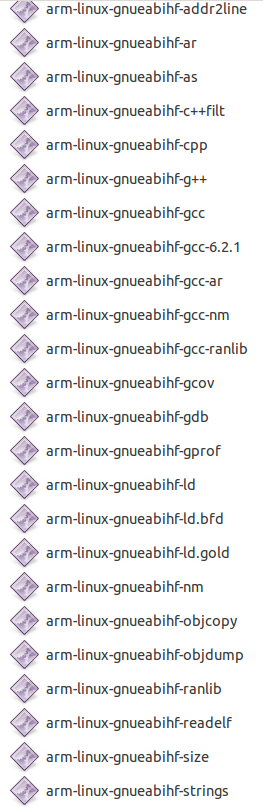
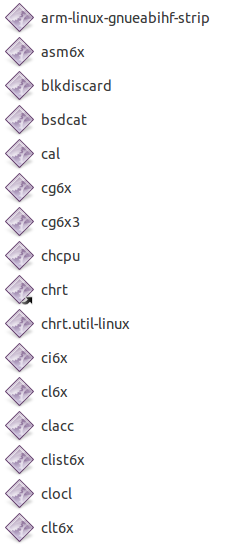
    Please see my files under /usr/bin folder, looks like there is no "make" file under it