This thread has been locked.

If you have a related question, please click the "Ask a related question" button in the top right corner. The newly created question will be automatically linked to this question.

Linux/AM5728: Setting OPP and Dhrystone test

Part Number: AM5728

Tool/software: Linux

Hallo,

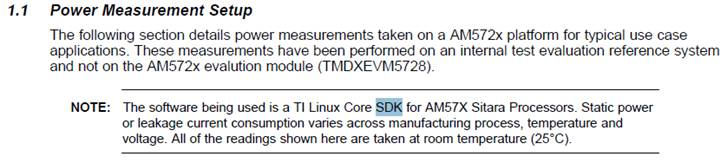
We want to do some power tests and thermal analysis on AM5728, noticed in the thermal realated documents which says this function was included in SDK, but we have no idea how to..

Could anyone help providing the procedure  in detail to adjust OPP_MODE and make the SoC entering Dhrystone mode.
Thanks in advance,

MG

12062017

  • Hallo Pavel,

    Thank you for the material provided, I can now change the opp_mode and running frequency then run some application like a while(1){},  but the power exhausted by SoC still stays low.

    Here I want to push the SoC to exhaust power as high as possible, like the Dhrystone tests in TI thermal documention, which says the function had been included into SDK.

    Could you help advising how to get the SoC into Dhrystone mode?

    Thanks,

    MG

    12072017

  • MG,

    Dhrystone benchmark test can be started from the Matrix GUI, after your AM572x board complete the boot process. This test source code is located at:

    {PSDK}/example-applications/arm-benchmarks-1.3/dhrystone

    See the below wiki pages for more info regarding Dhrystone benchmark test:

    processors.wiki.ti.com/.../Processor_SDK_Linux_Training:_Hands_on_with_the_Linux_SDK

    processors.wiki.ti.com/.../Processor_SDK_Linux_Kernel_Performance_Guide

    Regards,
    Pavel
  • Thanks to Pavel's help, I collect comands to adjust opp_mode here:

    代码kill_cpu.c

    #include <stdlib.h>
    int main()
    {
    while(1);

    return 0;
    }


    运行:

    # gcc -o out kill_cpu.c
    # ./out &

    for i in `seq 1 $(cat /proc/cpuinfo | grep "processor" | wc -l)`; do ./out & done


    Driver Usage

    All of the standard governors are built-in to the kernel, and by default the ondemand governor is selected.

    To view available governors,
    $ cat /sys/devices/system/cpu/cpu0/cpufreq/scaling_available_governors
    conservative userspace powersave ondemand performance


    To view current governor,
    $ cat /sys/devices/system/cpu/cpu0/cpufreq/scaling_governor
    ondemand


    To set a governor, roo
    $ echo performance > /sys/devices/system/cpu/cpu0/cpufreq/scaling_governor


    To view current OPP (frequency in kHz)
    $ cat /sys/devices/system/cpu/cpu0/cpufreq/scaling_cur_freq
    720000


    To view supported OPP's (frequency in kHz),
    $ cat /sys/devices/system/cpu/cpu0/cpufreq/scaling_available_frequencies
    275000 500000 600000 720000


    To change OPP (can be done only for userspace governor. If governors like ondemand is used, OPP change happens automatically based on the system load)
    $ echo 1500000 > /sys/devices/system/cpu/cpu0/cpufreq/scaling_setspeed


    mycount=0; while (( $mycount < 10000 )); do cat /sys/devices/virtual/thermal/thermal_zone0/temp; ((mycount=$mycount+1)); done;

    while (( 1 )); do cat /sys/devices/virtual/thermal/thermal_zone0/temp; done;

    cat /sys/devices/virtual/thermal/thermal_zone0/temp

    cat /sys/class/thermal/thermal_zone0/temp


    cat /proc/cpuinfo

    mpstat

    dhrystone excutable can be found from the sdk:)
