This thread has been locked.

If you have a related question, please click the "Ask a related question" button in the top right corner. The newly created question will be automatically linked to this question.

Linux/AM3352: TCP data loss issue

Part Number: AM3352


Tool/software: Linux

Dear Experts,

We got a package loss issue when transferring data via Ethernet port on AM3352:

the basic block diagram is as blow:
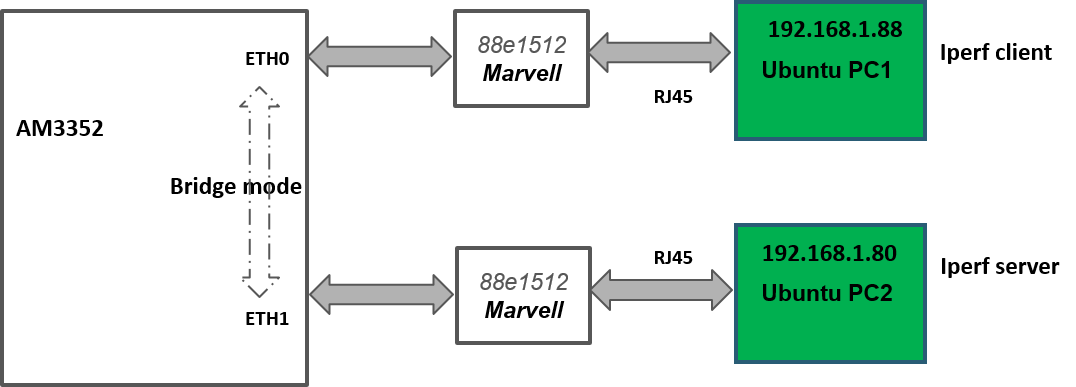
Description:

PC1 work as client and PC2 work as server,  AM3352 is reconfigured as bridge mode, use "Iperf -s" and "iperf -c" respectively on 2 PCs to transfer the data and use wireshark to monitor the data package, and  significant data loss was observed during the transmission. 

Test condition:

1. ti-processor-sdk-linux-am335x-evm-03.02.00.05

2. AM3352 is reconfigured as bridge mode

3. CPSW kernel configuration

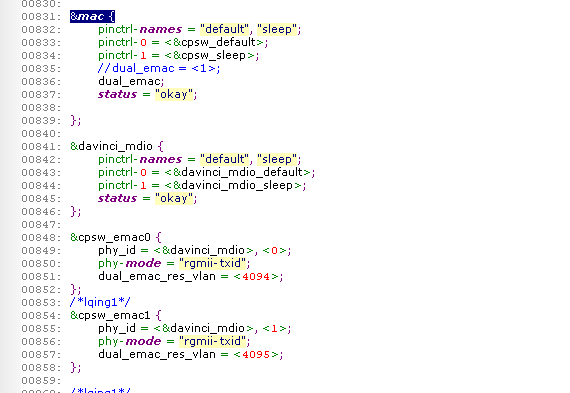
4. am335x-evm.dts 
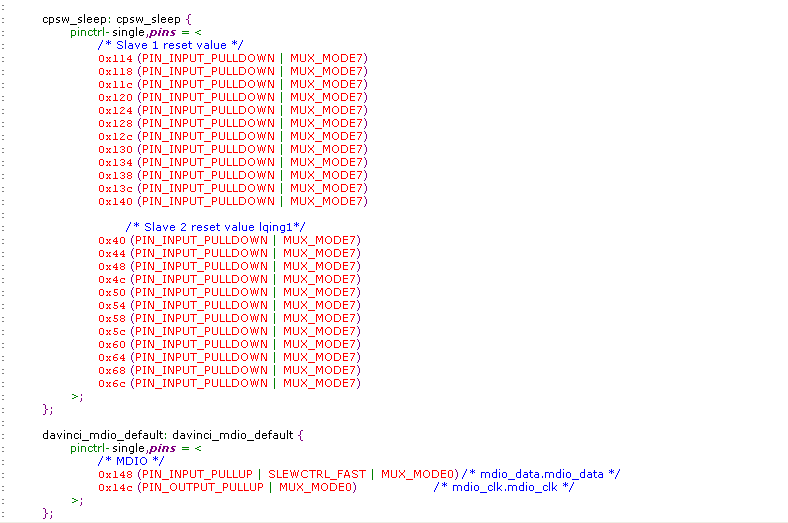
5. am33xx.dtsi configuration:

Could you give me some guidance on how to eliminate the data loss problem, thanks a lot.

  • The software team have been notified. They will respond here.
  • Hi,

    Thank you for posting the information concerning configuration and the topology. I will need some additional information though. First I will need you to provide the information asked for in this link.

    processors.wiki.ti.com/.../5x_CPSW

    This question is asked in the link above, but is board being used a custom board or a TI EVM? Do you have a TI AM335x EVM-SK board?

    Since you are experiencing data loss and you are using wireshark could you please post a line capture as well? The size of the capture only needs to be 20-30 seconds of the line data while the iperf test is in progress.

    Also please provide the exact command lines that were used to setup the bridge and the client and server iperf commands.

    Please note that I will be out of the office until the first week of January 2018, I will respond then to the follow data posted.

    Best Regards,
    Schuyler
  • Hi Schuyler,

    Thank you very much for your  response. Happy holiday and Happy New Year!

    Below are additional descriptions to my question:

    1. Kernel version and source.

    root@am335x-evm:~# uname -a

    Linux am335x-evm 4.4.20-dirty #29 PREEMPT Thu Dec 14 15:56:51 CST 2017 armv7l GNU/Linux

    2. File system, TI SDK or Arago/Yocto based filesytem

    TI SDK based filesystem:   ti-processor-sdk-linux-am335x-evm-03.02.00.05

    3. Custom board or TI board? Please include device tree source file.

    We use customer board and am33xx.dtsi+am335x-evm.dts file is attached.

    4. Network view: Use Wireshark on Linux PC to capture packets.

    Please find attached captured data. 

    5. Linux boot log

    attached as Console log.txt

    For below questions, I summarized in attached question.doc file.

    6. ifconfig eth0

    7. Look at basic link elements after the system is booted to make sure that there is a link partner and if the Ethernet PHY is reporting link detection.

    8. Console log of the boot process that includes U-Boot and the Kernel.

    9. ethtool -S <interface such as eth0 or eth1>

    10. ethtool <interface such as eth0 or eth1>

    https://e2e.ti.com/cfs-file/__key/communityserver-discussions-components-files/791/question-summary.7z

  • Hi Kent,

    Thank you for posting the triage summary. When looking for packet loss first start by taking a look at port statistics which are not showing any errors on rx crc, alignment. There are some rx DMA overruns but that is due to rx descriptor exhaustion. Since you are running iperf using TCP a reliable protocol there will not be any packet loss. Looking at the wireshark capture there are some TCP duplicate ACKs taking place but these could be related to the NIC cards in the PC's trying to implement a TCP segmentation offload. The AM335x is set to only handle packets that are 1514 bytes in size. Since I do not see in any RX Middle of Frame Overruns there are not any jumbo frames being sent by the PCs.

    Overall it looks like the interface is performing as expected. Iperf is showing aproximately 150Mbps, since you are using a bridge one port is receiving at 150Mbps and one port is sending at 150Mbps. Both ports are combining to be about 300Mbps of network bandwidrh which is close to the throughput described here in the benchmarks page. I am assuming that the default window size on iperf is 64K and the wiki page shows about 330Mbps has been measured during test.

    processors.wiki.ti.com/.../Processor_SDK_Linux_Kernel_Performance_Guide

    Is there something else that you are looking at or I maybe overlooking that is indicating a packet loss?

    Best Regards,
    Schuyler
  • Hi Schuyler,

    Thank you very much for your  response.I ask Kent to post this question.

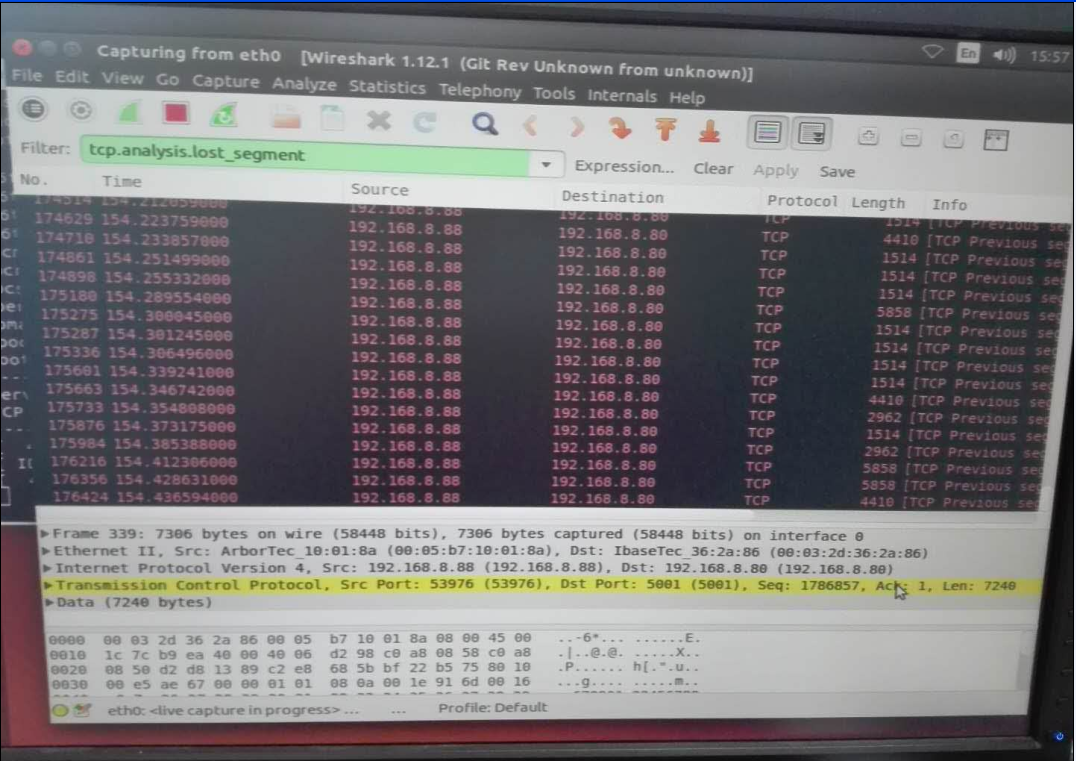
    I found that reduceing the  TCP window size of  iperf can reduce the data loss .

    the wireshark diagram is as blow

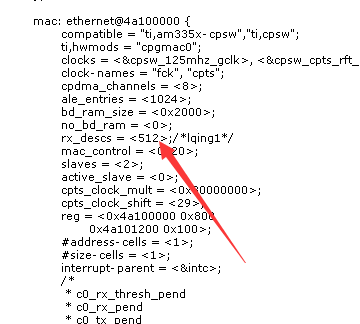
    I want to increase the size of skbuffer .am33xx.dtsi configuration:

    the function desc = cpdma_desc_alloc(ctlr->pool, 1, is_rx_chan(chan)) of the Davinci_cpdma.c (linux\drivers\net\ethernet\ti\Davinci_cpdma.c ) reture error.

    how to use tcp-segmentation-offload?

    Could you give me some guidance on how to  change to driver to eliminate  the tcp retransmission issue, thanks a lot.

  • Hi,

    My mistake earlier, I should specified that the TSO offload question I had was about what the host PCs are configured for and not the TI processor. The AM33x does not have any packet acceleration or offloading capability, which is what the ethtool results posted are showing.

    The question you are asking about concerning the number of rx descriptors in the DTSI file would apply here in terms of packet drops if the values were not equal to 0. These values were taken from the results of the ethtool -S was taken from the questions doc after the wireshark capture that was posted earlier.

    Rx Start of Frame Overruns: 0
    Rx DMA Overruns: 0

    So, the MAC/switch is not showing any packet drops. If the data loss is happening on the AM3352 perhaps the drop is happening further up in the network stack.
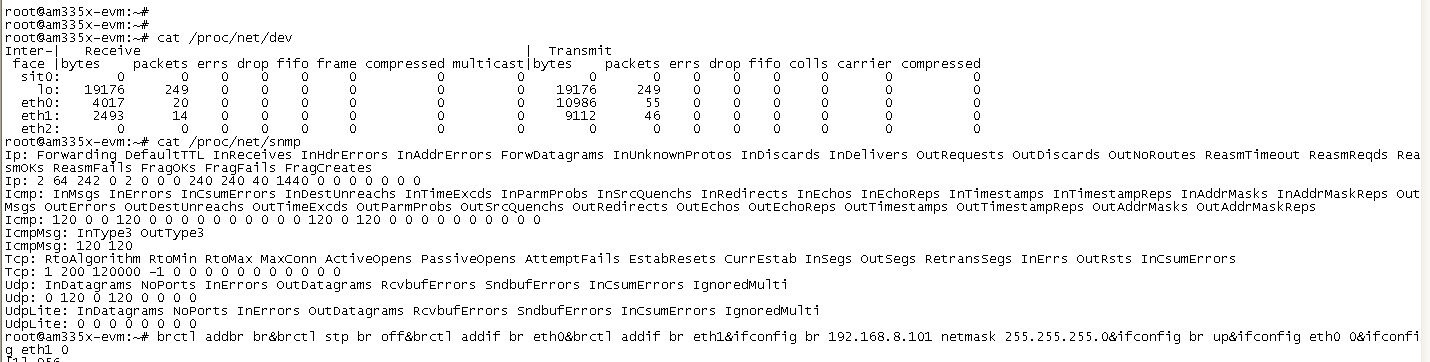
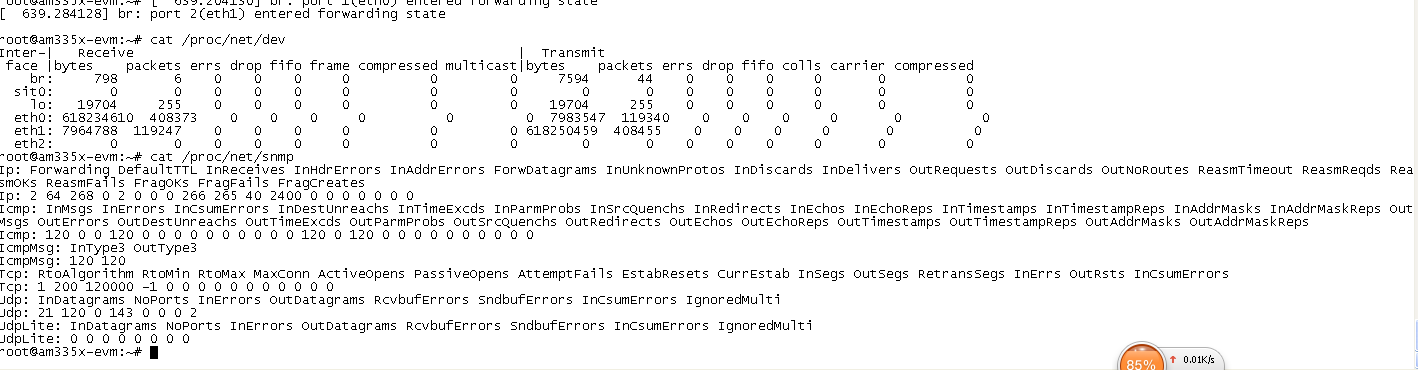
    Please post the results of "cat /proc/net/snmp" from the console on the AM3352.

    Best Regards,
    Schuyler
  • Hi Schuyler,

    Thank you very much for your  response.

    before the transmission

    after the transmission

  • Hi,
    Thanks for posting the screen captures.

    I originally asked to see this thinking that we see something on the TCP, then I remembered when operating as a bridge the kernel only forwards the packets and does not the TCP portion of the stack. I am looking for a way to determine where or if the am335x is dropping the packets.

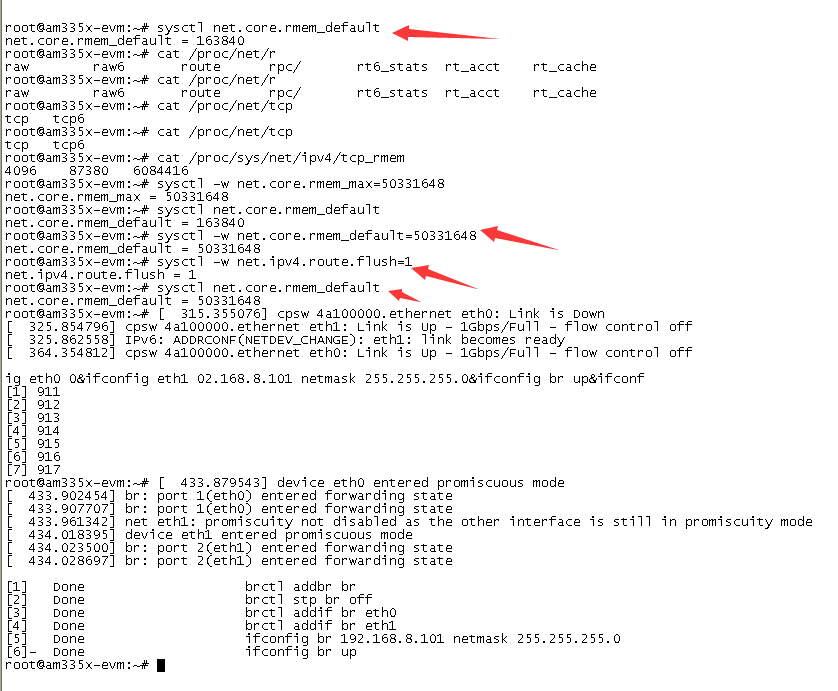
    Could you take a look at the default rmem buffer size with this command?

    sysctl net.core.rmem_default

    When I run it on a 4.2 SDK I get a default value of 163840. You might try increasing the buffer sizes with these commands

    sysctl -w net.core.rmem_max=50331648
    sysctl -w net.core.rmem_default=50331648
    sysctl -w net.ipv4.route.flush=1

    These buffer sizes are probably larger than needed but this might provide a clue if the network stack is dropping the packets.

    Have you tried directly connecting the two Linux Ubuntu machines to see if the issue is happening independent of the AM335x?

    Best Regards,
    Schuyler
  • Hi Schuyler,

    Thank you very much for your  response.

    Follow your instructions to test as blow:

    result as blow:

    Could you give me some guidance on how to eliminate the data loss problem, thanks a lot.

  • Hi,

    Thanks for adjusting the buffer sizes and re-testing. I would like to ask that you try a direct connect between the two PCs and re-run the test, I would like to eliminate they are not introducing the problem.

    Best Regards,
    Schuyler