Part Number: TMS320C6746
Tool/software: Code Composer Studio
Hi. I'd like to compile a project that will include an Ethernet stack and PHY driver. I'm running into some confusion (being new to TI's suite of tools) as I work through the required components. I'll try to outline what I have done so far (at the risk of being too detailed) and get your direction. I am starting a new design and am actually open to any hardware / software solution. My requirements are to utilize a powerful DSP (for audio application) with web page hosting capabilities. It looked to me that this processor may be a good choice. To keep things simple, perhaps SYS/BIOS (or TI-RTOS) would be fine.
I first installed CSS 7.4 along with the SDK (ti-processor-sdk-rtos-omapl138-lcdk-04.01.00.06-Windows-x86-Install), which contains these packages:
BIOS 6.46.05.55
NDK 2.25.01.11
DSP 3.4.0.0
IPC 3.46.02.04
UIA 2.00.06.52
I understand that the drivers are not included in the SDK * http://processors.wiki.ti.com/index.php/Processor_SDK_RTOS_NDKhis is where things get a bit murky for me. It seems I have a few choices:
Resource Explorer
At first glance it appears that the resource browser would be the right place to go get a working reference project. However, it contains no examples for this chip. Perhaps I am on the wrong track, perhaps this device is not really supported. No matter, keep searching the web for clues.
TI Resource Explorer (Classic)
Okay, it seems that some changes are happening with CSS and some content is still here. I do find the C674x. Great. One thing is puzzling me, though...Looking through various docs, it seems that RTOS is an updated version of SYS/BIOS...perhaps using a SYS/BIOS example would be out of date? I insisted on finding an RTOS example, so I keep looking. I find that the RTOS component can be downloaded * http://software-dl.ti.com/dsps/dsps_public_sw/sdo_sb/targetcontent/tirtos/index.html
New Project (and try to use the NSP)
Perhaps the driver is located in the NSP * http://software-dl.ti.com/dsps/dsps_public_sw/sdo_sb/targetcontent/ndk/index.html *
I do not know if the NSP is for older projects or not, but I'll try it. I get the same results after linking in this project. I also tried to rebuild the driver library in case that was the missing step (it did not work, something was not found).
I've gone down several rabbit holes over several days, and can only hope I'm missing something simple. I've created a "platform", hopefully a valid one, and am beginning to understand the config.bld files (or lat least that they control the configuration). I've read up on how XDC tools creates packages and how they get referenced and included.
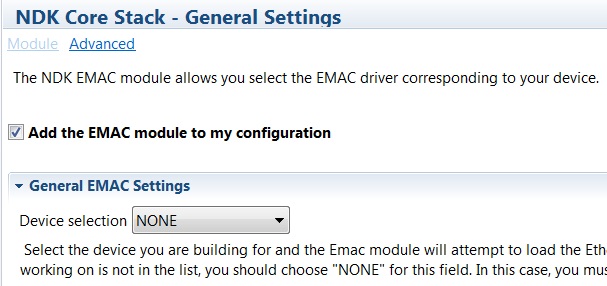
I'm basically stuck where the NDK is looking for the driver in packages.xs
    var Emac = xdc.module('ti.ndk.config.Emac');
    if (Emac.device == Emac.EVMOMAPL138) {
        /* load EVMOMAPL138 Emac module */
        try {
            xdc.useModule('ti.drv.omapl138.Emac');
        }
        catch (e) {
            throw ("Error: could not find EVMOMAPL138 Ethernet driver.");
        }
    }
But I do not know where that package is. I've tried to point it at what appears to be a driver in the NSP, but I am clearly a bit lost. Any help you can provide is greatly appreciated!