This thread has been locked.

If you have a related question, please click the "Ask a related question" button in the top right corner. The newly created question will be automatically linked to this question.

edge detection example on EVE simulator

VGA_out.y.txtcustomImage640x480.raw.txtVGA.y.txtcustomImage_output640x480.raw.txtHi Champs,

I am using CCS 5,4 for EVE simulator. its getting compiled and i tried to run the morphology testcase, it worked fine.

Now i wanted to check with edge detection using sobel. Below are my steps. changed the file extension to upload as .txt. please  remove .txt to see the content

  1. update the "config_list.txt" please find attached
  2. update "edge_detector_random.cfg" please find attached.
  3. i commentated the code that was supposed to be in so that it shall generate the output file. enable "ENABLE_OUTPUT_DUMP" in edge_detector_tb.c
  4. launch simulator ,provide the .elf file and run the the simulator and wait for out to be generated.
  5. i used reference image that comes with the package and other, my results remains the same.
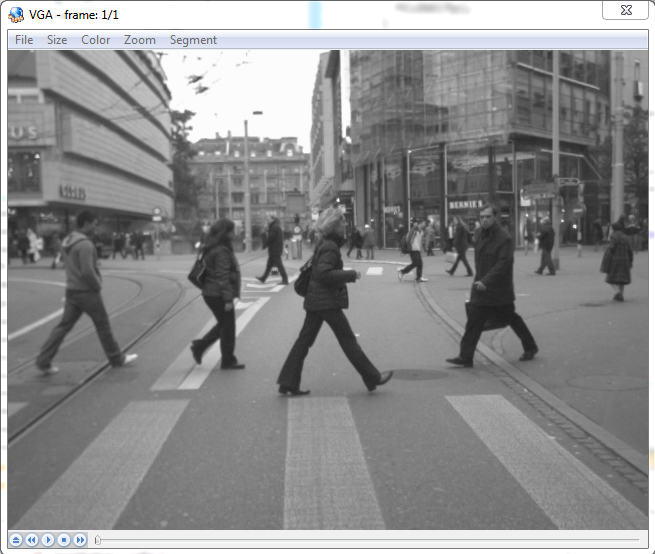
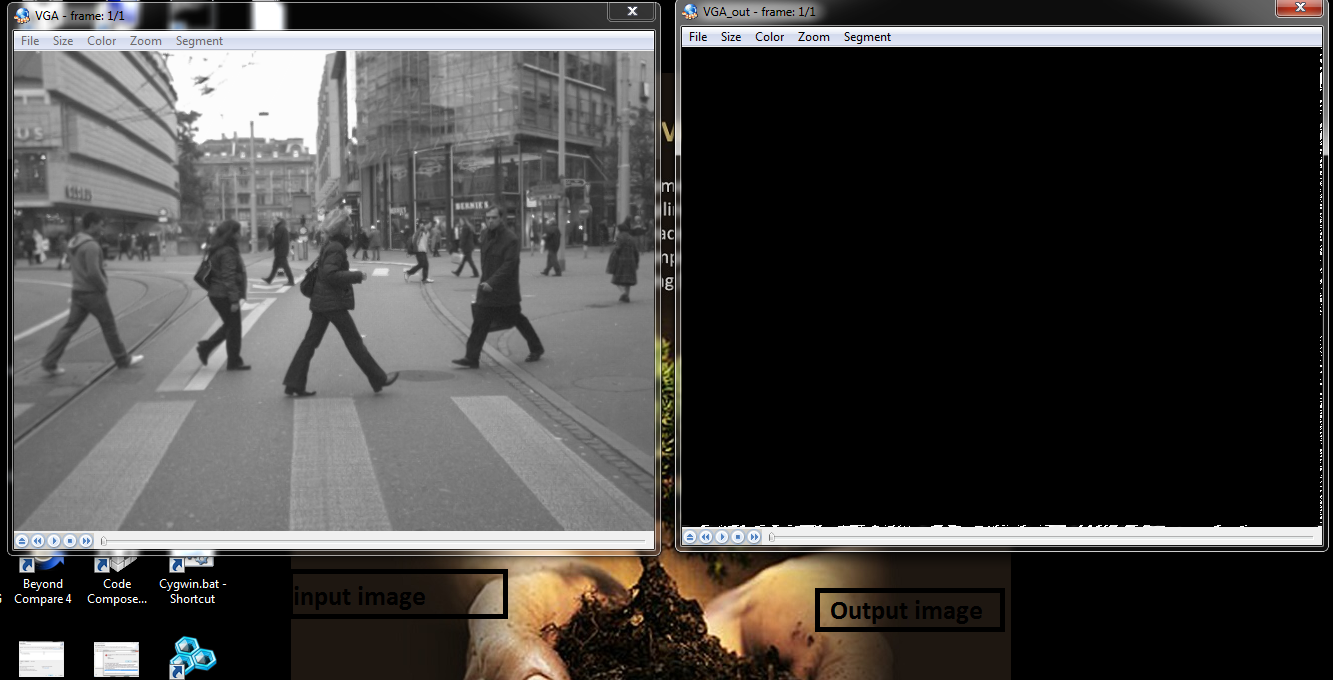
  6. PFA console log,input and out images. screen for input and output image.

Do help me if i am off the track or shall i use different steps to move forward.

Thanks,

Mohammed

[EVE_1] 

TEST_REPORT_APPLET_NAME : EDGE_DETECTOR_TI_VISION Test application

TEST_REPORT_TEXT_CONST : 
 
Module                                  Far data (DDR)       Near data DMEM       Program(.text)  Comments
EDGE_DETECTOR_TI_VISION                            708                 1320                 8516  
BAM                                               1368                  985                13780  
Starterware                                        500                    0                  272  
rtsarp32_v200.lib                                  768                  616                27724  

 Processing config file ..\testvecs\config\edge_detector_random.cfg !


TEST_REPORT_TESTCASE_NAME : TEST_FUNCTIONALITY_1 


TEST_REPORT_TESTCASE_DESC : Random test case , Sobel: 640 x 480 


TEST_REPORT_PERF_TESTCASE : 

TEST_REPORT_CONFIG_STRING : inImage = D:\eve_sw_01_18_00_00CCS54Jan12\apps\edge_detector\test\testvecs\input\VGA.y


TEST_REPORT_CONFIG_STRING : outImage = D:\eve_sw_01_18_00_00CCS54Jan12\apps\edge_detector\test\testvecs\output\VGA_out.y


TEST_REPORT_CONFIG_INT16 : imageWidth =  640

TEST_REPORT_CONFIG_INT16 : imageHeight =  480

TEST_REPORT_CONFIG_INT16 : imagePitch =  640

TEST_REPORT_CONFIG_INT16 : outputPitch =  640

TEST_REPORT_CONFIG_INT8 : kernelSize =  3

TEST_REPORT_CONFIG_INT16 : threshold1 =  50

TEST_REPORT_CONFIG_INT16 : threshold2 =  150

TEST_REPORT_CONFIG_INT8 : outputFormat =  0

TEST_REPORT_CONFIG_INT8 : method =  0

TEST_REPORT_CONFIG_INT32 : randSeed =  0

TEST_REPORT_CONFIG_STRING : testCaseName = TEST_FUNCTIONALITY_1


TEST_REPORT_CONFIG_INT8 : performanceTestcase =  1

TEST_REPORT_CONFIG_STRING : desc = Random test case , Sobel: 640 x 480

TEST_REPORT_INIT_PROFILE_DATA : TSC cycles = 27590, SCTM VCOP BUSY cycles = 0, SCTM VCOP Overhead = 0
I/O Bytes :        0 (        0 +        0 ) :        0 (        0 +        0 ) 
TEST_REPORT_PROCESS_PROFILE_DATA : TSC cycles = 249808, SCTM VCOP BUSY cycles = 0, SCTM VCOP Overhead = 0
I/O Bytes :        0 (        0 +        0 ) :        0 (        0 +        0 ) 

TEST_REPORT_TC_STATUS : PASSED

TEST_REPORT_STACK_MEM : 3860 
End of config list found !

TEST_REPORT_STACK_MEM : 3860 

 End of file !
1 ..\testvecs\config\edge_detector_random.cfg
0
  • Hi Mohammed,

        Have you tried changing the threshold (EDGE_DETECTOR_TI_InArgs.threshold1)? Btw its not a very good idea to run full application on simulator as it could be really slow. Instead I would suggest you to use host emulation. It would be much faster and easier to work with.

    Regards,

    Anshu

  • Thanks Anshu for quick reply,
    I have not changed threshold1. Do you want me try this? let me know what will be the best suitable threshold1 please.
    Surely i will go with emulation , i am trying to build it parallel will come to bug you for emulation problems i am facing in different thread. :) .
  • Hi Mohammed,

       You can try multiple threshold starting with very small just to rule out if the problem is because of thresholding or with something else.


    Regards,

    Anshu

  • Hi Anshu,

    I am trying different threshold but havent got any luck yet. i guess threshold may not be affecting the output dump.

    Anyway...

    please suggest more options so that i can try parallel along with threshold change.

    Thanks,

    Mohammed

  • Lets go back to your list of steps :

    update the "config_list.txt" please find attached >> This is ok
    update "edge_detector_random.cfg" please find attached. >> I couldn' t find this in your attachment.
    i commentated the code that was supposed to be in so that it shall generate the output file. enable "ENABLE_OUTPUT_DUMP" in edge_detector_tb.c >> Do you mean you commented #define ENABLE_OUTPUT_DUMP 0 line?? You should set it to 1 instead. #define ENABLE_OUTPUT_DUMP 1
    launch simulator ,provide the .elf file and run the the simulator and wait for out to be generated. >> This is ok
    i used reference image that comes with the package and other, my results remains the same. >> I couldnt get this point
  • please find my response inline;

    update the "config_list.txt" please find attached >> This is ok
    mohammed: this is same.
    update "edge_detector_random.cfg" please find attached. >> I couldn' t find this in your attachment.
    mohammed: i have changed cfg.txt,no problem, please see below the content of the file.

    =================================================================================================
    numTestCases = 1
    testCaseName = "TEST_FUNCTIONALITY_1"
    performanceTestcase = 1
    desc = "Random test case , Sobel: 640 x 480"
    inImage = "D:\eve_sw_01_18_00_00CCS54Jan12\apps\edge_detector\test\testvecs\input\customImage640x480.raw"
    outImage = "D:\eve_sw_01_18_00_00CCS54Jan12\apps\edge_detector\test\testvecs\output\customImage640x480_output.raw"

    imageWidth = 640
    imageHeight = 480
    imagePitch = 640
    outputPitch = 640
    kernelSize = 3
    threshold1 = 5
    threshold2 = 150
    # outputFormat = 0 for for byte edge map and 1 for binPack edgeMap
    outputFormat = 0
    # method = 0 for Edge detection using Sobel and method = 1 is for Canny
    method = 0
    randSeed = 0
    numIter = 1

    ==================================================================================================
    i commentated the code that was supposed to be in so that it shall generate the output file. enable "ENABLE_OUTPUT_DUMP" in edge_detector_tb.c >> Do you mean you commented #define ENABLE_OUTPUT_DUMP 0 line?? You should set it to 1 instead. #define ENABLE_OUTPUT_DUMP 1
    mohammed: i did the same like ENABLE_OUTPUT_DUMP 1.
    launch simulator ,provide the .elf file and run the the simulator and wait for out to be generated. >> This is ok
    ENABLE_OUTPUT_DUMP 1: this is ok.
    i used reference image that comes with the package and other, my results remains the same. >> I couldnt get this point
    mohammed: i had image "customImage640x480.raw" comes with the package. apart from this i have couple of more images from internet.one is VGA image and one is .bmp.

    one more thing when i set threshold1 =5 and comment out the image processing in dump section of the code in the file "edge_detector_tb.c" , i see some distorted data, please find attached input and output images.


    Thanks,
    Mohammed

  • What pitch you are using for the output?
  • I am not changing the pitch for input or output, it same as defined in .cfg file (outputPitch = 640)

  • Does the testcase passes for your test image? If yes then can you share your config file along with image you are running. I can try running at my end to see what output I am getting. Btw which version of EVE SW are you using?
  • I am using EVE SW version "eve_sw_01_18_00_00" .

    my testcases passes with the image. please find attached input image. PLEASE REMOVE THE .txt EXTENSION BEFORE USING THE IMAGES. I CHANGE THE EXTENSION TO UPLOAD THE FILE BECAUSE FILE IS NOT GETTING UPLOADED TO TI FORUM.

    config file contents are same as mentioned above in thread

    4532.customImage640x480.raw.txtinput_400x400.yuv.txt8780.VGA.y.txt

  • Hi Anshu,

    Any luck on this please?

    Thanks,

    Mohammed

  • Hi Mohammed,

      I found the issue. The problem is in the dumping logic. Currently it is dumping assuming the output is of Canny Edge detector and hence it is converting the output to be in better for human visual ( instead of 1 and 0 it is converting them to 255 and 0). But Sobel output is already in this format ( 255 and 0) so no need of this conversion. Can you just dump targetOutputImage instead of edgeImage at line 1109.

    Regards,

    Anshu

  • Do you mean to bypass the for loop? i tried that bypassing the for loop...
    OR
    Do let me know what shall i try from below code snippet;
    #if ENABLE_OUTPUT_DUMP
    if ( strcmp((const char *)testcaseParams[testcase].outImage, ""))
    {
    uint8_t * edgeImage = NULL;
    uint8_t * targetOutputImage;
    targetOutputImage = (uint8_t *)outBufs.bufDesc[EDGE_DETECTOR_TI_BUFDESC_OUT_IMAGE_BUFFER]->bufPlanes[0].buf;
    edgeImage = (uint8_t *)malloc (testcaseParams[testcase].outputPitch *testcaseParams[testcase].imageHeight);
    if ( edgeImage == NULL )
    {
    TEST_PRINTF("Fail to allocate edge image for dumping\n");
    goto EXIT_LOOP;
    }

    for ( j = 0 ; j < testcaseParams[testcase].imageHeight - 2 ; j++)
    {
    for (i = 0; i < numBytesToCompare; i++)
    {
    if ( targetOutputImage[i + j * testcaseParams->outputPitch] == 1 )
    {
    edgeImage[i + j * testcaseParams->outputPitch] = 255;
    }
    else
    {
    edgeImage[i + j * testcaseParams->outputPitch] = 0;
    }
    }
    }

    TI_FILE * fp = FOPEN((const char *)testcaseParams[testcase].outImage,"wb");

    if(fp == NULL)
    {
    TEST_PRINTF("Failed to open output file: %s.\n", testcaseParams[testcase].outImage);
    return -1;
    }

    FWRITE(edgeImage, testcaseParams[testcase].outputPitch *testcaseParams[testcase].imageHeight, 1, fp);

    FCLOSE(fp);

    if ( edgeImage )
    {
    free(edgeImage);
    }

    }

    endif.

    Thanks,
    mohammed
  • Instead of following line
    FWRITE(edgeImage, testcaseParams[testcase].outputPitch *testcaseParams[testcase].imageHeight, 1, fp);
    use
    FWRITE(targetOutputImage, testcaseParams[testcase].outputPitch *testcaseParams[testcase].imageHeight, 1, fp);


    Regards,
    Anshu
  • Thanks Anshu, It helped.
    I had a workaround for this as, i called th FWRITE right after test: at line 964.

    Thanks for logical advice/reason, i have not thought from that point. i was wondering if something wrong from my-side. :)