This thread has been locked.

If you have a related question, please click the "Ask a related question" button in the top right corner. The newly created question will be automatically linked to this question.

RTOS/PROCESSOR-SDK-AM335X: Starteware SPI driver integration

Part Number: PROCESSOR-SDK-AM335X
Other Parts Discussed in Thread: SYSBIOS

Tool/software: TI-RTOS

Hello,

Actually I am using SYS Bios with NDK and SPI. I implemented a TCP Server Socket and SPI communication, but the MCSPI driver lacks in performance because it is closed and reopened after each transaction. My performance requirement is that I need to receive SPI data continuously and fast. To fullfill the performance requirement I used Starterware examples to implement the DMA SPI without closing the connection after each transfer. Now I have the needed performance programmed baremetal, but I am not able to integrate it into the SYS Bios system. I even tried the other option to setup the TCP server socket without SYSBIOS with the starteware lwip httpserve examples. There the problem was, that I couldn't find out how to configure LWIP to work as Server Socket with the ti cpsw interface. According to other forum entries the CPSW Starteware examples are not implemented as intented by the LWIP community to work with LWIP. Do you have any hints on how to integrate bare metal programmed SPI DMA driver into the SYSBIOS RTOS system without using the overhead of the EDMA3 resource manager etc? One example where the Execution fails when integrating my starteware based driver is when trying to access the registers for EDMA configuration.

Code extract:

    /*    DMA in non-idle mode    */
    HWREG(0x49800010) = 0x00000028;
    HWREG(0x49900010) = 0x00000028;
    HWREG(0x49a00010) = 0x00000028;

System Setup:

GCC: gcc-arm-none-eabi-6-2017-q1-update
BIOS: bios_6_52_00_12
NDK: ndk_2_26_00_08
PDK: pdk_am335x_1_0_9
PSDK: processor_sdk_rtos_am335x_4_02_00_09
XDC: xdctools_3_50_03_33_core
Sitara: Sitara_1_02_00_00
EDMA: edma3_lld_2_12_05_30B

  • The RTOS team have been notified. They will respond here.
  • David,

    Which EVM are you working with? Is it the BeagleBone Black?

    I would recommend developing your application using the PDK examples located at the below path in the PDK.

    C:\ti\pdk_am335x_1_0_9\packages\MyExampleProjects

    There are examples for NIMU (TCP/IP) that are RTOS based along with SPI examples ( I think there is a DMA flag option in the example). The Starterware and LWIP examples are no longer supported, so this would be the best route for you. If you need help generating the MyExampleProjects directory, please see this video https://training.ti.com/processor-sdk-device-drivers-setup-test and its also documented here http://processors.wiki.ti.com/index.php/Rebuilding_The_PDK 

    You may also want to take a look at the RTOS example template located at C:\ti\test_install\processor_sdk_rtos_am335x_4_02_00_09\demos\rtos_template_app

    See the readme.txt at that location for a description of the template.

    Lali

  • Hello,

    I already used those PDK examples but the performance of the SPI is pretty bad because the driver is implemented to always open and close the communication after each transaction. I even already used DMA and FIFO. To get rid of all the overhead, I implemented the SPI application with starterware which works pretty good. My problem is the integration of that. I know all the links you sent me about PDK, but that system doesn't fit my performance needs. By the way, after I updated NDK from 2.25.11 to 2.26.0.08 the TCP/UDP socket server examples don't work anymore. I can execute the code and I seems that the software open a TCP server socket, but the system doesn't react to IP pings from my computer anymore. It seems that the Receive Interrupts of the NDK don't work anymore since the update. Any ideas?

    1. I do use the beaglebone black.

    UPDATE 16.02.2018: Regarding PDK RTOS NDK example->I reconfigured the project to use version 2.25.11 again, but system is still not working. In addition to that I could see that register CPSW_STATS->BROADCAST_RX_FRAMES is increasing when I ping. I seems the system is receiving the data, but the PRU is not working anymore. Do I need somehow reset the PRU or something?

    UPDATE 19.02.2018: I just tried another beaglebone board and I could see ethernet is working again. When I test with "NIMU_BASICEXAMPLE_bbbAM335x_armExampleproject". Is it possible that I overwrote the PRU Firmware or is PRU not used in that PDK example? Or does it have to be a hardware issue then?


    regards,

    David

  • David,

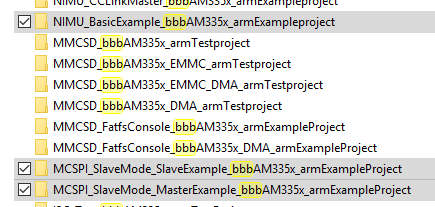
    2.26.0.08 is the default NDK build version from PRSDK 4.2, which should not be the root cause of TCP/UDP socket server example failure in your previous test. NIMU_BASICEXAMPLE_bbbAM335x_armExampleproject is CPSW based Ethernet basic example. There is no PRU used in the example.

    You may also want to try the NIMU_FtpExample_bbbAM335x_armExampleproject from PDK to narrow down the TCP server socket issue on your two beaglebone boards.

    Regards,
    Garrett
  • Hi Garret,

    Now even the so thought defect beagle bone black works again. I can't explain why it is working now, I didn't change the software. Perhaps it has got something to do with my custom cape I am using, but at the moment that doesn't matter to me. I got another question because ethernet seems to be a bit too slow for my application. Is there any beaglebone example for tcp/udp server sockets using PRU? I only found "ICSS_EMAC_BasicExample_icev2AM335x_wSoCFile_armTestproject" but I don't know if it is the best basis for implementing the socket server. Any hints? :)

    UPDATE_1: I found out that the problem with the udp server socket is not the transmission speed. It just doesn't work anymore after a short time ( 10s to 2 minutes depending on packet throughput). I couldn't see any issues in the CPSW registers but after sending of packets stops working even pinging the beaglebone doesn't work anymore.

    UPDATE_2: I have just seen that I run into ENOBUFS error, which means that my PBM buffer is full. I already increased it, but it just increases the time before the error occurs. Do I need to reset the buffer manually or how can I avoid the error? Or is it because I am sending data too fast? If I send data too fast, how can I pimp the performance?

    UPDATE_3: I just found out that the ENOBUFS error always occurs after about one minute independently of how many packets I do send per second. So increasing performance won't make my system work. It seems to be another issue. Any ideas?

    Regards,
    David

  • David,

    You may refer to the NIMU_ICSS_BasicExample_icev2AM335x_wSoCLib_armExampleproject for implementing the socket server on beagle bone black using PRU.

    Is ENOBUFS error reported on your udp socket project based on NIMU_BASICEXAMPLE_bbbAM335x_armExampleproject?

    Regards,
    Garrett
  • Hi Garret,

    1. I am going to try to port the NIMU_ICSS icev2 example to beaglebone
    2. ENOBUFS error occurss on that example you mentioned. I tried it with UDP and TCP server socket. Both protocols lead to the same problem after about one minute.

    UPDATE_1:

    regarding 1. I couldn't get beaglebone to work with that icev2 example.

    regarding 2. When I ping from my computer every 30 seconds when sending data from beaglebone the ethernet doesn't crash. As soon as i stop pinging the system throws the ENOBUFS error after 30 to 40 seconds. Is the buffer somehow not resetted when only transmitting data? If so, do you have any fix for me? I really don't want to ping all the time to keep the system running :)

    UPDATE_2: When doing pings I can only extend the time where the system works. I could see in Wireshark analysis that as soon as the beaglebone board is doing an arp request with response from my computer, my system is not able to transmit data anymore and I get the ENOBUFS error. Any ideas?

    UPDATE_3: When I increase the ARP timeout (global struct of ndk: _ipcfg->RtKeepaliveTime) I could see that the continuous data transmission I am doing is definitely related to the beagle bone ARP Request for refreshing the ARP table. I am now trying to disable that after the ARP request is done for the first time.


    Regards,
    David

  • David,

    Can you try to increase the pktNumFrameBufs, e.g. 384 to see if it behaves differently? The default number of frame buffers is 192.

    You can set it in .cfg file: Global.pktNumFrameBufs = 384

    Regards,
    Garrett
  • Hi Garret,

    I have already set it to 384. Does it make sense to increase it further? I changed the ARP KeepaliveTime "_ipcfg.RtKeepaliveTime = 4294967290" to max value and now my system is working for about one hour and 30 minutes. After that time I was not able to ping the board anymore. Unfortunetaly my debugger sometimes has troubles when being connected that long so I was not able to check for the root cause of that issue. I am using the XDC200 and the error message is as follows. If it is relevant for the analysis, my ethernet data throughput is about 12Mbit/s. I read that the beaglebone black is capable of 100Mbit/s.

    Error:
    CortxA8: Trouble Halting Target CPU: (Error -2064 @ 0x0) Unable to read device status. Reset the device, and retry the operation. If error persists, confirm configuration, power-cycle the board, and/or try more reliable JTAG settings (e.g. lower TCLK). (Emulation package 7.0.100.1)
    CortxA8: Error: (Error -1170 @ 0x0) Unable to access the DAP. Reset the device, and retry the operation. If error persists, confirm configuration, power-cycle the board, and/or try more reliable JTAG settings (e.g. lower TCLK). (Emulation package 7.0.100.1)
  • More Ideas regarding arp request issue?
  • David,

    Is it possible for you to upload your project here so I can try to reproduce the problem with a BBB? The EMAC driver is common for AM335x boards, we haven't observed the problem on ICEv2.

    Regards,
    Garrett