This thread has been locked.

If you have a related question, please click the "Ask a related question" button in the top right corner. The newly created question will be automatically linked to this question.

Linux/AM3354: Qt5 camera demo fails

Part Number: AM3354

Tool/software: Linux

hi

  I'm evaluating the camera function on AM3354 platform.

  we are using SDK 03.02.00.05. which is based on Qt5.6.2

  we also have a logitech USB camera.

  When the camera is plugged in.I can see the log for UVC camera:

new high-speed USB device number 3 using musb-hdrc
uvcvideo: Found UVC 1.00 device <unnamed> (046d:081b)
input: UVC Camera (046d:081b) as /devices/platform/ocp/47400000.usb/47401c00.usb/musb-hdrc.1.auto/usb2/2-1/2-1:1.0/input/input0

 
 And i used the motion-project from github to test the camera.And it working ok.Prooving the camera driver is ok.

 Now.When i try to run the official Qt5 camera demo.It doesn't work.like this:

export QTDIR=/usr/lib
export LD_LIBRARY_PATH=$QTDIR/
export QT_QPA_PLATFORM=eglfs:/dev/fb0
export QT_QPA_FONTDIR=$QTDIR/fonts
export QT_PLUGIN_PATH=$QTDIR/qt5/plugins
export QT_QPA_EVDEV_TOUCHSCREEN_PARAMETERS="linuxinput:/dev/input/event1"

/usr/share/qt5/examples/multimediawidgets/camera/camera

 No error log is found when running the camera demo.

 and the screen look like this:
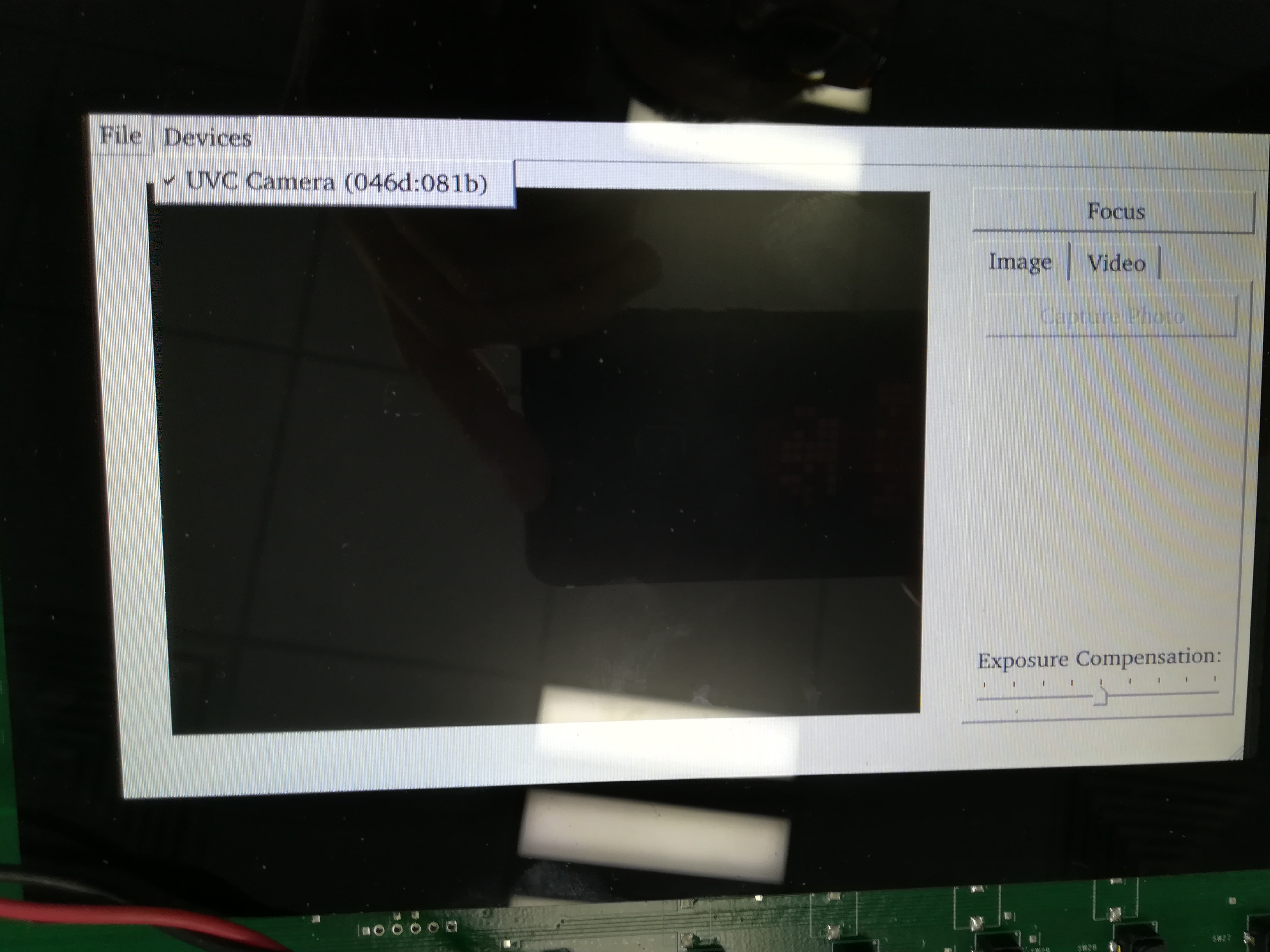
 

And i also tried to run another demo:

/usr/share/qt5/examples/multimedia/declarative-camera/declarative-camera

and the screen look like this:
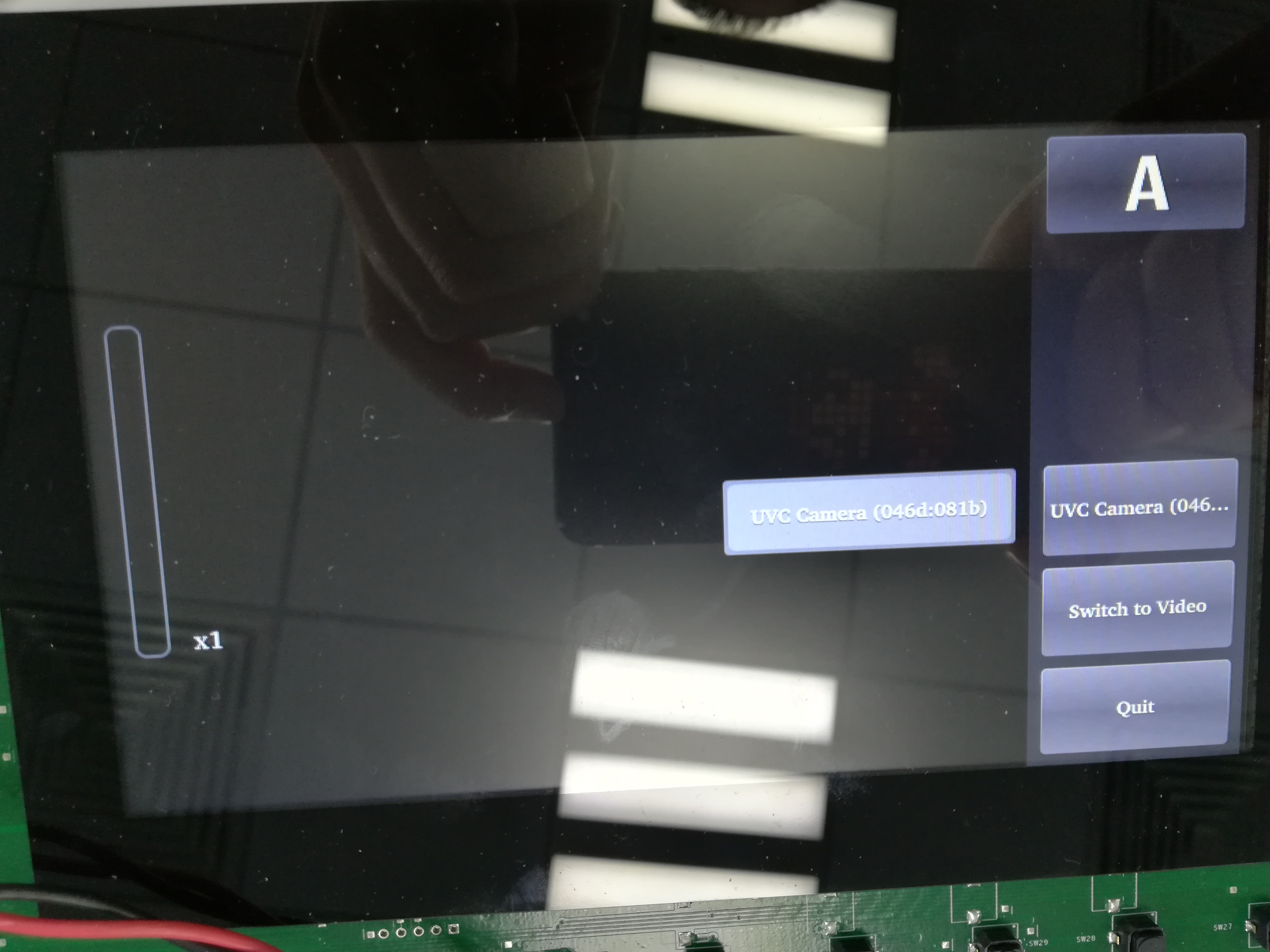
the declarative-camera did report some error like:

qrc:///VideoCaptureControls.qml:110: Error: Cannot assign [undefined] to QString
qrc:///CameraListButton.qml:65:5: QML CameraListPopup: Binding loop detected for property "currentValue"
qrc:///PhotoCaptureControls.qml:135: Error: Cannot assign [undefined] to QString
qrc:///CameraListButton.qml:65:5: QML CameraListPopup: Binding loop detected for property "currentValue"
Unable to get the parameter value: the parameter is not supported.

But i don't know if it's related or not.

but both application looks like the same kind of problem.

there is no preview for the camera.

======================latest update from my own previous thread in e2e========================================

According to the suggestion of Margarita Gashova

I referred to this thread:
And it basically says that Qt5 is supposed to work with Gstreamer-0.10 in order to make the camera work.Not gstreamer-1.0
I tried to cross compile the following and installed on the board:
gst-plugins-bad-0.10.23.tar
gst-plugins-base-0.10.36.tar
gst-plugins-good-0.10.31.tar
gstreamer-0.10.36.tar

but still no preview .

then i tried to remove the original gstreamer-1.0 packages:
opkg remove --force-depends gstreamer1.0*

and when i start :
/usr/share/qt5/examples/multimediawidgets/camera/camera
it reports:
defaultServiceProvider::requestService(): no service found for - "org.qt-project.qt.camera"


i think the Qt5 did not even intend to look for gstreamer-0.10?
it still looks for gstreamer-1.0 kind of stuff?

so i suspect that.either there's some kind of configuration to make Qt5 look for gstreamer-1.0 by default?
or this kind of setting is fixed when compiling Qt5 libraries?
i also digged a little into the processer sdk.
and i found recipe like this:
sources/meta-openembedded/meta-multimedia/recipes-multimedia/gstreamer-0.10

meaning probably i need to re-build the entire sdk using arago in order to build Qt5 and gstreamer-0.10 all together? Rather than just build gstreamer-0.10 itself?

if so.how do i do it?

thanks
yandong
  • Hello,

    Please check this e2e thread Manisha's answer:
    e2e.ti.com/.../605939

    However, I tried on my side
    ./video-graphics-test -platform eglfs
    I see the captured video on display.

    The steps to try this demo on host machine:
    cd ti-psdk
    make video-graphics-test
    cd example-applications/
    ls
    You should see video-graphics-test-1.0 dir cp to the board.
    On the board you should stop weston and execute ./video-graphics-test -platform eglfs

    Hope this helps.

    BR
    Margarita

  • Hi Margarita

         my sdk is processor sdk 03.02.00.05

         but i searched for video-graphics-test. and can not find it inside my own sdk.

         here's what my sdk looks like:

    yandong@yandong-VirtualBox:~/tisdk$ ll
    total 116
    drwxr-xr-x  8 yandong yandong  4096  6月 21  2017 ./
    drwxr-xr-x 22 yandong yandong  4096  2月 26 15:24 ../
    drwxr-xr-x  6 yandong yandong  4096  6月 23  2017 build/
    drwxr-xr-x  7 yandong yandong  4096  6月 12  2017 configs/
    drwxr-xr-x  4 yandong yandong 57344  1月 10 12:58 downloads/
    drwxr-xr-x  8 yandong yandong  4096  6月 23  2017 .git/
    -rw-r--r--  1 yandong yandong    59  6月 12  2017 .gitignore
    -rwxr-xr-x  1 yandong yandong 24682  6月 12  2017 oe-layertool-setup.sh*
    drwxr-xr-x  3 yandong yandong  4096  6月 12  2017 sample-files/
    drwxr-xr-x 10 yandong yandong  4096  6月 12  2017 sources/


      normally i need to call bitbake in order to make something.like:

      MACHINE=am335x-evm bitbake arago-core-tisdk-image

      but i can't just "make" things directly.cause there's no makefile in the root directory of the tisdk.

      i have no clue here.maybe processor sdk 03.02.00.05 is not equipped with video-graphics-test?

      Another clue is:

      because i run the camera demo application.Here's what i did:

     systemctl disable matrix-gui-2.0.service
     systemctl disable weston.service
     source /setqt5-env.sh
     /usr/share/qt5/examples/multimediawidgets/camera/camera

      so i was suspecting that is it because i disabled weston?

      so i changed the steps to:

     systemctl disable matrix-gui-2.0.service
     source /setqt5-env.sh
     /usr/share/qt5/examples/multimediawidgets/camera/camera

     And now i have some new logs coming out:

    root@am335x-evm:/# /usr/share/qt5/examples/multimediawidgets/camera/camera
    failed to load module: /usr/lib/gbm/gbm_dri.so: cannot open shared object file: No such file or directory
    failed to load module: /usr/lib/gbm/gbm_gallium_drm.so: cannot open shared object file: No such file or directory
    loaded module : gbm_pvr.so
    found valid GBM backend : gbm_pvr.so
    Could not set DRM CRTC mode! (Permission denied)
    procPageFlipReq(): failed to add crtc atomically (Permission denied)
    Failed to start video surface due to main thread blocked.
    Failed to start video surface due to main thread blocked.


    the logs in red are new logs i have never seen before.


  • if i stopped weston. but without disabling it.

    like:

    /etc/init.d/weston stop

    and re-run the demo.

    it's still not working.

    the only change is that the following log has gone:

    Could not set DRM CRTC mode! (Permission denied)
    procPageFlipReq(): failed to add crtc atomically (Permission denied)
    Failed to start video surface due to main thread blocked.
    Failed to start video surface due to main thread blocked.

  • Hello,

    When you run ./camera weston should running.
    Regarding video-graphics-test demo it is allocated in /path where you PSDK is installed/example-applications folder.

    BR
    Margarita
  • Hi
    ok.then the new logs need to be dealt with i guess.if weston need to be running.
    Could not set DRM CRTC mode! (Permission denied)
    procPageFlipReq(): failed to add crtc atomically (Permission denied)
    Failed to start video surface due to main thread blocked.
    Failed to start video surface due to main thread blocked.


    i checked the example-applications/ folder.but it seems it's not there?

    root@semiyd-VirtualBox:/opt/ti-processor-sdk-linux-am335x-evm-03.02.00.05/example-applications# ll
    total 52
    drwxr-xr-x 13 1001 1001 4096 3月 29 2017 ./
    drwxr-xr-x 8 root root 4096 5月 25 2017 ../
    drwxr-xr-x 3 1001 1001 4096 1月 16 2017 am-sysinfo-git/
    drwxr-xr-x 6 1001 1001 4096 1月 16 2017 arm-benchmarks-1.3/
    drwxr-xr-x 3 1001 1001 4096 1月 16 2017 barcode-roi-01.00.00/
    drwxr-xr-x 7 1001 1001 4096 1月 16 2017 matrix-gui-2.0/
    drwxr-xr-x 2 1001 1001 4096 1月 16 2017 matrix-gui-browser-2.0/
    drwxr-xr-x 10 1001 1001 4096 1月 16 2017 omapconf-1.73/
    drwxr-xr-x 2 1001 1001 4096 1月 16 2017 oprofile-example/
    drwxr-xr-x 7 1001 1001 4096 1月 16 2017 pru-icss-5.1.0/
    drwxr-xr-x 2 1001 1001 4096 1月 16 2017 refresh-screen-2.0/
    drwxr-xr-x 7 1001 1001 4096 1月 16 2017 ti-crypto-examples-git/
    drwxr-xr-x 2 root root 4096 3月 29 2017 tilcdc-test/
  • Hello,

    Have you tried with the latest PSDK?

    BR
    Margarita
  • hi
    Not yet.
    i do have 04.00.00.04. but it seems in the example-applications there's no video-graphics-test either.
    i'm downloading the latest 04.02.00.09 to see what's in there.
    although it will take quite an effort to port to the latest sdk...it seems there's nothing left to try.right?


    thank Margarita.


    yandong
  • I checked the example-applications/ from the latest 04.02.00.09. Seems still no sign of video-graphics-test

    ti-processor-sdk-linux-am335x-evm-04.02.00.09/example-applications$ ll
    total 48K
    drwxr-xr-x 3 yandong programmer 4.0K Feb 27 09:50 am-sysinfo-git
    drwxr-xr-x 6 yandong programmer 4.0K Feb 27 09:50 arm-benchmarks-1.3
    drwxr-xr-x 3 yandong programmer 4.0K Feb 27 09:50 barcode-roi-01.00.00
    drwxr-xr-x 2 yandong programmer 4.0K Feb 27 09:50 evse-hmi-1.0
    drwxr-xr-x 7 yandong programmer 4.0K Feb 27 09:50 matrix-gui-2.0
    drwxr-xr-x 2 yandong programmer 4.0K Feb 27 09:50 matrix-gui-browser-2.0
    drwxr-xr-x 10 yandong programmer 4.0K Feb 27 09:50 omapconf-1.73
    drwxr-xr-x 2 yandong programmer 4.0K Feb 27 09:50 oprofile-example
    drwxr-xr-x 2 yandong programmer 4.0K Feb 27 09:50 protection-relays-hmi-1.0
    drwxr-xr-x 7 yandong programmer 4.0K Feb 27 09:50 pru-icss-5.1.0
    drwxr-xr-x 2 yandong programmer 4.0K Feb 27 09:50 refresh-screen-2.0
    drwxr-xr-x 7 yandong programmer 4.0K Feb 27 09:50 ti-crypto-examples-git
  • Hello,

    Actually are you able to capture from your video source by using v4l2?

    BR
    Margarita
  • sure
    i have a test application named "motion"
    which has nothing to do with Qt and access the camera directly.
    and i can open the camera with it and capture the video actually
  • Hello,

    Ok. Let me investigate this, I will get back to you when I have something.

    BR
    Margarita
  • I tried the newest processor sdk 04.02.00.09
    with the Qt5.7.1

    and the phenomenon is the same

    with weston running,i get:
    Could not set DRM (4) CRTC (24) mode! (Permission denied)
    Could not set DRM (4) CRTC (24) mode! (Permission denied)
    Could not set DRM (4) CRTC (24) mode! (Permission denied)

    when i stopped weston and run /usr/share/qt5/examples/multimediawidgets/camera/camera

    i get no preview on screen also the application is started ok , like with the psdk 03.02.00.05
  • I'm wondering if i did something wrong in my environment setting?


    #!/bin/sh

    export QTDIR=/usr/lib
    export LD_LIBRARY_PATH=$QTDIR/
    export QT_QPA_PLATFORM=eglfs:/dev/fb0
    export QT_QPA_FONTDIR=$QTDIR/fonts
    export QT_PLUGIN_PATH=$QTDIR/qt5/plugins
    export QT_QPA_EVDEV_TOUCHSCREEN_PARAMETERS="linuxinput:/dev/input/event1"
  • Hello,

    semiyd said:
    Could not set DRM (4) CRTC (24) mode! (Permission denied)

    This depends on QPA.

    The QT5 in PSDK is prebuilt with Wayland enabled and therefore wayland-egl is the default QPA. In this case weston should running.

    If you want QT application without Weston(weston stop), you can use  “- platform” option to specify the desired QPA  for exmaple eglfs.

    Please when I have the other answers I will get back to you.

    BR
    Margarita

  • Hi

        i think my environment setting included this line :

       export QT_QPA_PLATFORM=eglfs:/dev/fb0

       which is not compliant with the wayland/weston thing....

       so i did another test.

       without running my own environment setting script.

      just run the demo after the weston is started.


    root@am335x-evm:/# /usr/share/qt5/examples/multimediawidgets/camera/camera

    Using Wayland-EGL
    wlpvr: PVR Services Initialised

      this time the camera demo can run with the weston running.

      the screen look like this:

    but still no preview.

    but at least this prooves that the reason is not because of the demo not being able to run while weston is running.

    thanks

  • Hello,

    I consulted with the expert. It seems that we do not support QT demos for camera capture.
    You could use v4l2 for capture.
    Regarding qt you could use this forum https://forum.qt.io

    BR
    Margarita
  • noted.thanks Margarita.