This thread has been locked.

If you have a related question, please click the "Ask a related question" button in the top right corner. The newly created question will be automatically linked to this question.

Linux/TDA2P-ACD: Unable to see usecase menu on Linux terminal for Processor SDK 03.02

Part Number: TDA2P-ACD

Tool/software: Linux

Hello,

I am trying to load TDA2Px-EVM release binaries through JTAG in CCS 7.3 on Ubuntu 14.04.

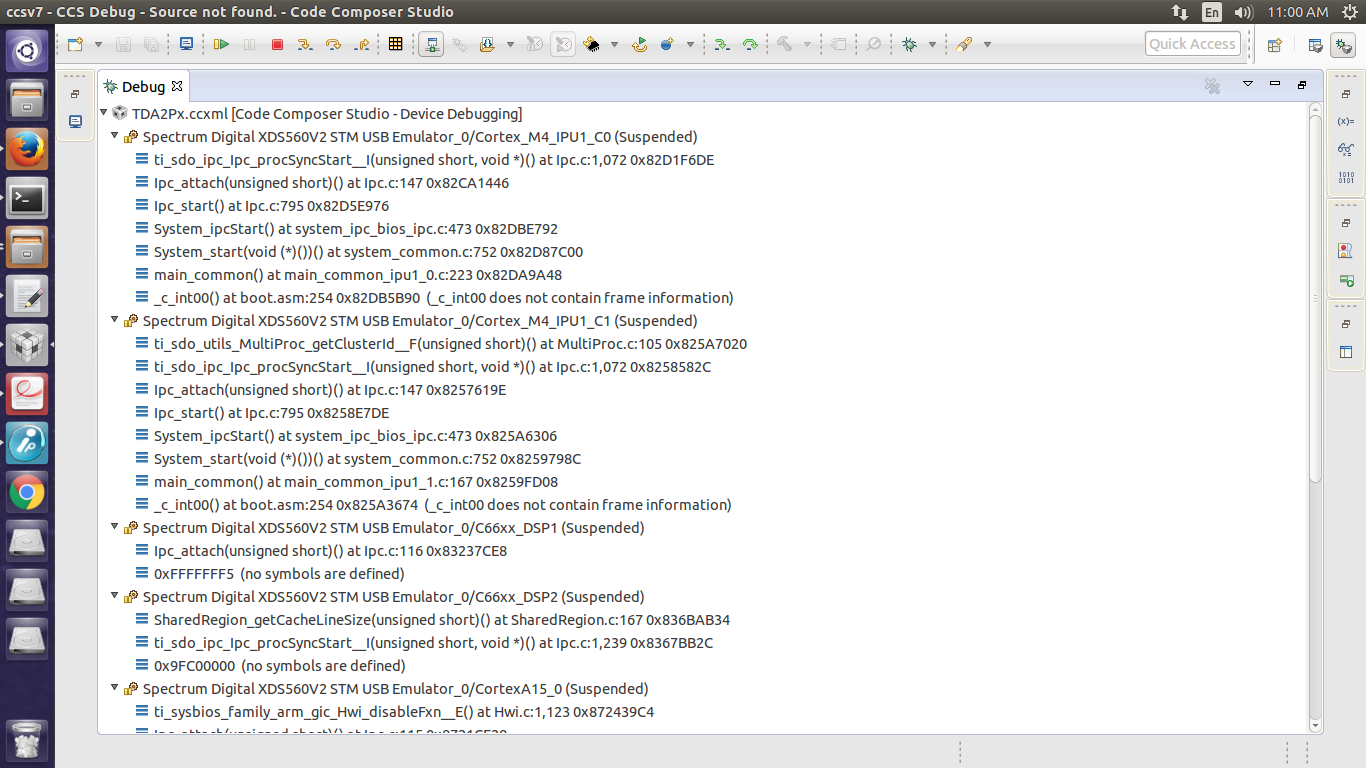
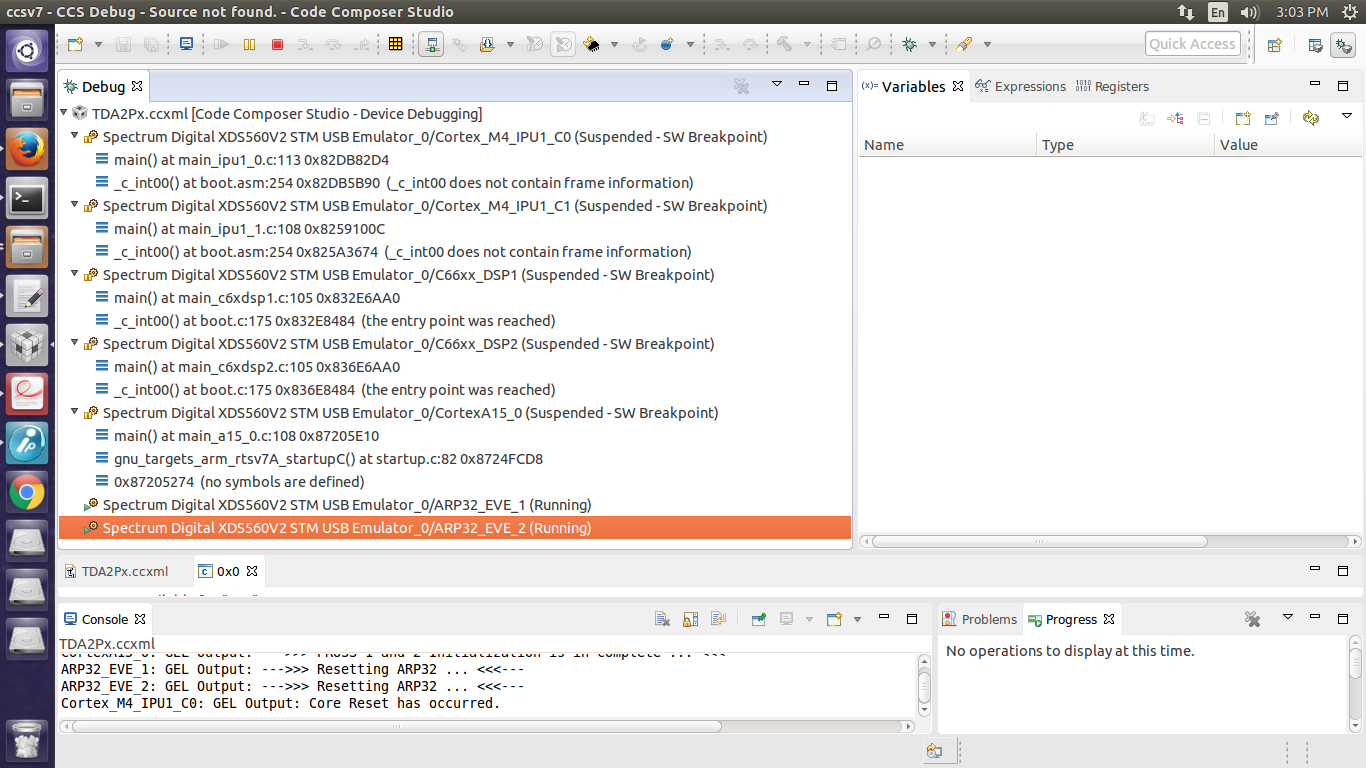
Whenever I load the binaries on each core, SW breakpoint is hit automatically for all cores except EVE cores. EVE cores starts running as soon as I load the binaries.

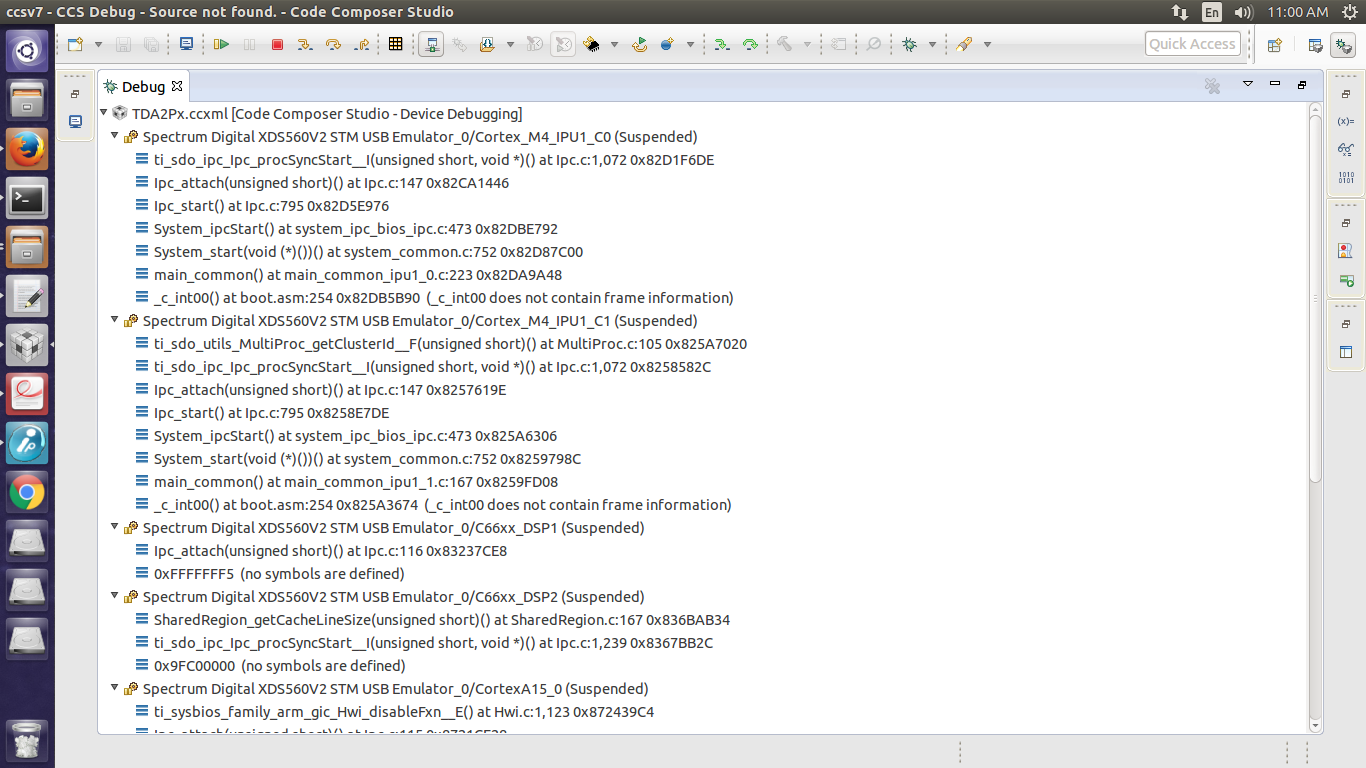
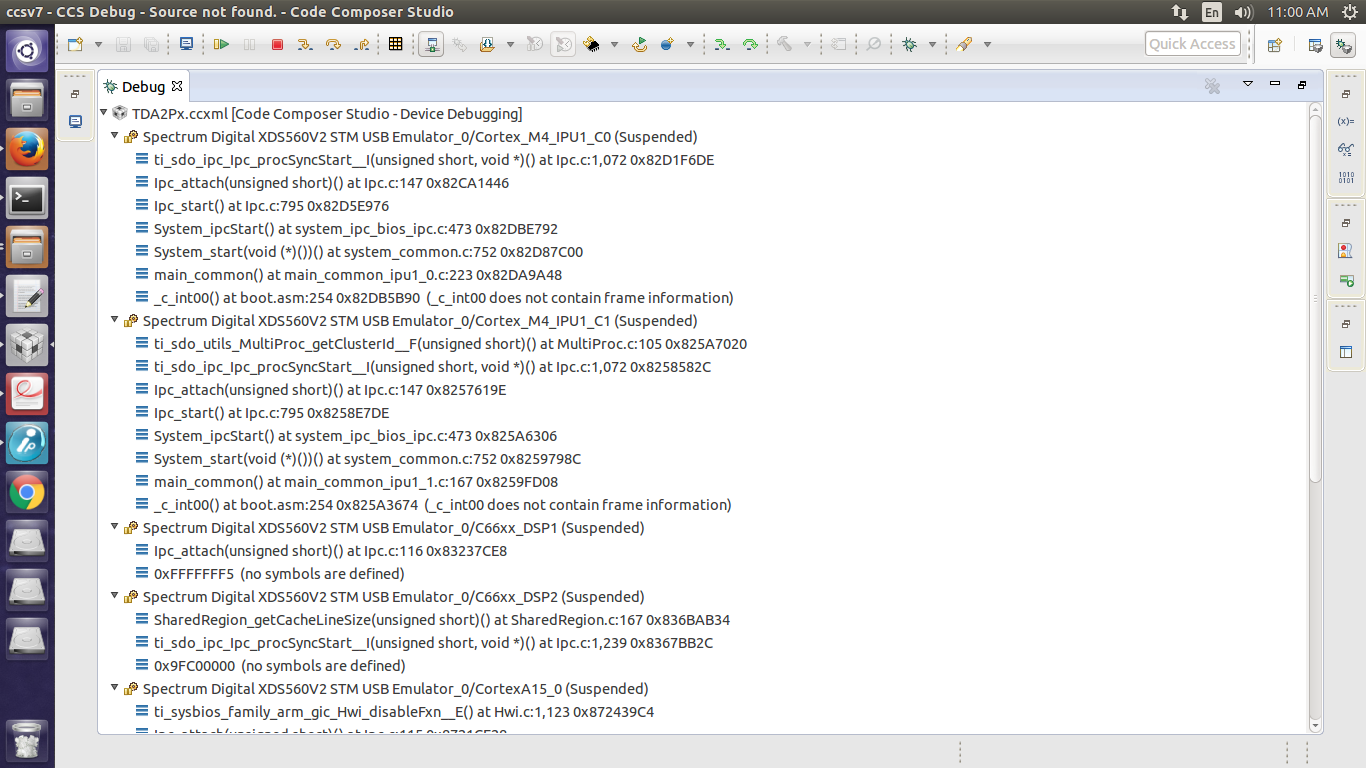
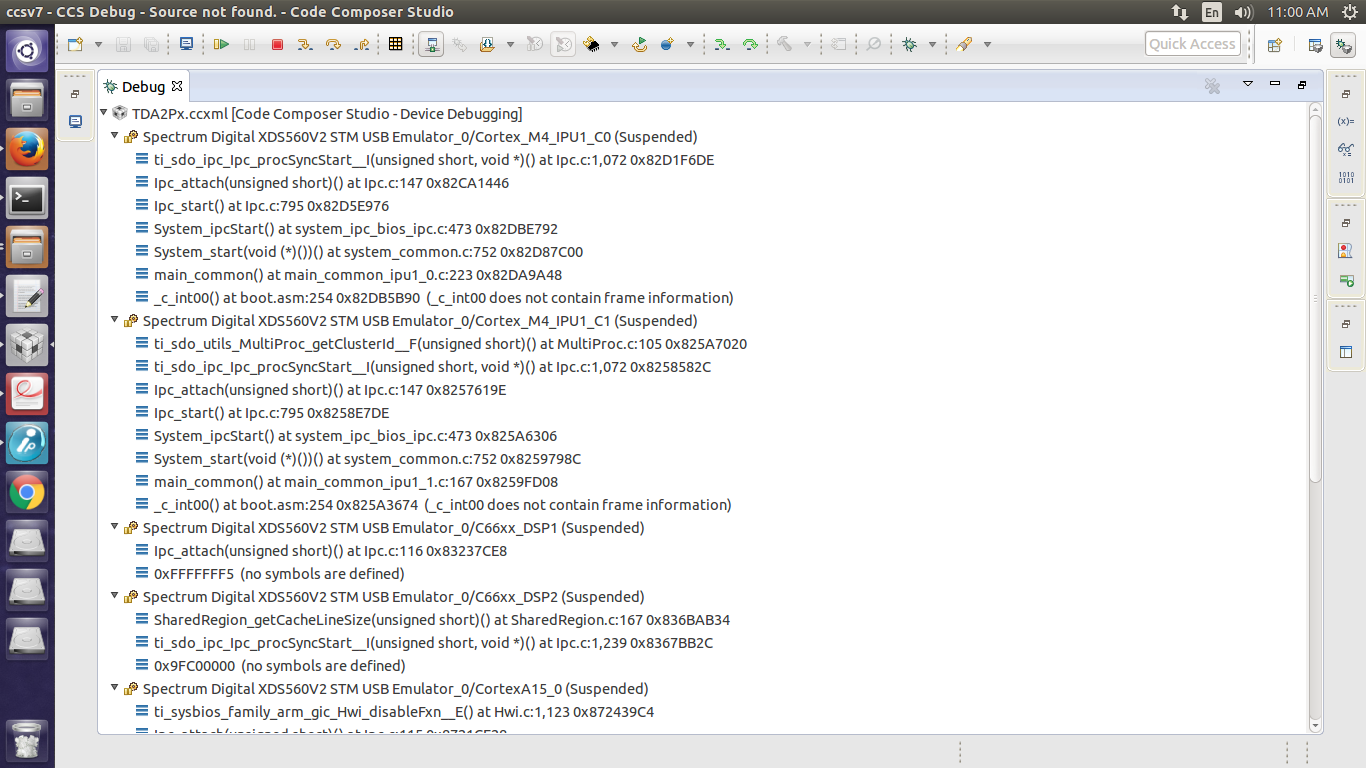
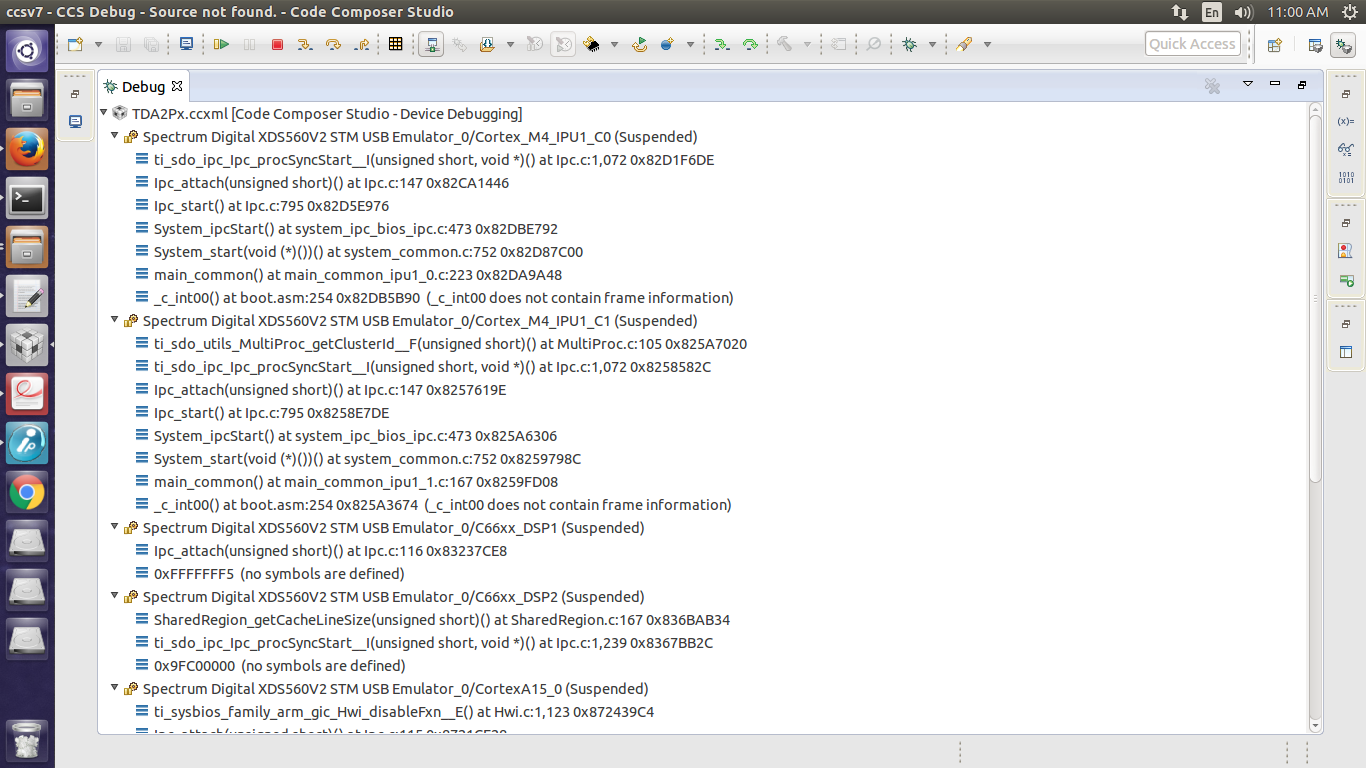
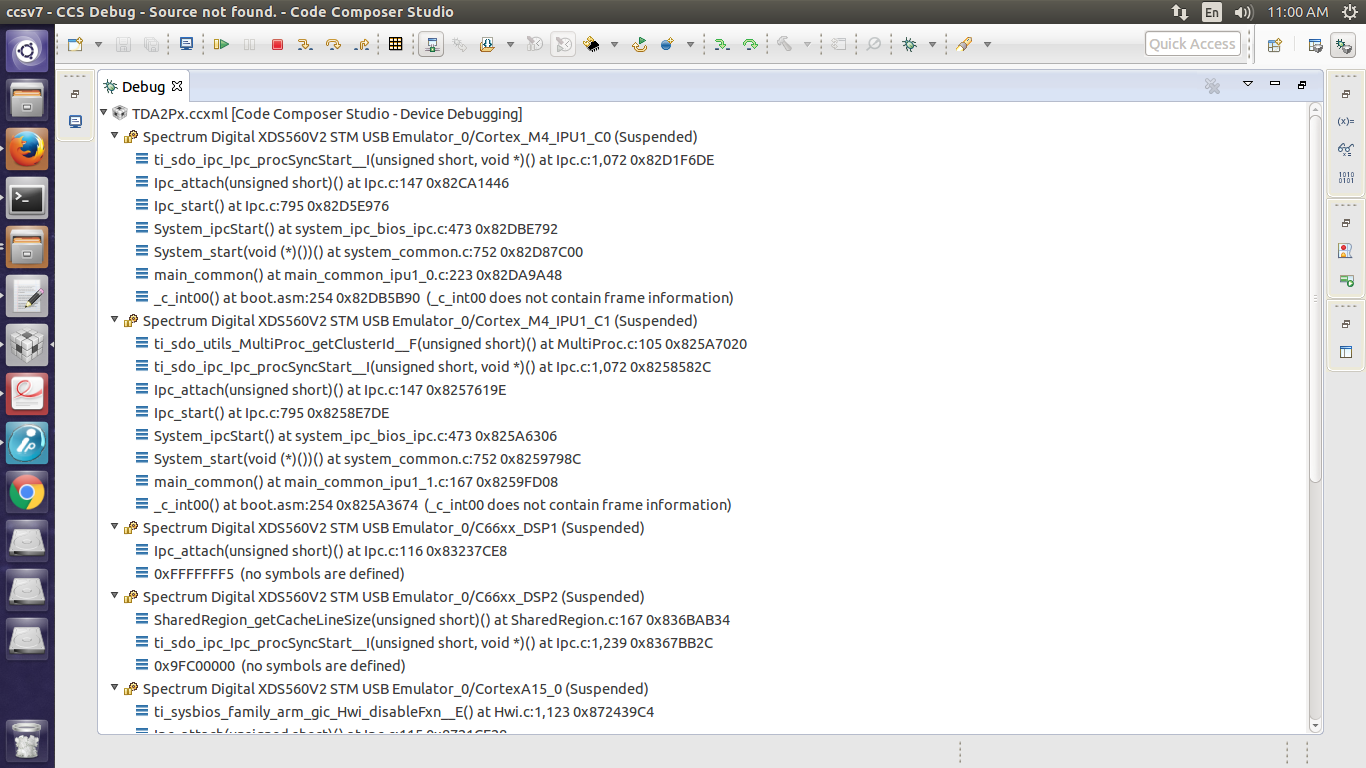
I have attached screenshot for reference. So when I run all the cores I don't see anything on the terminal. I have done the uart settings as described in TDA2Px user guide.

Here, I am not able to understand whether the issue of not getting the usecase menu on console is because of the EVE cores or it is something else.

Any inputs on the same is highly appreciated.

Regards,

Abhay
         

  • Hi Abhay,

    Can you set VISION_SDK_CONFIG to 1 in TDA2Px_multicore_reset.gel and try.

    Regards,
    Rishabh
  • Hi Rishabh,

    Do I need to compile Processor SDK after making the above changes you suggested.
    Because I made changes and tried again but still I facing the same issue.
    On which core do I need to load TDA2Px_multicore_reset.gel file, as all the cores are using their respective $(CORE)_startup.gel files.

    Regards,
    Abhay
  • Hi Abhay,

    You don't need to recompile Processor SDK. You need to make change in "C:\ti\ccsv7\ccs_base\emulation\gel\TDA2Px\TDA2Px_multicore_reset.gel" .
    Alternatively when you change a gel file after launching the CCS configuration, you should reload the gel after saving.
    The option is available in right click menu.

    Regards,
    Rishabh
  • Hi Rishabh,

    I restarted CCS and now my EVE cores do not run as soon as I load the binaries.
    But still I am not able to see usecase menu on the console. Am I missing anything.

    Regards,
    Abhay
  • Hi Abhay,

    Are you able to boot using SBL?
    If you have not tried SBL boot can you please try in order to make sure that HW is fine.

    Regards,
    Rishabh
  • Hi Abhay,

    One more point.
    When you are doing CCS load can you make sure that issue a CPU reset on every core before loading the binary.

    Regards,
    Rishabh
  • Hi Rishabh,

    I have already tried loading MLO and Appimage using SD card and it works fine.

    Yes I am doing CPU reset on each core before loading the binaries.

    Regards,

    Abhay

  • Hi Abhay,

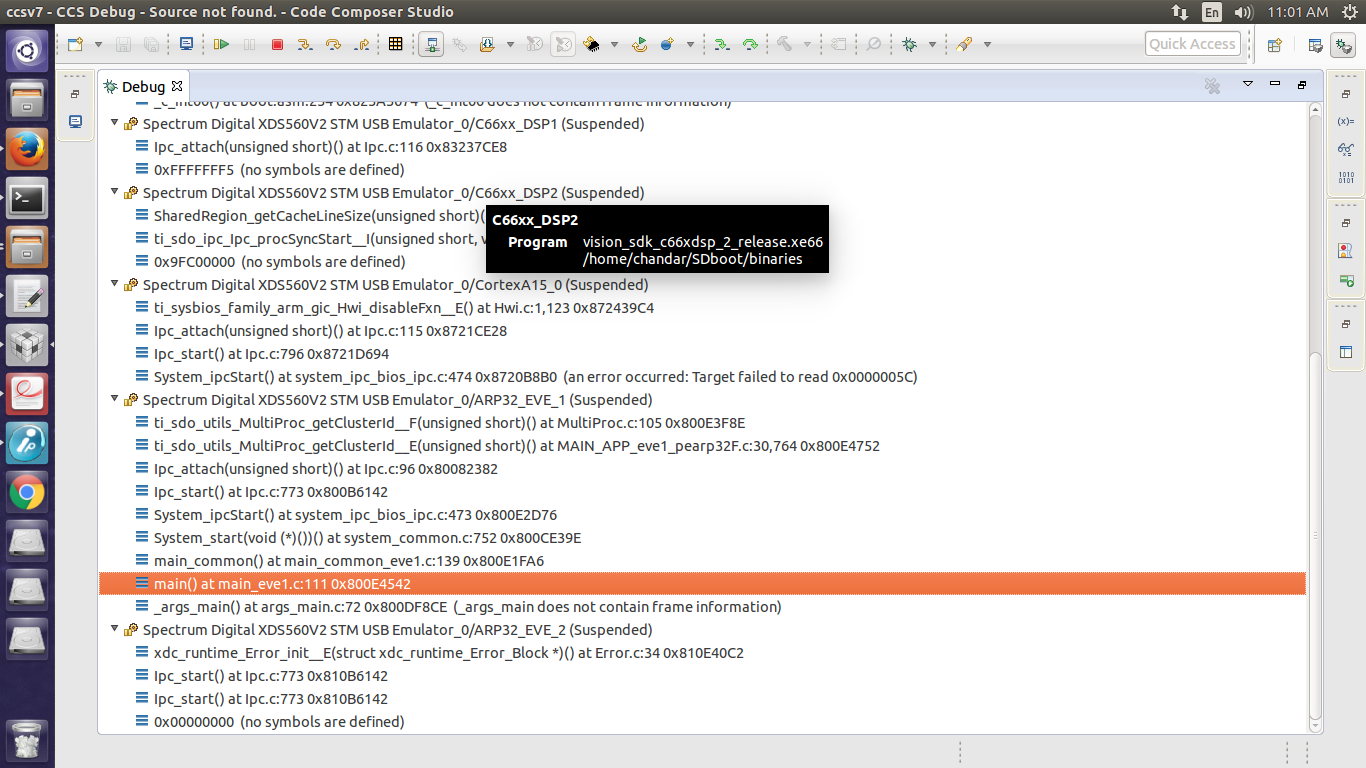
    You need to pause all cores after running the binaries and see what is the state of the cores.
    Can you share the screenshot similar to one shared above.
    Thanks.

    Regards,
    Rishabh
  • Hi Rishabh,

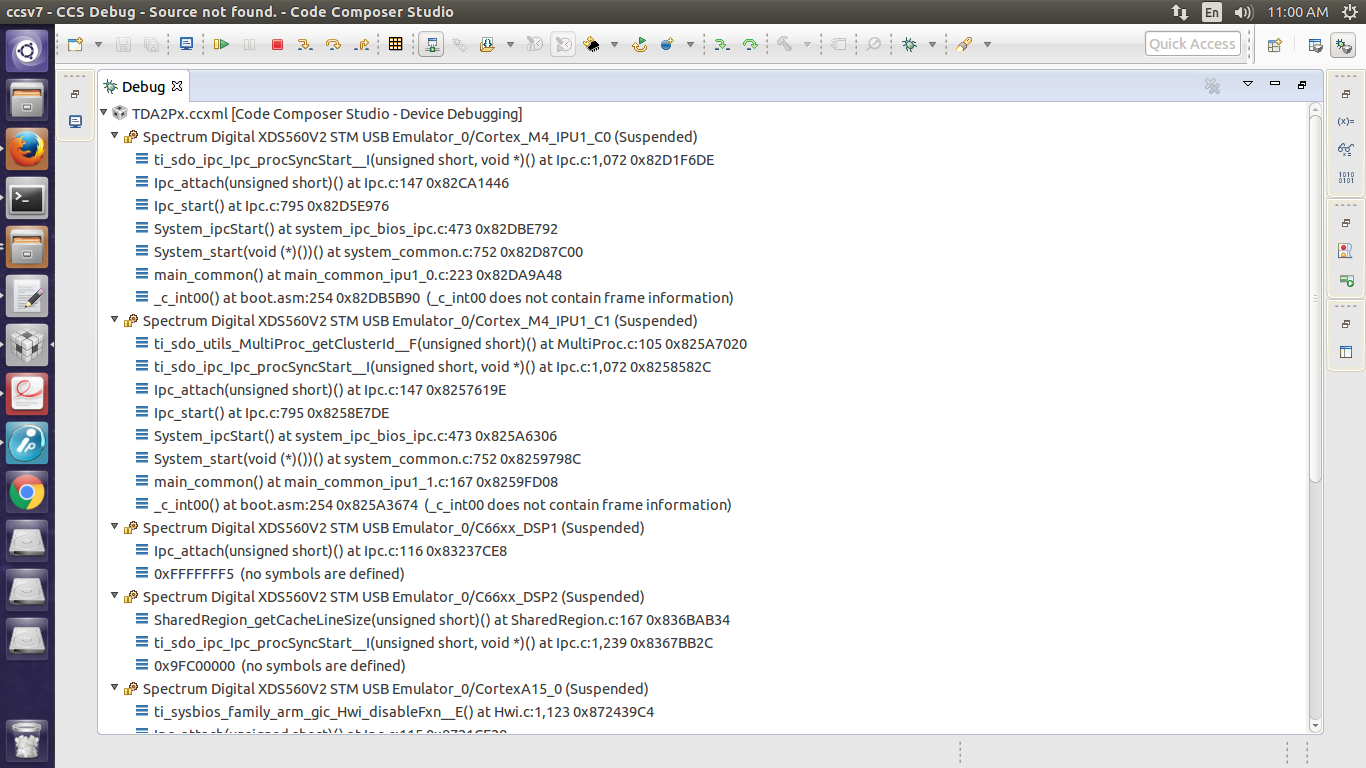
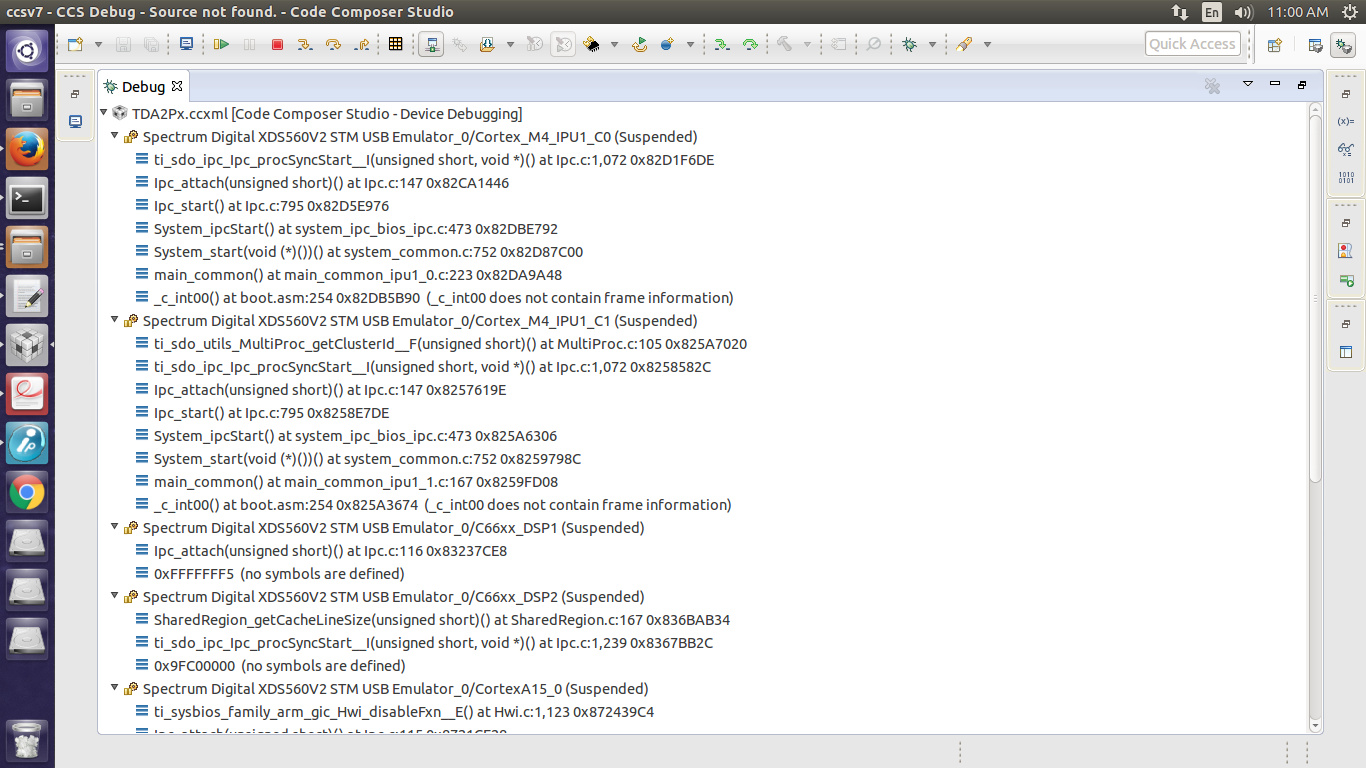
    I have attached the screenshots of CCS debug window after pausing the cores.

    Regards,

    Abhay

  • Hi Abhay,

    IPC attach is not happening. Can you please share cfg.mk present at vision_sdk\apps\configs\tda2px_evm_bios_all\.

    Regards,
    Rishabh
  • Hi Rishabh,

    PFA cfg.mk file.

    Regards,

    Abhay

    #
    # This file defines the modules included in $(MAKECONFIG) config
    #
    # Modules are split into,
    # - Use-cases specified in uc_cfg.mk
    # - Other system config/feature, specified in this file
    #
    # Any specific overrides are also specified in this file
    # Example, for TDA3x SoC EVE2/3/4 are not present and hence force marked as <blank>, i.e disabled
    #
    
    #
    # Additional config options
    #
    
    #
    # CPUs to included in build
    #
    PROC_IPU1_0_INCLUDE=yes
    PROC_IPU1_1_INCLUDE=yes
    PROC_IPU2_INCLUDE=yes
    PROC_A15_0_INCLUDE=yes
    PROC_DSP1_INCLUDE=yes
    PROC_DSP2_INCLUDE=yes
    PROC_EVE1_INCLUDE=yes
    PROC_EVE2_INCLUDE=yes
    
    
    VSDK_BOARD_TYPE=TDA2PX_EVM
    
    DUAL_A15_SMP_BIOS=no
    
    # Supported values: DDR_MEM_512M
    DDR_MEM=DDR_MEM_512M
    
    # Supported values: ipu1_0 ipu1_1 a15_0 none
    NDK_PROC_TO_USE=a15_0
    
    #Used to control TFDTP stack (supported only when NDK_PROC_TO_USE = ipu1_1)
    NSP_TFDTP_INCLUDE=no
    
    # Supported values: ipu1_0 none
    FATFS_PROC_TO_USE=ipu1_0
    
    #
    # Used to control building of algorithm source.
    # By default algorithm source not included in Vision SDK
    #
    BUILD_ALGORITHMS=no
    
    #
    # Applies profile to all cores
    #
    # Supported profiles: release debug
    #PROFILE=debug
    PROFILE ?= release
    
    PROFILE_ipu1_0 ?= $(PROFILE)
    PROFILE_ipu1_1 ?= $(PROFILE)
    PROFILE_ipu2 ?= $(PROFILE)
    PROFILE_c66xdsp_1 ?= $(PROFILE)
    PROFILE_c66xdsp_2 ?= $(PROFILE)
    PROFILE_arp32_1 ?= $(PROFILE)
    PROFILE_arp32_2 ?= $(PROFILE)
    PROFILE_a15_0 ?= $(PROFILE)
    
    #
    # For TDA2xx, TDA2Px & TDA2Ex - vision SDK can run on either IPU1 or IPU2 subsystem
    # For TDA3xx - We have only IPU1 and hence IPU1 is the only option
    # Select IPU primary core from the available IPU1 & IPU2 subsytems
    #
    # Supported values: ipu1_0 ipu2
    IPU_PRIMARY_CORE=ipu1_0
    IPU_SECONDARY_CORE=ipu2
    
    #
    # Set A15_TARGET_OS
    # A15 can run Linux or Bios
    #
    #                 A15_TARGET_OS support
    #   Platform        BIOS        Linux
    #
    #   TDA2XX_EVM      yes         yes
    #   TDA3XX_EVM      yes         no
    #   TDA2EX_EVM      yes         yes
    #   TDA2PX_EVM      yes         yes
    #
    # Supported values: Bios Linux
    A15_TARGET_OS=Bios
    
    IVAHD_INCLUDE=yes
    VPE_INCLUDE=yes
    DSS_INCLUDE=yes
    CAL_INCLUDE=yes
    ISS_INCLUDE=yes
    
    #
    # EMIF ECC and Freedom from Interference (FFI) are clubbed together as they
    # involve consolidated memory map changes
    # ECC_FFI_INCLUDE=yes is not supported for DDR_MEM_128M
    # If ECC_FFI_INCLUDE is set to no - memory map will match older versions.
    # Firewall configuration and DSP XMC configuration is enabled/disabled using this
    # flag
    # Vision SDK does not enable EMIF ECC but expects SBL to enable it.
    # Vision SDK sets up ECC error handlers irrespective of value of ECC_FFI_INCLUDE.
    #
    ECC_FFI_INCLUDE=no
    
    AVB_INCLUDE=no
    
    #
    # Enable below macro to enable DCAN integration into Vision SDK.
    #
    DCAN_INCLUDE=no
    
    #
    # Enable below macro to enable Radar integration into Vision SDK
    #
    RADAR_INCLUDE=no
    
    #
    # Enable below macro to enable OPENVX into Vision SDK
    #
    OPENVX_INCLUDE=no
    
    CIO_REDIRECT=yes
    
    CPU_IDLE_ENABLED=yes
    
    #
    # Enable below macro to view the bandwidth used by different IPs in the device
    # as a graphical plot on the display screen.
    #
    DATA_VIS_INCLUDE=no
    
    OPENCL_INCLUDE=no
    ENABLE_OPENCV=no
    
    HS_DEVICE=no
    
    #
    # Enable this macro to enable Ultra sonic based initialization
    # This is added as the power measurement and Ultra sonic use the same
    # pad on the device. Kindly note the Ultrasonic and power measurement
    # use the same GPIO6_14/15 pads with different functionalities. Ultrasonic configures
    # UART10 on those pads and power measurement configures I2C3. Hence when this
    # macro is yes the power measurement functionality is not supported.
    #
    ULTRASONIC_INCLUDE=no
    
    # Enable this macro to enable profiling features through system analyzer on CCS
    ENABLE_UIA_PROFILING=no
    
    #
    #Flag for task profiling
    #
    ENABLE_TASK_PROFILE_UTIL=yes
    
    include $($(MAKEAPPNAME)_PATH)/configs/$(MAKECONFIG)/uc_cfg.mk
    

  • Hi Abhay,

    IPU2 is enabled in the build whereas you have selected BYPASS mode for IPU2 in CCS configuration.
    You need to enable IPU2 cores in CCS Target Configuration.
    As IPU2 runs in SMP mode you should load the same IPU2 binary on both cores.
    Hope this will solve your issue.

    Regards,
    Rishabh
  • Hi Rishabh,

    I unbypassed IPU2 cores and loaded the binaries but still I am not able to see the usecase menu on teraterm.
    This time I tried on Windows machine with CCS6.1

    Regards,
    Abhay
  • Hi Rishabh,

    I made PROC_IPU2_INCLUDE=no in cfg.mk file and recompiled Processor SDK.
    Now I am able to boot TDA2Px-EVM using JTAG and also I can see the usecase menu on console.
    Thank you for your support.

    Regards,
    Abhay
  • Hi Abhay,

    Glad I was able to help.
    CCS loading should work even when IPU2 is included in build.
    We will try it here and I will let you know if anything else is needed for IPU2.
    Thanks.

    Regards,
    Rishabh
  • Sure Rishabh.

    Thanks,
    Abhay
  • Hi,

    As this issue has been resolved I am closing the thread.

    Regards,
    Rishabh