This thread has been locked.

If you have a related question, please click the "Ask a related question" button in the top right corner. The newly created question will be automatically linked to this question.

RTOS/AM3358: UIA CPU load didn't work

Guru* 95265 points

Part Number: AM3358
Other Parts Discussed in Thread: SYSBIOS

Tool/software: TI-RTOS

Hi,

We are debugging a customer issue from a RTOS USB application on AM335x. When the timer interrupt rate is high, we saw all the application functions are blocked from execution. We added UIA to track if this is because A8 CPU is totally busy.

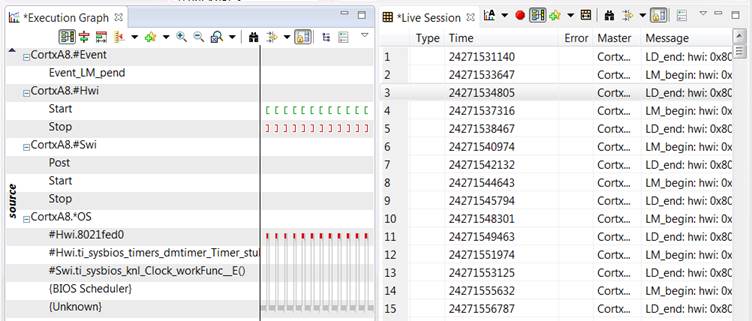
Attached is the .cfg for this. We can collected the live session and draw the Execution graph, but CPU load is totally empty. SYSBIOS: 6.52.0.12, UIA: 2.21.2.07. What wrong with the setting?

Regards, Eric


usb_arm_am335x.cfg

  • Hi ERic,

    Thanks for attaching the .cfg file. Can you remove the Agent module from it? This is an older module that was replaced by UIA. I hoping it is messing up the configuration that was done via LoggingSetup. We actually don't ship it in SYS/BIOS any more...did you copy it back in?

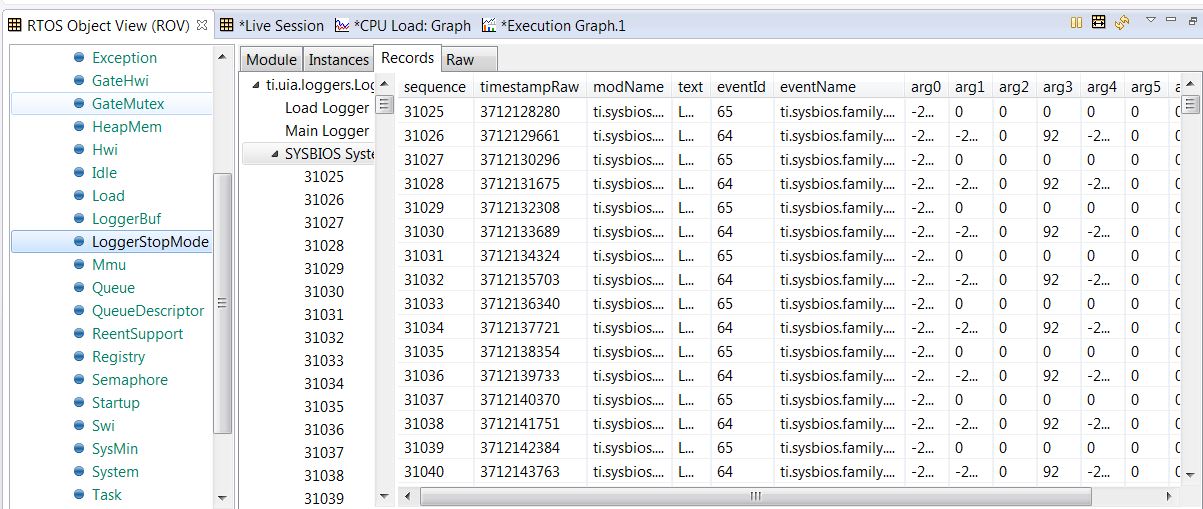
    If this does not help, can you paste a picture of the Tools->ROV->LoggerStopmode->Records? I want to see which loggers are created and if they have anything in them.

    Todd
  • Todd,

    Thanks for the quick response! The .cfg was copied from somewhere and I didn't know the usage of Agent. I removed the those Agent lines and issue is the same.

    The 92 in the "arg3" is the timer interrupt number. We want to see if the CPU is too busy for context switch for the interrupt (the ISR code itself is just a simple counter).

    Regards, Eric

  • Bummer. I missed the LoggerBuf references also. Can you remove those from the .cfg also? LoggingSetup will set everything up you need (and in general, at least for 95% of the use cases ...the other 5% gets a little tricky). I expect the Load records are going into LoggerBuf and System Analyzer cannot decode that logger.

    Todd
  • Todd,

    Attached is the latest .cfg, I still have execution graph but not CPU load.

    Regards, Eric

    6177.usb_arm_am335x.cfg

  • Hi Eric,

    Ok. I found it. You have disabled the Idle task and the short story is you need to have it enabled for Load log records to be logged.

    Task.enableIdleTask = true;

    Why did you not want one?

    Long story...

    The CPU load records are logged in the Idle task. I tried playing around with having the idle functions still be called but in the context at the end of the last task running, but this did not work since the Load logic assumes there is a Idle task (and gets a NULL pointer and blows-up...opening a Jira ticket on this).
    var Idle = xdc.useModule('ti.sysbios.knl.Idle');
    Task.allBlockedFunc = Idle.run; // run idle functions in the context of the last active task

    Note: with this trick, you probably need to bump the task stack sizes up size any task could end of calling all the Idle functions.

    I also tried doing
    var Load = xdc.useModule('ti.sysbios.utils.Load');
    Load.updateInIdle = false;
    and then calling Load_update(); in the 'C' code, but again the assumption by Load that an Idle task exists caused a crash.

    Other potential reasons (not your issue, but added for completeness):
    - your application is using 100% of the CPU and never lets Idle run to log the records.
    - you have Load.windowInMs set to a really large value.

    Todd