This thread has been locked.

If you have a related question, please click the "Ask a related question" button in the top right corner. The newly created question will be automatically linked to this question.

CCS/CCSTUDIO: Ccs with dm642

Part Number: CCSTUDIO


Tool/software: Code Composer Studio

Hey all,

I want to work on DM642 kit with CCSv3. 3 or ccsv4 in windows 10.

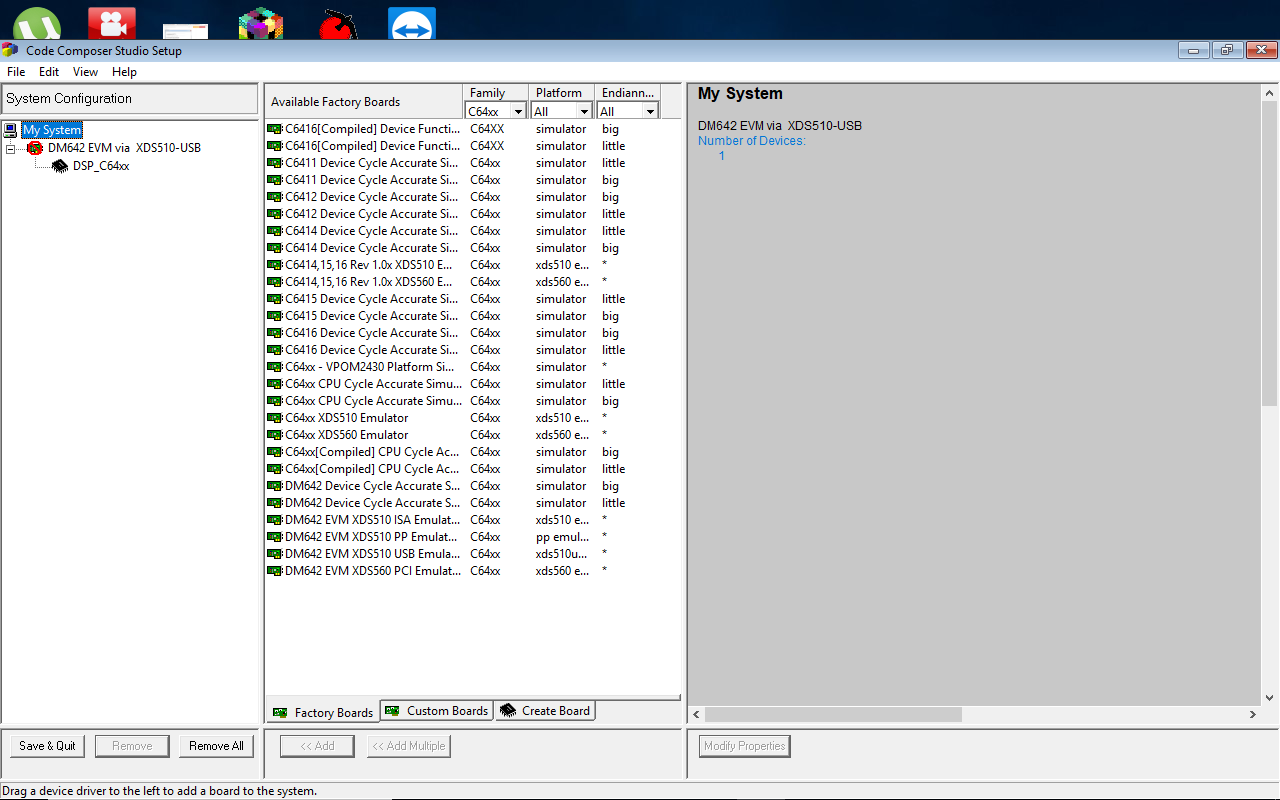
I  installed ccsv3. 3 and xds510 emulation drivers from spectrum digital website().  But when I opened ccsv3. 3 setup in order to select the target i. e. Dm642,i couldn't select because some errors were there and when I opened ccsv3. 3 there were no option of connecting the target.

Apart from that Windows 10 doesn't allow me to install ccs version 4.

The projects which are present in the Target Content zip file, I got from c6000.spectrumdigital.com/.../.  website. These are been done on ccs version 3.0.so either I have to use 3.3 or ccs version 4.

So can you suggest me what to do, as I want to work on windows 10?

  • Abhishek,

    I apologize for the delay in replying.

    In short CCSv3 and CCSv4 are not supported on Windows 10. These are very old versions of the software that predate windows 10 by many years.

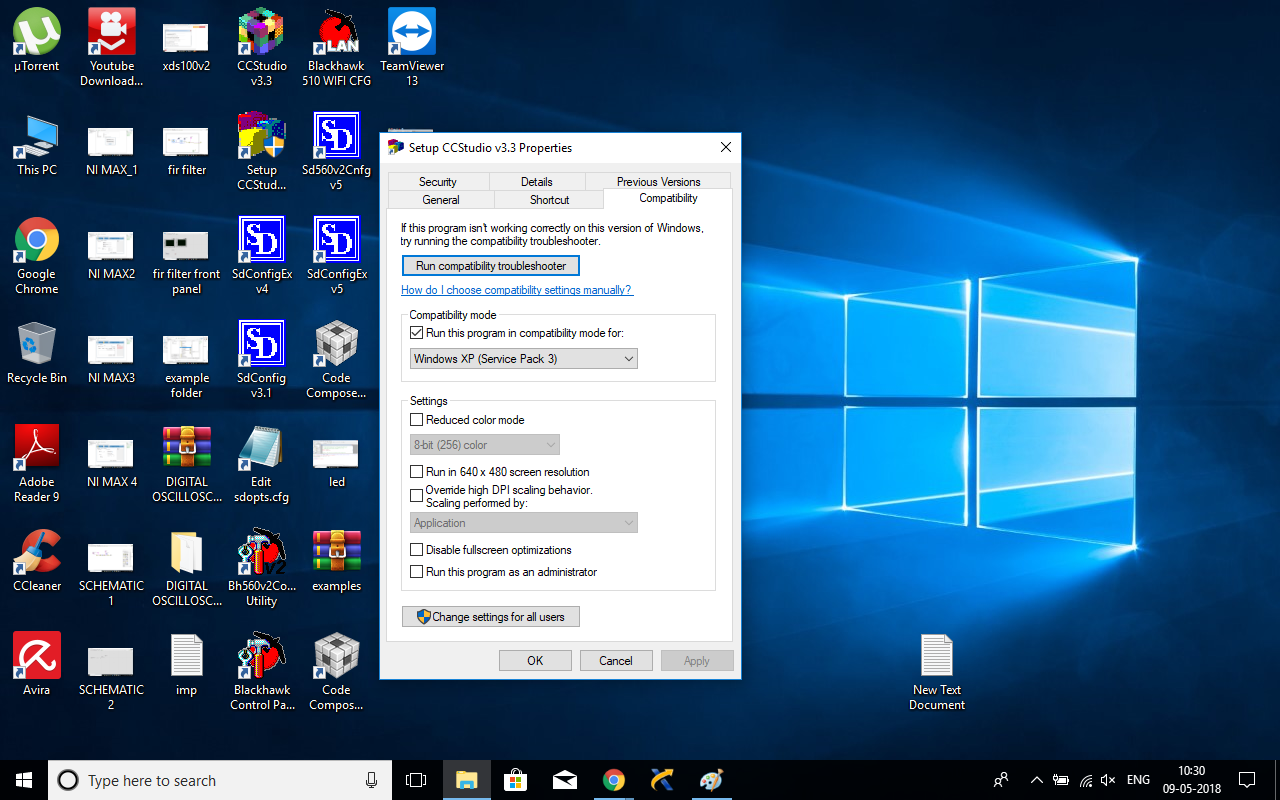
    What errors did you get when running the cc_setup program for CCSv3.3? Are you running it as admin? It has to modify the windows registry and will need to be run as admin. I would also try running it in compatibility mode for windows XP.


    Regards,
    John
  • Hi JohnS,

    Yes I worked in admin mode.

    I have attached the error files. Kindly check and suggest.

  • That red circle and line through the board is definitely a problem. It has been years since I have used 3.x but I believe it means that some of the required components could not be loaded. I will have to see if I can dig up more info on that.

    When you run cc_setup can you also check that box to "Run this program as an administrator" at the bottom of your second screen capture.
  • Did you try checking the box to run as administrator?
    If you configure for one of the simulators listed in the middle pane of the setup program does it still show the red circle on the left? If not I think there is an issue with the installation of the Spectrum Digital drivers. There is more information on how to install the drivers here: support.spectrumdigital.com/.../

    Regards,
    John
  • Yes I always open ccs setup in administrative mode.
    I have checked the above website and also did the same thing as mentioned. You can see in my previous post I have given the same link from where I got the DM642 drivers. But as in the website they mentioned that after connecting the emulator os will ask the path for the driver but in my case Windows didn't detect the emulator after connecting also.

    Apart from that in Windows 7 ultimate I did not get any red dot as it was in Windows 10 but when I opened ccs, target couldn't be connected message was displayed . It shows errors. During the time of installation of ccsv3. 3, I got two errors dpkiont and some other I did not remember exactly.

    Which version of Windows 7 is compatible with CCS V3. 3?
  • CCSv3.3 is not officially supported on Windows 7 either. This is very old software. Windows XP would have been the newest OS at the time. CCSv4 was the first version to support Windows 7. I personally have used CCSv3.3 on Windows 7 SP1 and SP2 in the past. There are limitations such as having to run the cc_setup program in admin mode in order for it to be able to save the configuration to the registry.

    Normally I would recommend just importing these projects into CCSv8 but I downloaded the board support package and it looks like the projects use a very old version of DSP/BIOS. The projects would have to be migrated to something more current, at least SYS/BIOS 6.x before you could use them in CCSv8.

    Why are you developing on DM642? It seems like you are just starting development. This is a very old platform. Normally when we see people using this today it is because they have existing products based on DM642 that they are maintaining. If you are starting something new then it would be much better to use a current platform and software.
  • One of our customer needs support on this tool so I am working in it. I want to try the existing then only I can develop new things in it.
    Is it possible to directly import projects from the created version to ccs version 8?
    If not then first you migrated to which version of ccs?
    Can I work in windows 7 ultimate?
  • Windows 7 Ultimate vs Professional vs Home... does not matter.  Ultimate is a superset.  What is important is the service packs.  I have used this version of CCS on Windows 7 SP1 and SP2.

    If the projects you are using are using a version of DSP/BIOS that still uses .cdb files for the configuration of DSP/BIOS then you will not be able to import these projects into CCSv5/6/7/8 without first upgrading to a new version of DSP/BIOS (such as SYS/BIOS).

    Regards,

    John

  • Have you been able to get an environment setup?
  • I have not heard from you in a while. I am going to assume that you have this setup now. If not please feel free to reply to the thread or to start a new one.

    John
  • Sorry for the delay.

    I am using CCS version 4.1.3 in windows 7 Starter version 32 bit.
    Apart from that it can be used with Windows 7 Professional.