This thread has been locked.

If you have a related question, please click the "Ask a related question" button in the top right corner. The newly created question will be automatically linked to this question.

TDA2: [TDA / opencv / usecase modification] want to implement my code by modifying the opencvopencldilation usecase

Part Number: TDA2


(vision SDK version : PROCESSOR_SDK_VISION_03_03_00_00)

Hi

I'm newbie of using TDA2x evb board and vision App board

I'd like to implement my algorithm which is using openCV and implement it by modifying the sample usecase&alg_plugins ( vip_single_cam_opencvopencldilation / opencvopencldilation)

[ Question ]

I want to apply my alogirhtm code and display it to the monitor.

Where the points that I should modify the code?

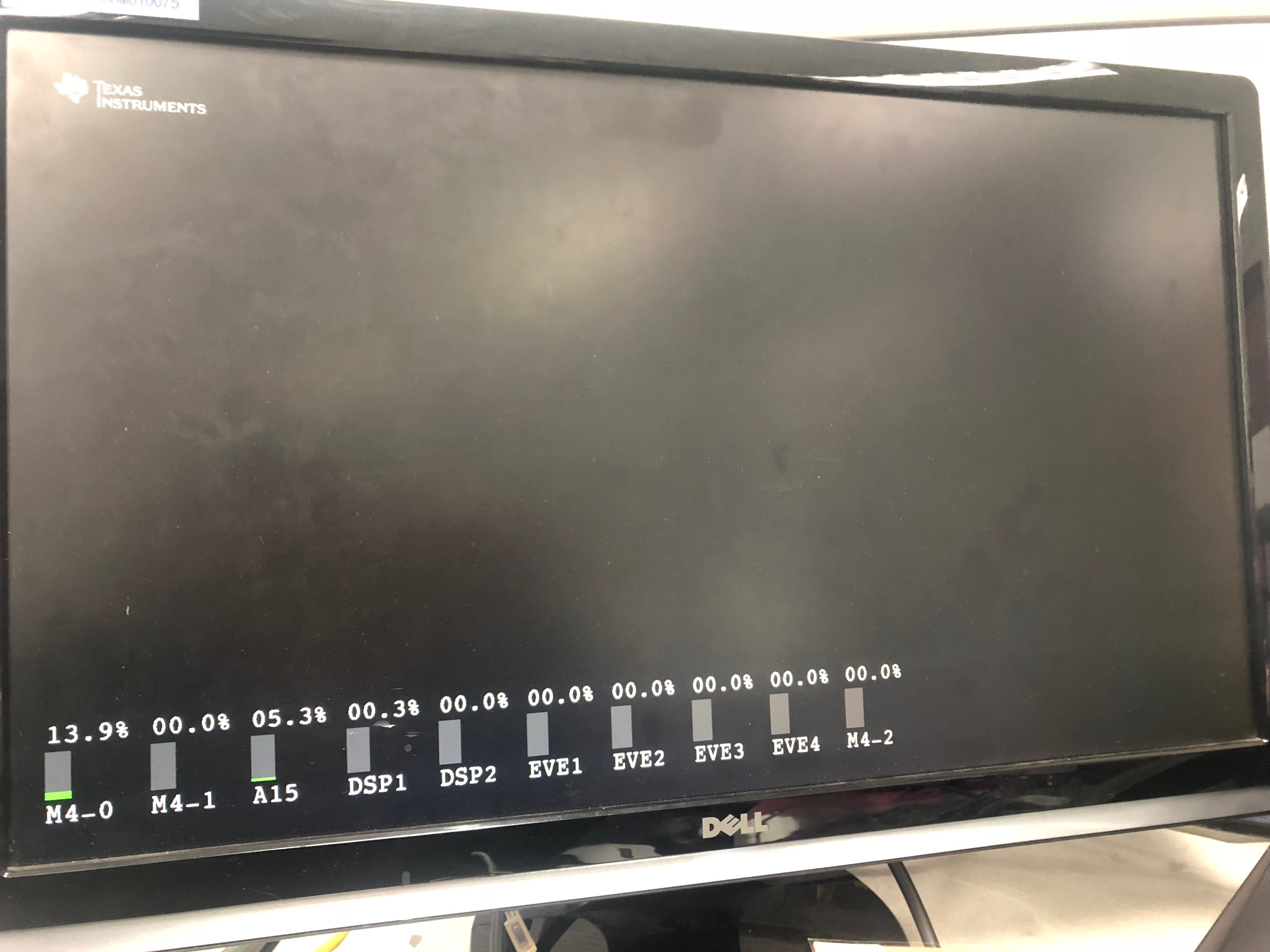
I started modifying like below, however when I remove the "cv::dilate" code, it displays black image with processor usage.

prior code

<openclDilation.cpp>

modified code

<openclDilation.cpp>

void* openclDilationThreadFunc(void* args)
{
    while(1)
    {
        cv::Mat openCLDilationInputMat;
        cv::Mat openCLDilationOutputMat;
        cv::UMat openCLDilationInputUMat;
        cv::UMat openCLDilationOutputUMat;

        if(!gOpenCLDilationThreadStarted)
        {
            cv::ocl::setUseOpenCL(1);
            gOpenCLDilationThreadStarted = 1;
        }

        /* wait for the produce thread to point to the current input
         * and output buffers
         */
        while(!g_cac)
        {
            usleep(1000);
        }

        pthread_mutex_lock(&gOpenCLDilationMtx);

        /*
         * \brief Compute using OpenCV
         */
        openCLDilationInputMat  = cv::cvarrToMat(gOpenCLDilationKernelArgs.inputImage, false);
        openCLDilationOutputMat = cv::cvarrToMat(gOpenCLDilationKernelArgs.outputImage, false);

        openCLDilationInputUMat = openCLDilationInputMat.getUMat(cv::ACCESS_RW);
        openCLDilationOutputUMat = openCLDilationOutputMat.getUMat(cv::ACCESS_RW);

        cv::dilate(openCLDilationInputUMat, openCLDilationOutputUMat, cv::Mat());


        openCLDilationInputUMat.release();
        openCLDilationOutputUMat.release();
        openCLDilationInputMat.release();
        openCLDilationOutputMat.release();

        g_cac = 0;

        pthread_mutex_unlock(&gOpenCLDilationMtx);
    }
    pthread_exit(&gOpenCLDilationThreadRtn);
    return ((void*) 0);
}

void* openclDilationThreadFunc(void* args)
{
    while(1)
    {
        cv::Mat openCLDilationInputMat;
        cv::Mat openCLDilationOutputMat;
        cv::UMat openCLDilationInputUMat;
        cv::UMat openCLDilationOutputUMat;

        if(!gOpenCLDilationThreadStarted)
        {
            cv::ocl::setUseOpenCL(1);
            gOpenCLDilationThreadStarted = 1;
        }

        /* wait for the produce thread to point to the current input
         * and output buffers
         */
        while(!g_cac)
        {
            usleep(1000);
        }

        pthread_mutex_lock(&gOpenCLDilationMtx);

        /*
         * \brief Compute using OpenCV
         */
        openCLDilationInputMat  = cv::cvarrToMat(gOpenCLDilationKernelArgs.inputImage, false);
        openCLDilationOutputMat = cv::cvarrToMat(gOpenCLDilationKernelArgs.outputImage, false);

        openCLDilationInputUMat = openCLDilationInputMat.getUMat(cv::ACCESS_RW);
        openCLDilationOutputUMat = openCLDilationOutputMat.getUMat(cv::ACCESS_RW);

 
  openCLDilationOutputUMat = openCLDilationInputUMat;
  openCLDilationOutputMat = openCLDilationInputMat;


        openCLDilationInputUMat.release();
        openCLDilationOutputUMat.release();
        openCLDilationInputMat.release();
        openCLDilationOutputMat.release();

        g_cac = 0;

        pthread_mutex_unlock(&gOpenCLDilationMtx);
    }
    pthread_exit(&gOpenCLDilationThreadRtn);
    return ((void*) 0);
}