This thread has been locked.

If you have a related question, please click the "Ask a related question" button in the top right corner. The newly created question will be automatically linked to this question.

RTOS/AM3356: How to extract source code from pSDK product and add your own project.

Part Number: AM3356

Tool/software: TI-RTOS

I will make some changes for my board.Now I have finished the modification and compiled the all pSDK through the CMD command. Because I cannot see the source code, it is difficult to locate problems in debugging. And it wastes a lot of time on the process of compiler.
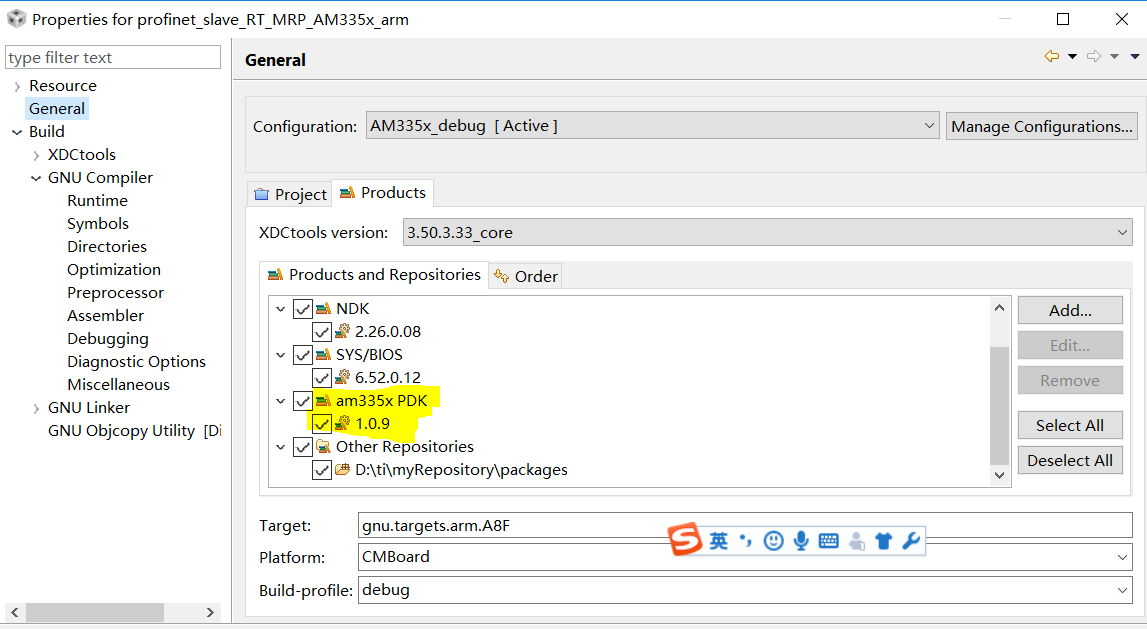
How to extract source code from pSDK product and add your own project. Are there detailed guidance ?

I think this product design of the pSDK  is unreasonable.Or maybe I didn't really understand it.
Just like my current situation. Port the PROFINET demo project from ICEv2 to my board.I need to modify the hardware peripherals configuration for my board.But it is diffcult to find the functions used from pSDK and debug the part modified.

  • It is a bit unclear from your description, what you are trying to debug and what component source code you are trying to step into so let me get some clarification and provide you guidance based on my understanding of your debug.

    You have a custom board on which you have modified based on the ICEv2 and during the debug, you wish to what libraries or source to modify to port the application to your custom board.  The Processor SDK RTOS is designed so that all of the board level configuration is part of the board library so when migrating to a custom board, you only need to update the PRCM, pinmux, clock setup in the board library as has been described in the document attached:

    AM335x_AMIC110_Board_Porting_using_PRSDK.pdf

    We are currently adding this documentation to the software developers guide as part of custom board addtion:

    http://software-dl.ti.com/processor-sdk-rtos/esd/docs/latest/rtos/index_board.html#custom-board-addition 

    The CSL, starterware, driver,osal and RTOS doesn`t need to be rebuilt when migrating to a custom platform so you don`t need to rebuild the entire Processor SDK RTOS package. Another good example of this is the application notes that we created that describes how the default UART instance can be modified in Processor SDK RTOS:

    http://www.ti.com/lit/an/sprac32a/sprac32a.pdf

    Hope this helps.

    Regards,

    Rahul

  • Let me know if this doesn`t address your concern or if the issue relates to how to debug code inside PDK libraries.

    Also, to understand the Processor SDK RTOS design, I would recommend looking at the training : Application development with Processor SDK RTOS. that training uses AM572x for explanation but the same concept also applies to AM335x device:
    training.ti.com/application-development-using-processor-sdk-rtos

    Regards,
    Rahul
  • Hi Rahul,

    Thanks for your reply!It is very helpful to me .

    But I changed the pinmux. The starterware need to be rebulit. Can it be rebuilt independently? How to do?
    "Board" and "Starterware" Which should be built first?

    It will be better if you could say how to debug code inside PDK libraries(Is the SDK compiled to produce normal format libraries ? .a or .lib ).

    Best Regards,
    Andy
  • Hi Rahul,

    Looking forward to your reply!

    Best Regards,
    Andy
  • Andy,

    After changing the pinmux only board and bootloader needs to be built.

    cd  C:\ti\AM335x_PRSDK52\processor_sdk_rtos_am335x_5_02_00_10
    
    setupenv.bat
    
    cd ..\pdk_am335x_1_x_x_xx\packages

    Additional options to build for specific platforms

    • set LIMIT_BOARDS=evmAM335x     (Choose your platform)

    Open the makefile in this folder to look at individual  build options for different components.

    For example to build board

    gmake board_lib

    Instructions to build bootloader :

    To build driver in debug mode, you can setup environment variable and build whatever component you would like to debug

    set BUILD_PROFILE=debug

    To debug the code, you can load the application and from the API call, you should be able to step into the library functions. When prompted to locate source find the source file that CCS is not able to find and CCS editor will locate the other source files automatically.

    Regards,

    Rahul