This thread has been locked.

If you have a related question, please click the "Ask a related question" button in the top right corner. The newly created question will be automatically linked to this question.

Linux/AM5728: Pinmux Detail - AM5728

Part Number: AM5728
Other Parts Discussed in Thread: MAX3232

Tool/software: Linux

Hi,

HI Kemal,

I need to configure the PR1_UART0_RXD (F2), PR1_UART0_TXD (F3), PR1_UART0_CTSn (G1), PR1_UART0_RTSn (G6) pins for the UART.

MUX configurations for the above mentioned pins are not visible to me in YOCTO SDK 04.02.00.09 version.

I have verified this thread

But, Those are not present in my SDK.

Please provide the file in which those pins has been configured.

  • Hi,

    The SDK includes only standard device tree files for the supported EVM boards. If you want to customize these you should use the Pinmux tool (www.ti.com/.../PINMUXTOOL) and make the necessary modifications yourself.

  • Hi Biser,


    Thanks for the reply. But, the page is not found. Please provide the tool link.
  • Hello Karthikeyan,

    I've fixed the link. As Biser mentioned you can use the PINMUX tool to generate these pinmuxes and convert the IO delays as per this guide if needed and enter these settings in the device tree and <Processor SDK>/board-support/u-boot-<version>/board/ti/am57xx/mux_data.h file.

    Best regards,
    Kemal

  • Hi Biser,

    I have found the tools.  Device tree is not getting generated for this configuration. But its generating for some other interface.

    Please check the screenshot

    The genericFileFormatPadConf.txt got generated with the following data :

    /* PinMux automatically generated generic format file dump. */


    /* register_address(hex)    register_value(hex)    ball_name(string)    register_name(string)    mux_mode0_name(string)    muxed_mode_name(string) */

    0x4A003560    0x6000B    G1    CTRL_CORE_PAD_VIN2A_HSYNC0    vin2a_hsync0    pr1_uart0_cts_n
    0x4A003564    0x2000B    G6    CTRL_CORE_PAD_VIN2A_VSYNC0    vin2a_vsync0    pr1_uart0_rts_n
    0x4A003568    0x6000B    F2    CTRL_CORE_PAD_VIN2A_D0    vin2a_d0    pr1_uart0_rxd
    0x4A00356C    0x2000B    F3    CTRL_CORE_PAD_VIN2A_D1    vin2a_d1    pr1_uart0_txd

    How to configure this in dts to use as UART.

  • Please, read this thread. This was previously explained there.

  • Hello Karthikeyan,

    If everything is clear now please click on "This resolved my issue" button and close this thread.

    Best regards,
    Kemal
  • Hi Kemal,

    Thanks for the reply.

    Since there is no specific PIN Mux for the pr1_uart0 pins, I have added the following contents for UART configuration in dra74x-mmc-iodelay.dtsi

    &dra7_pmx_core {

           pr1_uart0_pins_default: pr1_uart0_pins_default {

                   pinctrl-single,pins = <

                           DRA7XX_CORE_IOPAD(0x3568, PIN_INPUT_SLEW | MUX_MODE11)  /* vin2a_d0.pr1_uart0_rxd */

                           DRA7XX_CORE_IOPAD(0x356c, PIN_INPUT_SLEW | MUX_MODE11) /* vin2a_d1.pr1_uart0_txd */

                   >;

           };

    and Added the following things in am57xx-evm-common.dtsi

    &uart1 {
            status = "okay";
            pinctrl-names = "default";
            pinctrl-0 = <&pr1_uart0_pins_default>;
    };

    Then my uart has get enabled in kernel sysfs as follows

    root@am57xx-evm:~# ls -l /dev/ttyS*
    crw-rw----    1 root     dialout     4,  64 Dec  4 10:49 /dev/ttyS0
    crw-rw----    1 root     dialout     4,  65 Dec  4 10:49 /dev/ttyS1
    crw-------    1 root     tty         4,  66 Dec  4 10:52 /dev/ttyS2
    crw-rw----    1 root     dialout     4,  67 Dec  4 10:49 /dev/ttyS3
    crw-rw----    1 root     dialout     4,  68 Dec  4 10:49 /dev/ttyS4
    crw-rw----    1 root     dialout     4,  69 Dec  4 10:49 /dev/ttyS5
    crw-rw----    1 root     dialout     4,  70 Dec  4 10:49 /dev/ttyS6
    crw-rw----    1 root     dialout     4,  71 Dec  4 10:49 /dev/ttyS7
    crw-rw----    1 root     dialout     4,  72 Dec  4 10:49 /dev/ttyS8
    crw-rw----    1 root     dialout     4,  73 Dec  4 10:49 /dev/ttyS9
    root@am57xx-evm:~#

    But there is no data flow in those TX and RX pins. I probed those pins and verified.

    Is my configuration is fine to enable pr1_uart0_rxd pr1_uart0_txd pins ?

    Please provide me the guidance.

  • Are you trying to enable PRUSS1_UART1 or generic linux UART1?

  • Thanks for the reply Kemal,

    I want to enable PRUSS1_UART.  PR1_UART0_RXD and PR1_UART0_TXD is connected to DB9 connector.

    Please provide me the guidance to enable PRUSS1_UART.


  • In AM57x devices pin muxing is not done by device tree. It is done once at boot while u-boot is running. What you'll need to do is take the generic output file rather than the device tree txt file. With that you'll edit the mux_data.h file within u-boot. See the details at the bottom of this Sitara Pin Mux User Guide.

  • Karthikeyan,
    One more thing to add.

    &uart1 {
    status = "okay";
    pinctrl-names = "default";
    pinctrl-0 = <&pr1_uart0_pins_default>;
    };

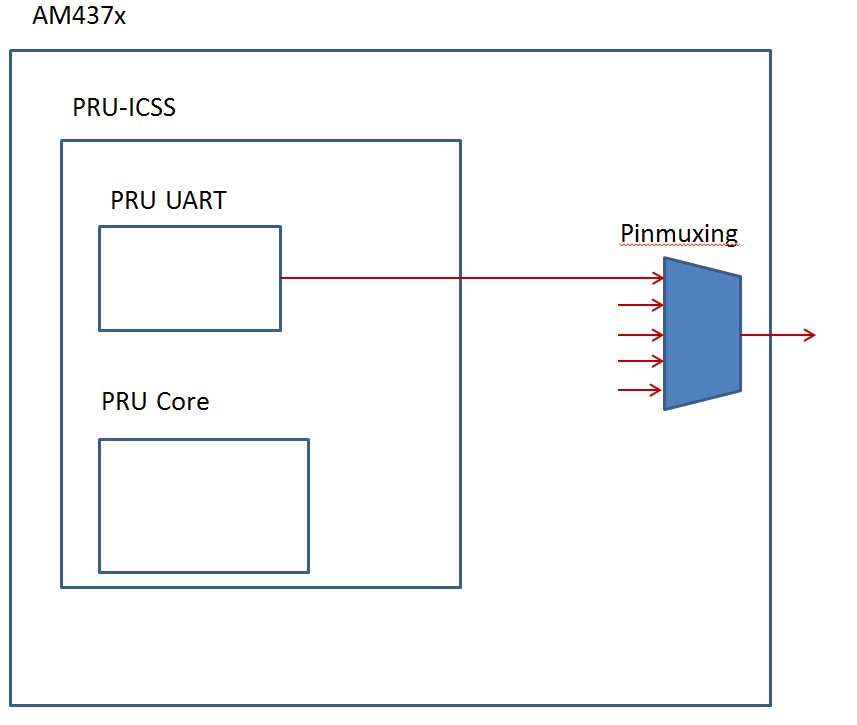
    This will not enable the PRU UART. Currently it is not accessible from within Linux. The expectation is to have firmware running on the PRU core which will utilize the UART.
  • Hi Rashed,


    Is there any possibility to enable pr1_uart0 pins as COM port ?
    How to control pr1_uart0 pins as COM port.
  • I have tried configuring the vin2a_d0 to uart9_ctsn and vin2a_d1 to uart9_rtsn in u-boot.
    But here there is no proper data on the ttyS8 port. Getting a High signal while writing a data on the ttyS8 port, Since its CTS & RTC lines.

    Is it possible to configure the vin2a_d0 to uart9_ctsn and vin2a_d1 as GPIO pins (As mentioned in TRM gpio4_1 & gpio4_2).

    I need to configure those pads as TX and RX (COM port)pins.

    Please provide the guidance.

  • Hi Karthikeyan,

    It's not clear to me what you need. Are you looking to use UART9 or are you looking to use PRU1 UART? Both are possible on these pins but you need to select the correct one in the pin mux. If you set all 4 pins to mux mode 0x7 then that will give you the UART9 that can be used in Linux. 

    Regards,
    Ahmad

  • Hello Karthikeyan,

    To clarify: Based on the information you provided, you initialized UART1 instead of initializing the PRU UART. So we would not expect to see outputs signals when you pinmuxed the pins to the PRU UART.

    Do you need assistance getting started on the PRU UART, or do you want to do something else?

    Regards,
    Nick
  • Hi Rashed,

    I have tried  the same by configuring the uart pins as follows :

        {VIN2A_HSYNC0, (M7 | PIN_INPUT_PULLUP)},               /* vin2a_hsync0.uart9_rxd */
        {VIN2A_VSYNC0, (M7 | PIN_OUTPUT_PULLDOWN)},    /* vin2a_vsync0.uart9_txd */
        {VIN2A_D0, (M7 | PIN_INPUT_PULLUP)},                         /* vin2a_d0.uart9_ctsn */
        {VIN2A_D1, (M7 | PIN_OUTPUT_PULLDOWN)},              /* vin2a_d1.uart9_rtsn */

    But, There is no proper data on the lines. I m getting high pulse while transmitting data on ttyS8.

    The pins are connected from processor to MAX3232 chip and then to DB9 connector.

    Is my configuration is fine ? What is the possibility to get proper data.

  • Hi Nick,


    I didnt find clear procedure to enable PRU UART. Currently trying to enable with uart pins.
    Is it possible to get the proper data using UART configuration ? or Please provide the assistance to get start with PRU UART.
  • Hello Karthikeyan,

    PRU UART cannot be controlled from the ARM core by using the Linux UART driver. TI provides the PRU_Hardware_UART example in the PRU software support package as a demonstration of controlling the PRU UART with the PRU core.

    See the post PRU UART access from A15 for more information. See the post UART pins don't work with PRU for details on observing signals on the output pins by disabling the internal loopback used in that example.

    Regards,

    Nick

  • Hi Nick,

    Thanks for the reply, Is It configurable as per Ahmad_Rashed statment ?
  • Hello Karthikeyan,

    Please be more clear on what you mean by "it" and "Ahmad_Rashed's statement".

    If you mean "can I configure pinmuxing for either the PRU UART or for the UART9 according the Ahmad's instructions", then yes you can. However, that only configures the pinmux to allow signals from a certain part of the processor to reach the pins. It does not actually configure the UART or PRU UART to start sending output signals.

    If you are trying to use PRU UART, Ahmad's instructions will configure the pinmuxing. the code I pointed to will run on the PRU core, and the PRU core will configure the PRU UART and tell it to start sending signals to the output pins.

  • Hi Nick,

    Yes as per you said, I m trying to enable the PRU UART.

    Now I have added the PRU firmware into yocto BSP. The firmware is not loaded properly.

    root@am57xx-evm:~#

    root@am57xx-evm:~# dmesg | grep "remote"

    [    6.457649] remoteproc remoteproc0: 58820000.ipu is available

    [    6.470050] remoteproc remoteproc0: Direct firmware load for dra7-ipu1-fw.xem4 failed with error -2

    [    6.487417] remoteproc remoteproc1: 55020000.ipu is available

    [    6.487673] remoteproc remoteproc2: 40800000.dsp is available

    [    6.516800] remoteproc remoteproc3: 41000000.dsp is available

    [    6.659191] remoteproc remoteproc0: powering up 58820000.ipu

    [    6.659222] remoteproc remoteproc0: Direct firmware load for dra7-ipu1-fw.xem4 failed with error -2

    [    6.659227] remoteproc remoteproc0: request_firmware failed: -2

    [    6.659269] remoteproc remoteproc1: Direct firmware load for dra7-ipu2-fw.xem4 failed with error -2

    [    6.659274] remoteproc remoteproc1: powering up 55020000.ipu

    [    6.659294] remoteproc remoteproc1: Direct firmware load for dra7-ipu2-fw.xem4 failed with error -2

    [    6.659298] remoteproc remoteproc1: request_firmware failed: -2

    [    6.659333] remoteproc remoteproc2: Direct firmware load for dra7-dsp1-fw.xe66 failed with error -2

    [    6.659338] remoteproc remoteproc2: powering up 40800000.dsp

    [    6.659358] remoteproc remoteproc2: Direct firmware load for dra7-dsp1-fw.xe66 failed with error -2

    [    6.659363] remoteproc remoteproc2: request_firmware failed: -2

    [    6.659391] remoteproc remoteproc3: Direct firmware load for dra7-dsp2-fw.xe66 failed with error -2

    [    6.659395] remoteproc remoteproc3: powering up 41000000.dsp

    [    6.659414] remoteproc remoteproc3: Direct firmware load for dra7-dsp2-fw.xe66 failed with error -2

    [    6.659418] remoteproc remoteproc3: request_firmware failed: -2

    [    7.874043] remoteproc remoteproc4: 4b234000.pru0 is available

    [    7.896721] remoteproc remoteproc5: 4b238000.pru1 is available

    [    7.914820] remoteproc remoteproc6: 4b2b4000.pru0 is available

    [    7.933134] remoteproc remoteproc7: 4b2b8000.pru1 is available

    root@am57xx-evm:~#

    I have referred the following link to debug.

    But mine is updated SDK version : processor-sdk-04.02.00.09

    How to resolve this issue?

  • waiting for the reply
  • Hi Karthikeyan,
    Your log shows that PRU did load properly.
  • Yes ,  the following files are not present in my rootfs

    dra7-ipu1-fw.xem4

    dra7-ipu2-fw.xem4

    dra7-dsp1-fw.xe66

    dra7-dsp2-fw.xe66

    please provide the procedure to get those firmwares.

  • Is i need to configure the PRU pins in DTS file ?
    There are configurations present at mux_data.h in u-boot.
    Please provide the DTS configurations related to PRU UART .
  • Hello Karthikeyan,

    I am replying with these assumptions. Please let me know if either of my assumptions are wrong.

    1) you want to control a hardware UART with the PRU core

    2) You have NOT demonstrated that the PRU can successfully control the hardware UART in the example TI provides

    REMOTEPROC

    RemoteProc is used to interface with multiple cores in the system - not just the PRUs. From your log on March 5, you can see that remoteproc0 & remoteproc1 are IPUs, remoteproc2 and remoteproc3 are DSPs, and remoteproc4 through remoteproc7 are PRU cores. If you are only trying to use the PRUs, you do not want to mess around with the IPUs or DSPs. Your command line output says that the PRUs are available to be used with RemoteProc, but it does NOT say that any firmware has been loaded into the PRU cores.

    LOADING PRU FIRMWARE

    Use the sysfs interface to load the PRU firmware and tell the PRUs to start running. See the RPMsg Quick Start Guide as an example. NOTE that you would want to load one of the 4 PRU cores, so according to your March 5 log you would NOT want to load remoteproc0.

    DEVICE TREE FOR USING PRU TO CONTROL HARDWARE UART:

    You should not need to make any changes to the PRU nodes in the device tree. Your PRUs are already set up so that Linux can use them. The device tree is there to tell Linux drivers how they should interact with different hardware. The PRU is going to be the core interacting with the UART, not the ARM core running Linux. Since there are not going to be any Linux drivers interacting with the UART, you also do not need any additions to the device tree for the UART.

    RUNNING THE PRU CONTROLLING UART EXAMPLE

    My response on February 20 has additional information to help you run the example code.

    Regards,

    Nick

  • Hi Nick,

    Thanks for the brief explanation.  

    1 . So according to the explanation, No nee to load the remoteproc0 to enable the pru uart. Then please provide the neccessary firmwares to be loaded to enable the pru uart.

    Current kernal log :

    root@am57xx-evm:~# dmesg  | grep firmware

    [    3.376095] remoteproc remoteproc0: Direct firmware load for dra7-ipu1-fw.xem4 failed with error -2

    [    3.681425] remoteproc remoteproc0: Direct firmware load for dra7-ipu1-fw.xem4 failed with error -2

    [    3.681433] remoteproc remoteproc0: request_firmware failed: -2

    [    3.681482] remoteproc remoteproc1: Direct firmware load for dra7-ipu2-fw.xem4 failed with error -2

    [    3.681541] remoteproc remoteproc1: Direct firmware load for dra7-ipu2-fw.xem4 failed with error -2

    [    3.681546] remoteproc remoteproc1: request_firmware failed: -2

    [    3.681592] remoteproc remoteproc2: Direct firmware load for dra7-dsp1-fw.xe66 failed with error -2

    [    3.681656] remoteproc remoteproc2: Direct firmware load for dra7-dsp1-fw.xe66 failed with error -2

    [    3.681663] remoteproc remoteproc2: request_firmware failed: -2

    [    3.681726] remoteproc remoteproc3: Direct firmware load for dra7-dsp2-fw.xe66 failed with error -2

    [    3.681796] remoteproc remoteproc3: Direct firmware load for dra7-dsp2-fw.xe66 failed with error -2

    [    3.681802] remoteproc remoteproc3: request_firmware failed: -2

    [   12.091832] vpe 489d0000.vpe: loading firmware vpdma-1b8.bin

    [   12.279276] vip 48990000.vip: loading firmware vpdma-1b8.bin

    [   12.300241] vip 48990000.vip: VPDMA firmware loaded

    2 . My sysfs has the following firmware in lib/firmware location.

    root@am57xx-evm:/lib/firmware# ls -l

    lrwxrwxrwx    1 root     root            49 Mar  6  2019 am57xx-pru1_0-fw -> /lib/firmware/pru/PRU_RPMsg_Echo_Interrupt1_0.out

    lrwxrwxrwx    1 root     root            49 Mar  6  2019 am57xx-pru1_1-fw -> /lib/firmware/pru/PRU_RPMsg_Echo_Interrupt1_1.out

    lrwxrwxrwx    1 root     root            49 Mar  6  2019 am57xx-pru2_0-fw -> /lib/firmware/pru/PRU_RPMsg_Echo_Interrupt2_0.out

    lrwxrwxrwx    1 root     root            49 Mar  6  2019 am57xx-pru2_1-fw -> /lib/firmware/pru/PRU_RPMsg_Echo_Interrupt2_1.out

    -rw-r--r--    1 root     root           186 Feb 15  2019 goodix_9271_cfg.bin

    drwxr-xr-x    2 root     root          4096 Mar  6  2019 pru

    drwxr-xr-x    2 root     root          4096 Mar  6  2019 ti-pruss

    -rw-r--r--    1 root     root          4002 Mar  6  2019 vpdma-1b8.bin

    root@am57xx-evm:/lib/firmware#

    I have compiled the PRU_Hardware_UART as per your guidance & i tried to load as per TI form instruction.

    1. move the file to rootfs/lib/firmware/pru/PRU_hardware.out
      1. mv rootfs/home/root/PRU_hardware.out rootfs/lib/firmware/pru/PRU_hardware.out
    2. set the firmware name to point to your binary
      1. echo "pru/PRU_hardware.out" > /sys/class/remoteproc/remoteproc1/firmware
    3. start the PRU core
      1. echo "start" > /sys/class/remoteproc/remoteproc1/state

    root@am57xx-evm:/media/chess-sd# cp PRU_Hardware_UART.out /lib/firmware/pru/PRU_hardware.out

    root@am57xx-evm:/media/chess-sd# echo "pru/PRU_hardware.out" > /sys/class/remoteproc/remoteproc1/firmware

    root@am57xx-evm:/media/chess-sd# echo "start" > /sys/class/remoteproc/remoteproc1/state
    [  990.230380] remoteproc remoteproc1: powering up 55020000.ipu
    [  990.236207] remoteproc remoteproc1: Booting fw image pru/PRU_hardware.out, size 35736
    [  990.244218] omap-iommu 55082000.mmu: 55082000.mmu: version 2.1
    [  990.250380] remoteproc remoteproc1: bad phdr da 0x0 mem 0x168
    [  990.256154] remoteproc remoteproc1: Failed to load program segments: -22
    [  990.262986] remoteproc remoteproc1: Boot failed: -22
    -sh: echo: write error: Invalid argument

    According to my understanding I need to load the remoteproc1 firmware. How to load that successfully. Am i following the right track ?

    Please provide the guidance.

  • I have tried enabling the following in menuconfig as a module

        Device Drivers > Remoteproc Drivers > TI PRUSS remoteproc support

       Device Drivers > Rpmsg drivers > PRU RPMsg Communication driver

    And I have tried to install manually

    root@am57xx-evm:/# insmod ./lib/modules/4.9.59-ga75d8e9305/kernel/drivers/remoteproc/pru_rproc.ko

    insmod: ERROR: could not insert module ./lib/modules/4.9.59-ga75d8e9305/kernel/drivers/remoteproc/pru_rproc.ko: File exists

    root@am57xx-evm:/#

  • You already have the firmware that needs to be loaded into the PRU core. Please read your output. The console is telling you that remoteproc1 is an IPU core, NOT a PRU core. Read the output on your other posts, which tells you which remoteproc cores are PRU cores and use one of them instead.

    Nick

  • Thank you very much for the support. I can read/write now.
  • At present loading a sample code as firmware to read/write the PRU.
    Is it possible to make those PRU uart as tty* port ?
    Is is possible to read/write without firmware?

    Please provide the guidance.
  • Hello Karthikeyan,

    There is not a Linux driver to interact with the UART inside of the PRU-ICSS (PRU Industrial Communications Sub System). That means that you would not be able to make the PRU's Hardware UART a tty* port that the ARM core (running Linux) could communicate with.

    Since there is no Linux driver for controlling the PRU UART: you could technically access the PRU UART from Linux, but you would have to read/write the UART registers & memory directly. I suggest using the PRU to control the PRU UART instead of using the ARM core to control the PRU UART in most use cases.

    Regards,
    Nick