


Part Number: PROCESSOR-SDK-AM335X
Tool/software: Linux
When I run the create-sd-card.sh script available at the TI SDK 05.02.00.10, I can boot from the SD card just fine and SSH into the BeagleBone Black:
ssh root@192.168.7.2
or
ssh root@am335x-evm.local
But, as soon as I reboot the board, I cannot SSH into it anymore, because the IP address of the BBB changes. This has been really a pain, because reflashing the image into the SD card is the only way I found so far to be able to SSH into the target again. (I'm a total newbie to DHCP stuff, as you can see)
In the target, my /etc/network/interfaces and ifconfig log look like this:
# /etc/network/interfaces -- configuration file for ifup(8), ifdown(8)

# The loopback interface
auto lo
iface lo inet loopback

# Wireless interfaces
iface wlan0 inet dhcp
	wireless_mode managed
	wireless_essid any
	wpa-driver wext
	wpa-conf /etc/wpa_supplicant.conf

iface tiwlan0 inet dhcp
	wireless_mode managed
	wireless_essid any

iface atml0 inet dhcp

# Wired or wireless interfaces
auto eth0
iface eth0 inet dhcp
        pre-up /bin/grep -v -e "ip=[0-9]\+\.[0-9]\+\.[0-9]\+\.[0-9]\+" /proc/cmdline > /dev/null
        udhcpc_opts -R -b

iface eth1 inet dhcp

# Ethernet/RNDIS gadget (g_ether)
# ... or on host side, usbnet and random hwaddr
auto usb0
iface usb0 inet static
        address 192.168.7.2
        netmask 255.255.255.252
	network 192.168.7.0
	gateway 192.168.7.1

# Bluetooth networking
iface bnep0 inet dhcp
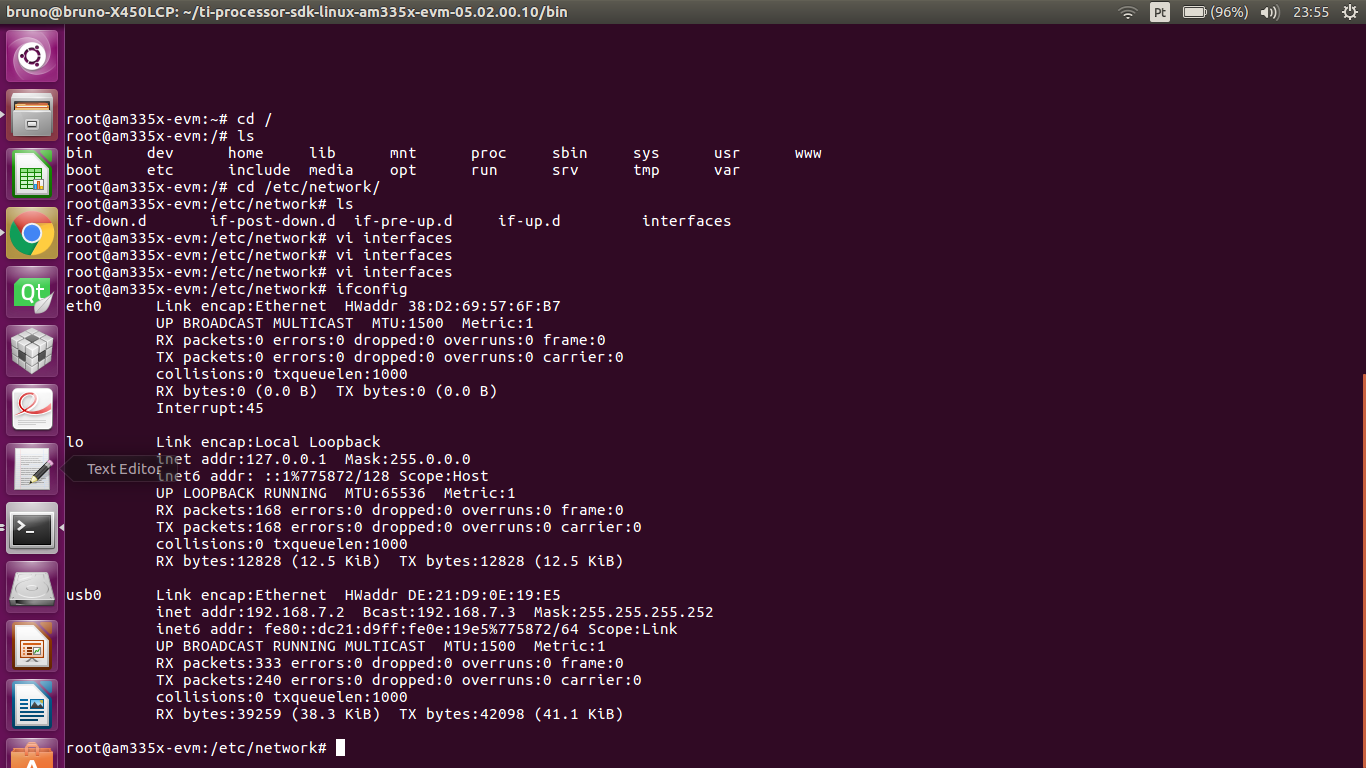
In the host, my /etc/network/interfaces and ifconfig log look like this:
# interfaces(5) file used by ifup(8) and ifdown(8)
auto lo
iface lo inet loopback
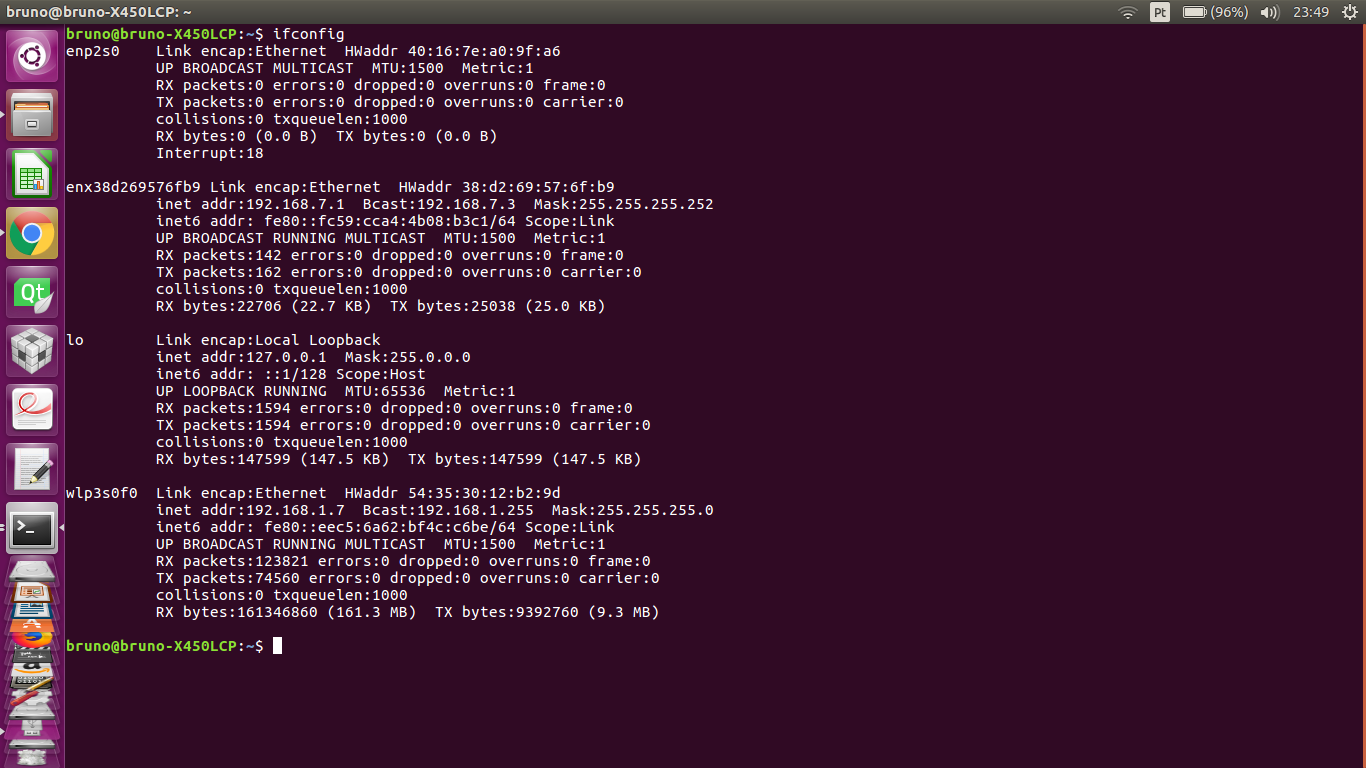
I'm sorry to attach the ifconfig logs as images, but it is the only choice I got, because I'd have to reflash the image again to actually do a successful ifconfig &> ifconfig.log at the target and at the host. Each reflashing process takes up to 30 minutes. So, it is really annoying.
Any help would be greatly appreciated.
Regards,
Bruno.
