This thread has been locked.

If you have a related question, please click the "Ask a related question" button in the top right corner. The newly created question will be automatically linked to this question.

CCS/AM3359: Device recognition failure with debug running.

Part Number: AM3359
Other Parts Discussed in Thread: TMDSICE3359

Tool/software: Code Composer Studio

Hi. there

I have an AM3359ICE and J-Link Debugger.

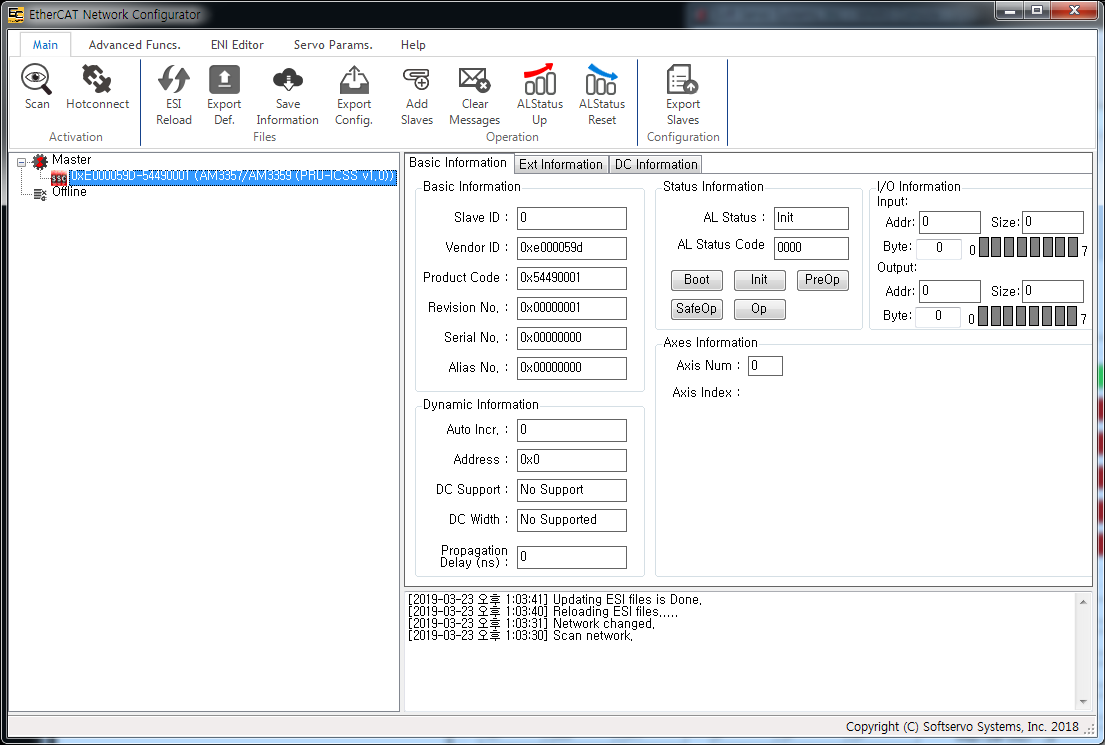
If you start debugging after connecting the master device to the AM3359ICE, the device can not be scanned.

If it is not in debug state, it scans the device normally.

Step.
   1. Connecting the master device to the AM3359ICE.
   2. Run EtherCAT Program on Master Computer.
   3. Connect J-Link.
   4. Power On AM3359ICE.
   5. Scan the AM3359ICE on EtherCAT Program.
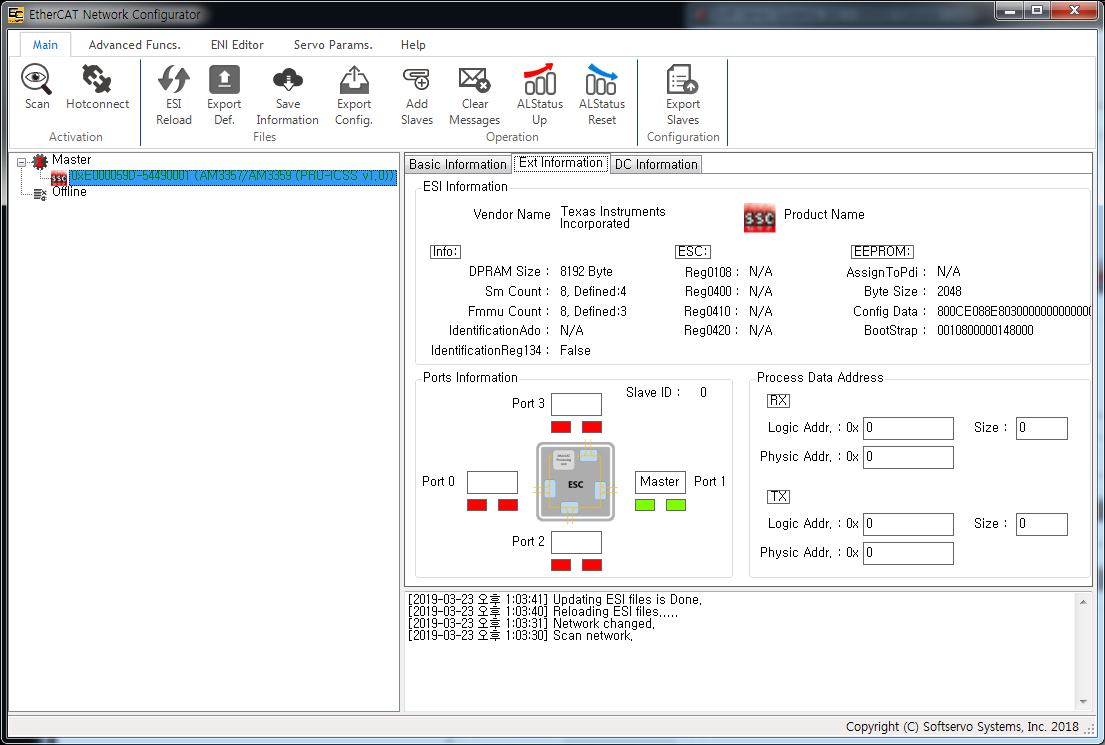
   6. Check the scan results. => SCAN OK !!!


   7. Run CCS
   8. Build ehtercat_slave_full_AM335x_arm
   9. Run Debug
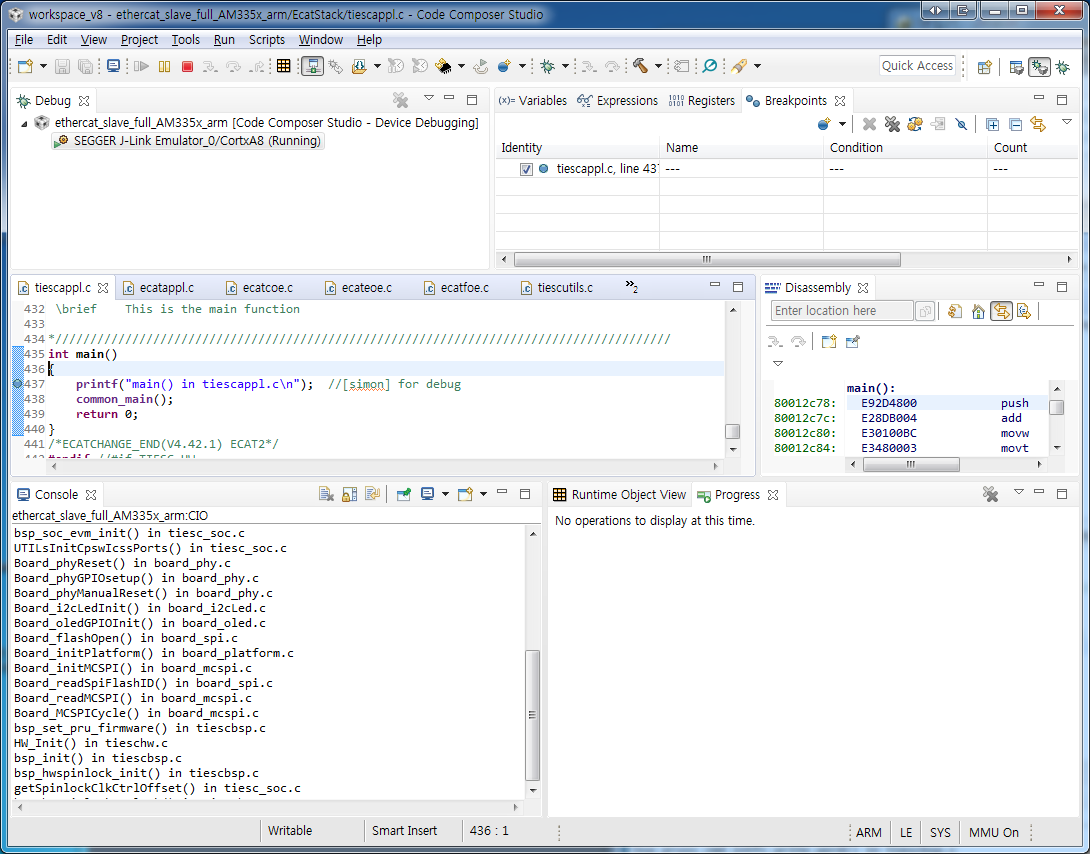

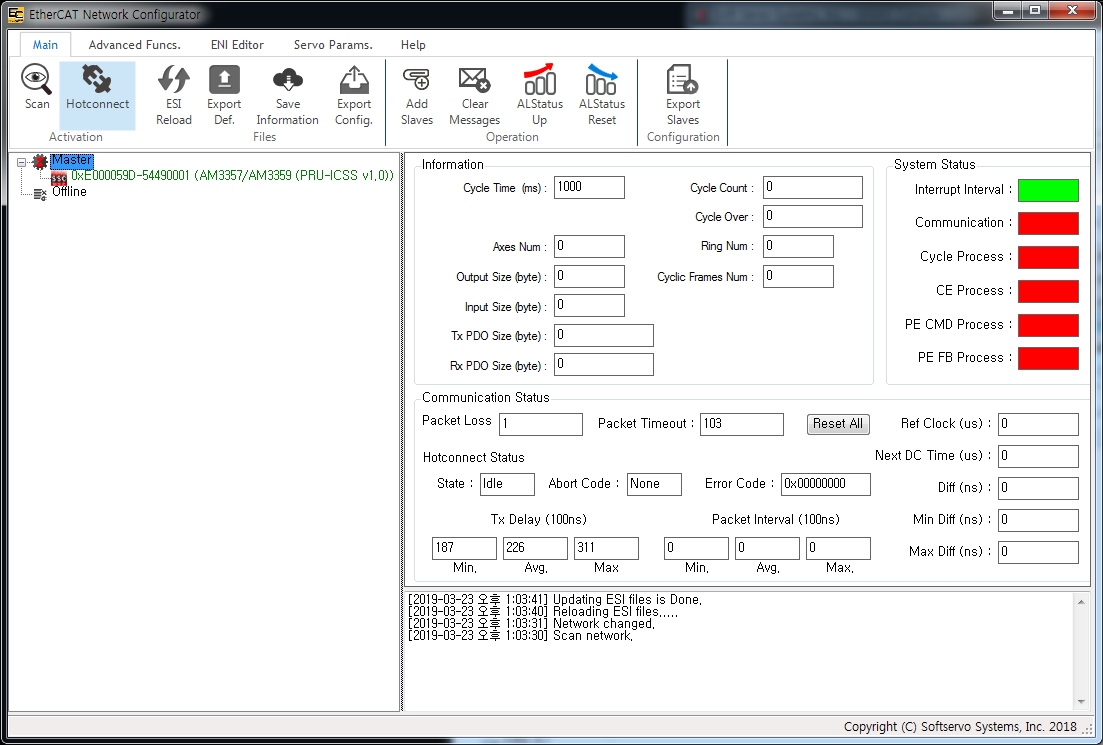
  10. Scan the AM3359ICE on EtherCAT Program.
  11. Check the scan results. => SCAN NG !!!
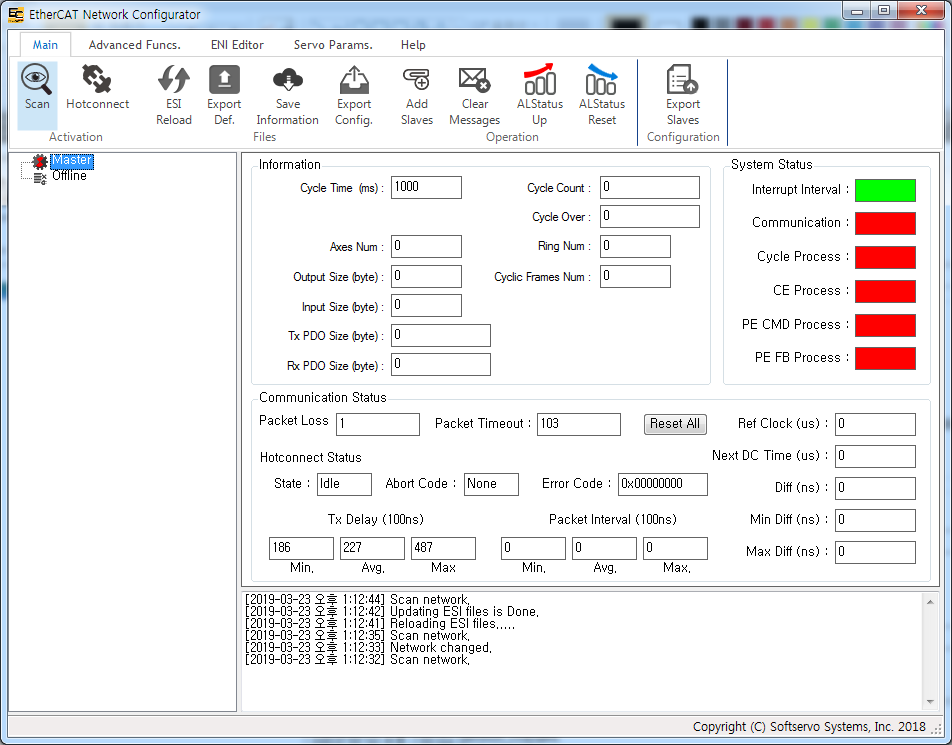

What is the problem?

Thank you in advance.

  • Hi,

    Which image was loaded to the AM3359 ICE in your step 5?
    >> 5. Scan the AM3359ICE on EtherCAT Program.
    Is it the default on-board simple demo image?

    Which xml file are you using in the master?
    For ethercat_slave_full_AM335x_arm, the TI_ESC.xml is at protocols\ethercat_slave\ecat_appl\esi\
    For simple demo project, the TiEtherCATLib.xml is located at examples\ethercat_slave\esi

    Regards,
    Garrett
  • Hi. Garrett.

    The answer to your question is as follows.

    Which image was loaded to the AM3359 ICE in your step 5?
    >> 5. Scan the AM3359ICE on EtherCAT Program.
    Is it the default on-board simple demo image?
    >>>> Yes. It is the default on-board simple demo image.

    Which xml file are you using in the master?
    For ethercat_slave_full_AM335x_arm, the TI_ESC.xml is at protocols\ethercat_slave\ecat_appl\esi\
    For simple demo project, the TiEtherCATLib.xml is located at examples\ethercat_slave\esi
    >>>> The following files have been registered with the master.
    1. c:\ti\PRU-ICSS-EtherCAT_Slave_01.00.07.02\protocols\ethercat_slave\ecat_appl\esi\TI_ESC.xml
    2. c:\ti\PRU-ICSS-EtherCAT_Slave_01.00.07.02\examples\ethercat_slave\esi\TiEtherCATLib.xml

    Regards,
    Simon.
  • Simon,

    Has the issue been resolved?
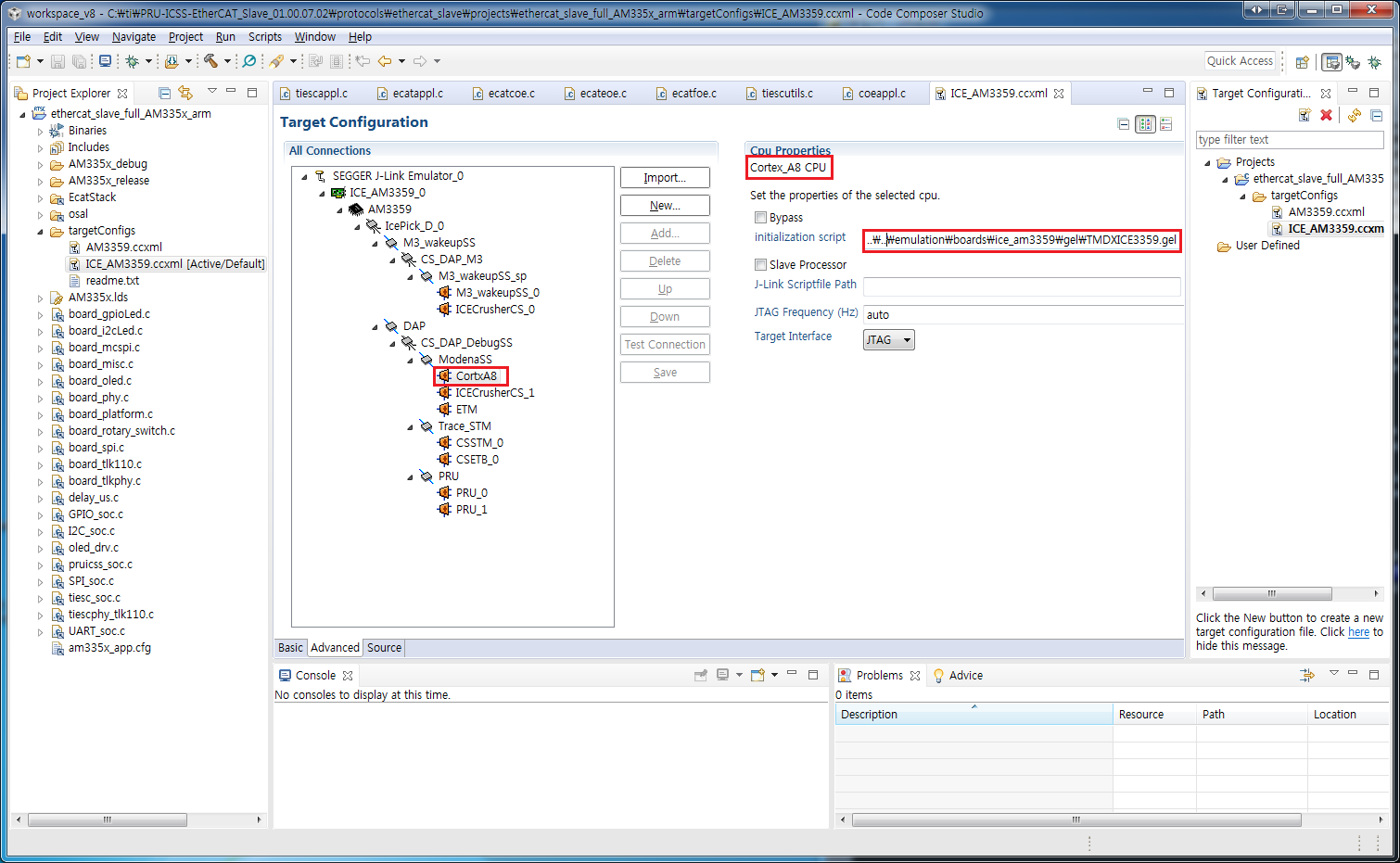
    There is an on-board xds100v2 debugger on AM3359 ICEv2, and if you create target configuration for the board, its GEL file will be automatically linked, emulation\boards\ice_am3359\gel\TMDXICE3359.gel. With the J-link debugger, are you using the same GEL file for board initialization?

    You may remove TiEtherCATLib.xml from TwinCAT when scanning ethercat_slave_full_AM335x_arm.

    Regards,
    Garrett
  • Hi. Garrett.

    I have not solved the problem yet.

    1. The GEL file used in J-Link is as follows.
        c:\ti\ccsv8\ccs_base\emulation\boards\ice_am3359\gel\TMDXICE3359.gel


    2. If I remove TiEtherCATLib.xml from the Master, the scan will still fail.

    Regards,
    Simon.

  • Simon,

    Have you tried TwinCAT to verify the device with full stack application can be detected? And the ICE version is v2.1 as shown here -www.ti.com/.../TMDSICE3359 ?

    And there are two options to generate ethercat source as listed here - software-dl.ti.com/.../PRU_ICSS_EtherCAT.html
    Which option are you using?

    Regards,
    Garrett
  • Hi. Garrett.

    1. I use the WMX3 master program.
        I think that it is not a master application problem because the scan is successful on the default on-board image.

    2. the ICE version is v2.1 as shown here -www.ti.com/.../TMDSICE3359.

    3. I created an EtherCAT source using the Beckhoff SSC tool.
        Building SSC code and running debugging works fine in CCS.

    Regards,
    Garrett

  • Simon,

    Can you upload your .out and .map file here? I can try it out on my board and debug.
    Also you may try to use 'TI_ECAT.patch' to generate the EtherCAT source.

    Regards,
    Garrett
  • Hi. Garrett.

    Upload the ethercat_slave_full_AM335x_arm files built by CCS.

    Thank you for your reference.

    7701.ethercat_slave_full_AM335x_arm.zip

    ethercat_slave_full_AM335x_arm.bin

    ethercat_slave_full_AM335x_arm.map

    ethercat_slave_full_AM335x_arm.out

    Regards,

    Simon

  • Simon,

    Your program exits/aborts when running on my ICEv2 board. Please remove all printf/debug info and start from scratch with a new build. Ensure to use the recommended Processor SDK version.

    Regards,
    Garrett

  • Hi. Garrett.

    I upload the new ethercat_slave_full_AM335x_arm files built by CCS.
    In my environment, debugging normally runs.
    LCD display : "EtherCAT APP 1.0.7 / Rev 0190|Bld 04EE|"

    ============================================
    ti-processor-sdk-rtos-am335x-evm-05.01.00.11
    PRU-ICSS-EtherCAT_Slave_01.00.07.02
    SlaveStackCode : 5.12
    ============================================

    AM335x_debug.zip

    AM335x_release.zip

    Regards,
    Simon

  • Simon,

    I am traveling, not able to test your binaries, but I have asked my colleague to help you out.

    Regards,
    Garrett
  • Hi Simon, both of your *.out (from debug and release folders) works OK in my setup.

    My setup:
    - ICEv2 board, CCSv8.2, TwinCAT3.
    - Via JTAG (XDS100v2 - on board) I download and run ethercat_slave_full_AM335x_arm.out

    Results:
    - I was able to scan slave and to change LED values in OP state.

    Hope this helps,
    Paula