This thread has been locked.

If you have a related question, please click the "Ask a related question" button in the top right corner. The newly created question will be automatically linked to this question.

RTOS/AM6548: ARM project build issue

Part Number: AM6548
Other Parts Discussed in Thread: SYSBIOS

Tool/software: TI-RTOS

Hi TI engineers

I setup a new A53 project following the link below

but when I build it, there is some errors as below
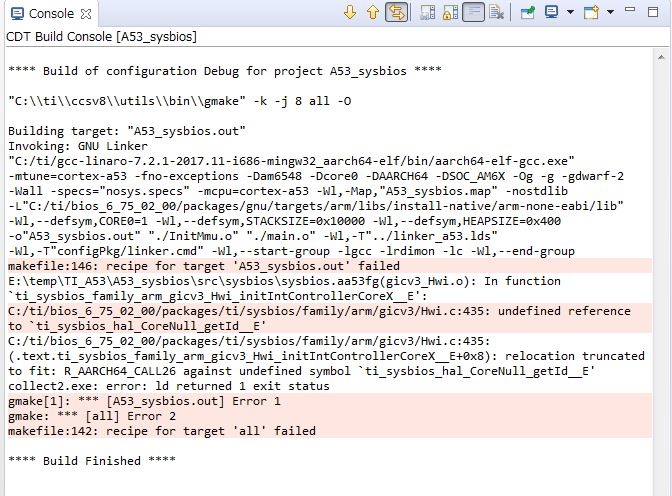
would please tell me how to resolve IT?

here is my projectA53_sysbios.rar

  • Hi,

    I tried the steps from the wiki and got the same error. I suspect that some additional package needs to be loaded, let me check this further and I will update.

    Best Regards,
    Yordan
  • Hi Yordan

    Thanks for your quickly reply。

    expecting for your further guide.

    Best Regards

    Hope Chen

  • Hope,

    It appears that the instructions in the Developers guide need to be updated for latest BIOS 6.75 version. The Hello world TI RTOS examples for A53 is now integrated in the Resource explorer by our TI RTOS team so the project generation no longer requires manual configuration of steps.

    Please use the following updated steps:

    1. Go to CCS ->View- Resource explorer classic and browse to Cortex A53- AM65x in the list as shown below:

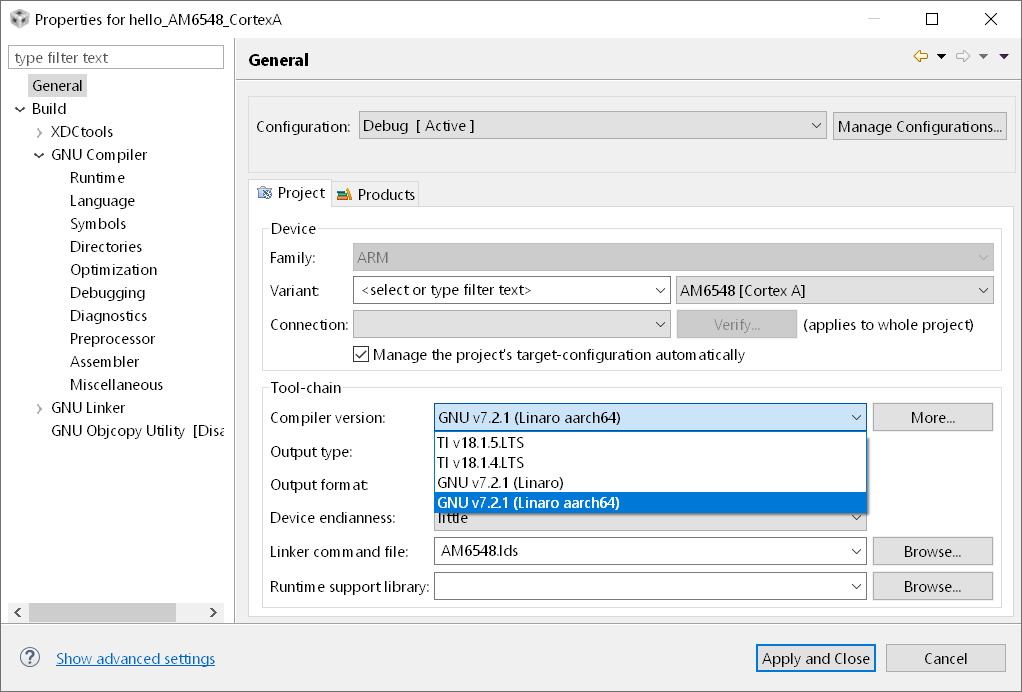
    2. Right click on project imported in work space and go to Build Settings.   Update the compiler to Linaro GCC 7.2.2 (arch64). If not discovered browse to the tool chain in folder gcc-linaro-7.2.1-2017.11-i686-mingw32_aarch64-elf

    3. Build the project by Right Clicking on the project and select Build Project.

    This should successfully build the project.  

    Another A53 TI RTOS project that you can use as a starting point is RTOS template app that is located here:

    http://software-dl.ti.com/processor-sdk-rtos/esd/docs/latest/rtos/index_examples_demos.html

    Regards,

    Rahul

  • Hi Rahul

    Rahul Prabhu said:
     Update the compiler to Linaro GCC 7.2.2 (arch64). If not discovered browse to the tool chain in folder gcc-linaro-7.2.1-2017.11-i686-mingw32_aarch64-elf

    I met a  trouble when I try to update Linaro GCC 7.2.1 to Linaro GCC 7.2.2, I cannot find updates about it in my available list.

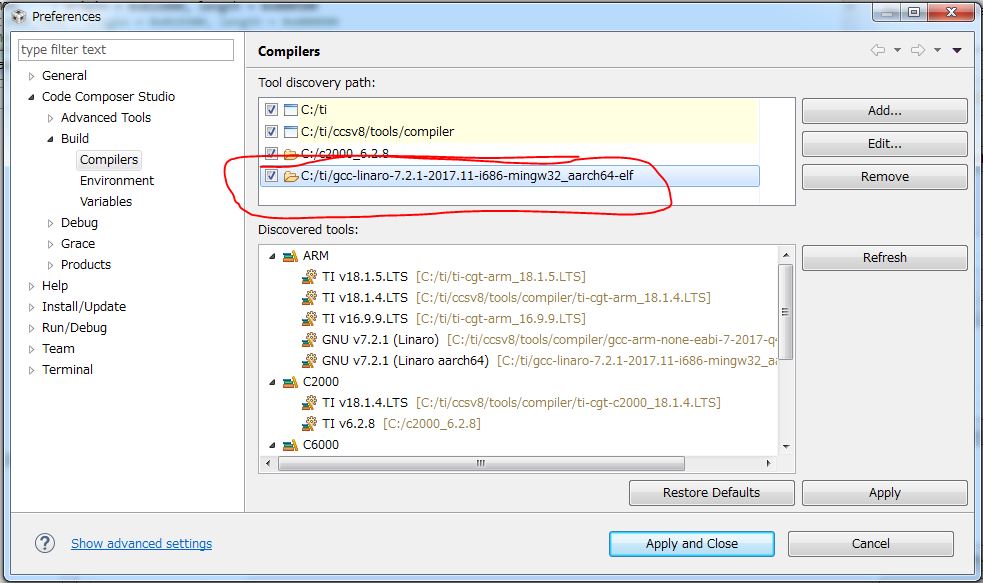
    and you said"If not discovered browse to the tool chain in folder gcc-linaro-7.2.1-2017.11-i686-mingw32_aarch64-elf"

    do you mean as blow?

    Best Regards

    Hope Chen