This thread has been locked.

If you have a related question, please click the "Ask a related question" button in the top right corner. The newly created question will be automatically linked to this question.

CCS/AM5718: Project build issue

Anonymous
Anonymous

Part Number: AM5718

Tool/software: Code Composer Studio

Hi,

I am trying to rebuild my pmic_test project as per your make file.I successfully build my project and  read voltage using a function readPmicVoltage();.but i could not able to read the voltage using a newly declared variable.

1. first function call that exist in your code 
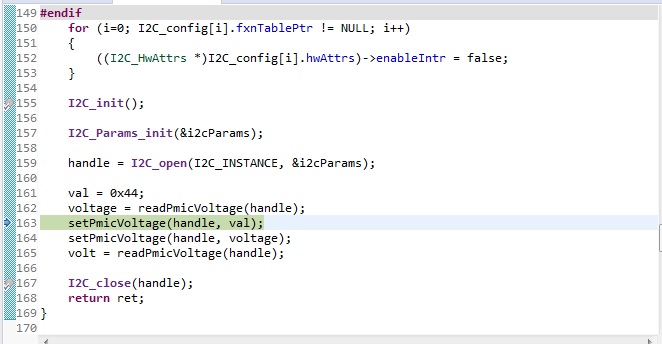
2.after calling the same function and it returned to a newly declared variable named volt.but volt doesn't work properly...
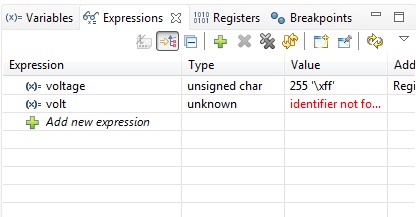
main problem is i could not able to write anything newly to the currently existing code....

1.Summary of flag set is

-mtune=cortex-a15 -marm -Dam5718 -D__ARMv7 -DSOC_AM571x -Og -g -gdwarf-3 -gstrict-dwarf -w -Wall -specs="nosys.specs" -mfloat-abi=hard -Wl,-Map,"pmic.map" --entry Entry -nostartfiles -static -Wl,--gc-sections -L"C:/ti/pdk_am57xx_1_0_2/packages/ti/osal/lib/nonos/am571x/armv7" -L"C:/ti/pdk_am57xx_1_0_2/packages/ti/csl/lib/am571x/a15" -Wl,--defsym,STACKSIZE=0x10000 -Wl,--defsym,HEAPSIZE=0x800 -Wl,--undefined,__aeabi_uidiv -Wl,--undefined,__aeabi_idiv

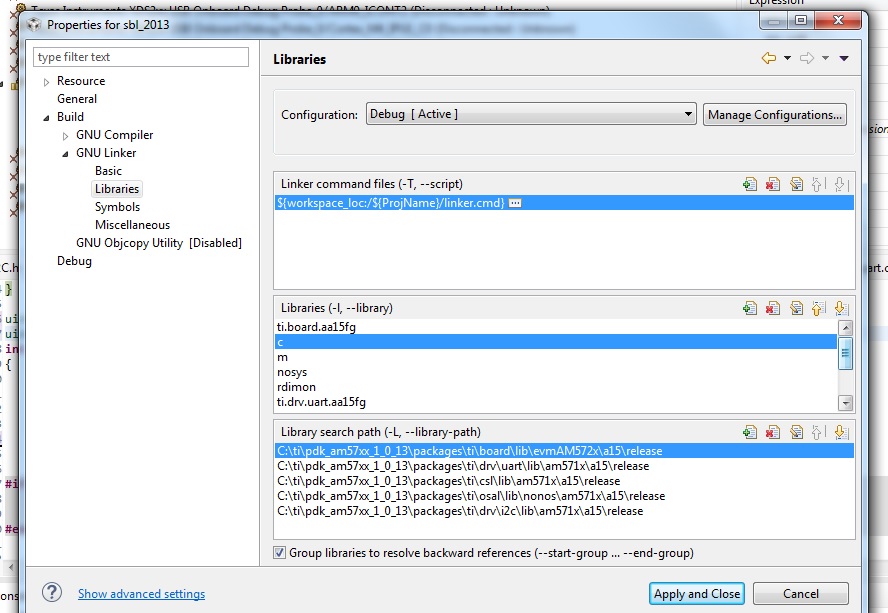
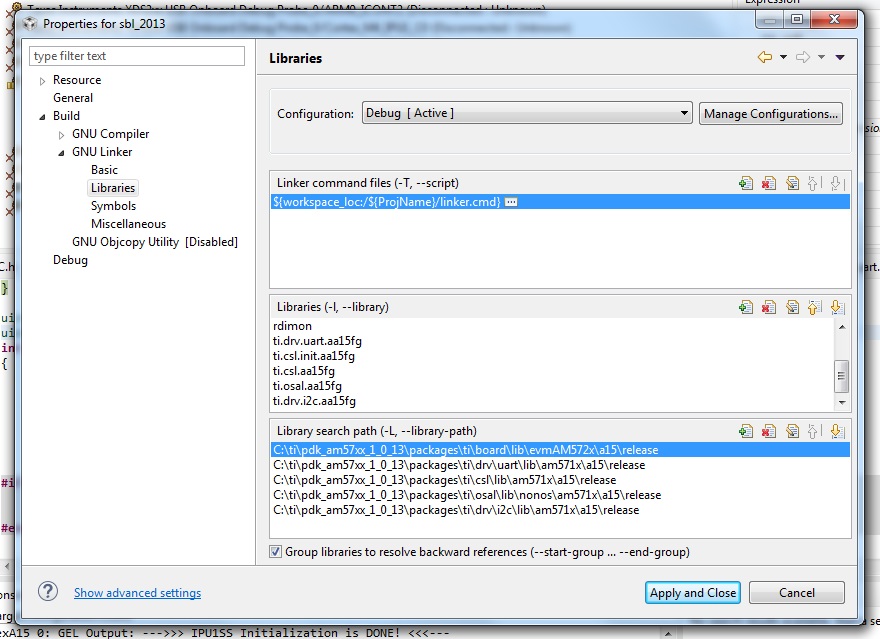
2.included libraries
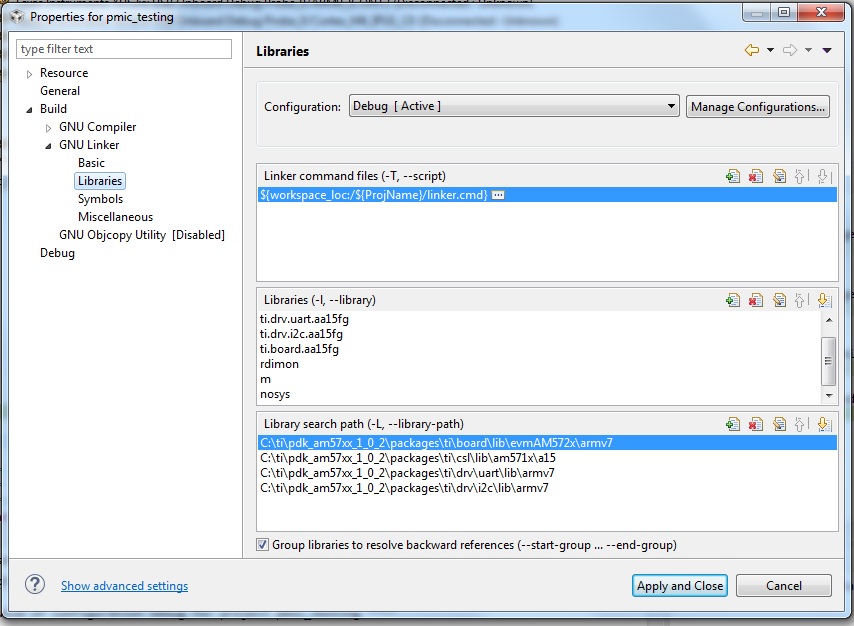

How we resolve this problem?? my ccs version is 8.2 and rtos v 5.01


  • Muhammad,

    I am not quite sure what the issue with your setup as a lot of things in what you have reported doesn`t line up with the software release version that you have indicated. You indicated you are using Processor SDK RTOS v5.01 but the pdk version for the release is pdk_am57xx_1_0_12 and not the one in the screenshot attached.  If you are using the older release, then I recommend that you upgrade to latest version.

    The issue could be caused due to compiler optimization options or due to CCS IDE not recognizing the data type for variable. can you add the data type in front of the variable in the expressions view. Does the variable not show in the CCS Variables window (curious why you are looking at the variable from the expressions view). Also, please check if the same issue occurs when you load the binary built using the makefile.

    I am guessing that you are using the pmic_test code that is provided here:

    pdk_am57xx_1_0_12\packages\ti\board\diag\pmic\src  (Can you please confirm)

    Looking at the original code, the test code looks different and the test case use UART_printf to print the values read from the PMIC, have you tried that approach ? We expect the following libraries to be linked from your project so I believe that there could be issues with the way you have translated the makefile to a CCS project. 

    BOARD_LIB = "$(PDK_INSTALL_PATH)/ti/board/lib/$(BOARD)/a15/release/ti.board.aa15fg"
    OSAL_LIB = "$(PDK_INSTALL_PATH)/ti/osal/lib/nonos/am571x/a15/release/ti.osal.aa15fg"
    CSL_INIT_LIB = "$(PDK_INSTALL_PATH)/ti/csl/lib/am571x/a15/release/ti.csl.init.aa15fg"
    UART_LIB = "$(PDK_INSTALL_PATH)/ti/drv/uart/lib/am571x/a15/release/ti.drv.uart.aa15fg"
    I2C_LIB = "$(PDK_INSTALL_PATH)/ti/drv/i2c/lib/am571x/a15/release/ti.drv.i2c.aa15fg"
    CSL_LIB = "$(PDK_INSTALL_PATH)/ti/csl/lib/am571x/a15/release/ti.csl.aa15fg"

    Regards,

    Rahul

  • Anonymous
    0 Anonymous in reply to Rahul Prabhu

    HI,

    Sorry my SDK RTOS version was 2.02.Now i switched to latest version that you mentioned earlier.but the same issue repeated again.

    UART driver is not working (that's hanged during execution) after including uart library to my project. That's why i removed it...but the problem is now solved  by changing local variable declaration to global variable declaration.but i couldnot able to move with global variable. I think this issue related to ccs.