This thread has been locked.

If you have a related question, please click the "Ask a related question" button in the top right corner. The newly created question will be automatically linked to this question.

Linux/AM3358: Matrix/Multimedia is not working properly

Part Number: AM3358

Tool/software: Linux

Click Multimedia on Matrix, then click H.264 Decode or MPEG-4 Decode. There will be video playing on EVMSK. But it didn't play properly on our customized board.

Click H.264 Decode or MPEG-4 Decode on our customized board and then click RUN. It will stay at Please wait... for 2 seconds. Then return to the Matrix interface.

We just modified the code of uboot and kernel, then compiled the SDK package  through Yocto.

Now I don't have any ideas and can you give me some suggestions?

The SDK version is 05.03.00.07

  • Hello,

    The H264 and MPEG4 demos via Matrix are executing gstreamer pipelines. 

    Please try to execute these pipelines.

    1. When weston is stop.

     /etc/init.d/weston stop

    gst-launch-1.0 playbin uri=file:///<path to the file and filename> video-sink="videoconvert ! videoscale ! autovideosink"

    2. When weston is running:

     /etc/init.d/weston start

    gst-launch-1.0 playbin uri=file:///usr/share/ti/video/<path to the file and filename> video-sink=" videoconvert ! 'video/x-raw,format=(string)NV12, width=720,height=420' ! videoscale !  'video/x-raw,format=(string)NV12, width=420,height=240' ! waylandsink"

    Hope this helps.

    Best Regards,

    Margarita

  • 1. When weston is stop.

     /etc/init.d/weston stop

    gst-launch-1.0 playbin uri=file:///<path to the file and filename> video-sink="videoconvert ! videoscale ! autovideosink"

    Video does not play properly after executing these two instructions. Just show Please wait...

    The log is as follows:

    # gst-launch-1.0 playbin uri=file:///usr/share/ti/video/TearOfSteel-AV-Short-400x240.mp4 video-sink="videoconvert ! videoscale ! autovideosink"
    Setting pipeline to PAUSED ...
    Pipeline is PREROLLING ...
    WARNING: from element /GstBin:bin0/GstAutoVideoSink:autovideosink0: Could not open DRM module (NULL)
    Additional debug info:
    ../../../gst-plugins-bad-1.12.2/sys/kms/gstkmssink.c(609): gst_kms_sink_start (): /GstKMSSink:autovideosink0-actual-sink-kms:
    reason: No such file or directory (2)
    Redistribute latency...
    Redistribute latency...
    Pipeline is PREROLLED ...
    Setting pipeline to PLAYING ...
    New clock: GstSystemClock
    Got EOS from element "playbin0".
    Execution ended after 0:00:21.031924502
    Setting pipeline to PAUSED ...
    Setting pipeline to READY ...
    Setting pipeline to NULL ...
    Freeing pipeline ...

    When weston is running, it plays normally.

    2. When weston is running:

     /etc/init.d/weston start

    gst-launch-1.0 playbin uri=file:///usr/share/ti/video/<path to the file and filename> video-sink=" videoconvert ! 'video/x-raw,format=(string)NV12, width=720,height=420' ! videoscale !  'video/x-raw,format=(string)NV12, width=420,height=240' ! waylandsink"

    Video playback normally after execution of this instruction

  • Hello,

    You could use second pipeline. 

    Please post the output of this 

    gst-inspect-1.0 kmssink

    If this element is there you could try:

     /etc/init.d/weston stop

    gst-launch-1.0 playbin uri=file:///<path to the file and filename> video-sink="videoconvert ! videoscale ! kmssink"

    Best Regards,

    Margarita

  • Hi Margarita:

    # gst-inspect-1.0 kmssink
    Factory Details:
    Rank secondary (128)
    Long-name KMS video sink
    Klass Sink/Video
    Description Video sink using the Linux kernel mode setting API
    Author Víctor Jáquez <vjaquez@igalia.com>

    Plugin Details:
    Name kms
    Description Video sink using the Linux kernel mode setting API
    Filename /usr/lib/gstreamer-1.0/libgstkms.so
    Version 1.12.2
    License LGPL
    Source module gst-plugins-bad
    Source release date 2017-07-14
    Binary package GStreamer Bad Plug-ins source release
    Origin URL Unknown package origin

    GObject
    +----GInitiallyUnowned
    +----GstObject
    +----GstElement
    +----GstBaseSink
    +----GstVideoSink
    +----GstKMSSink

    Pad Templates:
    SINK template: 'sink'
    Availability: Always
    Capabilities:
    video/x-raw
    format: { (string)BGRA, (string)BGRx, (string)RGBA, (string)RGBx, (string)UYVY, (string)YUY2, (string)YVYU, (string)I420, (string)YV12, (string)Y42B, (string)NV12, (string)NV21, (string)NV16 }
    width: [ 1, 2147483647 ]
    height: [ 1, 2147483647 ]
    framerate: [ 0/1, 2147483647/1 ]


    Element Flags:
    no flags set

    Element Implementation:
    Has change_state() function: gst_base_sink_change_state

    Element has no clocking capabilities.
    Element has no URI handling capabilities.

    Pads:
    SINK: 'sink'
    Pad Template: 'sink'

    Element Properties:
    name : The name of the object
    flags: readable, writable
    String. Default: "kmssink0"
    parent : The parent of the object
    flags: readable, writable
    Object of type "GstObject"
    sync : Sync on the clock
    flags: readable, writable
    Boolean. Default: true
    max-lateness : Maximum number of nanoseconds that a buffer can be late before it is dropped (-1 unlimited)
    flags: readable, writable
    Integer64. Range: -1 - 9223372036854775807 Default: 20000000
    qos : Generate Quality-of-Service events upstream
    flags: readable, writable
    Boolean. Default: true
    async : Go asynchronously to PAUSED
    flags: readable, writable
    Boolean. Default: true
    ts-offset : Timestamp offset in nanoseconds
    flags: readable, writable
    Integer64. Range: -9223372036854775808 - 9223372036854775807 Default: 0
    enable-last-sample : Enable the last-sample property
    flags: readable, writable
    Boolean. Default: true
    last-sample : The last sample received in the sink
    flags: readable
    Boxed pointer of type "GstSample"
    blocksize : Size in bytes to pull per buffer (0 = default)
    flags: readable, writable
    Unsigned Integer. Range: 0 - 4294967295 Default: 4096
    render-delay : Additional render delay of the sink in nanoseconds
    flags: readable, writable
    Unsigned Integer64. Range: 0 - 18446744073709551615 Default: 0
    throttle-time : The time to keep between rendered buffers (0 = disabled)
    flags: readable, writable
    Unsigned Integer64. Range: 0 - 18446744073709551615 Default: 0
    max-bitrate : The maximum bits per second to render (0 = disabled)
    flags: readable, writable
    Unsigned Integer64. Range: 0 - 18446744073709551615 Default: 0
    show-preroll-frame : Whether to render video frames during preroll
    flags: readable, writable
    Boolean. Default: true
    driver-name : DRM device driver name
    flags: readable, writable
    String. Default: null
    connector-id : DRM connector id
    flags: readable, writable
    Integer. Range: -1 - 2147483647 Default: -1
    plane-id : DRM plane id
    flags: readable, writable
    Integer. Range: -1 - 2147483647 Default: -1
    force-modesetting : When enabled, the sink try to configure the display mode
    flags: readable, writable
    Boolean. Default: false

    # /etc/init.d/weston stop
    Stopping Weston

    # gst-launch-1.0 playbin uri=file:///usr/share/ti/video/TearOfSteel-AV-Short-400x240.mp4 video-sink="videoconvert ! videoscale ! kmssink"
    Setting pipeline to PAUSED ...
    ERROR: Pipeline doesn't want to pause.
    ERROR: from element /GstBin:bin0/GstKMSSink:kmssink0: Could not open DRM module (NULL)
    Additional debug info:
    ../../../gst-plugins-bad-1.12.2/sys/kms/gstkmssink.c(609): gst_kms_sink_start (): /GstBin:bin0/GstKMSSink:kmssink0:
    reason: No such file or directory (2)
    Setting pipeline to NULL ...
    Freeing pipeline ...

  • Hello,

    Could you try to run :

     /etc/init.d/weston stop

    kmscube

    BR
    Margarita

  • Video does not play properly after executing these two instructions. Just show Please wait...

    # /etc/init.d/weston stop
    Stopping Weston

    # gst-launch-1.0 playbin uri=file:///usr/share/ti/video/TearOfSteel-AV-Short-400x240.mp4 video-sink="videoconvert ! videoscale ! kmscube"
    Setting pipeline to PAUSED ...
    Pipeline is PREROLLING ...
    Redistribute latency...
    Pipeline is PREROLLED ...
    Setting pipeline to PLAYING ...
    New clock: GstSystemClock
    Redistribute latency...
    ERROR: from element /GstPlayBin:playbin0/GstPlaySink:playsink/GstBin:vbin/GstQueue:vqueue: Internal data stream error.
    Additional debug info:
    ../../../gstreamer-1.12.2/plugins/elements/gstqueue.c(990): gst_queue_handle_sink_event (): /GstPlayBin:playbin0/GstPlaySink:playsink/GstBin:vbin/GstQueue:vqueue:
    streaming stopped, reason not-linked (-1)
    Execution ended after 0:00:19.975954669
    Setting pipeline to PAUSED ...
    Setting pipeline to READY ...
    Setting pipeline to NULL ...
    Freeing pipeline ...

  • Hello, 

    No. 

    kmscube is not gstreamer element it is a graphic demo. 

    BR
    Margarita

  • Hello,

    Okay so it is running. 

    The gst kmssink's element is not a TI element. It is part of gstreamer-bad plugin. 

    I would recommend you to try pipeline like:

    gst-launch-1.0 playbin uri=file:///usr/share/ti/video/TearOfSteel-AV-Short-720x420.mp4 video-sink="videoconvert ! videoscale ! kmssink force-modesetting=true connector-id=35" 

    where connector ID value must be change. You could check connector ID by running:

    modetest

    Hope this helps. You could use pipeline with waylandsink.

    BR
    Margarita

  • # modetest
    trying to open device 'i915'...failed
    trying to open device 'amdgpu'...failed
    trying to open device 'radeon'...failed
    trying to open device 'nouveau'...failed
    trying to open device 'vmwgfx'...failed
    trying to open device 'omapdrm'...failed
    trying to open device 'exynos'...failed
    trying to open device 'tilcdc'...done
    Encoders:
    id crtc type possible crtcs possible clones
    29 28 LVDS 0x00000001 0x00000000

    Connectors:
    id encoder status name size (mm) modes encoders
    30 29 connected LVDS-1 0x0 1 29
    modes:
    name refresh (Hz) hdisp hss hse htot vdisp vss vse vtot)
    800x480 62 800 927 929 1056 480 493 495 508 33000 flags: nhsync, nvsync; type: preferred, driver
    props:
    1 EDID:
    flags: immutable blob
    blobs:

    value:
    2 DPMS:
    flags: enum
    enums: On=0 Standby=1 Suspend=2 Off=3
    value: 0
    5 link-status:
    flags: enum
    enums: Good=0 Bad=1
    value: 0

    CRTCs:
    id fb pos size
    28 33 (0,0) (800x480)
    800x480 62 800 927 929 1056 480 493 495 508 33000 flags: nhsync, nvsync; type: preferred, driver
    props:

    Planes:
    id crtc fb CRTC x,y x,y gamma size possible crtcs
    27 28 33 0,0 0,0 0 0x00000001
    formats: BG16 RG24 XR24
    props:
    6 type:
    flags: immutable enum
    enums: Overlay=0 Primary=1 Cursor=2
    value: 1

    Frame buffers:
    id size pitch

    # gst-launch-1.0 playbin uri=file:///usr/share/ti/video/TearOfSteel-AV-Short-720x420.mp4 video-sink="videoconvert ! videoscale ! kmssink force-modesetting=true connector-id=30"
    Setting pipeline to PAUSED ...
    ERROR: Pipeline doesn't want to pause.
    ERROR: from element /GstBin:bin0/GstKMSSink:kmssink0: Could not open DRM module (NULL)
    Additional debug info:
    ../../../gst-plugins-bad-1.12.2/sys/kms/gstkmssink.c(609): gst_kms_sink_start (): /GstBin:bin0/GstKMSSink:kmssink0:
    reason: No such file or directory (2)
    Setting pipeline to NULL ...
    Freeing pipeline ...

    If use waylandsink, must turn on Weston

    # /etc/init.d/weston stop
    Stopping Weston

    # gst-launch-1.0 playbin uri=file:///usr/share/ti/video/TearOfSteel-AV-Short-720x420.mp4 video-sink="videoconvert ! videoscale ! waylandsink force-modesetting=true connector-id=30"

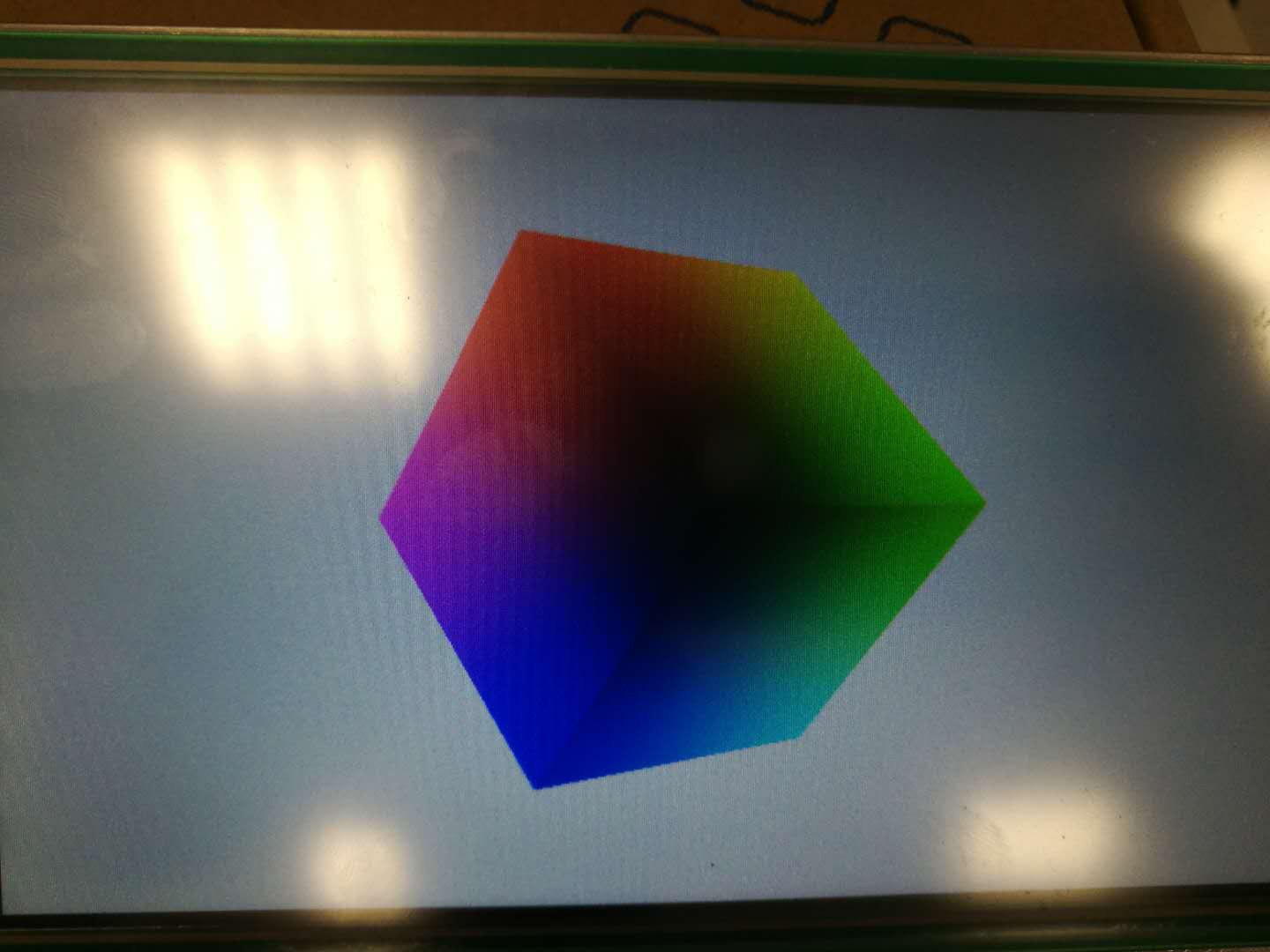
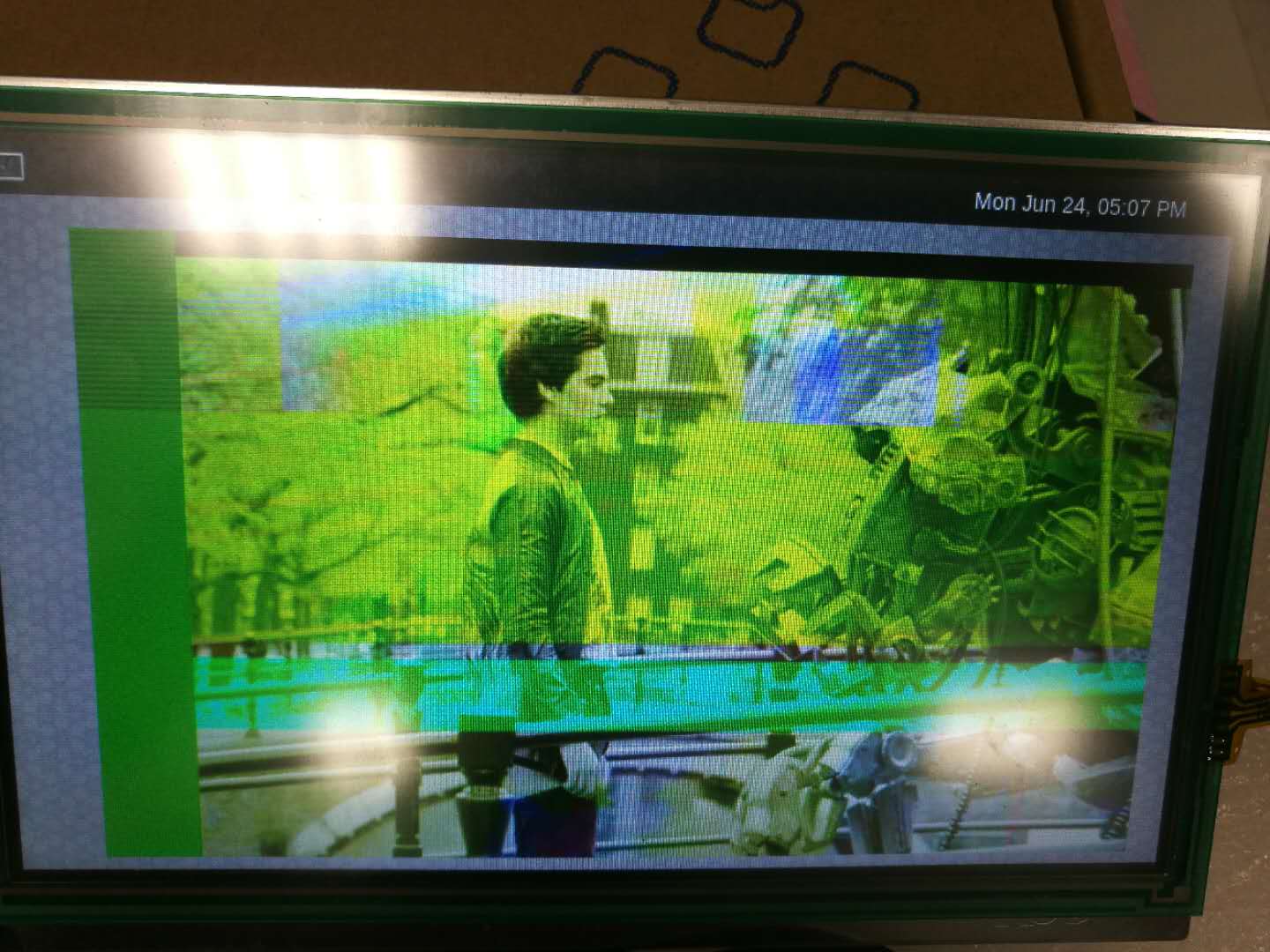
    The display screen is as follows:

  • Hello,

    No. When you run it with weston you must set capsfilter like this:

    gst-launch-1.0 playbin uri=file:///usr/share/ti/video/<path to the file and filename> video-sink=" videoconvert ! 'video/x-raw,format=(string)NV12, width=720,height=420' ! videoscale !  'video/x-raw,format=(string)NV12, width=420,height=240' ! waylandsink"

    BR
    Margarita

  • gst-launch-1.0 playbin uri=file:///usr/share/ti/video/<path to the file and filename> video-sink=" videoconvert ! 'video/x-raw,format=(string)NV12, width=720,height=420' ! videoscale !  'video/x-raw,format=(string)NV12, width=420,height=240' ! waylandsink"

    The display screen is as follows:

    But it's normal on EVMSK.

  • gst-launch-1.0 filesrc location=/usr/share/ti/video/TearOfSteel-AV-Short-720x420.mp4 ! qtdemux ! mpeg4videoparse ! avdec_mpeg4 ! videoconvert ! 'video/x-raw,format=(string)NV12, width=720,height=420' ! videoscale ! waylandsink

    This command is normal on our board.

    But it's abnormal on EVMSK. The log is as follows:

    root@am335x-evm:~# gst-launch-1.0 filesrc location=/usr/share/ti/video/TearOfSteel-AV-Short-720x420.mp4 ! qtdemux ! mpeg4videoparse ! avdec_mpeg4 ! videoconvert ! 'video/x-raw,format=(string)NV12, width=720,height=420' ! videoscale ! waylandsink
    Setting pipeline to PAUSED ...
    Pipeline is PREROLLING ...
    ERROR: from element /GstPipeline:pipeline0/GstQTDemux:qtdemux0: GStreamer encountered a general stream error.
    Additional debug info:
    ../../../gst-plugins-good-1.6.3/gst/isomp4/qtdemux.c(5319): gst_qtdemux_loop (): /GstPipeline:pipeline0/GstQTDemux:qtdemux0:
    streaming stopped, reason not-linked
    ERROR: pipeline doesn't want to preroll.
    Setting pipeline to NULL ...
    Freeing pipeline ...

  • Hello,

    I am sorry for delay I was OoO.

    The reason for this error is that qtdemux is not linked(pads). 

    You could try to set the qtdemux pad name. 

    For example :

    ...! qtdemux name=demux demux.video_0 !...

    For more information regarding pads please execute:

     gst-inspect-1.0 qtdemux

    Best Regards,

    Margarita